
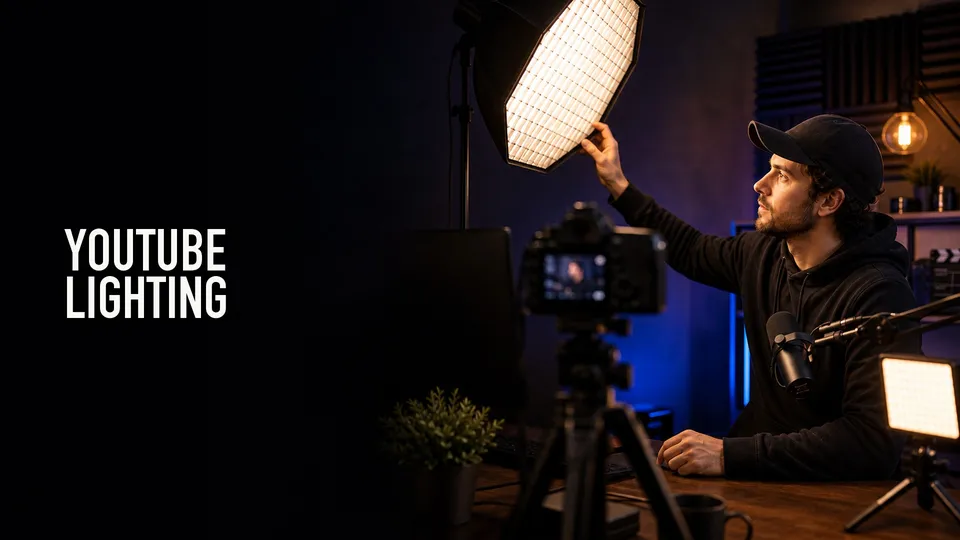
Better lighting is often a bigger upgrade than a better camera. A clean key light can make a modest webcam look more professional and make a good camera easier to expose.
Shop the shortlist
Start with one reliable key light and diffusion. Add background or accent lights only after your face, product, or workspace is lit cleanly.
Affiliate disclosure: As an Amazon Associate, I earn from qualifying purchases. I may earn a commission at no extra cost to you.
Quick Answer
For most YouTubers, the first light should be a soft key light placed slightly above eye level and off to one side. That gives shape to the face without making the setup complicated.
Desk creators can start with an Elgato-style panel or Logitech Litra-style monitor light. Larger rooms, product shots, and studio setups may need softboxes, COB lights, or larger LED panels.
Soft Light Beats Harsh Light
Small bare lights create harsh shadows and shiny skin. Bigger diffused light is usually more flattering and easier to work with.
If a light is too harsh, move it through diffusion, bounce it, or use a larger source. The quality of the light matters more than the advertised brightness.
Control And Color Temperature
Look for dimming and adjustable color temperature. Matching the light to the room keeps skin tones more natural and reduces mixed-light problems.
App control is convenient but not essential. Physical controls are useful when you need to adjust quickly before recording.
Simple Setups That Work
For talking-head videos, use one soft key light, a small fill from the monitor or bounce card, and practical background separation. For product videos, add a second light or reflector to shape the object.
For livestreams, avoid lights that flicker, overheat, or require awkward stands in a small room. Reliability matters more than dramatic color effects.
What I Would Buy First
If you record at a desk, compare compact key lights first. If you shoot products, tutorials, or standing videos, look at larger LED panels or COB lights with softboxes. Add RGB accent lights only after the main light is solved.
Product searches to compare
Placement Before More Gear
Before buying a second light, move the first one. Raise it slightly above eye level, put it off to one side, soften it, and reduce harsh reflections on glasses, skin, or product surfaces.
If the background looks flat, add distance between the subject and the wall before adding color lights. Physical separation often improves the image more than another RGB fixture.
For small rooms, control spill. A light that hits every wall can make the image look washed out, even if the subject is technically bright enough.
Shortlist Notes
Elgato Key Light is worth comparing for desk creators who want app control, a clean mount, and a panel designed for streaming or talking-head work. Logitech Litra Glow is a smaller monitor-mounted option for tighter desks.
Aputure/amaran and similar video lights make more sense when you need a bigger source, softbox options, product shots, or a setup that can move beyond a monitor. Budget LED panels from brands like Neewer can work if you add diffusion and do not expect premium control.
Spend the first dollars on the key light, stand or mount, and diffusion. Background color lights can wait.
Compare the shortlist after planning the setup
Choose placement, softness, and control before buying more gear. Then compare the current shortlist against the room and shooting distance you actually have.
FAQ
What light should I buy first for YouTube?
Buy one soft key light first. Place it slightly above eye level and off to one side, then adjust brightness and color temperature before adding more lights.
Are ring lights good for YouTube?
Ring lights can work, but they often create flat lighting and ring reflections. A soft key light is usually more flexible.
Do I need RGB lights for YouTube videos?
No. RGB lights are useful for background style, but clean key lighting matters more for image quality.
About the Author
Joseph Nilo is a video producer and technical creator who writes practical software, creator-workflow, and production gear guides from hands-on experience.