
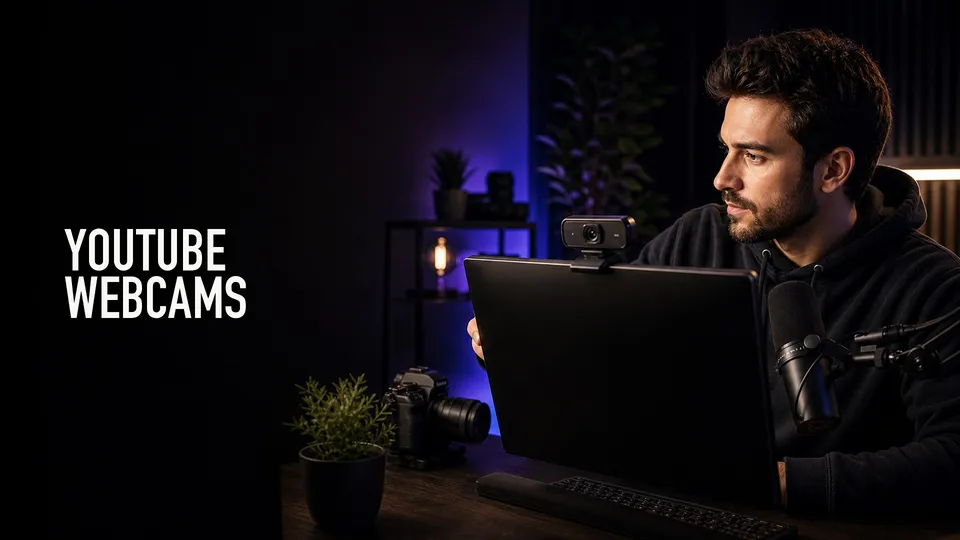
A good webcam is enough for many YouTube channels, especially tutorials, courses, livestreams, product demos, and screen-recorded videos. But the right webcam depends on lighting, framing, focus, and audio more than resolution alone.
Quick Answer
Buy a webcam when you mostly record at a desk, teach, stream, present, or combine talking-head video with screen recordings. Buy a mirrorless or cinema-style camera only when you need lens choice, depth of field, or a more produced studio look.
For most creators, lighting and audio improve the result more than jumping from a good webcam to an expensive camera.
Affiliate disclosure: This page contains affiliate links. I may earn a commission if you buy through them, at no extra cost to you.
Shop the shortlist
Compare webcams by image quality, autofocus, low-light behavior, field of view, mounting, software control, and whether you actually need AI tracking.
4K Is Useful But Not Everything
A 4K webcam gives you cropping room and a sharper image, but it cannot rescue bad lighting or poor framing. Sensor size, autofocus, exposure, and software control all matter.
If you stream or record in 1080p, a good 4K webcam can still help by oversampling or allowing digital reframing.
Tracking And AI Features
AI tracking can help educators, presenters, and creators who move around. It is less important for a seated talking-head setup where fixed framing looks more intentional.
Do not pay for tracking if the camera will never move. Spend that money on better light or audio instead.
Audio And Lighting
Built-in webcam microphones are convenient but rarely the best choice for YouTube. A dedicated USB or XLR mic usually makes the video feel more professional immediately.
Lighting is the other half of the webcam. A good key light lets the camera lower gain, keep skin tones cleaner, and avoid noisy shadows.
What I Would Buy First
For a creator desk, compare Logitech, Insta360, OBSBOT, and Elgato webcams against your lighting and software needs. If you already own a strong camera, consider using it as a webcam only if it does not slow down your setup.
Product searches to compare
Webcam Setup Checklist
Mount the webcam near eye level, not low on the laptop hinge. A small tripod, monitor arm, or better mount can make the shot feel much more intentional.
Turn off aggressive auto settings when they cause exposure pumping or color shifts. Lock exposure and white balance when your lighting is stable.
Record a short test before important videos. Check focus, framing, audio sync, background distractions, and whether your key light creates glare on glasses or shiny surfaces.
Shortlist Notes
Logitech MX Brio-style webcams are good to compare when you want a conventional 4K webcam with simple mounting and broad app support. Elgato Facecam models appeal more to creators who want manual control and a streaming-focused setup.
Insta360 Link and OBSBOT Tiny-style cameras are worth comparing if auto-framing, tracking, or a more flexible desk presentation matters. Those features are helpful for teaching, demos, and movement, but unnecessary for a locked-off talking-head shot.
Before upgrading from a good webcam to a camera, fix lighting and audio. Those two changes usually make the audience feel the upgrade faster.
Compare the current webcam shortlist
Use the buying criteria above, then compare current listings for the shortlist before choosing.
FAQ
Is a webcam good enough for YouTube?
Yes, a good webcam is enough for many YouTube channels, especially tutorials, livestreams, courses, screen recordings, and remote presentations.
Do I need a 4K webcam for YouTube?
Not always. 4K is useful for cropping and sharper capture, but lighting, audio, autofocus, and framing matter more.
Should I buy a webcam or a mirrorless camera?
Buy a webcam for speed and simplicity. Buy a mirrorless camera when you need lens choice, depth of field, better low-light performance, and a more produced look.
About the Author
Joseph Nilo is a video producer and technical creator who writes practical software, creator-workflow, and production gear guides from hands-on experience.