
Camcorders are no longer the default camera for every creator, but they still solve jobs that phones and hybrid mirrorless cameras can make harder: long event coverage, reliable zoom, built-in monitoring, continuous recording, and fast handoff to clients or editors.
Quick Answer
Updated June 2, 2026: Buy a camcorder if you need long-form recording, built-in zoom, stable handheld operation, event coverage, XLR audio, live streaming, or broadcast-style controls. Skip a camcorder if you mainly shoot cinematic shallow-depth-of-field footage, social clips, or photography-first work.
Best fit
Most practical consumer pick: Canon VIXIA HF G70, if you want a compact 4K camcorder with a long optical zoom.
Event and client work: Canon XA70/XA75 or Panasonic HC-X1500, depending on whether you value Canon autofocus/XA ergonomics or Panasonic 4K 60p, streaming, and long zoom.
Broadcast-style upgrade: Canon XF605 or JVC GY-HM250U when SDI, XLR, professional controls, and live-production features matter more than size.
Updated for 2026. Use the official product pages below to confirm current availability, regional model names, accessories, and support before buying.
Best Camcorders by Use Case
1. Canon VIXIA HF G70: Best Compact 4K Camcorder for Most Buyers
The Canon VIXIA HF G70 is the most sensible starting point if you want a dedicated camcorder without moving into a broadcast body. Canon describes it as a compact, lightweight camcorder with 4K UHD video, a Canon 20x optical zoom lens, and advanced autofocus.
Best for: family video, school events, simple interviews, church or community coverage, and creators who want optical zoom without building a mirrorless rig.
2. Canon XA70: Best Step-Up Event Camcorder
The Canon XA70 is a better fit when you need more professional controls and audio handling than a consumer camcorder. Canon describes it as a compact 4K UHD camcorder with oversampled HD, Dual Pixel CMOS AF, and a 15x optical zoom lens.
Best for: one-person event shooters, corporate video, education, and small production teams that need a camcorder body with pro-style handling.
3. Canon XA75: Best Canon XA Pick When You Need More Pro Connectivity
The XA75 sits close to the XA70 in the lineup, so treat it as the version to compare when you need the more professional connection set for production work. Confirm the exact regional specs before buying, because model differences and bundles can vary by market.
Best for: client work where camera outputs, live-production routing, and compatibility with existing video infrastructure matter.
4. Panasonic HC-X1500: Best Small Professional 4K 60p Camcorder
The Panasonic HC-X1500 is a strong option for event and live work. Panasonic lists 4K 60p recording, 4:2:2 10-bit internal recording, double SD card slots, built-in Wi-Fi live streaming, a wide 25mm lens, 24x optical zoom, and 5-axis hybrid optical image stabilization.
Best for: run-and-gun event coverage, travel production, live streaming, and creators who want a compact pro camcorder with strong recording modes.
5. Canon XF605: Best Higher-End Mobile Production Camcorder
The Canon XF605 is a larger investment, but it is the type of camcorder that makes sense for serious mobile production. Canon positions it as a professional XF-series camcorder with mobility, connectivity, and 4K UHD HDR image quality.
Best for: production teams, institutional video, documentary-style client work, and jobs where professional controls and dependable broadcast-style operation matter.
6. JVC GY-HM250U: A Live/Broadcast Option
The JVC GY-HM250U is older than some newer creator cameras, but it still has a clear use case. JVC lists a compact 4K camcorder with an integrated 12x lens, 4K recording, 3G-SDI, HDMI, XLR audio inputs, built-in streaming features, and broadcast overlay tools.
Best for: livestreaming, house-of-worship production, schools, small venues, and teams that need SDI/HDMI utility more than a cinema-style image.
Comparison Table
| Camcorder | Best Fit | Why It Stands Out | Watch For |
|---|---|---|---|
| Canon VIXIA HF G70 | General 4K camcorder | Compact body, 4K UHD, 20x optical zoom | Not a full pro broadcast body |
| Canon XA70 | Event and client video | 4K UHD, oversampled HD, Dual Pixel AF, 15x zoom | Compare audio/output needs before buying |
| Canon XA75 | Pro connectivity in XA form | XA-style workflow for more production-oriented jobs | Confirm regional spec differences |
| Panasonic HC-X1500 | Compact pro 4K 60p | 24x optical zoom, 4K 60p, 10-bit recording, streaming | Small controls require practice |
| Canon XF605 | Higher-end production | 4K UHD HDR, mobility, pro connectivity | Overkill for casual creators |
| JVC GY-HM250U | Live/broadcast utility | SDI, HDMI, XLR, streaming, broadcast overlay tools | Older platform; compare current support |
Camcorder vs Phone or Mirrorless Camera
A phone is usually better for casual clips, quick social content, and situations where convenience matters more than controls. A mirrorless camera is usually better for shallow depth of field, lens choice, low-light image quality, and cinematic looks.
A camcorder is still better when you need continuous coverage, long zoom, simple ergonomics, built-in ND or audio options on pro models, and fewer rigging decisions. That is why camcorders still show up at conferences, schools, churches, local government meetings, sports sidelines, and training-video shoots.
Buying Checklist
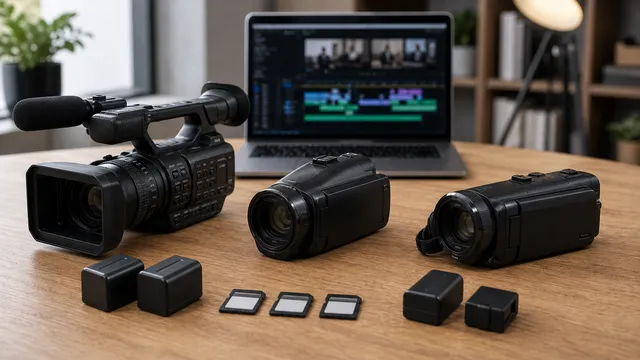
- Zoom range: optical zoom matters more than digital zoom for events and distance coverage.
- Audio: check whether you need XLR inputs, headphone monitoring, or a top-handle audio module.
- Recording format: confirm resolution, frame rates, bit depth, card slots, and whether your editing system supports the format comfortably.
- Outputs: SDI and clean HDMI matter for live production, switchers, and external recorders.
- Stabilization: handheld event work benefits from optical or hybrid stabilization.
- Support and availability: check current official support pages and authorized retailers before buying older camcorder models.
Sources Checked
Sources: official manufacturer product pages.
FAQ
Are camcorders still worth buying?
Yes, if you record long events, presentations, school programs, church services, training videos, or livestreams. They are less compelling for casual social video or cinema-style shallow-depth-of-field work.
What is the best camcorder for most people?
For most general buyers, a compact 4K model with a long optical zoom is the safest starting point. The Canon VIXIA HF G70 is a practical example if you want a dedicated camcorder without moving into a larger pro body.
Should I buy a camcorder or a mirrorless camera?
Buy a camcorder for long recording, zoom, event reliability, audio, and fast setup. Buy a mirrorless camera for interchangeable lenses, photography, shallow depth of field, and a more cinematic image style.
How do I check availability for older camcorders?
Check the manufacturer's current product and support pages, confirm regional model numbers, and buy through an authorized retailer that lists the exact included accessories and warranty.