
First things first: this page uses affiliate links.
Updated May 2026
Quick Answer
Envato Elements is still one of the easiest creative subscriptions to justify if you publish videos, design client assets, build presentations, or need licensed stock on a regular schedule.
The 2026 decision is less about whether the catalog is useful and more about which plan fits your AI usage: Core for stock assets, Plus for regular AI work, and Ultimate for high-volume generation.
Best For
Video creators, designers, marketers, educators, and freelancers who need fresh assets every month.
Skip If
You only need one asset, require direct item support, or need a specific Envato Market item that is not in the subscription catalog.
Watch First
Check AI generation limits, project licensing rules, monthly vs annual billing, and whether your exact asset type is included.
I use Envato Elements as a practical production tool, not as a magic replacement for taste.
The value is speed: finding a credible music bed, a presentation template, a motion graphics starter, or a polished design asset without turning every project into a sourcing rabbit hole.
Affiliate note
I am also a paid Envato Elements subscriber and use it across website and video projects.
What is Envato Elements?
Envato Elements is a subscription for creative assets and generative AI tools.
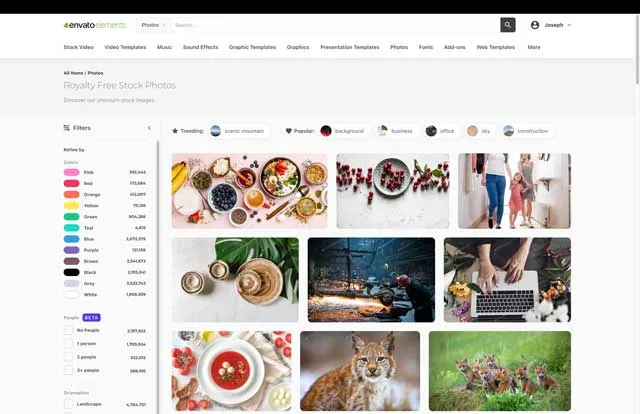
The stock catalog covers video templates, stock footage, music, sound effects, graphics, design templates, fonts, add-ons, presentations, photos, 3D assets, Lottie animations, and more.
That makes it useful when you need dependable creative inputs every week. For occasional one-off purchases, a marketplace or individual stock site may make more sense.
What You Get With Envato Elements
The main benefit is range.
A YouTube creator may use stock video, music, transitions, lower thirds, LUTs, and thumbnails. A designer may use mockups, fonts, presentation templates, graphics, and photos. A marketer may use social templates, web layouts, brand mockups, and short-form video assets.
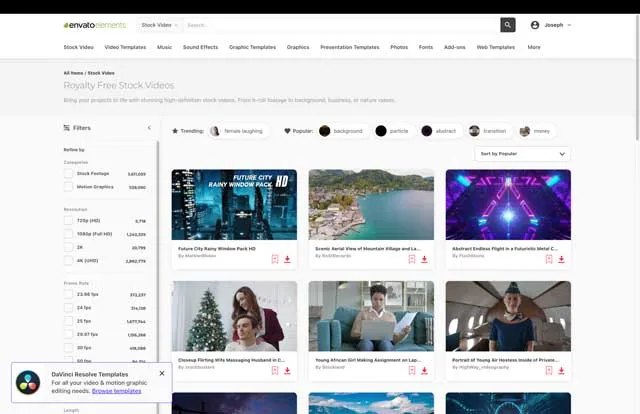
Video And Audio Assets
Use these for YouTube videos, client promos, reels, training content, podcast packaging, and lightweight motion-design work.
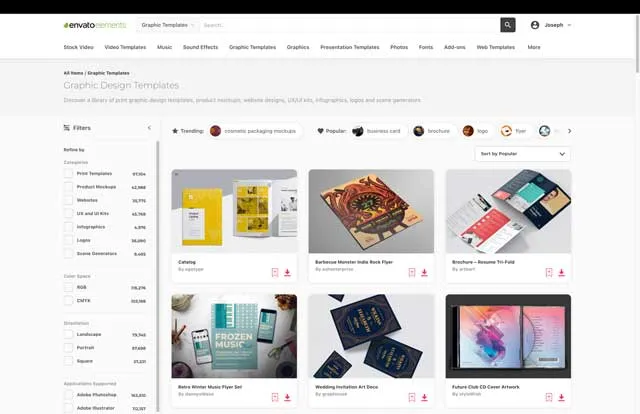
Design Templates And Graphics
This is where Envato is especially helpful for fast production: mockups, social templates, graphics, presentation decks, fonts, and design starters.
AI Tools
Envato now separates plans partly by AI usage. Core includes a small monthly AI allowance, Plus expands it, and Ultimate is for high-volume generation subject to fair-use rules.
Envato Elements Pricing in 2026
Envato changed its plan structure in 2026, so old single-price reviews are no longer enough.
As checked on Envato's official pricing page in May 2026, individual plans were listed as Core, Plus, and Ultimate. Prices are in USD and exclude local tax.
| Plan | Annual price shown monthly | Monthly billing | Best fit |
|---|---|---|---|
| Core | $16.50/month | $39/month | Unlimited stock-asset downloads plus 10 AI generations per month. |
| Plus | $39/month | $59/month | Everything in Core plus 100 AI generations per month across Envato's AI toolkit. |
| Ultimate | $109/month | $169/month | Everything in Plus plus unlimited monthly AI generations, subject to fair-use rules. |
Official pricing checked May 2026. Envato also notes that students save 30% on the Core plan, and that pricing can vary by geography, taxes, eligibility, and billing choice.
Licensing Notes That Matter
Envato's license is useful, but it is not a blank check to download everything once and reuse it forever in every possible way.
The important practical rule is project licensing. When you download an item, you license it for a specific project. If you want to use the same item in another project, create a new license for that separate use while your subscription is active.
Completed project licenses can remain valid after your subscription ends, but you cannot keep using downloaded assets for new projects after cancellation.
You also cannot redistribute assets as stock, templates, source files, or merchandise where the asset itself is the main value.
Where Envato Fits in Real Creator Work
Envato is most useful when it shortens a production step without making the final work look generic.
For video, I would use it for music, sound effects, transitions, title treatments, stock cutaways, and quick motion-design scaffolding. For design, I would use it for mockups, presentation foundations, social graphics, and supporting visuals.
The mistake is dropping in a template unchanged. The better workflow is to use Envato as a polished starting point, then adjust pacing, typography, colors, copy, and asset choices so the final piece feels specific to the project.
Final Verdict
Envato Elements is worth it if creative assets are part of your regular production rhythm.
The 2026 plan split actually makes the decision clearer. Choose Core if you mostly need stock assets. Choose Plus if you regularly use AI tools. Choose Ultimate only if high-volume AI generation is central to your workflow.
If you are buying for a single download, verify the exact asset is available and compare the cost against a one-off marketplace purchase.
If your main need is lower-cost stock photos, vectors, and video rather than a broad template and music library, compare Vecteezy vs Envato Elements before choosing.
Envato Elements FAQ
Is Envato Elements worth it in 2026?
Yes, if you use stock assets, templates, music, video elements, or design assets every month.
If you only need one specific file, it may be cheaper to buy a single asset elsewhere.
What is included with Envato Elements?
Envato includes a broad catalog of stock video, photos, music, sound effects, graphics, fonts, templates, presentations, 3D assets, Lottie animations, and AI tools.
Does Envato Elements include Envato Market?
No. Envato Elements and Envato Market are separate. Check whether a specific item is part of the Envato subscription before subscribing.
Can I use Envato Elements for client work?
Yes, but license each asset for the specific client project while your subscription is active.
Which Envato plan should I choose?
Start with Core if you mainly need stock assets. Move to Plus or Ultimate only if AI generation limits are a real part of your workflow.

About the Author
Joseph Nilo has been working professionally in all aspects of audio and video production for over twenty years. His day-to-day work finds him working as a video editor, 2D and 3D motion graphics designer, voiceover artist and audio engineer, and colorist for corporate projects and feature films.