
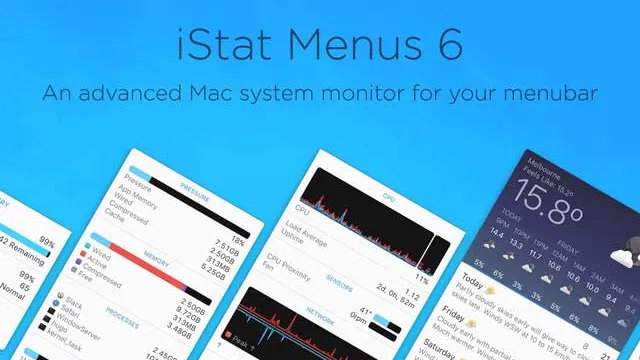
iStat Menus is a powerful Mac menu bar monitor for keeping an eye on CPU, GPU, memory, network, disk, sensors, battery, weather, and time.
Affiliate disclosure: This page contains affiliate links. I may earn a commission if you buy through them, at no extra cost to you.
Overview
iStat Menus iStat Menus is for people who want system information visible without opening Activity Monitor all day. It puts detailed Mac performance and hardware data in the menu bar, making it useful for developers, video editors, power users, and anyone troubleshooting slowdowns or thermal issues.
Table of Contents
Key Takeaways
- Best for monitoring Mac performance from the menu bar.
- Tracks CPU/GPU, memory, network, disk, sensors, fans, battery, weather, and time.
- Useful for diagnosing slowdowns, heat, battery drain, and network activity.
- Version 7.20 supports macOS 11 and later.
But I only share apps and services that I use, love, and believe in.
To get the best deal and the latest pricing on SetApp, be sure to use our link to support this blog & the work we do.
Full Review
System Monitoring at a Glance
iStat Menus gives you fast visibility into what your Mac is doing. CPU, GPU, memory, network, and disk activity can all be surfaced in the menu bar, so you can spot spikes without interrupting your work. It is much faster than repeatedly opening built-in macOS utilities.
Sensors, Battery, and Real-World Troubleshooting
The sensor and fan data are especially useful when performance problems are tied to heat, sustained workloads, or battery drain. For laptops, iStat Menus can help explain why the machine feels slow, loud, or short on battery. For desktops, it is a reliable way to keep hardware behavior visible.
Who iStat Menus Is Best For
Casual users may not need this much information. But if you run demanding apps, develop software, edit media, stream, or troubleshoot Macs regularly, iStat Menus is one of the most practical utilities on Setapp. It makes invisible system behavior easier to understand.

About the Author
Joseph Nilo has been reviewing, blogging, podcasting, and creating video content about Mac Apps for over 20 years.
Both on a consumer / Mac fan level for his various podcasts and blogs about Apple, and professionally as the cofounder of HiLo Media, the premiere video production company for app developers.
He as created thousands of videos, blog posts, podcasts, and reviews about Mac Apps in his 20+ year career.
Decide whether iStat Menus fits
If iStat Menus fits the workflow above and the wider app bundle would be useful, review the current Setapp option. If you only need one tool, compare the available purchase options before deciding.
FAQ
Yes. iStat Menus is available through Setapp.
It can monitor CPU/GPU, memory, network, disk activity, sensors, fans, battery, date/time, and weather.
The observed Setapp listing shows iStat Menus version 7.20 requiring macOS 11 or later.