
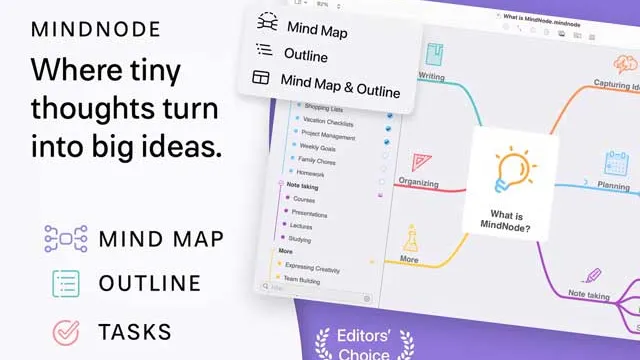
MindNode is a visual brainstorming and mind mapping app that helps turn loose ideas into organized maps, outlines, and tasks.
Affiliate disclosure: This page contains affiliate links. I may earn a commission if you buy through them, at no extra cost to you.
Overview
MindNode mindNode is useful when a linear document is not the right starting point. Setapp currently shows both MindNode Classic and MindNode Next: Classic remains useful for Mac/iOS mind mapping and iCloud sync, while MindNode Next adds modern planning features like outlines, tasks, progress, visual tags, stickers, and real-time collaboration.
Table of Contents
Key Takeaways
- Best for brainstorming, outlining, planning, and organizing ideas visually.
- Setapp currently shows both MindNode Classic and MindNode Next.
- MindNode Next supports Mac/iOS maps, outlines, tasks, progress, tags, stickers, and collaboration.
- MindNode Next requires macOS 15 or later on the observed Setapp page.
But I only share apps and services that I use, love, and believe in.
To get the best deal and the latest pricing on SetApp, be sure to use our link to support this blog & the work we do.
Full Review
Visual Thinking Without a Heavy Project Tool
MindNode works best at the messy beginning of a project. You can start with one idea, branch into related thoughts, and reorganize the structure as patterns emerge. It is more approachable than a full project management system and more visual than a standard outline.
Classic vs. MindNode Next
MindNode Classic remains a solid option for Mac and iOS mind mapping with iCloud sync. MindNode Next is the more current direction, adding outlines, tasks, progress tracking, visual tags, stickers, and real-time collaboration. The right choice depends partly on your Mac version and whether you need the newer collaboration and planning features.
Who MindNode Is Best For
MindNode is a strong fit for writers, strategists, students, product teams, and anyone who plans visually. It is less useful if your work already lives entirely in a task database, but it is excellent for shaping early ideas before they become documents, briefs, outlines, or project plans.

About the Author
Joseph Nilo has been reviewing, blogging, podcasting, and creating video content about Mac Apps for over 20 years.
Both on a consumer / Mac fan level for his various podcasts and blogs about Apple, and professionally as the cofounder of HiLo Media, the premiere video production company for app developers.
He as created thousands of videos, blog posts, podcasts, and reviews about Mac Apps in his 20+ year career.
Decide whether MindNode fits
If MindNode fits the workflow above and the wider app bundle would be useful, review the current Setapp option. If you only need one tool, compare the available purchase options before deciding.
FAQ
Yes. Setapp currently shows MindNode Classic and MindNode Next pages.
MindNode Classic is useful for Mac/iOS mind mapping and iCloud sync, while MindNode Next adds outlines, tasks, progress, visual tags, stickers, and real-time collaboration.
The observed Setapp listing shows MindNode Next requiring macOS 15 or later.