

The current Final Cut Pro student discount is not a simple coupon on the standalone Mac app. Apple now gives students and educators a low-cost Apple Creator Studio subscription, while Final Cut Pro for Mac still has a separate one-time App Store purchase path.
Quick Answer
Updated June 2, 2026: Apple lists Apple Creator Studio student and educator pricing at $2.99 per month or $29.99 per year after the free trial. The subscription includes Final Cut Pro, Logic Pro, Motion, Compressor, Pixelmator Pro, MainStage, and Apple productivity apps.
If you only want Final Cut Pro for Mac and do not want another subscription, Apple still lists the standalone Mac App Store version as a one-time purchase. Apple also still documents the Pro Apps Bundle for Education for eligible education buyers who want the one-time Pro Apps set, especially when buying a Mac through Apple education stores.
Best current move
Most students should start by comparing the Apple Creator Studio education plan against the standalone Final Cut Pro Mac purchase. The right choice depends on whether you need the broader app bundle and iPad access or just one Mac video editor.
Best Option for Students
For most active students, Apple Creator Studio is the cleanest student-price route because it spreads the cost out and includes more than Final Cut Pro. It is useful if your coursework or client work touches editing, motion graphics, music, image editing, presentation work, and iPad production.
The tradeoff is that it is a subscription. If you graduate, lose eligibility, stop verifying, or just want to keep one Mac app long term, the standalone purchase may be the simpler choice.

Current Apple Options
Apple currently gives students three practical paths. They are not interchangeable, so the cheapest-looking option is not always the best one.
| Option | Best for | Main tradeoff |
|---|---|---|
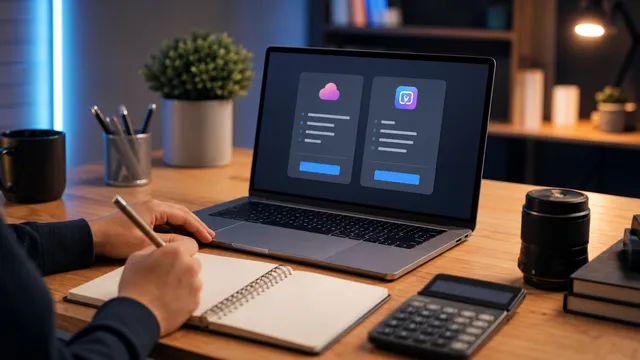
| Apple Creator Studio education plan | Students and educators who want Final Cut Pro plus the broader Apple creative suite. | Subscription access requires verification and recurring billing. |
| Final Cut Pro for Mac one-time purchase | Editors who only need the Mac app and want a simpler long-term purchase. | No bundled Logic Pro, Motion, Compressor, Pixelmator Pro, or iPad subscription access. |
| Pro Apps Bundle for Education | Eligible education buyers who want the one-time versions of Final Cut Pro, Motion, Compressor, Logic Pro, and MainStage. | Apple now documents it mainly around education-store purchase and redemption workflows, so check current availability before planning around it. |
If you are comparing this against Adobe, the decision is also philosophical. Final Cut Pro rewards Mac-first editing and a faster purchase path, while Adobe Creative Cloud makes more sense if your school, team, or clients expect Premiere Pro, After Effects, Photoshop, and shared Creative Cloud workflows.
Who Should Subscribe
Subscribe to Apple Creator Studio if you are actively enrolled, eligible for verification, and want more than one Apple creative app. The student price is especially strong when Final Cut Pro is only one part of your semester workflow.
For example, a film student might cut in Final Cut Pro, build motion graphics in Motion, compress deliverables in Compressor, score a short in Logic Pro, and design thumbnail or poster assets in Pixelmator Pro. In that case, the bundle has real practical value.
Who Should Buy Final Cut Pro
Buy Final Cut Pro for Mac if you know you only need the Mac editor and you dislike recurring subscriptions. This is the clearer path for students who already have audio, graphics, and delivery tools covered elsewhere.
The standalone purchase is also easier to understand for long-term use. Apple Support says one-time purchase versions can be downloaded from the Mac App Store, and Apple lists Final Cut Pro for Mac separately from the Creator Studio subscription.
Before buying, confirm your Mac meets the current system requirements and check the live Mac App Store page. Apple updates Final Cut Pro, macOS requirements, and feature requirements over time.
Where the Pro Apps Bundle Fits
The older advice on this page centered on the Pro Apps Bundle for Education. That bundle still exists in Apple Support documentation, but it should not be treated as the only or default Final Cut Pro student discount anymore.
Apple Support says the bundle includes one-time purchase versions of Final Cut Pro, Motion, Compressor, Logic Pro, and MainStage. Apple also says the bundle can be bought preinstalled when buying a Mac through the Apple Store for Education or Apple Store for Education Institution.
That makes the bundle worth checking if you are buying a new Mac for school and want the permanent Pro Apps set. If you already own a Mac and mostly need flexible access while enrolled, Creator Studio is usually the first comparison to make.
Practical Student Workflow
If you are learning video editing from scratch, start with your actual class and project requirements. A one-semester documentary course, a YouTube channel, and a school broadcast program have different software needs.
Use this quick rule:
- Need several Apple creative apps right now? Start with Apple Creator Studio student pricing.
- Only need Final Cut Pro on Mac? Compare the one-time App Store purchase against the months you expect to subscribe.
- Buying a new education Mac and want the Pro Apps set? Check the Pro Apps Bundle for Education during the Mac purchase flow.
- Your class requires Premiere Pro? Look at the Adobe student discount before committing to Final Cut Pro.
Sources Checked
Pricing and availability were checked against Apple sources on June 2, 2026: Apple Creator Studio student pricing, Apple Final Cut Pro product page, Final Cut Pro on the Mac App Store, Apple Support: About Final Cut Pro, and Apple Support: Redeem the Pro Apps Bundle for Education.
FAQ
Does Apple still offer a Final Cut Pro student discount?
Yes, but the main current student-price path is Apple Creator Studio education pricing. It gives eligible students and educators subscription access to Final Cut Pro and other Apple creative apps.
How much is Apple Creator Studio for students?
As checked in June 2026, Apple lists student and educator pricing at $2.99 per month or $29.99 per year after the free trial. Apple says verification is required and the offer terms can change.
Is Final Cut Pro still a one-time purchase?
Yes. Apple lists Final Cut Pro for Mac as a one-time Mac App Store purchase. If that is the only Apple creative app you need, compare the standalone purchase against your expected subscription length.
Is the Pro Apps Bundle for Education still relevant?
Yes, especially if you want one-time purchase versions of Final Cut Pro, Motion, Compressor, Logic Pro, and MainStage. Apple Support still documents the bundle and its redemption/preinstall workflow.