

Evaluation disclosure: Waves provided temporary Ultimate access for evaluation. I am also a Waves affiliate, so qualifying purchases may earn me a commission at no added cost to you. Access and commission did not determine the result.
Waves makes hundreds of plugins.
A professional voiceover chain does not need hundreds of plugins.
It needs a small group of tools that solve specific problems without changing the speaker into somebody else.
That distinction matters.
A sung vocal can support obvious color, width, saturation, tuning, and effects.
Voiceover and dialogue usually need something more restrained:
- clear words;
- stable levels;
- controlled noise and room sound;
- natural consonants and breaths;
- enough dynamics to sound human; and
- a finished file that meets the delivery target.
I have used Waves tools for decades, but longevity alone does not make a plugin the right choice.
This guide uses controlled spoken-voice recordings to identify the Waves plugins that earn a place in a practical voiceover and dialogue toolkit.
Quick answer
My short version
Edit first. Start with F6 and WLM Plus, then add only the processor the recording proves it needs.
For most voiceover and dialogue work, the smallest defensible Waves starting point is:
- Corrective control: F6 Dynamic EQ, only where the recording needs it; and
- Delivery verification: WLM Plus, using the actual client or platform target.
Add one problem-specific processor only after the recording proves the need. The archived audio examples do not establish whether standard Clarity Vx improved this recording. The replacement render is documented as Clarity Vx Pro, and its processing details are incomplete. Treat both versions as candidates to evaluate, not as winners or failures from these examples. The remaining repair, de-essing, compression, riding, breath, and limiting candidates are useful categories to audition, but this limited test did not produce a fair winner in those groups.
That is not one mandatory chain.
It is a problem-to-tool map.
Use only the processors the recording actually needs.
Best for: voiceover artists, podcast editors, and dialogue mixers who want a small, problem-led Waves toolkit.
Skip if: your current tools already solve the recording cleanly and meet its delivery specification.
At a glance
| Problem | Start here | Use an advanced option when |
|---|---|---|
| Changing background noise | Clarity Vx | Standard processing cannot preserve the voice cleanly |
| Room echo | Clarity Vx DeReverb | The room needs frequency-specific or ambience control |
| Rumble, mud, honk, harshness | F6 Dynamic EQ | Resonances move too much for a fixed setup |
| Evolving resonances | Curves Equator | Its learned curve beats a manually tuned dynamic EQ |
| Sibilance | Sibilance | Another de-esser preserves the phrase more naturally |
| General dynamics | Renaissance Compressor | A faster or more characterful compressor fits the read |
| Smooth leveling | CLA-2A | Its slower response suits the voice and pacing |
| Quiet syllables | MV2 | Low-level detail can be raised without lifting noise too far |
| Long-form consistency | Vocal Rider | It saves automation time without audible riding |
| Peaks | L2 | A different limiter solves a documented delivery problem |
| LUFS and true peak | WLM Plus | A compliant built-in meter already covers the job |
Choose the smallest useful Waves path
Compare the current Waves plans only after you know which cleanup, control, and delivery tools your recordings actually need.

Start with editing, not plugins
The first voiceover processor is the edit.
Before loading a plugin:
- choose the best take;
- remove mistakes and unwanted mouth sounds;
- set clip gain;
- create clean fades;
- preserve useful breaths;
- add room tone where an edit creates a hole; and
- decide what the finished voice should sound like.
A compressor should not repair a word that is 12 dB too quiet because the speaker turned away from the microphone.
A noise reducer should not run at maximum because one pause contains a chair squeak.
A de-esser should not dull the entire recording because two phrases are sharp.
Fix local problems locally. Use plugins for behavior that continues across the recording.
A practical order
A sensible spoken-word chain usually follows this order:
- edit and clip gain;
- noise reduction or dereverb only when needed;
- corrective EQ or resonance control;
- de-essing;
- compression or level riding;
- low-level detail control if needed;
- limiter;
- loudness and true-peak verification.
The exact order can change.
For example, a resonant frequency may hit a compressor too hard, so corrective EQ belongs before compression.
A compressor may make sibilance more obvious, so a second light de-essing stage may work better than one heavy stage.
The chain should follow the recording—not a screenshot of somebody else’s template.
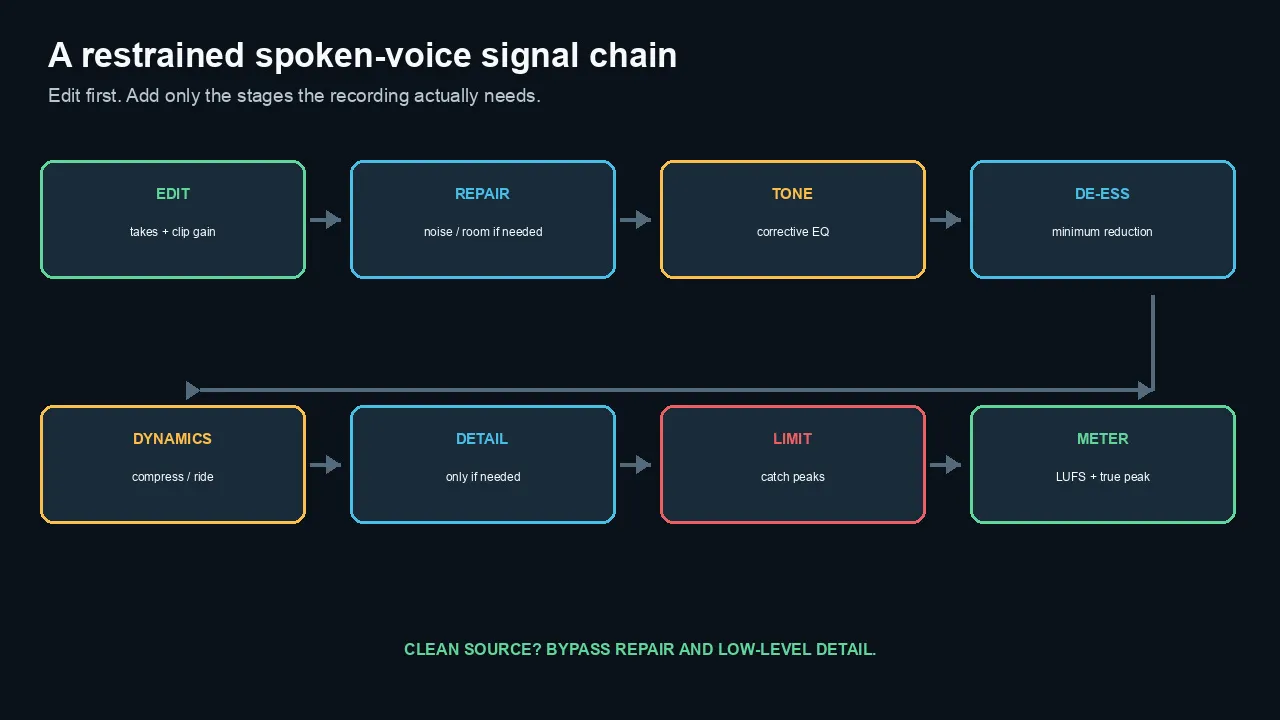
Edit and set clip gain first. Repair, low-level detail, and other stages remain bypassed until the recording proves a need.
Best Waves plugin for background noise
Clarity Vx
 Clarity Vx
Clarity Vx is the obvious starting point for changing background noise.
Waves designed it to separate wanted voice from background in real time.
The standard plugin uses a main voice/noise balance with several neural-network choices.
That makes it faster than a traditional process that needs a clean noise profile.
It is especially relevant for:
- HVAC;
- fans;
- traffic;
- general room noise;
- podcasts recorded outside a booth;
- interviews; and
- dialogue that must be heard in context with picture and music.
The main risk is overprocessing.
A quieter background can come with:
- lisped sibilance;
- softened consonants;
- gated word endings;
- smeared breaths;
- changing room tone; or
- a voice that feels detached from the picture.
Historical observation: The earlier test report recorded a -90.3 dB RMS difference and a correlation of 0.9999996 between its Clarity and Logic-bypass renders. Those audio versions were replaced after a metronome was found in them. These figures have not been established for the replacement examples and do not support a standard-Clarity performance verdict here.
Archived room and air-conditioner examples
These examples use the source recording and a replacement Logic render documented as Clarity Vx Pro with the metronome disabled. The retained records do not establish a controlled standard-versus-Pro comparison or a product-performance conclusion from these examples.
The retained source excerpt also differs from its original section-manifest checksum. That difference has not yet been explained.
August 26 recorded QC: The previews were recorded as the same 14-second mono passage, both at -30.9 LUFS with true peaks within 0.1 dB. These are historical QC notes, not newly measured results or proof of source or processing integrity. Neither player starts automatically.
Source recording
Clarity Vx Pro — documented replacement render
Clarity Vx Pro
Choose Pro when one global control cannot solve the clip cleanly.
The advanced version adds more detailed processing, monitoring, ambience, and automation options.
That control matters in difficult production dialogue.
It may be unnecessary for a clean voiceover with one stable fan.
Standard versus Pro: Not ranked. The retained records do not establish a controlled comparison between the two versions. These examples do not justify choosing Pro over standard Clarity Vx.
NS1 as the simpler alternative
NS1 is a fast adaptive suppressor.
It may be enough for steady, predictable noise.
Use the least complex tool that produces the natural result.
A neural separator is not automatically better than a simple suppressor on an easy recording.
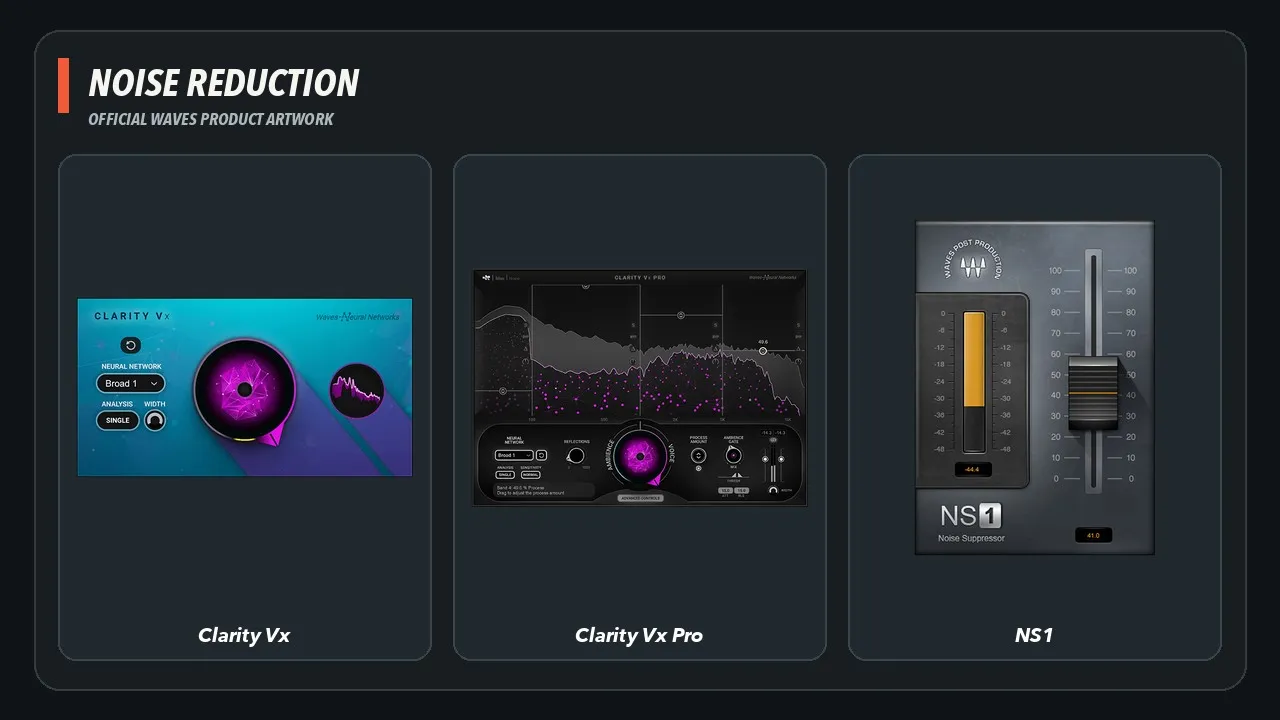
Official Waves product artwork for the three noise-reduction candidates discussed here: Clarity Vx, Clarity Vx Pro, and NS1. Official product pages: Clarity Vx, Clarity Vx Pro, NS1.
Best Waves plugin for room echo
Clarity Vx DeReverb
Noise and reverb are different problems.
Clarity Vx DeReverb targets the room reflections that make a voice sound distant, hollow, or unfocused.
The standard version is the best starting point when you need a quick one-control workflow.
Use it gently.
Too much dereverb can make the voice:
- dry in an unnatural way;
- phasey;
- thin;
- disconnected from the room; or
- unstable at word endings.
Tested result: Not ranked. The recording documents real room ambience, but it was not a controlled moderate-versus-strong reverberation pair. DeReverb remains a candidate, not a tested winner.
DeReverb Pro
The Pro version belongs in the conversation when different frequency areas need different amounts of treatment or when ambience continuity needs more control.
It earns its higher cost only when those controls improve the finished clip.
Standard-versus-Pro result: Not ranked. Do not pay for the Pro controls on the strength of this article alone; test whether their frequency-specific and ambience controls solve a recurring clip that the standard version cannot.
Use noise and dereverb separately
A bad room recording may need both.
Do not ask one plugin to solve the other problem.
A practical order is often:
- remove enough noise to hear the room clearly;
- reduce the room without making the voice brittle;
- restore believable ambience around edits.
The exact order should be tested on the clip.
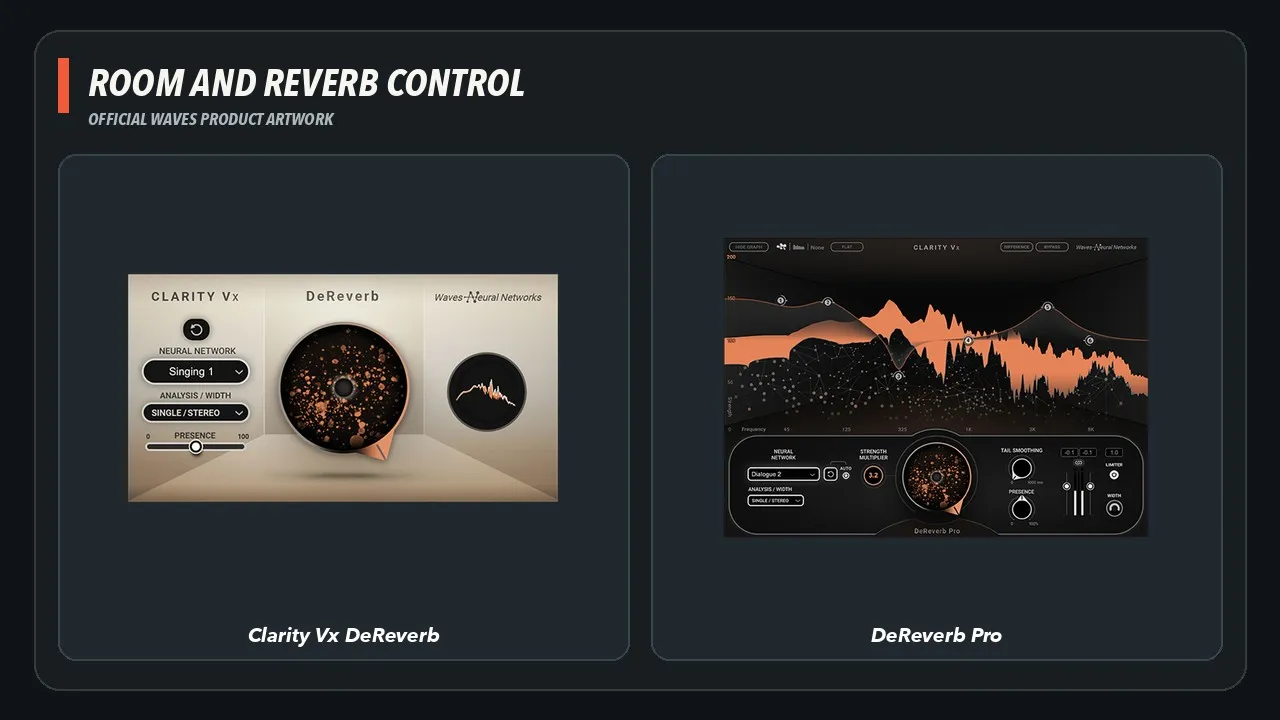
Official Waves product artwork for Clarity Vx DeReverb and DeReverb Pro. The standard and Pro versions remain candidates, not tested winners in this article. Official product pages: Clarity Vx DeReverb, Clarity Vx DeReverb Pro.
Best Waves EQs for spoken voice
F6 Dynamic EQ
 F6 Dynamic EQ
F6 is the safest default recommendation for corrective spoken-word EQ.
It combines familiar EQ bands with dynamic control.
That lets you reduce a problem only when it becomes excessive.
Common areas include:
- rumble below the useful voice range;
- mud;
- boxiness;
- honk or nasal tone;
- harsh upper mids;
- sibilant energy; and
- proximity buildup.
Do not use preset frequency labels as fixed truths.
Find the problem on the actual voice.
F6 result: F6 loaded, recalled its selected state across window closes, exposed its controls for automation, and rendered normally in Logic. The bundled Vocal Cleaner preset demonstrated a useful high-pass-plus-dynamic-band starting point, but it was not retained as a universal spoken-word setting.
Renaissance EQ
Renaissance EQ remains useful because it is fast and familiar.
For a clean recording that needs a high-pass filter, a small broad cut, or a gentle shelf, a conventional EQ may be all you need.
It is also a good baseline against newer adaptive tools.
Curves Equator
Curves Equator learns the source and creates a personalized suppression curve.
That makes it a strong candidate for resonances that shift through the performance.
It can also be overused.
A learned curve is still a processing decision.
The test should confirm that Equator reduces the unwanted resonance without flattening the identity of the voice.
F6-versus-Equator result: Not ranked. F6 received the practical workflow check; Curves Equator was installed and verified as Ultimate-only, but it was not given a fair matched comparison.
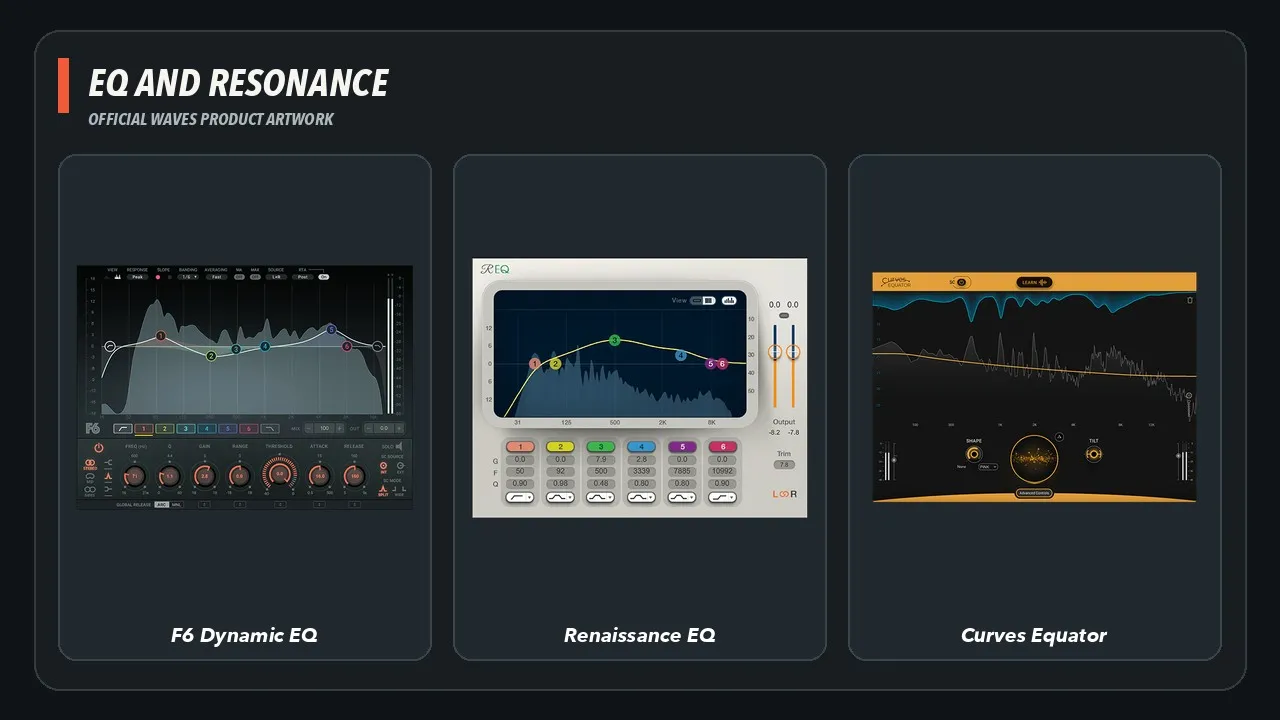
Official Waves product artwork for F6 Dynamic EQ, Renaissance EQ, and Curves Equator. F6 received the retained workflow check; the other two remain useful candidates. Official product pages: F6 Dynamic EQ, Renaissance EQ, Curves Equator.
Best Waves de-esser for voiceover
Sibilance
 Sibilance
Sibilance is the leading candidate for transparent spoken-word de-essing.
Waves describes it as separating sibilant energy from the vocal signal rather than turning down a broad frequency area indiscriminately.
The useful result is not the quietest “S.”
It is the phrase that remains clear without sounding lisped or dull.
Sibilance result: Not ranked. The rights-cleared phrase set is preserved for a dedicated matched-reduction comparison; this pillar does not turn an unrun comparison into a winner.
DeEsser and Renaissance DeEsser
The older Waves de-essers remain useful.
They are simple, predictable, and may work better on a particular microphone or speaker.
The comparison uses the same sibilant phrases and matched output levels.
De-esser comparison result: Not ranked. Treat Sibilance, DeEsser, and Renaissance DeEsser as candidates and choose the one that preserves this speaker's consonants at the required reduction.
Two light stages can beat one heavy stage
A difficult voice may benefit from:
- a light de-esser before compression; and
- another light stage after compression.
That is often more natural than forcing one processor to remove every sharp consonant.
Use the minimum reduction that solves the problem.
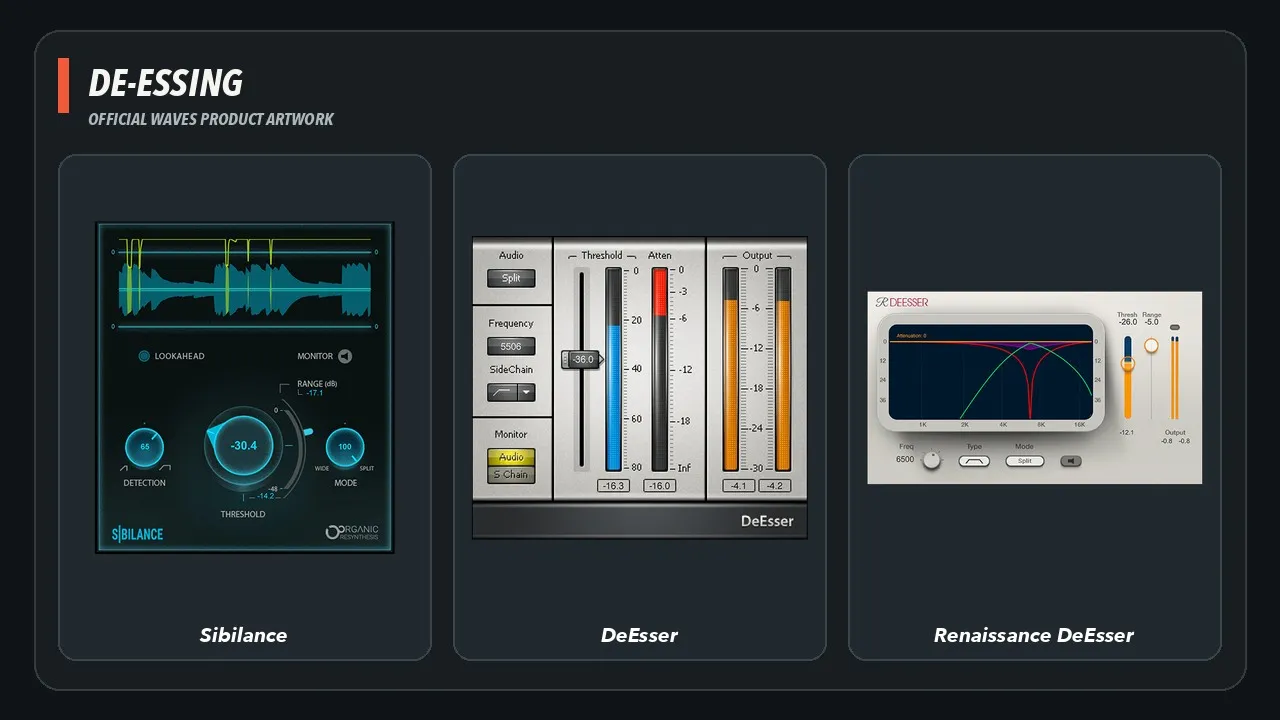
Official Waves product artwork for Sibilance, DeEsser, and Renaissance DeEsser. Choose by consonant preservation, not by the deepest reduction. Official product pages: Sibilance, DeEsser, Renaissance DeEsser.
Best Waves compressors for voiceover
Compression is where voiceover chains become needlessly complicated.
The goal is not to make the waveform look solid.
The goal is to keep words intelligible and controlled while preserving the speaker’s rhythm.
Renaissance Compressor
Renaissance Compressor is the practical default.
It provides enough control to shape attack, release, ratio, threshold, and character without locking the voice into one vintage behavior.
It is a strong choice for:
- narration;
- software tutorials;
- corporate voiceover;
- podcasts;
- audiobooks; and
- general dialogue leveling.
RCompressor result: Candidate guidance only. It remains the most flexible default in this shortlist, but no comparative winner claim is made from the retained host test.
CLA-2A
CLA-2A is the smooth alternative.
Its optical-style response can work well on slower narration and voices that need density without an aggressive front edge.
It is not automatically “warmer.”
The test must show whether the slower response preserves or blurs the words.
CLA-2A result: Candidate guidance only. Test it on slow narration and reject it when the optical-style response blurs diction or raises room tone.
CLA-76
CLA-76 is the faster option.
It can catch peaks and create a more forward read.
That may suit an energetic commercial voice.
It can also overemphasize breaths, mouth noise, and room sound.
CLA-76 result: Candidate guidance only. Test it on energetic reads and reject it when the fast, forward result exaggerates breaths or mouth noise.
CLA-3A and Renaissance Vox
CLA-3A can offer a faster optical-style alternative.
Renaissance Vox simplifies leveling when speed matters more than detailed control.
Neither is a mandatory addition.
Use them when they beat the default on the actual read.
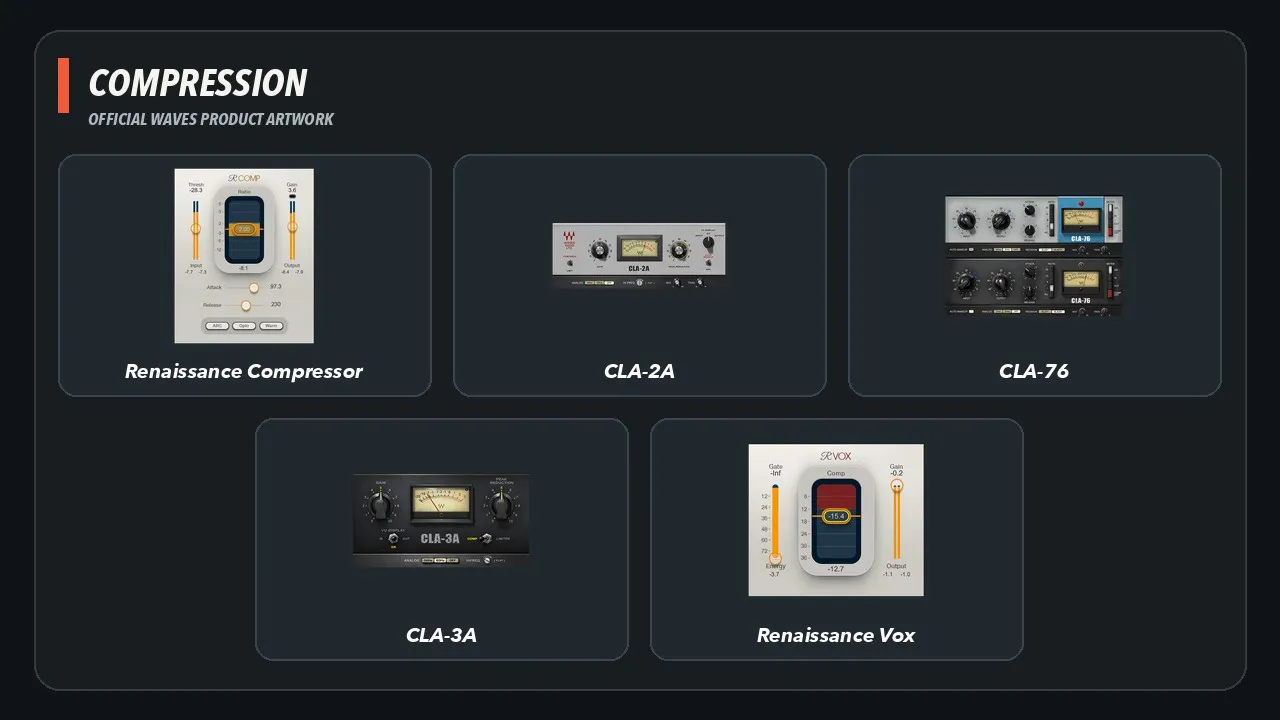
Official Waves product artwork for the five compressor and fast-leveling candidates discussed in this section. Official product pages: Renaissance Compressor, CLA-2A, CLA-76, CLA-3A, Renaissance Vox.
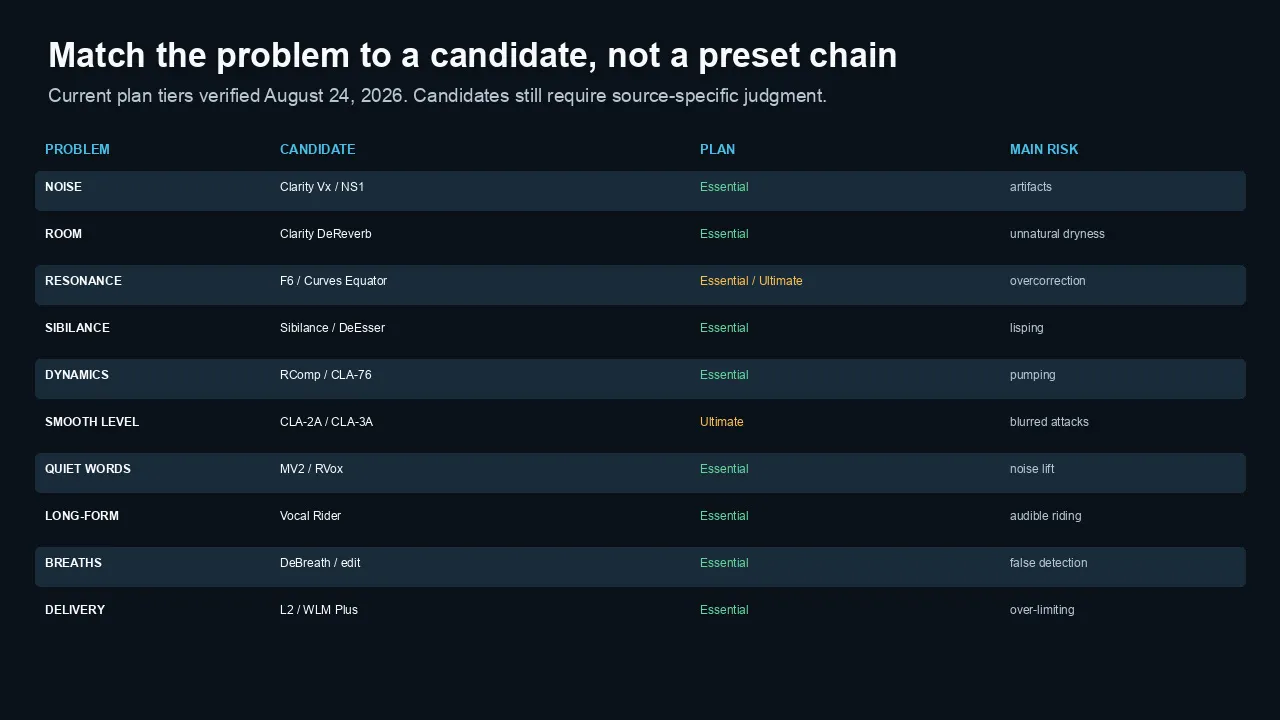
Match the recording problem to a candidate, then listen for the main failure mode instead of loading a preset chain.
MV2, Vocal Rider, and low-level control
These tools solve different problems.
MV2
MV2 combines low-level and high-level compression.
Its useful voiceover job is bringing quiet syllables forward without relying only on heavy conventional compression.
The risk is equally clear:
MV2 also raises noise, room tone, breaths, and mouth sounds.
Use it after editing and cleanup.
Use less than you think.
MV2 result: Candidate guidance only. Because this recording contains real air-conditioner and room ambience, low-level lift should be added only after editing and only when the words—not the room—benefit.
Vocal Rider
Vocal Rider changes gain rather than compressing the voice in the usual way.
That can reduce automation work on:
- long narration;
- interviews;
- podcasts;
- training videos; and
- dialogue against changing music.
It should not replace clip gain.
The useful question is whether it saves time after correction.
Vocal Rider result: Candidate guidance only. Use it as a possible automation first pass after clip gain, not as a substitute for sentence-level judgment.
Manual automation remains valid
A plugin does not understand every sentence.
Important words, intentional whispers, dramatic pauses, and breaths may still need manual judgment.
Use automatic riding to create a strong first pass—not to surrender the mix.
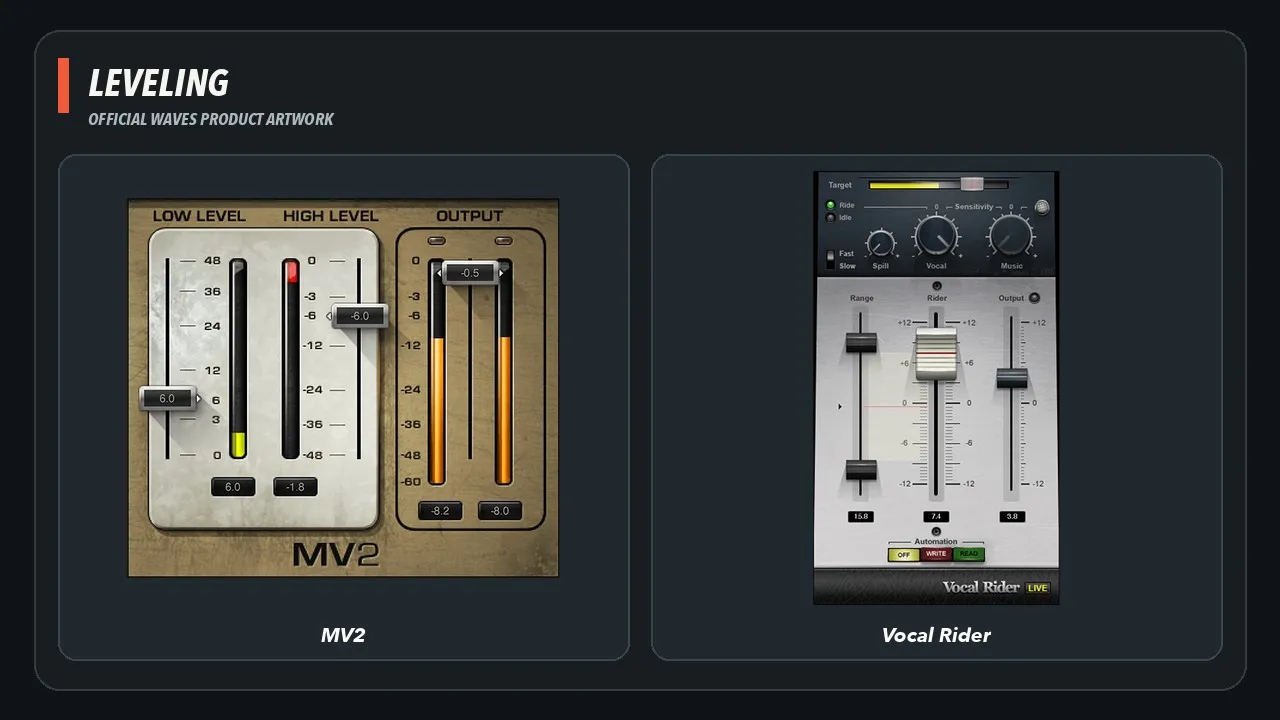
Official Waves product artwork for MV2 and Vocal Rider. MV2 changes low- and high-level dynamics; Vocal Rider automates gain movement. Official product pages: MV2, Vocal Rider.
L2 and WLM Plus for delivery
L2
L2 remains a practical final peak limiter.
For voiceover, it should usually do less than the compressor.
Use it to catch remaining peaks and protect the delivery ceiling.
Do not push it until the voice becomes flat, crunchy, or unnaturally dense.
L2 result: Candidate guidance only. Keep limiting light and verify the actual delivery ceiling with a true-peak meter.
WLM Plus
 WLM Plus
WLM Plus measures the finished programme. The separate LUFS and true-peak guide explains delivery targets in detail.
It helps verify:
- integrated loudness;
- short-term and momentary behavior;
- true peak;
- loudness range;
- delivery warnings; and
- compliance with a known target.
A meter does not improve the mix.
It tells you what the mix is doing.
Use the separate LUFS for Video guide for current targets and measurement methods.
A compliant built-in meter remains a valid option.
WLM Plus workflow result: Verified in Logic Pro. After eight seconds of the benchmark passage it displayed -26.1 LUFS long term, 3 LU range, and -12.5 dBTP. Those are host-check observations, not a delivery target; use the required specification for the finished programme.
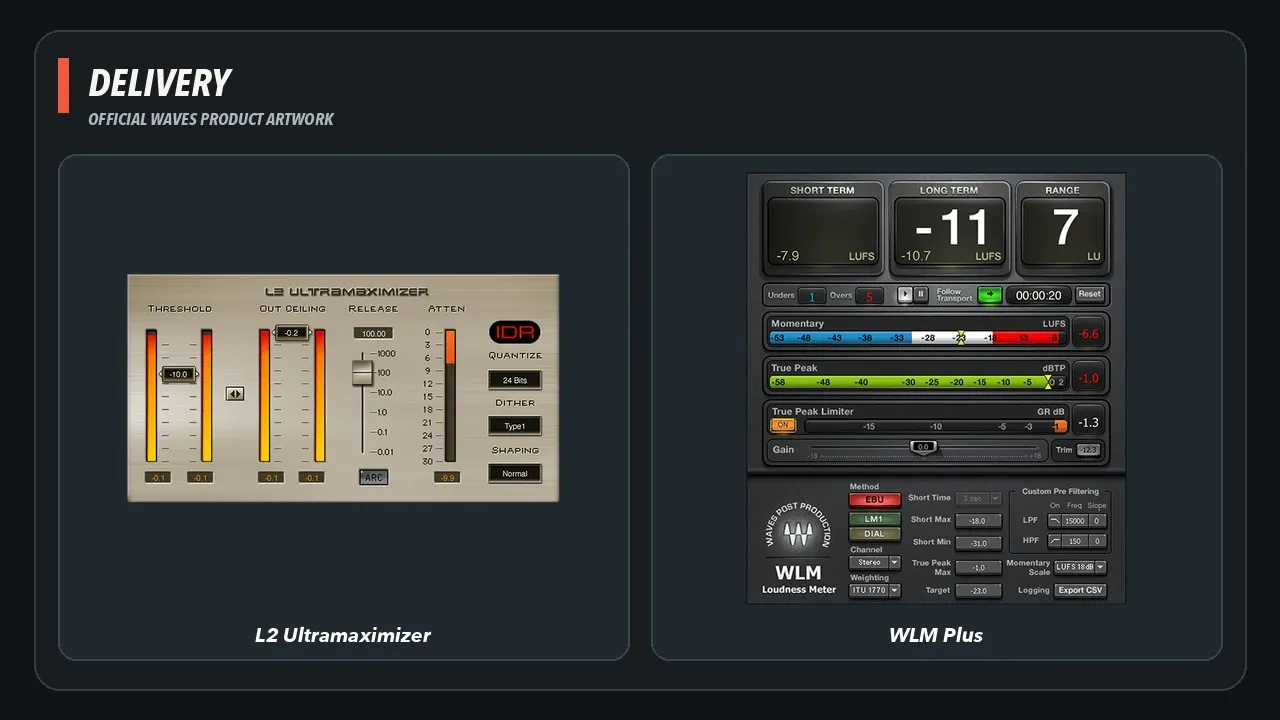
Official Waves product artwork for L2 and WLM Plus. Limit lightly, then verify the finished programme against its real loudness and true-peak specification. Official product pages: L2 Ultramaximizer, WLM Plus. Check WLM Plus at Waves.
DeBreath and utility processing
DeBreath
Breaths are part of speech.
Removing all of them can make narration sound edited and uncomfortable.
DeBreath is useful when a long recording contains repetitive, distracting breaths that would otherwise require substantial manual work.
The test should check:
- missed breaths;
- clipped word attacks;
- room-tone holes;
- false detections; and
- correction time.
DeBreath result: Not ranked. The breath-heavy fixture is preserved, but this pillar does not claim a time saving or detection result without a completed manual-versus-plugin edit.
Scheps Omni Channel 2
Scheps Omni Channel 2 is the all-in-one alternative.
It can combine filtering, saturation, de-essing, compression, gating, EQ, and routing in one insert.
That can make a fast chain easier to manage.
It can also encourage processing because the controls are already open.
Use it when the consolidated workflow is genuinely faster—not because one plugin looks cleaner than six inserts.
All-in-one result: Not ranked. Scheps Omni Channel 2 remains an organizational option, not evidence that one insert is better than a smaller problem-specific chain.
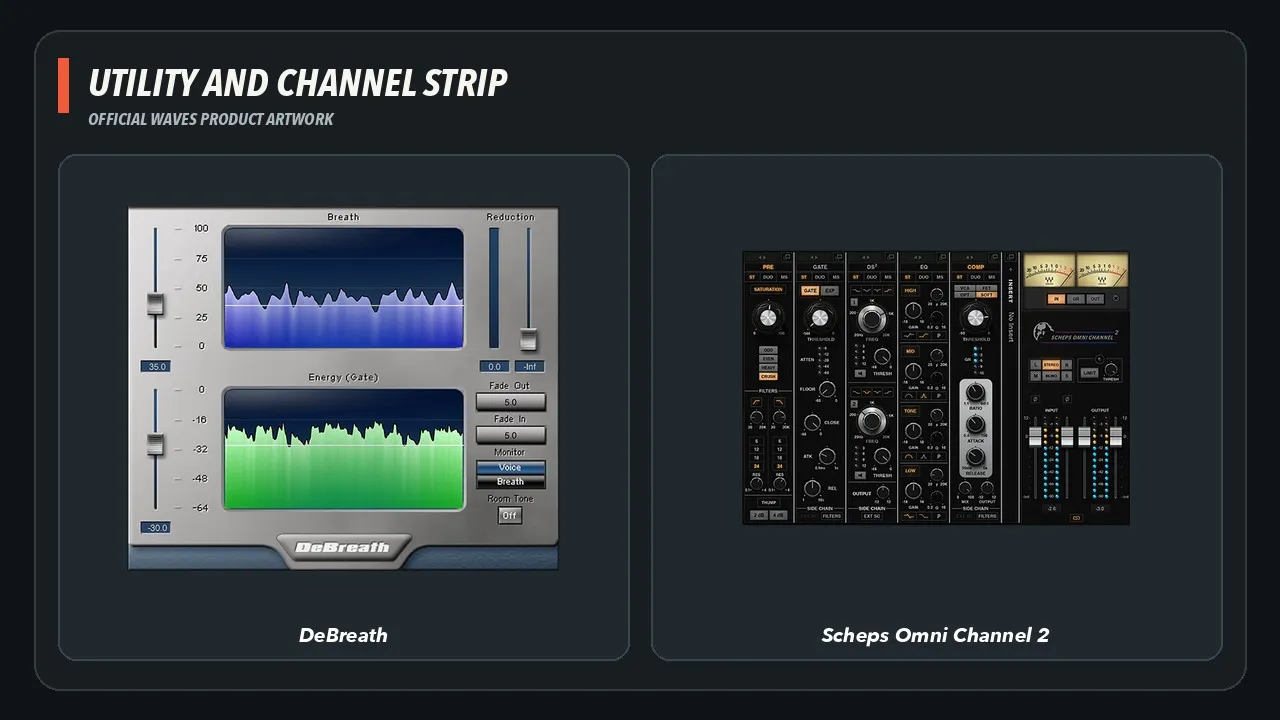
Official Waves product artwork for DeBreath and Scheps Omni Channel 2. Both are conditional workflow tools rather than mandatory chain stages. Official product pages: DeBreath, Scheps Omni Channel 2.
Suggested voiceover and dialogue chains
These are starting structures, not presets.
Clean booth voiceover
- edit and clip gain;
- Renaissance EQ or F6 only where needed;
- Sibilance;
- Renaissance Compressor or CLA-2A;
- MV2 only if quiet detail still needs support;
- L2;
- WLM Plus.
Skip noise reduction and dereverb when the recording is already clean.

Noisy untreated room
- edit and clip gain;
- Clarity Vx;
- Clarity Vx DeReverb if room sound remains;
- F6 or Curves Equator;
- Sibilance;
- restrained compression;
- L2;
- WLM Plus.
Do not run both cleanup tools harder than necessary.
Long-form narration
- edit, clip gain, and breath decisions;
- corrective EQ;
- light de-essing;
- Vocal Rider or manual automation;
- gentle compression;
- MV2 only if needed;
- L2;
- WLM Plus.
The chain should support hours of listening without sounding hyped.
Dialogue with changing ambience
- scene-based editing and clip gain;
- automated Clarity processing;
- dereverb only on the scenes that need it;
- corrective EQ;
- controlled dynamics;
- restore believable room tone and edit continuity;
- meter the complete mix.
Do not turn every location into the same dry booth.
Energetic commercial read
- edit and clip gain;
- EQ/resonance control;
- de-essing;
- RCompressor, CLA-76, or CLA-2A based on the read;
- optional MV2;
- L2;
- WLM Plus.
Fast compression can add urgency.
It can also make the voice fatiguing.
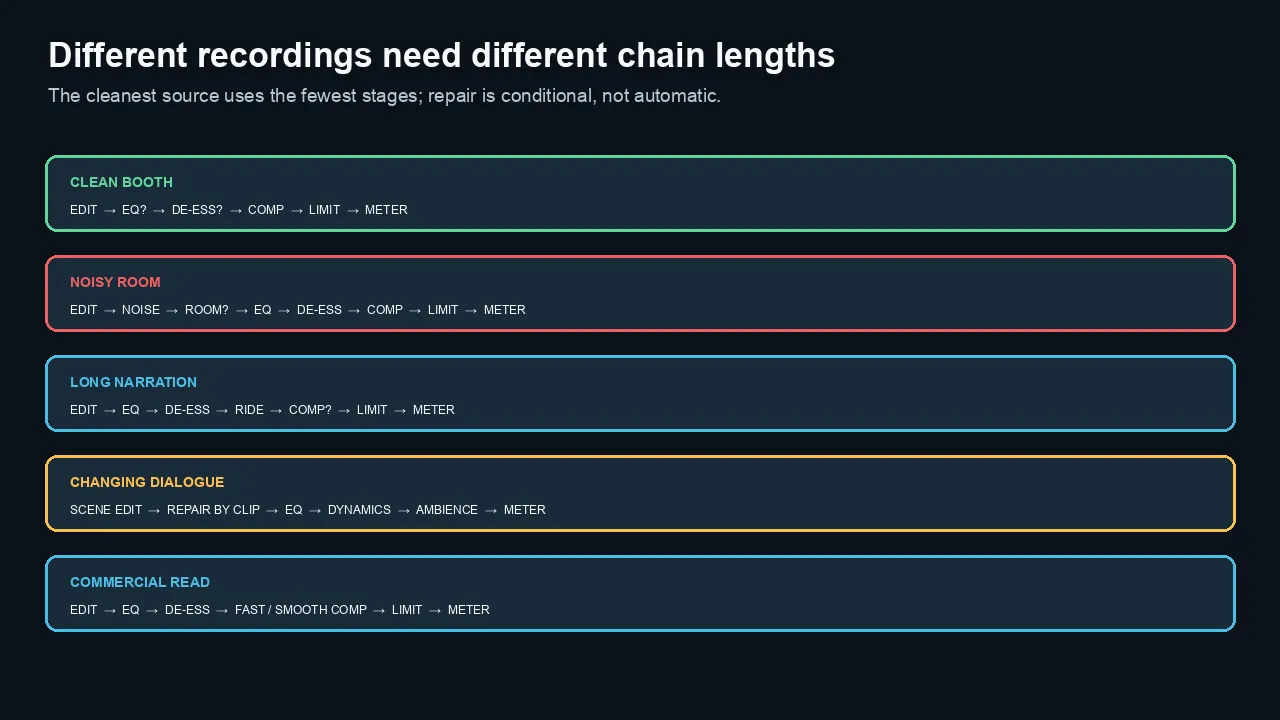
Different recordings need different chain lengths. Clean sources use fewer stages; repair is conditional.
Essential or Ultimate?
Waves Essential currently contains most of the core spoken-word toolkit.
That includes standard Clarity cleanup, EQ, de-essing, compression, leveling, limiting, and loudness tools.
Ultimate becomes relevant when you need:
- Clarity Vx Pro;
- Clarity Vx DeReverb Pro;
- CLA-2A or CLA-3A;
- Scheps Omni Channel 2;
- advanced restoration tools;
- deeper mastering options; or
- a wider post-production catalog.
Use the dedicated Waves Essential vs Ultimate for Video Editors comparison for the current catalog and price decision.
Perpetual licenses may be cheaper
A subscription is not the only path.
If Essential covers most of the chain and one Ultimate-only plugin solves a recurring problem, compare the current perpetual price with the long-term plan difference.
Waves prices change frequently.
Judge value by the plugins retained in finished work—not by sale percentage or catalog size.
Plugins I would skip by default
Pitch correction
Voiceover usually does not need tuning.
Do not treat normal speech inflection as a pitch problem.
Stereo widening
A mono voice should usually remain stable and centered.
Widening can create phase and intelligibility problems.
Heavy saturation
A little color may help a specific voice.
Heavy saturation can exaggerate sibilance, mouth noise, and fatigue.
Reverb on dialogue
Add reverb only when the voice must match a scene or intentional acoustic space.
Do not put a corporate narrator in a synthetic room because the chain feels unfinished.
Every processor in the subscription
Access is not a reason to insert a plugin.
The best voiceover chain may use three processors.
The best dialogue repair may use one careful tool and several edits. See what Adobe Audition adds for specialized repair, or compare browser and timeline cleanup in Adobe Podcast vs Premiere.
How the plugins were tested
The evaluation uses Joseph's rights-cleared 48 kHz, 24-bit spoken-voice recording made for this article. The immutable master and thirteen derived fixtures are checksummed.
Evidence review, September 15, 2026: The retained master and twelve section checksums matched their records. One source section used by the archived audio examples did not. That discrepancy remains unresolved, so the examples are not being used for a product-performance conclusion.
The recording covers:
- clean reference voiceover;
- room tone with continuous air-conditioning ambience;
- sibilance and plosives;
- quiet under-recorded speech;
- breath-heavy speech;
- fast and slow delivery;
- energetic commercial delivery;
- neutral reference delivery; and
- a public-use authorization slate.
No client, private-conversation, or NDA-protected audio is used. Categories that need unavailable evidence—such as controlled moderate/strong reverb, changing ambience, or voice against a music bed—remain unranked.
Each plugin is tested only on the problem it claims to solve.
The output is reviewed in Logic Pro and Resolve/Fairlight.
Listening files are loudness-matched.
The log includes:
- voice identity;
- diction;
- breaths;
- consonants and word endings;
- residual noise and room;
- pumping, chirping, lisping, smearing, gating, and ambience collapse;
- active setup and correction time;
- CPU, latency, automation, and recall; and
- whether the processor remained in the final chain.
The final recommendations are category-specific.
There is no single “best Waves plugin” for every spoken-voice problem.
Final recommendation
The smallest defensible Waves stack starts with F6 for corrective control and WLM Plus for delivery verification, adding one problem-specific processor only when the recording demonstrates the need. The archived Clarity examples do not support a standard-plugin performance verdict. Evaluate whether cleanup helps the actual recording; do not use this pair as evidence for or against either version. No Ultimate-only processor earned a value claim in this limited retained test, and the article does not invent winners for the unrun de-esser, compressor, rider, breath, dereverb, or channel-strip comparisons.
Logic Pro completed the retained Waves insert, parameter, close/reopen, offline/real-time bounce, and metering checks. Resolve Studio imported the same 48 kHz fixture, created and played a Fairlight timeline, and saved the project; plugin-specific Resolve results are omitted because the authorized accessibility path did not expose the insert chooser reliably enough for a fair test.
For daily work, begin with editing and clip gain, use F6 only where corrective control is needed, and finish with WLM Plus. Noise reduction, dereverb, de-essing, compression, riding, breath control, and limiting are additions—not mandatory stages. This test did not justify an Ultimate-only upgrade or a Pro-version improvement claim.
Check the plan against the finished chain
If the compact stack above covers your work, compare the current plan catalog before choosing a subscription.
Frequently asked questions
What are the best Waves plugins for voiceover?
Start with F6 for corrective control and WLM Plus for delivery verification. Clarity Vx, Clarity Vx DeReverb, Sibilance, Renaissance Compressor, MV2, Vocal Rider, and L2 are problem-specific candidates, not a mandatory chain. The retained Clarity audio does not establish a standard-plugin performance result; choose a cleanup tool from a valid comparison on the recording you need to repair.
Do I need Waves Ultimate for voiceover?
Usually not. Waves Essential currently contains most core voiceover tools. Ultimate becomes useful when you need Pro cleanup, advanced restoration, CLA-2A/3A, Scheps Omni Channel 2, or several other Ultimate-only processors repeatedly.
What is the best Waves compressor for voiceover?
Renaissance Compressor is the practical general-purpose candidate. For timeline-based mixing context, see the Premiere Essential Sound guide. CLA-2A may suit slower, smoother leveling, while CLA-76 may suit a faster commercial read. The best choice depends on the voice, pace, recording, and desired dynamics.
Should noise reduction come before compression?
Usually, yes. Compression and low-level enhancement can raise background noise and room sound. Edit and set gain first, apply the minimum necessary cleanup, then compress. Test exceptions on the actual clip.
Should EQ come before or after compression?
Corrective EQ often belongs before compression when rumble or resonances trigger the compressor. Tone-shaping EQ can come before or after. Use the order that produces the cleanest dynamics with the fewest stages.
Is Clarity Vx good for voiceover?
It is designed for voice and vocal noise separation and is a strong candidate for noisy voiceover. It is unnecessary on a clean booth recording and does not replace dedicated repair for clipping, plosives, hum, or severe room reverb.
Is Clarity Vx DeReverb included in Waves Essential?
The public catalog checked on August 21, 2026 placed Clarity Vx DeReverb in Essential and DeReverb Pro in Ultimate. Plan membership can change, so recheck the current comparison page before subscribing.
Is Sibilance better than Waves DeEsser?
Sibilance is the leading transparent candidate, but the best de-esser depends on the speaker and microphone. Compare Sibilance, DeEsser, and Renaissance DeEsser on the same phrases and at the same output level.
What does MV2 do for voiceover?
MV2 can raise quiet syllables while controlling higher levels. It can also raise noise, breaths, and room tone, so it should follow editing and cleanup and be used conservatively.
Do I need Vocal Rider and compression?
They solve different jobs. Vocal Rider changes gain over time, while compression changes dynamics according to the signal. Long-form narration may benefit from both, but manual clip gain and automation remain important.
Is L2 good for voiceover?
L2 is a practical final peak limiter when it catches occasional peaks without making the voice dense or distorted. It should not perform the main leveling job.
What LUFS should voiceover be?
The correct target depends on the finished programme and delivery specification. For unspec’d dialogue-led web video, Joseph’s practical starting point is around -16 LUFS integrated with true peak at or below -1 dBTP. This is professional guidance, not a universal platform requirement.
Can I use Waves plugins in Logic Pro and DaVinci Resolve?
Waves’ supported-host documentation, checked on August 24, 2026, lists current Logic Pro and DaVinci Resolve workflows. Check the official host, operating-system, and plugin-format pages before installing because support can change.
Should I use all these plugins in one chain?
No. Use only the processors the recording needs. A clean voiceover may need editing, light EQ, gentle compression, a limiter, and a meter. Noise and dereverb tools should remain bypassed when the source is already clean.
Official sources reviewed
- Current Waves plugin catalog
- Current Waves Essential and Ultimate plan comparison
- Waves system requirements
- Waves supported hosts
- Waves dialogue-cleanup workflow for DaVinci Resolve
- Private approved Impact campaign status, reviewed outside Git

About the Author
Joseph Nilo has been working professionally in all aspects of audio and video production for over twenty years. His day-to-day work finds him working as a video editor, 2D and 3D motion graphics designer, voiceover artist and audio engineer, and colorist for corporate projects and feature films.