
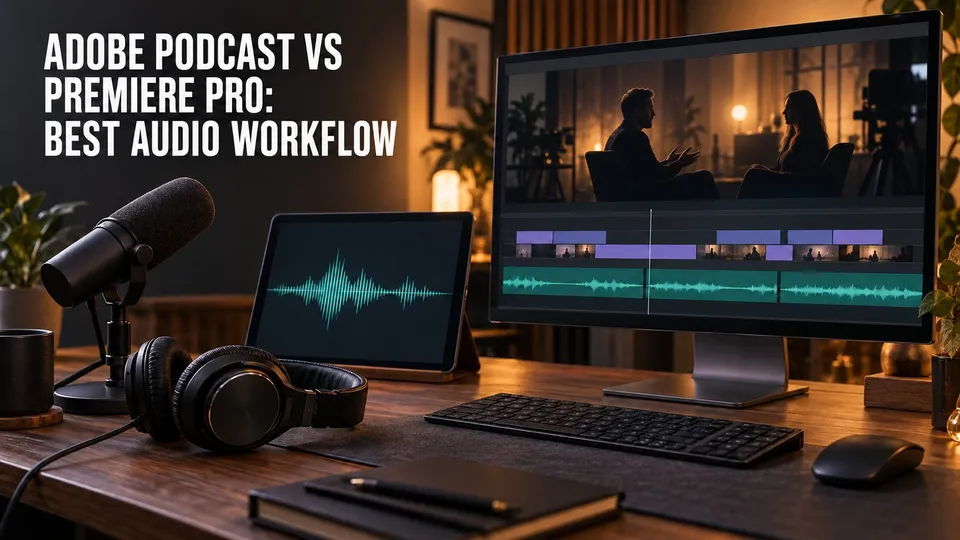
| Quick answer | Use Adobe Podcast for browser-based remote capture and fast standalone speech cleanup. Use Premiere Pro when dialogue must stay attached to a picture edit, multicamera sequence, captions, music, and final video export. |
|---|---|
| Fastest path | Rough-cut long videos first, then enhance only the dialogue that survives. |
| Stay in Premiere | The source is already clean enough and timeline Enhance Speech solves the problem. |
| Leave the timeline | You need Studio capture, batch processing, separated sources, or a standalone cleaned file. |
Adobe Podcast and Premiere Pro can both improve spoken audio, but only Premiere Pro owns the finished video timeline. Adobe Podcast is useful before or outside the edit: recording remote guests, cleaning a standalone voice file, and producing separate media. Premiere Pro keeps dialogue tied to picture, captions, music, B-roll, graphics, color, and export.
If you already edit video in Premiere, the decision is usually whether the timeline controls are enough or whether the source needs a separate Adobe Podcast pass.
The Core Difference
Adobe Podcast is a browser service. Studio is built for recording, while Enhance Speech processes uploaded speech and video with streamlined controls. The result is a file you can use in another editor.
Premiere Pro is a non-linear video editor. Its Essential Sound workflow classifies clips, provides dialogue repair and loudness tools, and includes Enhance Speech for eligible dialogue. Adobe documents the current process on its official Premiere Pro Enhance Speech page.
Adobe Podcast vs Premiere Pro Feature Comparison
| Task | Adobe Podcast | Premiere Pro |
|---|---|---|
| Remote recording | Studio records invited participants | Not a hosted remote-recording service |
| Standalone cleanup | Fast upload, preview, and download | Possible, but centered on project media |
| Timeline Enhance Speech | Browser processing and strength controls by plan | Enhance Speech with Mix Amount in the edit |
| Picture sync | Output handed to another editor | Native sequence and clip sync |
| Video editing | Focused Studio project tools | Full multicamera, B-roll, graphics, captions, color, and export |
| Audio detail | Simplified source controls | Clip and track effects, keyframes, Essential Sound, and mixer |
Disclosure: This page contains affiliate links. If you subscribe through one, I may earn a commission at no additional cost to you.
If Studio recording or standalone Enhance Speech processing fills a gap before the Premiere edit, you can Check Adobe Podcast plans.
Choose Adobe Podcast Before the Edit
- You need to record remote guests with simple browser invitations.
- You want locally captured participant tracks rather than a conference-call recording.
- You need a quick cleaned file for several editors or downstream systems.
- You want to test enhancement before building a Premiere project.
- You need source separation or stems available through current Adobe Podcast features.
For capture, follow the Adobe Podcast remote recording guide. For cleanup, use the Enhance Speech workflow and keep the original file beside the processed version.
Stay in Premiere Pro When the Timeline Is the Product
- The dialogue is already synchronized to multiple cameras.
- Only the clips used in the final cut need processing.
- You need captions, B-roll, graphics, music, and color in the same project.
- The built-in Enhance Speech and Mix Amount sound natural on the source.
- Changes are still arriving and replacing external audio would create version risk.
Premiere lets you judge cleanup in context. That matters because an impressive solo voice can be too dense once music, room tone, and picture are restored.
A Practical Adobe Podcast to Premiere Workflow
- Record remote participants in Adobe Podcast Studio or ingest the camera originals.
- Preserve all original audio and video.
- Sync cameras and create a rough content edit in Premiere Pro.
- Identify only the dialogue sections that need more cleanup than Premiere can provide.
- Process those files or consolidated selections with Adobe Podcast Enhance Speech.
- Import the enhanced media into a clearly labeled bin.
- Align it with the original, then use the original as a repair and ambience source.
- Finish levels, music, captions, picture, and final export in Premiere.
This hybrid path controls file sprawl and keeps editorial decisions attached to the sequence. It also avoids processing an hour of material when only twelve minutes will be delivered.
After dialogue cleanup and picture-locked mixing, use the LUFS for Video guide to measure the finished programme and verify true peak before delivery.
Replace or Layer Audio Without Breaking Sync
Use consistent sample rates and preserve the start of the file. Import the enhanced result without overwriting the source, place it on a new labeled track, and align it using a slate, waveform transient, or original time reference.
- Check the first spoken word.
- Check sync in the middle and near the end.
- Listen across every edit boundary.
- Compare breaths, laughter, overlap, and music bleed.
- Keep room tone available to smooth processed gaps.
If the enhanced result drifts or changes an important word, patch that section from the original rather than forcing the entire new file to work.
guestA_selects_enhanced_v01.wav. Clear naming prevents an editor from relinking to the wrong audio later.Which Workflow Fits Common Video Projects?
| Project | Recommended path |
|---|---|
| Daily talking-head short | Premiere Enhance Speech in the timeline unless the source needs a stronger external pass |
| Remote video interview | Adobe Podcast Studio capture, then Premiere multicamera edit |
| Two-hour conference recording | Rough-cut in Premiere, then process only selected dialogue |
| Voiceover over screen capture | Enhance the final voiceover take, then mix and caption in Premiere |
| Audio-first podcast with a simple video version | Consider Audition for the master mix, then assemble video in Premiere |
Related Adobe Podcast Guides
Frequently Asked Questions
Does Premiere Pro have Adobe Podcast Enhance Speech?
Premiere Pro includes Enhance Speech within its audio workflow, with a Mix Amount control for balancing the effect. Adobe Podcast offers a browser-based Enhance Speech workflow and Studio recording features.
Should I enhance audio before importing it into Premiere Pro?
Enhance first when you have a short, clearly selected file and want a clean handoff. For a long video, rough edit in Premiere first so you process only the dialogue that survives the cut.
Is Adobe Podcast better than Premiere Pro for video podcasts?
Adobe Podcast is stronger for browser-based remote capture and quick automated cleanup. Premiere Pro is stronger for multicamera editing, picture sync, titles, B-roll, music, captions, color, and final video delivery.
Can I replace Premiere audio with an Adobe Podcast download?
Yes, but keep the original, preserve the same sample rate when possible, align the new file at the exact start point, and check sync after edits. Do not assume a replacement is correct without watching the full timeline.
When should I use Audition instead?
Use Audition when dialogue needs surgical spectral repair, detailed multitrack mixing, advanced routing, automation, or an audio-first master beyond the controls needed in the video timeline.

About the Author
Joseph Nilo has been working professionally in all aspects of audio and video production for over twenty years. His day-to-day work finds him working as a video editor, 2D and 3D motion graphics designer, voiceover artist and audio engineer, and colorist for corporate projects and feature films.