
Buy perpetual Waves licenses when you know which few plugins you need and expect to keep using them. Consider a subscription when access to a broader, regularly updated toolkit is worth the recurring cost.
The useful comparison is not one plugin versus hundreds.
It is the cost of the tools you will actually use, over the time you expect to use them.
Affiliate and evaluation disclosure: Waves has provided temporary plugin access for evaluation. This article includes marked affiliate links, and I may earn a commission from qualifying purchases through them. The licensing explanation is based on public Waves documentation.
Already leaning toward a subscription? Compare the current Waves Creative Access options — affiliate link.
Waves still offers both options
Waves currently sells perpetual plugins and bundles as well as Creative Access subscriptions. A perpetual purchase licenses a particular software version; a subscription provides access while the subscription remains active. The company reversed its short-lived subscription-only move in March 2023. [1] [2]
That distinction matters when an old discussion says buying Waves plugins is no longer possible.
Start with the current policy, not the argument from that launch.
Choose by working pattern
| Your situation | Starting point | What to check before deciding |
|---|---|---|
| You repeatedly use the same small voiceover chain | Price the perpetual basket | Whether you already own some of it and whether a bundle is better value |
| You regularly need different cleanup and mixing tools | Compare a subscription | Which required tools belong to the actual tier you are considering |
| You need extra tools for a short project | Compare a short subscription with buying those tools | The project duration, billing commitment, and later revision needs |
| You already own a useful Waves collection | Evaluate the gap, not the full catalog | What new capability you are paying for rather than paying for again |
| You reopen old projects for clients | Give recall planning extra weight | Which licenses and compatible versions the project will need later |
These are starting points, not rules about how many plugins make a subscription worthwhile.
A single expensive requirement can change the answer. So can years of use from a modest toolkit.
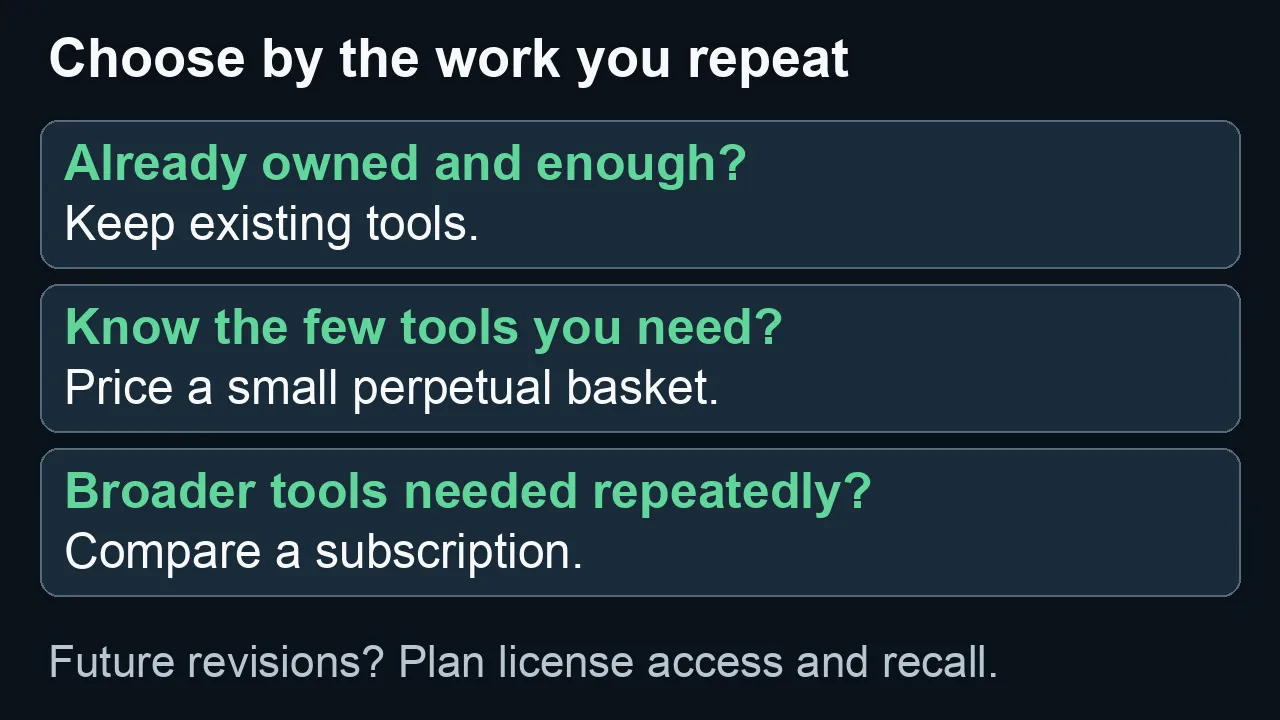
Start with recurring tools and what you already own; plan for future revisions whichever path you choose.
Perpetual licenses and the Waves Update Plan are different things
The Waves Update Plan is coverage for eligible updates and support. It is not the same thing as the perpetual license itself.
Waves says new perpetual purchases include a year of Update Plan coverage. Renewal is optional: after coverage ends, you can keep using your licensed version, provided it remains compatible with your system. A later version upgrade may require renewed coverage. [3]
So there are two costs to consider:
The license you buy now.
Any future update coverage you choose to buy.
Treating Update Plan renewal as an unavoidable annual charge overstates the cost for someone who keeps a stable system.
Treating perpetual ownership as guaranteed compatibility with every future Mac, operating system, and host understates the risk.
Before a major system change, check the version you own against the environment you intend to run. Do that before updating a machine that must reopen client projects.
What a subscription changes
Creative Access spreads the cost over monthly or annual payments and includes updates during the subscription. Waves currently documents two activations for the subscriber; perpetual second-license availability has separate Update Plan conditions. [1]
The practical attraction is flexibility.
A voiceover job might need your familiar EQ and compressor. A difficult interview may call for a more specialized repair tool. A subscription can reduce the need to make a fresh purchasing decision each time.
But access is not the same as value.
A plugin you audition once and never retain in a finished project should not carry the same weight as a tool you rely on every week.
Keep a short record of what stays in the final mix. That is a better subscription audit than counting what appears in the plugin menu.
Compare the basket, not the sale percentage
Make a list with three columns:
| Tool | Why you need it | Already covered? |
|---|---|---|
| Your regular compressor | Consistent spoken-word dynamics | Owned license or suitable built-in tool |
| A noise-reduction plugin | A recurring recording problem | Existing tool, trial evidence, or new purchase needed |
| A loudness meter | A specific delivery check | Paid product or compliant built-in meter |
Only the genuinely missing tools belong in the new-purchase basket.
Then compare:
Perpetual path = current basket cost + optional updates you reasonably expect to need.
Subscription path = the billed periods you expect to keep + any separately priced services you need.
For an annual subscription, use the actual annual commitment. Do not compare an annual price divided by twelve with one month of access as though they were the same purchase.
A worked example—not current Waves pricing
Suppose a hypothetical toolkit costs $180 to buy, while a hypothetical monthly subscription costs $20.
These figures are for the calculation only. They are not Waves prices or a promotion.
| Hypothetical use period | Buy the toolkit, with no additional update purchase | Keep the monthly subscription continuously |
|---|---|---|
| 3 months | $180 | $60 |
| 9 months | $180 | $180 |
| 18 months | $180 | $360 |
The simple crossover is nine months: $180 divided by $20.
That does not settle the decision.
The subscription may include an additional tool that solves a paid-work problem. The purchased toolkit may already cover everything you need. An annual offer could change the comparison. A later compatibility update could add cost to the purchase path.
Use the arithmetic to expose your assumptions, not to declare a universal winner.
Model at least two update scenarios
For the perpetual option, compare a stable-system scenario with a scenario that includes a plausible later update expense.
For the subscription, compare continuous use with your actual expected billing periods.
Do not assume you can stop paying between projects without consequences for revisions. A client asking for a small change may still require access to the original processing chain.
What happens when you cancel?
Waves says a canceled subscription remains available through the end of the current paid billing period. After it ends, installed subscription plugins can remain on the machine but run in demo mode, with periodic audio mutes. [4]
Installed does not mean licensed.
That is a reason to plan the handoff and archive before access ends—not a reason everyone must subscribe forever.
Do not assume an old project will sound identical merely because it opens. Check the required licenses, plugin versions, host, and processing path.
Protect the project, not just the session file
For work that may need future revisions, I recommend an archive with both editable sources and rendered fallbacks.
Keep the original recording, the edited but unprocessed voice, and the processed voice as separate assets. Preserve the finished mix too.
Document the plugin names, component versions, processing order, and important settings. Include any automation that materially affects the result.
A processed stem can preserve the sound of an approved mix. It cannot give you every editing option that an active original chain provides.
An unprocessed edit gives you room to rebuild the chain later. It does not guarantee that a replacement processor will match the approved sound.
That is why both are useful.
Before retiring a machine or ending access, reopen a representative project and verify the archive. Do not wait for an urgent client revision to discover what is missing.
This is workflow guidance, not a claim that a particular old Waves session has been tested across every new host or operating system.
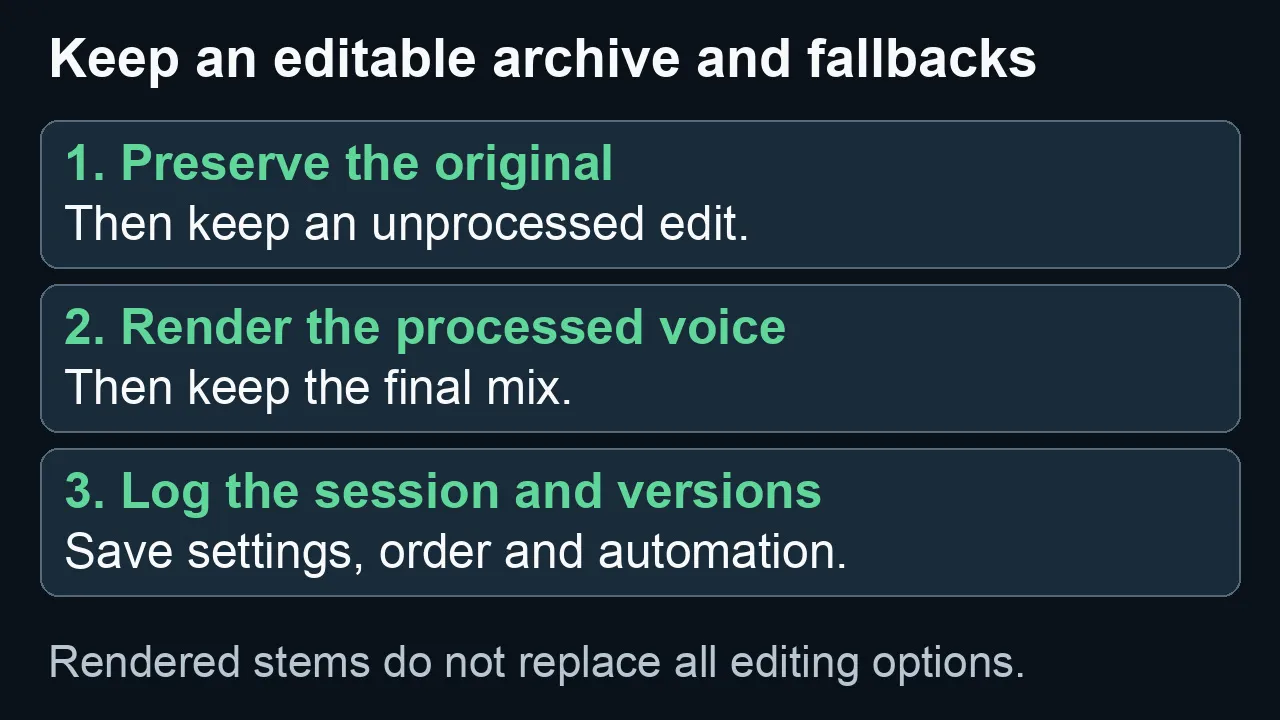
Keep editable assets and rendered fallbacks. A stem preserves sound, not every option in the original processing chain.
Do you need Essential or Ultimate?
That is a second decision.
First choose whether a subscription makes sense. Then check which current tier contains your required tools.
Do not assume that a standard plugin and its Pro counterpart share the same plan. Do not choose a tier from the total number of products alone.
The Waves plugin guide for voiceover and dialogue organizes candidates by the problem they address. Use it to make the shortlist, then confirm the named products against the current official plan catalog.
For the tier-by-tier comparison, see the Essential vs Ultimate guide, and confirm current plugin availability in Waves’ official catalog.
Check whether an online service is included
A Waves-branded service is not automatically part of Creative Access.
For example, Waves documents Voice ReGen as a separately priced online service, not a Creative Access inclusion. [5]
Check the specific product or service you need. A plan can be good value and still be the wrong purchase for the job you are trying to do.
My recommendation
For a stable spoken-word workflow, start by pricing the small toolkit you would keep using after the novelty wears off.
For varied post-production work, compare the subscription against the missing capabilities you repeatedly need—not against the size of the entire catalog.
And before adding either cost, check what you already own.
Buying more access will not improve a recording unless the additional tool solves an actual problem.
When broader access fits your work, compare the current Waves Creative Access options — affiliate link. When a small toolkit is enough, compare the individual products and bundles on the official Waves site instead.
For the related recording, plugin, licensing, and delivery decisions, see the Waves audio-post resource hub.
Frequently asked questions
Do perpetual Waves plugins expire when Update Plan coverage ends?
The perpetual license and update coverage are separate. Waves says the licensed version remains usable after coverage expires, subject to compatibility. The Update Plan determines access to eligible later updates and benefits. [3]
Is Waves subscription-only?
No. Waves currently offers perpetual purchases and Creative Access subscriptions. [1] [2]
Can I cancel for months when I have no projects?
Review the billing terms for the plan you choose. Cancellation ends access after the current paid period, so allow for any project revisions that still depend on subscription plugins. [4]
Will a StudioVerse chain solve the licensing decision for me?
No. Waves describes chain use in terms of the included plugins you own or have access to. Check the requirements of the actual chain rather than assuming that finding a preset licenses all its processors. [1]
Should I buy a plugin I already have through a subscription?
Only when owning it solves a separate problem, such as reducing a long-term recurring dependency. Compare the cost of that specific purchase with your expected usage and archive needs. Do not buy duplicates simply because a sale makes them look inexpensive.
Sources
Public policy checked September 7, 2026. Recheck current terms and prices before purchasing.

About the Author
Joseph Nilo has been working professionally in all aspects of audio and video production for over twenty years. His day-to-day work finds him working as a video editor, 2D and 3D motion graphics designer, voiceover artist and audio engineer, and colorist for corporate projects and feature films.