
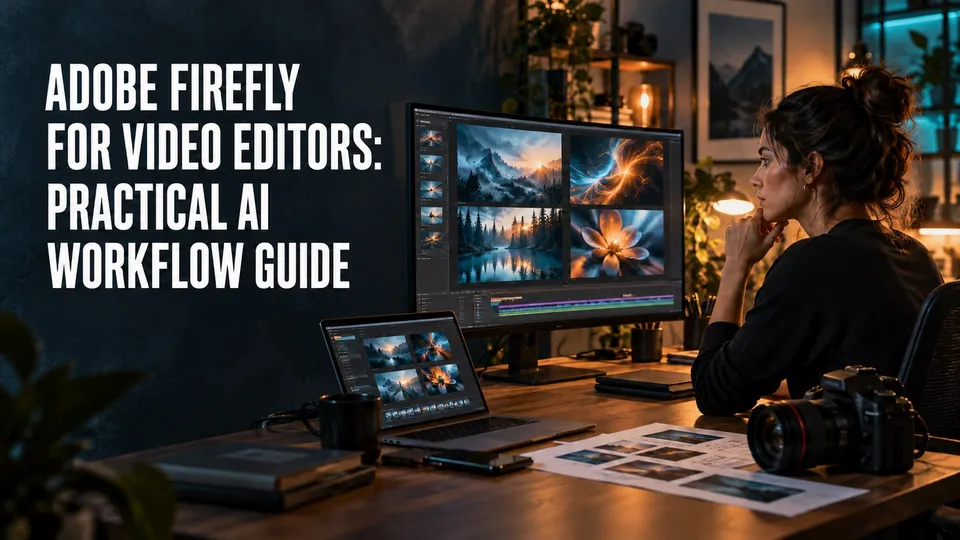
Adobe Firefly is most useful for video editors when it solves the work around the edit: concept frames, b-roll ideas, storyboard references, thumbnails, backgrounds, and awkward small gaps in a project.
Related: For the Premiere-specific assistant workflow, see Adobe Premiere Pro AI Assistant.
New: For Quick Cut, transcript editing, integrated generation, and browser export, see the Adobe Firefly Video Editor review.
It is not a substitute for editorial taste. The strongest workflow is to use Firefly and Adobe's newer AI features to prepare better material, then finish the video in Premiere Pro, After Effects, Audition, Adobe Express, or Photoshop with normal production judgment.
Start with the Adobe plan if AI is part of a real editing workflow
If your work moves between generated concepts, Premiere Pro edits, thumbnails, stock assets, captions, and client exports, compare Adobe plans before choosing isolated AI tools.
Affiliate disclosure: This page contains affiliate links. I may earn a commission if you buy through them, at no extra cost to you.
Quick Answer
Updated June 2026: Use Adobe Firefly as an assistant for planning, visual exploration, b-roll direction, generative image/video tests, and asset polish. Use Premiere Pro AI features for the edit itself.
The best use case is not "make the whole video for me." It is "help me get from blank page to a better edit faster." That distinction keeps the output more professional and easier to defend in client work.
Adobe currently positions Firefly as a family of generative AI tools across image, vector, design, and video workflows. Adobe also documents Generative Extend in Premiere Pro as a way to extend clips for edit timing, with important limits around what it can and cannot extend.
Where Firefly Fits In A Video Editor's Week
Most video projects fail early because the idea is vague, the b-roll is thin, or the visual direction is not clear enough. Firefly can help before the timeline becomes crowded.
For a YouTube video, that might mean generating reference frames for a product intro, moodboard images for a talking-head setup, background concepts for a thumbnail, or visual metaphors for a segment that would otherwise need generic stock footage.
For a client job, the value is usually speed in exploration. You can show a direction, reject bad ideas quickly, and then produce the real video with footage, stock, motion graphics, and approved assets.

Pre-Production Uses That Actually Help
The cleanest Firefly use cases are pre-production tasks where the generated output is a guide, not the finished deliverable.
Use it to test a visual direction before you shoot. A generated concept frame can tell you whether a bright product-demo look, a darker cinematic look, or a clean tutorial style fits the piece.
Use it for storyboards and b-roll planning. If a video needs abstract visual support, Firefly can help you find what to shoot, what to license from Adobe Stock, or what to create in After Effects.
Use it for thumbnail exploration. A rough AI concept can help you decide composition, color, and visual hierarchy before you build the final thumbnail in Photoshop or Adobe Express.
| Task | Good Firefly Use | Finish In |
|---|---|---|
| Storyboard | Concept frames and visual mood | Premiere Pro or After Effects plan |
| B-roll planning | Reference ideas for shots or stock searches | Camera shoot or Adobe Stock |
| Thumbnail | Background and composition exploration | Photoshop or Adobe Express |
| Client pitch | Direction samples before production | Deck, treatment, or approved edit |
Post-Production Uses Inside A Real Edit
In post-production, the best AI features are the ones that remove friction without hiding what the editor is doing. They help with timing, cleanup, captions, rough alternates, and asset gaps.
Premiere Pro remains the center of the workflow. This is where you decide pacing, story structure, audio priority, cutaways, captions, export settings, and whether an AI-generated asset actually belongs in the piece.
Generative Extend is a good example of where AI can help the edit without replacing the editor. It can be useful when a shot is slightly too short for a transition or when a sound bed needs a little more room, but it is not permission to ignore coverage, continuity, or natural pacing.
Client-Safe AI Usage
If you use AI-generated assets in client work, slow down before publishing. The question is not only "does this look good?" It is also "is this allowed, disclosed, documented, and appropriate for the brand?"
Keep a simple review trail: where the asset came from, what prompt or source was used, whether it is final or reference-only, and whether the client approved AI-generated media in the project.
Adobe markets Firefly around commercially oriented creative workflows, but you should still check the current Adobe terms and feature-specific limits before relying on any asset in paid client work. If the risk is high, use AI as a concepting step and finish with shot, licensed, or designed material.

Where The Adobe Stack Makes Sense
Firefly becomes more valuable when it is part of a broader Adobe workflow. The generated or AI-assisted material has somewhere useful to go.
Premiere Pro handles the edit. After Effects handles motion graphics and compositing. Photoshop handles thumbnail and image polish. Adobe Express helps package social variants quickly. Adobe Stock can supply licensed footage, images, music, and templates when generated ideas need production-safe replacements.
That is the practical case for Adobe here: not that one AI feature is magic, but that the surrounding tools can turn a rough visual idea into a finished production asset.
A Practical Firefly-To-Premiere Workflow
Start with the script or outline. Identify the sections that need visual support, then use Firefly to explore only those moments.
On location, the Adobe Firefly mobile app can capture those image and video options without becoming the finishing surface. For picture-specific audio cues, use the workflow in my Firefly Sound Effects guide.
Save the useful concepts, reject the weak ones, and turn the winners into a shot list, stock search, thumbnail direction, or motion-graphics brief. Then edit in Premiere Pro with the same discipline you would use on a normal project.
Before export, run a review pass. Confirm that every AI-assisted asset is intentional, legal for the job, visually consistent, and not creating a trust problem for the viewer.
My rule
Use Firefly to make the prep faster and the options better. Do not use it to avoid making editorial decisions.
Keep Firefly connected to a real edit
If Firefly supports the planning and production workflow above, compare the current Creative Cloud plans before choosing. Keep the limits, credit use, and client-review cautions in the decision.
FAQ
Is Adobe Firefly useful for video editors?
Yes, Adobe Firefly is useful for video editors when you treat it as a pre-production and asset-development tool, not as a replacement for editing judgment. It can help with concepts, reference visuals, image-to-video experiments, and Adobe workflow support.
Can Firefly replace Premiere Pro?
No. Firefly can generate or modify media, but Premiere Pro is still where a video editor builds structure, timing, pacing, audio, captions, exports, and client revisions.
Should client work use AI-generated video assets?
Only when the project allows it and the usage is reviewed. Keep written approval, check Adobe's current terms, avoid misleading claims, and document where AI-generated assets were used.
About the Author
Joseph Nilo is a video producer and technical creator who writes practical software, creator-workflow, and post-production guides from hands-on production experience.