
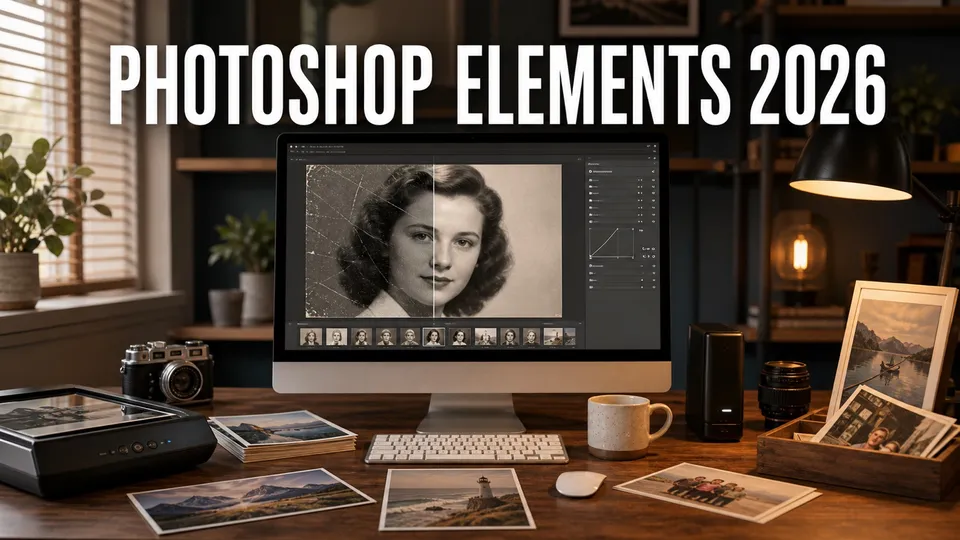
Adobe Photoshop Elements 2026 is a guided desktop photo editor and catalog for people who want capable corrections, creative effects, family-photo organization, and newer AI tools without subscribing to full Photoshop.
The important catch is the license. Elements is paid up front, but the current release runs for a non-renewing three-year term after redemption. It is not full Photoshop, and it is not automatically included with Creative Cloud.
This guide explains the current US price, term, AI Assistant, generative credits, editing modes, Organizer, bundle, system requirements, and the practical difference between Elements, Photoshop, and Lightroom. Prices and product details were checked July 29, 2026 and can change by region or account.
Affiliate note: The approved Adobe box below is the site's unchanged broader Adobe offer. It is not a dedicated Photoshop Elements price quote, and this article stores no private tracking destination.
Quick answer
| Current US price | $99.99 for Photoshop Elements 2026; $79.99 for an eligible upgrade, checked July 29, 2026. |
|---|---|
| License | Three-year term after redemption; it is not a subscription and not a perpetual license. |
| Trial | Seven days and full featured, subject to Adobe's current eligibility. |
| AI tools | Generate Image and Insert Object use generative credits; Restore Photo is a separate AI-powered restoration feature. |
| AI allowance | 25 monthly generative credits for paid users; 10 in the trial. AI Assistant does not consume them. |
| Best for | Casual photographers, families, scrapbookers, hobbyists, and people who prefer guided edits and a local desktop catalog. |
| Skip it when | You need professional Photoshop depth, Lightroom's cloud library, team collaboration, or a license that does not expire. |
This page may include affiliate links.
I only recommend software I would seriously evaluate for real creator or production workflows.
⭐⭐⭐⭐⭐
I pay for Adobe Creative Cloud and have used it every day in my 20-year career as a video editor, producer, and colorist.
Use the Adobe link below to check the current Creative Cloud offer. It can support this site and helps me keep these guides updated. Check current Adobe Creative Cloud offer.
Get Adobe Creative Cloud Now!What Is Adobe Photoshop Elements?
Photoshop Elements is Adobe's consumer-oriented desktop photo editor. It combines an editor with the Elements Organizer, so one purchase covers common corrections, guided creative projects, local cataloging, and output for sharing or printing.
The editor is organized around different levels of control. Quick mode simplifies frequent adjustments. Guided mode walks through a specific result. Advanced mode exposes more manual tools without recreating the full professional Photoshop workspace. Adobe currently advertises 59 Guided Edits.
The Organizer can import, catalog, search, tag, group, and curate a growing photo collection. Adobe highlights automatic tagging, face recognition, and media curation, as well as importing from a cloud folder. It is useful for a family archive, but it is not the same cross-device cloud system as Lightroom.
Photoshop Elements 2026 also adds generative and assistive AI features. Those tools make the current product much more capable than an old copy of Elements, but they introduce an internet requirement and a monthly credit allowance.
Use Adobe's current Photoshop Elements product page for the exact checkout available to your region. For the professional application, start with what Photoshop is.
What Photoshop Elements Is Designed to Do
Photoshop Elements fits practical, finite jobs: restore a scanned family photo, remove a distracting person, improve color and exposure, assemble a collage, add text, resize an image, prepare a holiday card, or make a polished social image. The three-mode design is one of the clearest reasons to choose it.
| Mode | Best use | Tradeoff |
|---|---|---|
| Quick | Fast crop, exposure, color, and common automatic corrections | Fewer visible controls |
| Guided | Learning a named effect through a step-by-step recipe | The recipe may not fit every difficult source |
| Advanced | More manual selections, layers, retouching, graphics, and adjustment work | Still not the complete Photoshop toolset |
A new user can begin in Quick mode, repeat a Guided Edit to understand the sequence, and then finish in Advanced mode. That progression is more approachable than opening a professional application with every panel and production option visible.
Guided Edits are not magic filters. They are structured starting points. A good result still depends on source resolution, focus, lighting, clean selections, restraint, and an export appropriate for screen or print.
A Practical Family-Photo Restoration Workflow
- Make a careful scan. Clean the scanner glass, keep the original flat, and scan enough resolution for the intended print.
- Preserve the untouched master. Duplicate the scan before cropping, retouching, or generating missing detail.
- Correct the whole image first. Address orientation, crop, broad tone, and color cast before local repairs.
- Use Restore Photo as a starting point. Compare the generated or assisted result with the original, especially faces, clothing, signs, and era-specific details.
- Repair locally. Work through dust, scratches, tears, and distractions at a useful zoom instead of trying to solve everything in one pass.
- Export normal files. Save a high-quality archival result and separate web or print copies with descriptive filenames.
Restoration is partly an editorial decision. An AI system can invent plausible texture that was not present in the source. If historical fidelity matters, retain the scan, label the restored copy, and avoid presenting generated detail as documentary fact.
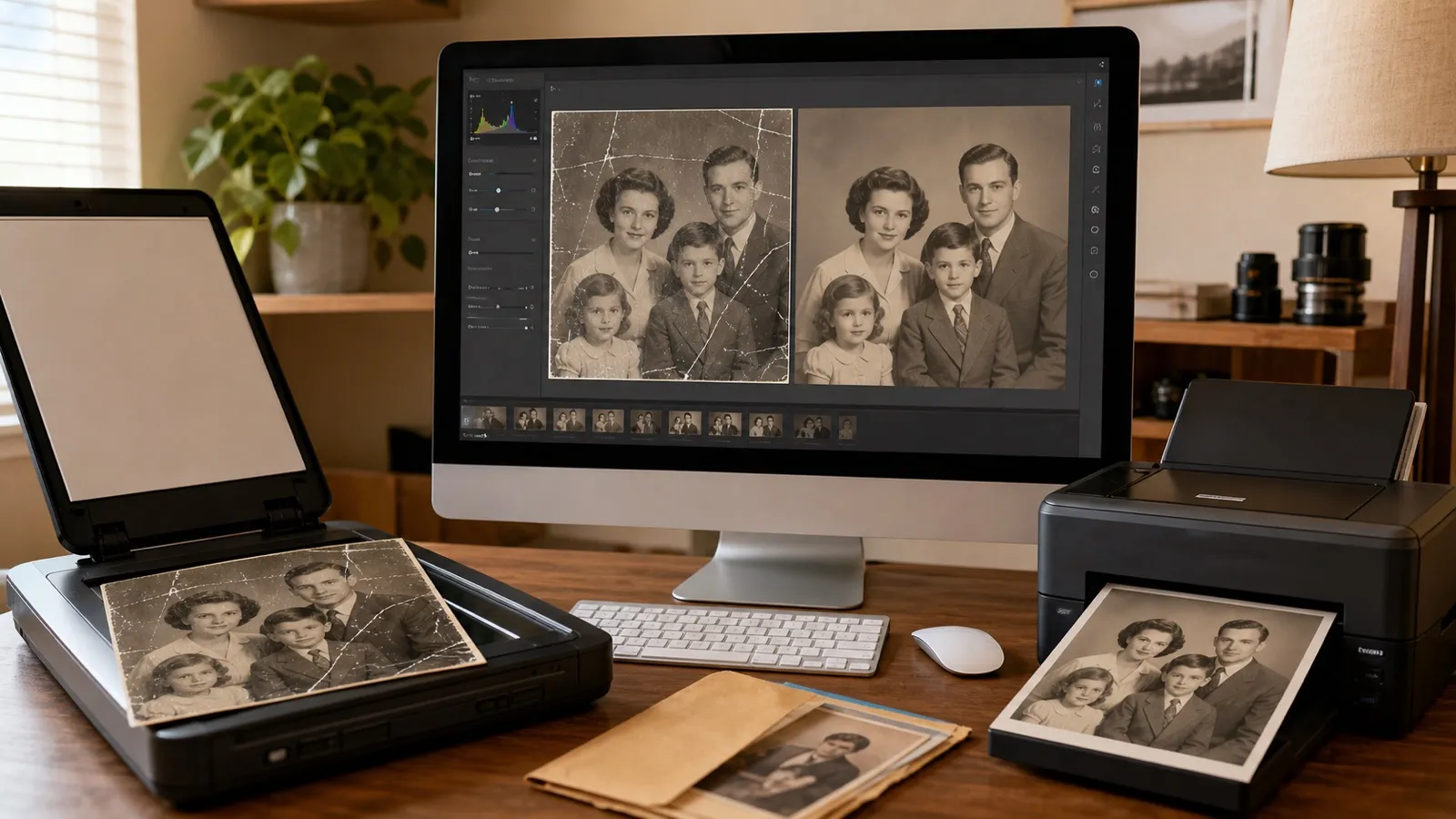
Original editorial illustration of a home photo-restoration workflow; it is not an Adobe product screenshot.
Photoshop Elements 2026 Price, Upgrade, and Bundle
Adobe's US store listed these prices when checked July 29, 2026. Tax, promotions, regional pricing, education eligibility, and upgrade eligibility can change.
| Purchase path | US price checked | What to verify |
|---|---|---|
| Photoshop Elements 2026 | $99.99 | Three-year term and supported operating system |
| Photoshop Elements upgrade | $79.99 | Whether the existing serial number qualifies |
| Photoshop + Premiere Elements 2026 | $149.99 | Whether both photo and video workflows are needed |
| Bundle upgrade | $119.99 | Eligible previous version and account |
| Students and teachers bundle | $79.99 | Current education verification and offer terms |
The headline price should not be compared with one month of Photoshop. Compare the full decision: the three-year Elements term, the features you need, whether you already pay for an Adobe plan, and what happens when the term ends.
A current Photoshop or Photography plan can cost more over three years, but it also receives continuing feature updates and provides deeper tools or Lightroom access. The separate Photoshop pricing guide and Photography plan versus Photoshop comparison cover that subscription choice.
How the Three-Year Photoshop Elements License Works
Photoshop Elements 2026 uses a three-year term license measured from redemption. You pay up front and do not receive a monthly subscription bill, but the application expires at the end of the term. That makes “one-time purchase” incomplete and “perpetual license” inaccurate.
Adobe says the Organizer remains available after the three-year term so users can access the media catalog. Do not treat that as a reason to keep originals only inside an application-managed library. Preserve normal source files, exports, catalog backups, and at least one independent backup that does not depend on the Elements installation.
Before checkout, confirm the redemption date, end-of-term behavior, upgrade eligibility, installation limits, and whether a future version will be required. Keep the Adobe account and proof of purchase associated with the license.
This term can still suit someone who dislikes open-ended subscriptions and is comfortable making a new decision in three years. It is a poor fit when “buy once and use forever” is a hard requirement.
The New AI and Generative Tools in Photoshop Elements 2026
The 2026 release adds two prominent generative features aimed at common consumer-photo tasks:
- Generate Image creates an image from a text description.
- Insert Object generates and places a requested element into a photo.
Adobe separately describes Restore Photo as an AI-powered restoration feature for older or damaged images. It is not listed as one of the generative-credit features. Adobe also lists an enhanced Remove Tool with people detection, which is useful when the goal is cleanup rather than creating a new scene.
AI does not remove the need to inspect the result. Faces, hands, jewelry, text, repeating patterns, reflections, borders, and family-history details deserve a close review. Work on a duplicate and preserve the untouched scan or original camera file.
Photoshop Elements 2026.1 and later also include AI Assistant as a limited beta for paid users. Adobe currently describes it as English-only, available in Quick mode, and dependent on an internet connection. AI Assistant is separate from Generate Image and Insert Object: supported assistant guidance does not consume generative credits.
Adobe also lists workflow improvements that are less dramatic but may matter every day: free Adobe Express templates, spell checking, color fonts, richer tooltips, an optimized crop experience, and importing media from a phone with a QR code.
Feature names and availability move quickly. Check Adobe's Photoshop Elements 2026 what's-new guide and current feature list rather than relying on an old review.
The AI Assistant limited-beta guide is the current source for its version, language, mode, connection, and credit requirements.
Photoshop Elements Generative Credits
Paid Photoshop Elements 2026 users currently receive 25 generative credits each month. Trial users receive 10. Adobe's current Elements guide says each eligible generative action consumes one credit, so the paid allowance represents about 25 current actions if the rate remains unchanged.
Credits are connected to the Adobe ID. Adobe also explains that eligible standard generative credits from other supported Adobe plans can stack and be used across supported applications. That does not mean every plan, model, or operation has the same rate.
When the Elements allowance runs out, the practical options are to wait for the monthly reset or buy more eligible credits. Do not promise unlimited generation or a permanent one-credit rate. Adobe can change the allowance, cost, supported features, and purchase paths.
Restore Photo and AI Assistant should not be described as consuming the 25-credit image-generation allowance. The current credit guide names Generate Image and Insert Object as eligible Elements actions, while AI Assistant's beta guide says the assistant does not consume generative credits.
Plan a generation before clicking: prepare the source, decide what must change, write a precise prompt, generate, inspect at full size, and stop when a usable result appears. For more context on Adobe's wider meter, see the Firefly pricing and generative credits guide.
Adobe's Photoshop Elements credit-plan guide is the current source of truth.
What the Photoshop Elements Organizer Does
The Organizer is a local catalog that helps manage the media behind the edits. Adobe highlights automatic tagging, face recognition, automatic curation, albums, events, places, and cloud-folder import.
A practical catalog begins with a stable folder structure and backup strategy. Use the Organizer to add meaning—people, places, events, ratings, keywords, and albums—without making it the only place where the organization exists.
Face recognition can accelerate a family archive, but review matches before applying a name broadly. Dates from scans may reflect the scan day rather than the day the photograph was taken. Add approximate dates carefully and preserve notes about uncertainty.
The Organizer is a reason to prefer Elements over a lightweight single-image editor. It is not a replacement for Lightroom when the priority is a synchronized cloud library, mobile editing, non-destructive raw workflow across devices, and a professional volume of camera files. The Bridge versus Lightroom organizer comparison explains two other Adobe approaches.
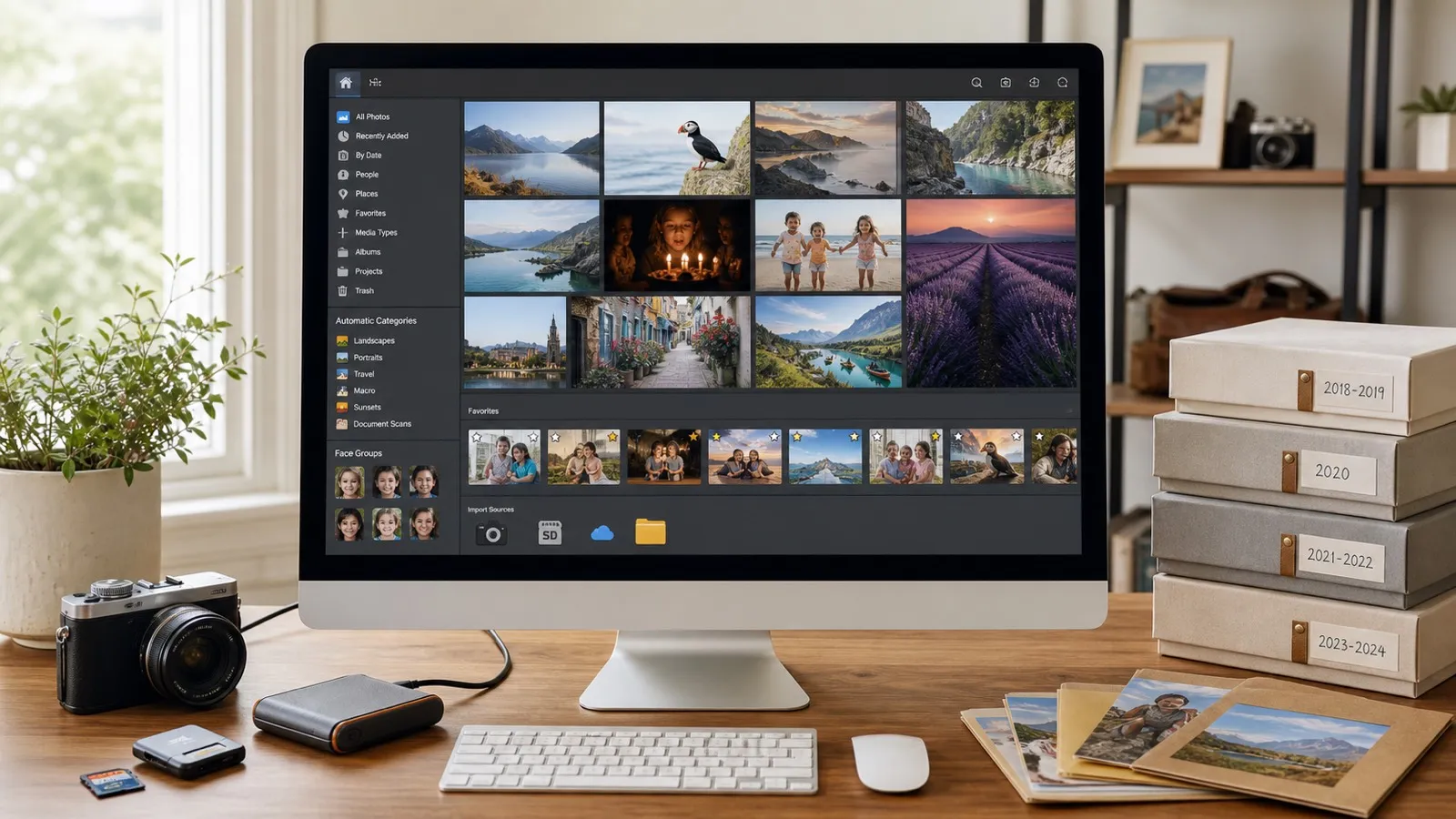
Original editorial illustration of an organized family-photo workflow; the on-screen layout is generic and not the Photoshop Elements interface.

Original editorial illustration of the Elements, Photoshop, and Lightroom decision; it does not reproduce any Adobe interface.
Photoshop Elements vs Photoshop
| Decision | Photoshop Elements 2026 | Photoshop |
|---|---|---|
| Buying model | Paid-up-front three-year term | Subscription |
| Primary audience | Casual photographers, families, and hobbyists | Professional photographers, designers, illustrators, and production teams |
| Learning approach | Quick mode and 59 Guided Edits | Full professional workspace and deeper documentation |
| Catalog | Elements Organizer | Usually paired with Bridge or Lightroom, depending on the workflow |
| Depth | Common layers, selections, retouching, graphics, and creative effects | Deeper masking, compositing, typography, automation, color, collaboration, and production control |
| Updates | Release-specific term product | Continuing subscription updates |
Choose Elements when guided completion matters more than maximum control. Choose Photoshop when files move into paid client work, complex compositing, exact masks, production automation, professional print, collaborative review, or repeatable high-volume workflows.
Elements can teach useful concepts, but moving to Photoshop later still requires learning a different interface and broader toolset. The Camera Raw guide also explains a key professional photography component.
Photoshop Elements vs Lightroom
Lightroom and Elements overlap in photo correction and organization, but they begin from different assumptions.
- Choose Elements for guided creative edits, local cataloging, compositing, graphics, family-photo projects, and paid-up-front desktop software.
- Choose Lightroom for a cloud-centered photo library, mobile and desktop continuity, raw processing, large batches, presets, and non-destructive photographic adjustments.
- Choose Photoshop plus Lightroom when professional raw organization and pixel-level finishing are both central.
Lightroom is not included with Elements. Elements' Organizer is not Lightroom under another name. Compare the exact storage, device, raw, export, editing, and Lightroom pricing needs before moving a library. Read what Lightroom is for the separate workflow.
Photoshop Elements and Premiere Elements Bundle
Adobe listed the Photoshop Elements and Premiere Elements 2026 bundle at $149.99 in the US when checked July 29, 2026. The eligible upgrade was $119.99, and an education offer was shown at $79.99. Verify every current term before checkout.
The bundle is sensible when one household or creator will actively use both guided photo editing and guided home-video editing. Examples include digitizing a family archive, building slideshows, cutting travel videos, preparing scrapbook assets, or maintaining a small local history project.
Do not buy the bundle simply because the second application appears discounted. Download the trials, complete one representative photo and one representative video, and confirm that the supported cameras, codecs, export formats, and operating systems match the real work.
The Premiere Elements overview covers the video side without treating the bundle as a substitute for Premiere Pro.
A Practical Seven-Day Photoshop Elements Trial Plan
Do not spend the trial browsing effects. Use it to answer a purchase question with real files.
- Day one: install, activate, import a small copy of a real folder, and confirm camera or phone formats.
- Day two: organize people, places, events, and albums; test search and catalog backup.
- Day three: complete one Quick correction and two Guided Edits.
- Day four: restore a difficult scan while preserving the original.
- Day five: test Generate Image or Insert Object and record how quickly credits are used.
- Day six: export a social copy and a print-ready copy, then open both outside Elements.
- Day seven: decide whether Elements saved time, whether its limits appeared, and whether Photoshop or Lightroom would solve the actual problem better.
Keep the test catalog small and disposable. Do not make a trial installation the only catalog or backup for an irreplaceable archive.
Photoshop Elements 2026 System Requirements
Adobe's current requirements are more restrictive than many buyers expect. Check the exact machine before purchase.
| Area | Current 2026 requirement or recommendation |
|---|---|
| Windows | 64-bit Windows 11 version 23H2 or later; Windows 10 and Windows on ARM are not supported |
| macOS | Supported macOS 14.4 or macOS 15.5 and later versions listed by Adobe |
| Processor | Modern Intel or AMD on Windows; Apple silicon M1 or newer is recommended on Mac |
| Memory | 8 GB minimum; 16 GB recommended |
| Internet | Required for download, activation, validation, and online or generative services |
Storage, graphics, display, and language requirements also matter. Use Adobe's current Photoshop Elements system requirements for the complete regional list. A seven-day trial is the safest compatibility test.
Who Should Buy Photoshop Elements?
Elements is a strong fit for:
- families organizing and restoring personal photographs;
- hobby photographers who want a local catalog and guided learning;
- scrapbookers, club volunteers, teachers, and community historians;
- people who edit periodically and prefer a paid-up-front three-year term;
- users whose computer meets the current requirements and who accept online activation and AI-credit limits.
Who Should Skip Photoshop Elements?
Skip Elements when you need:
- a perpetual license with no expiration;
- professional Photoshop depth, automation, collaboration, or production control;
- Lightroom's synchronized cloud library and mobile workflow;
- Windows 10 or Windows-on-ARM support;
- high-volume generative work beyond the included credits;
- a team-managed Creative Cloud workflow.
The cheapest product is the one that completes the work reliably without forcing an immediate migration. Test the difficult file, not the perfect sample. If several Adobe applications are already part of the decision, use the Creative Cloud pricing guide instead.
Verdict: Is Photoshop Elements 2026 Worth It?
Photoshop Elements 2026 is a credible middle ground for home and hobby photo work. Guided Edits, the Organizer, restoration tools, and simpler modes can turn a pile of family images into an organized, editable, shareable archive without the full Photoshop learning curve.
The recommendation depends on accepting three constraints: the application expires after three years, generative features have a monthly credit allowance, and the product is intentionally less capable than Photoshop and less cloud-centered than Lightroom.
Buy after the trial if the Organizer makes sense, the guided workflow saves time, the machine is supported, and the three-year term still looks better than the relevant Adobe subscription. Otherwise, choose the tool that matches the real workflow instead of paying for familiar branding.
Official Adobe Sources and Update Note
- Photoshop Elements product, pricing, trial, and bundle page
- Photoshop Elements feature list
- What's new in Photoshop Elements 2026
- Photoshop Elements generative credits plan
- Photoshop Elements AI Assistant limited beta
- Photoshop Elements 2026 FAQ
- Photoshop Elements 2026 system requirements
Prices, term language, trial, bundle, features, Guided Edit count, credits, AI Assistant beta requirements, and system requirements were checked July 29, 2026. Adobe can change them. This monetized guide uses original editorial illustrations rather than republishing Adobe interface screenshots.
Frequently Asked Questions
Is Photoshop Elements a subscription?
Photoshop Elements 2026 uses a non-renewing three-year term rather than a monthly subscription. The editing license expires three years after redemption, so it should not be described as a perpetual license.
How much does Photoshop Elements 2026 cost?
Adobe's US site listed Photoshop Elements 2026 at $99.99 for a new purchase and $79.99 for an upgrade on July 29, 2026. Prices, taxes, eligibility, and regional offers can change, so check the current Adobe checkout.
What happens when the Photoshop Elements three-year term ends?
The Photoshop Elements editing license expires three years after redemption. Adobe says the Organizer media catalog remains accessible afterward, but users should preserve original files, finished exports, and a tested backup outside the catalog.
Is Photoshop Elements included with Creative Cloud?
Photoshop Elements is a separate purchase and should not be assumed to come with a Creative Cloud plan. Likewise, buying Elements does not include full Photoshop, Lightroom, or the full Creative Cloud app collection.
How many generative credits come with Photoshop Elements?
Paid Photoshop Elements 2026 users receive 25 generative credits per month, and trial users receive 10. Adobe's current help page says each eligible generative action in Elements consumes one credit.
Is Photoshop Elements the same as Photoshop?
No. Elements emphasizes Quick, Guided, and Advanced modes, 59 Guided Edits, Organizer, and occasional photo projects. Photoshop has a deeper professional toolset, continuous subscription updates, and broader production, retouching, compositing, automation, and plugin capabilities.
Is Photoshop Elements better than Lightroom?
Elements is usually the better fit for guided edits, restoration, layers, collages, text, and individual creative projects. Lightroom is usually stronger for importing, organizing, developing, synchronizing, and delivering a large photography or raw-file library.
Does Photoshop Elements work on Mac and Windows?
Photoshop Elements 2026 supports current qualifying Mac and Windows systems. Adobe's requirements list Windows 11 version 23H2 or later, macOS 14.4 or later or macOS 15.5 or later, 8 GB of memory minimum, and 16 GB recommended; check the full requirements for the exact computer.
Does Photoshop Elements include Premiere Elements?
The standalone Photoshop Elements purchase does not include Premiere Elements. Adobe separately sells a Photoshop Elements and Premiere Elements bundle for people who need both photo and consumer video editing.

About the Author
Joseph Nilo has been working professionally in all aspects of audio and video production for over twenty years. His day-to-day work finds him working as a video editor, 2D and 3D motion graphics designer, voiceover artist and audio engineer, and colorist for corporate projects and feature films.