
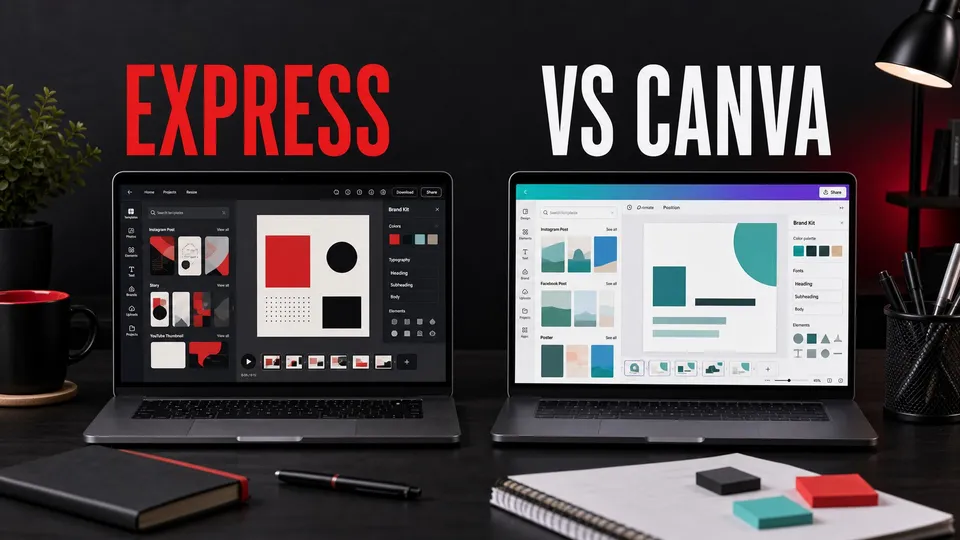
Adobe Express and Canva can both turn around good-looking social graphics quickly. I would pick Canva for a broad standalone template workflow and Adobe Express when the work already starts in Creative Cloud.
For the Adobe side of the budget decision, see the Adobe Express price guide.
Checked August 10, 2026: Adobe and Canva plan names, pricing, storage, credits, team features, and trial terms can change. Check each live checkout before subscribing; the practical decision is less about one sticker price and more about workflow fit.
Best if you already use Adobe tools
Adobe Express is easiest to justify when it supports a larger Creative Cloud workflow rather than replacing Photoshop, Premiere Pro, or Illustrator outright.
Affiliate disclosure: This page includes an affiliate link. I may earn a commission if you buy through it, at no extra cost to you.
Quick answer
Choose Canva if your team wants the fastest all-purpose template library for social posts, presentations, simple brand kits, and non-designer collaboration. Choose Adobe Express if you already use Adobe tools and want a lighter way to repurpose creative assets into social graphics, short videos, flyers, and campaign variations.
For professional creators, Adobe Express is best as a companion app. Canva can be the better standalone design hub for teams that do not want to manage Creative Cloud.
Side-by-side decision
| What matters | Adobe Express | Canva |
|---|---|---|
| Best fit | Creators already using Adobe apps and assets | Standalone design teams and non-designers |
| Workflow edge | Moves Adobe files and brand assets into quick campaign variations | Makes templates and collaboration approachable across a broad team |
| Video role | Fast social versions of work that may begin in Premiere or Photoshop | Quick template-led social video and team edits |
| Start here if | Your source work already lives in Creative Cloud | You want one lightweight design hub that stands on its own |
Templates and speed
Canva’s biggest advantage is speed for non-designers. The interface is familiar, the template library is broad, and many marketers can produce usable graphics without learning a professional design app.
Adobe Express has improved as a quick publishing surface, especially for creators who already think in terms of Adobe fonts, brand assets, Photoshop files, stock assets, and campaign visuals.
If your work is mostly Instagram graphics, classroom handouts, simple business flyers, or quick pitch visuals, Canva can be hard to beat.
If your work begins in Photoshop, Premiere Pro, Lightroom, or Adobe Stock and then needs lighter social versions, Adobe Express can feel more connected to the source material.
Where Adobe Express has an edge
Adobe Express matters because it gives Adobe users a simpler surface for everyday publishing. Not every asset needs the full Photoshop or Premiere Pro treatment.
A creator can edit the main video in Premiere Pro, design the thumbnail in Photoshop, pull supporting assets from Adobe Stock, and then use Express for quick vertical posts, quote cards, event promos, or simple animated graphics.
That makes Express a good bridge between professional creative work and fast marketing output. It is not the deepest tool, but it can reduce the number of times a creator jumps into a heavier app for a small job.
Canva’s ecosystem advantage is different. It is strong when many people across a business need to make decent-looking assets without touching pro software.
Video and social exports
For short video packaging, both tools can help. Canva is strong for social templates and quick team edits. Adobe Express is useful when the video or design assets are already coming from Adobe.
Neither replaces Premiere Pro, After Effects, or Final Cut Pro for serious editing. Use these tools for packaging, repurposing, and lightweight creative work, not complex post-production.
The best workflow is often layered. Use the professional tool to make the primary asset, then use a fast template tool to create the variants that distribution requires.
That is especially true for YouTube creators, app marketers, educators, affiliate publishers, and consultants who need the same idea in multiple formats.
Teams and collaboration
Canva is very strong for teams because it is approachable. A marketer, assistant, teacher, or client stakeholder can usually understand the basics quickly.
Adobe Express is better when the team already has Adobe users, Adobe assets, or a Creative Cloud subscription structure. It keeps lightweight work closer to the rest of the creative stack.
For client work, the choice often depends on handoff. If the client lives in Canva, deliver Canva. If the creative team lives in Adobe, keep the system Adobe-first.
Pricing and plan fit
Adobe Express is easiest to evaluate if you already pay for Adobe or are considering Creative Cloud. Express Premium is worth checking directly in Adobe checkout, and the larger Creative Cloud decision matters if you also need Photoshop, Premiere Pro, Illustrator, Lightroom, or Adobe Stock workflows.
Canva is easiest to evaluate as a standalone design workspace. Canva's current pricing page separates Free, Pro, Business, and Enterprise, with larger differences around AI usage, Brand Kits, storage, team controls, and enterprise governance.
For deeper Adobe buying context, compare the Creative Cloud pricing guide and the Creative Cloud price explainer before deciding whether Express should be a standalone tool or part of the full Adobe stack.
Verdict
Canva is the better standalone template and collaboration platform for many non-design teams. Adobe Express is the better companion tool for creators already invested in Creative Cloud.
If you are building a creator business around video, tutorials, product content, and affiliate publishing, I would evaluate Adobe Express as part of the larger Creative Cloud workflow, not as a one-app design solution.
FAQ
How much does Adobe Express cost compared with Canva?
Adobe Express and Canva pricing can change by plan, region, promotion, and team tier. The practical comparison should include storage, AI usage, Brand Kits, collaboration controls, and whether you already pay for Creative Cloud.
Is Adobe Express better than Canva?
Adobe Express is better for Adobe-first creators. Canva is usually better as a standalone template platform for broad team use.
Can Adobe Express replace Photoshop?
No. Adobe Express is for quick layouts and social assets. Photoshop is still the better tool for deep image editing, compositing, and precision design work.
Which is better for social media?
Canva is often faster for broad social templates. Adobe Express is strong when social assets are repurposed from Adobe projects.
Should Creative Cloud users use Canva?
They can, but Adobe Express may reduce tool sprawl if the work already starts in Creative Cloud.
Is Canva Business the same as older Canva Teams comparisons?
No. Canva's current public pricing language emphasizes Free, Pro, Business, and Enterprise plans. If you see older Teams language, verify the current Canva plan names and limits before buying.

About the Author
Joseph Nilo has been working professionally in all aspects of audio and video production for over twenty years. His day-to-day work finds him working as a video editor, 2D and 3D motion graphics designer, voiceover artist and audio engineer, and colorist for corporate projects and feature films.