

| Quick answer | WeVideo can help nonprofits create clear advocacy, donor, volunteer, event, and campaign videos without a full production department. |
|---|---|
| Best for | Small nonprofit teams, communications managers, volunteer coordinators, education nonprofits, and advocacy campaigns. |
| Skip if | You need cinematic fundraising films or sensitive story handling without consent systems. |
| Main rule | Protect the story first. The edit should serve the person, mission, and call to action. |
Nonprofit video works when the story is specific and the ask is clear.
WeVideo can help small teams turn interviews, photos, event clips, screen recordings, and stock media into useful campaign assets.
Quick take: WeVideo is best for creators, classrooms, nonprofits, and small teams that want a browser-based editor with screen/webcam recording, stock assets, green screen, collaboration, and simple publishing workflows.
Plans and promotions change often, so check WeVideo's current offer before choosing a subscription.
This page may include affiliate links. I only recommend tools when they fit the use case I am writing about.
Choose the Right Nonprofit Video Type
Donor updates, volunteer stories, campaign explainers, event recaps, and program highlights are often better than one oversized brand film.
Shorter videos are easier to approve, publish, and repurpose across channels.
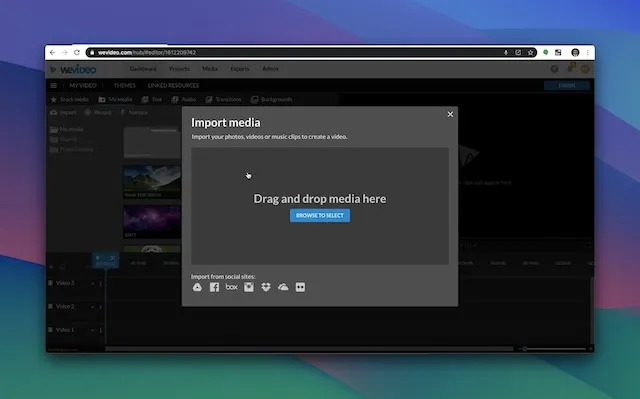
Build a Repeatable WeVideo Workflow
Use templates for consistency, but keep the story human and verify every claim before publishing.
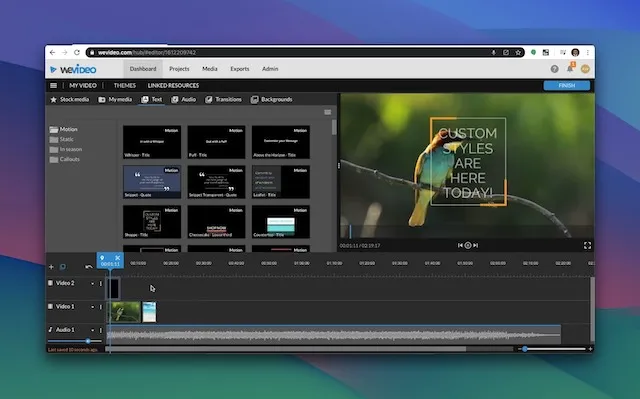
Use shared assets, short recordings, clear titles, and test exports so the project does not become a collection of random clips.
- Define the audience and outcome.
- Import only useful media.
- Build the rough cut before effects.
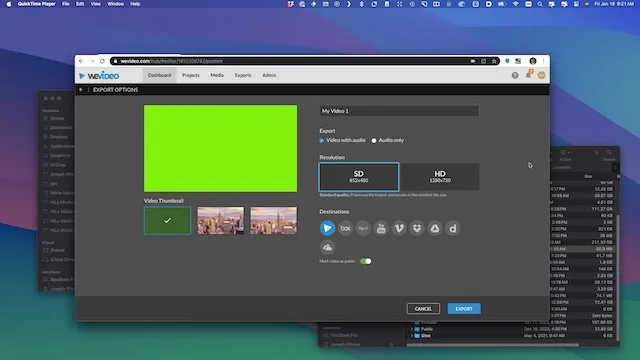
- Check voice, titles, and export quality before publishing.
Know the Current Plan and Platform Limits
WeVideo is a cloud-based editor, so editing, recording, and publishing depend on browser access and a connection to WeVideo’s servers.
Current WeVideo plan pages list differences in publishing time, storage, resolution, stock assets, brand tools, collaboration, and education features.
| Question | What to check |
|---|---|
| Do you need 4K? | Confirm the current paid plan includes it. |
| Do students or teammates need access? | Check seat, classroom, or team limits. |
| Do you need offline editing? | Choose a desktop editor instead. |
For current details, check WeVideo’s pricing page and education pricing page.
FAQ
Is WeVideo cloud based?
Yes. WeVideo support describes the platform as cloud-based, with editing, recording, and publishing requiring a browser connection to WeVideo servers.
Does WeVideo have a free plan?
WeVideo’s current pricing page lists a free plan with limits on publishing time, storage, and resolution. Check the current page before starting important work.
Can WeVideo export 4K?
WeVideo’s current pricing pages list 4K Ultra HD on higher paid plans, but plan details can change.
Who should skip WeVideo?
Skip it for offline editing, advanced post-production finishing, complex audio work, or large local media workflows.

About the Author
Joseph Nilo has been working professionally in all aspects of audio and video production for over twenty years. His day-to-day work finds him working as a video editor, 2D and 3D motion graphics designer, voiceover artist and audio engineer, and colorist for corporate projects and feature films.