
Adobe's current U.S. Substance 3D storefront centers on the Collection: US$59.99 per month for individuals and US$119.99 per month per license for teams when checked.
The useful question is whether Painter, Sampler, Designer, Stager, Modeler, Assets, storage, and the connected workflow replace enough separate cost to justify the bundle. Prices and inclusions were checked August 2, 2026 and can change.
Quick answer
| Individuals | US$59.99/month; 100GB storage listed. |
|---|---|
| Teams | US$119.99/month per license; 1TB per license listed. |
| Trial | 30 days on the current plan page. |
| Included workflow | Painter, Sampler, Designer, Stager, Modeler, Assets, and connected services. |
This page may include affiliate links.
I only recommend software I would seriously evaluate for real creator or production workflows.
⭐⭐⭐⭐⭐
I pay for Adobe Creative Cloud and have used it every day in my 20-year career as a video editor, producer, and colorist.
Use the Adobe link below to check the current Creative Cloud offer. It can support this site and helps me keep these guides updated. Check current Adobe Creative Cloud offer.
Get Adobe Creative Cloud Now!The Current Substance 3D Plans
Adobe's U.S. plan page currently presents Substance 3D Collection for individuals at US$59.99 per month and Collection for teams at US$119.99 per month per license. It also presents an education offer and a 30-day free trial.
Read the commitment shown at checkout. A monthly number can sit inside different billing and cancellation structures, and region, tax, currency, eligibility, or a promotion can change the total. Budget from the regular price unless a contract guarantees otherwise.
Older Adobe HelpX pages discuss a Substance 3D Texturing plan and historical pricing changes. That is useful context for existing subscribers, not evidence that the old plan remains available to a new U.S. buyer. The live storefront is the purchase authority.
What the Collection Includes
Painter textures a 3D model with layers, masks, smart materials, brushes, and physically based channels. Designer authors procedural materials and patterns. Sampler turns photographs or scans into usable materials and environment elements.
Modeler adds clay-like sculpting on desktop and in VR. Stager assembles models, materials, lights, cameras, and backgrounds for product visualization and presentation. Substance 3D Assets supplies a changing library of materials, models, and lighting resources.
The bundle is valuable when work moves across several of those stages. If the entire job is only painting one prepared game asset, unused apps do not lower the price. My Substance 3D overview maps each application to practical tasks.
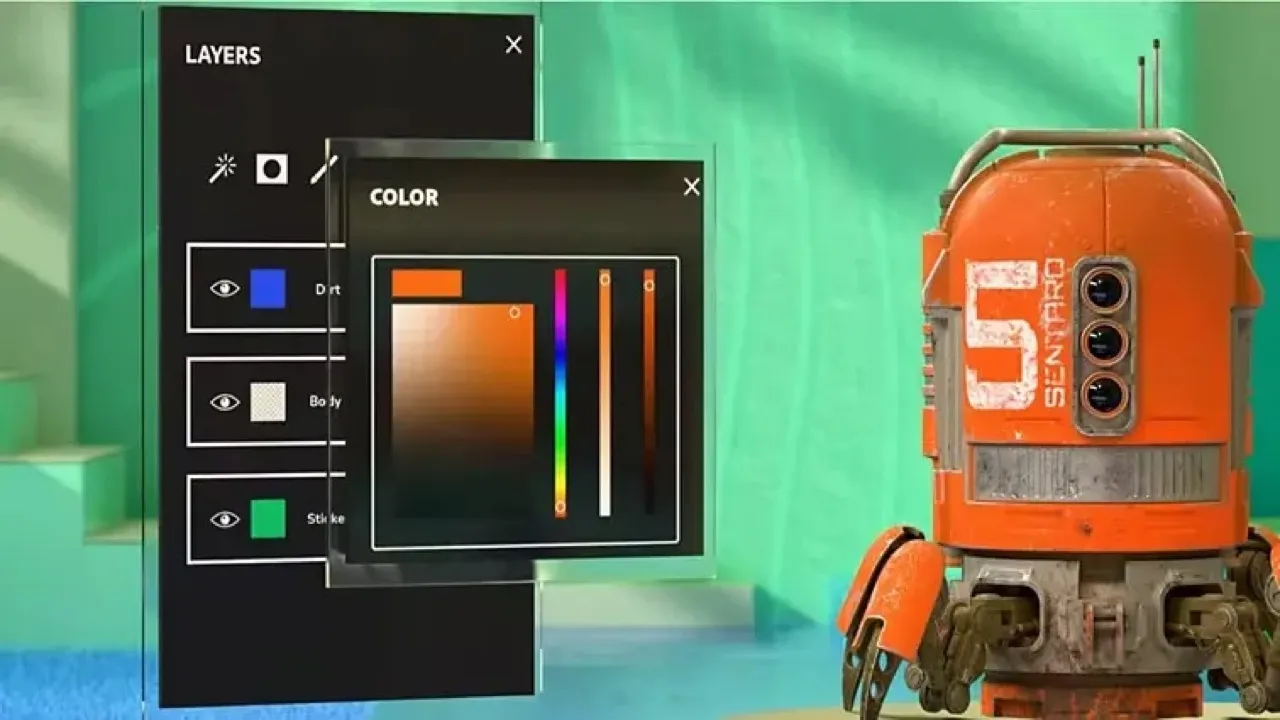
Painter applies and organizes materials directly on a 3D model, making it the Collection app many game and product artists use most frequently. Source: Adobe. Interface shown as documented by Adobe and may change.
Individual vs Teams
The individual plan is designed for one person's account and lists 100GB of storage. The teams plan lists 1TB per license and adds business-oriented license and asset administration. Adobe lists the team price per license, so a five-seat studio should budget five seats rather than one shared account.
The team premium makes sense when centralized billing, reassignment, company ownership, or offboarding protects real work. It is not automatically better because two artists collaborate. Compare the administrative benefits with the annual seat difference in the Teams vs Individual guide.
Education eligibility is different from a commercial team plan. Confirm who owns the work, whether the license covers the intended use, how graduates or staff changes are handled, and what happens to cloud assets before building a curriculum or studio pipeline.
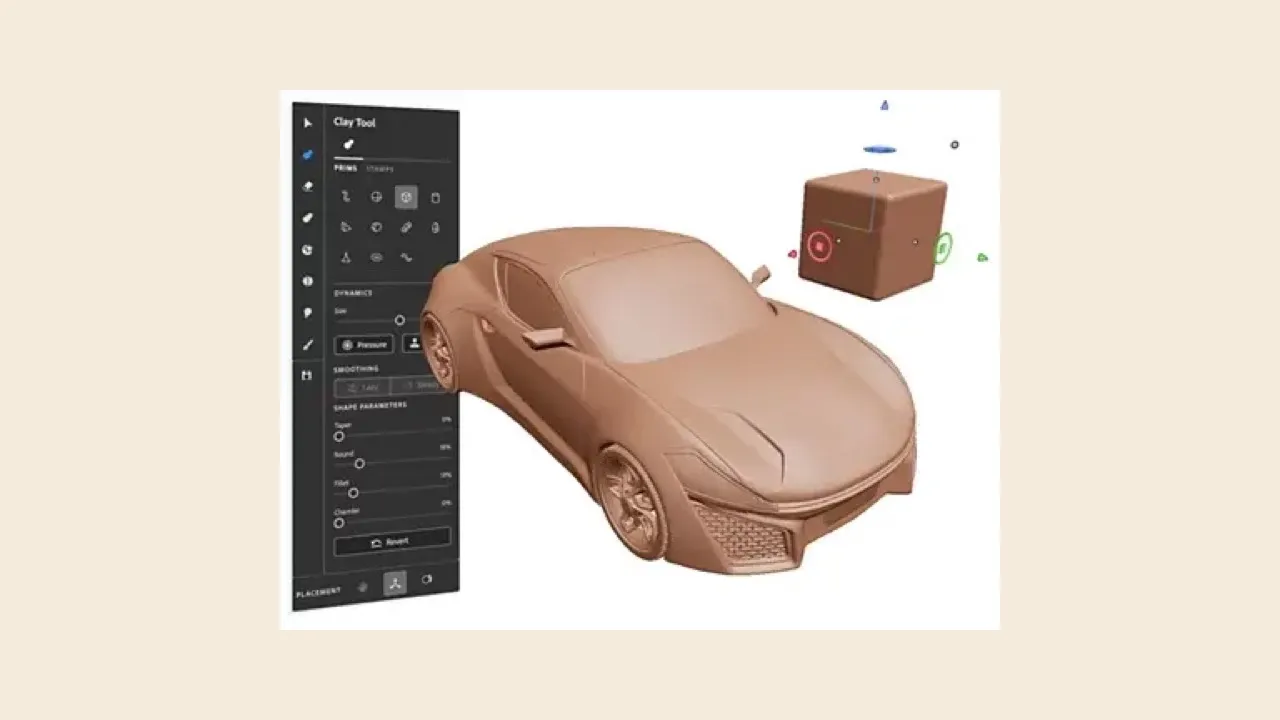
Modeler uses clay-like sculpting controls on desktop and in VR, extending the Collection beyond texturing into shape development. Source: Adobe. Interface shown as documented by Adobe and may change.
How to Use the 30-Day Trial Well
Do not spend the trial browsing sample assets. Choose one representative project that crosses the hardest parts of the intended workflow: import or bake a model, create or adapt materials, paint details, move the result to the target DCC or game engine, and render or export the actual deliverable.
Record time and failures. Check UV expectations, color management, channel packing, naming, version control, round-tripping, renderer compatibility, and how another artist opens the project. Try one downloaded asset and verify its license record.
Schedule the test early enough to cancel or choose the correct plan without rushing. Put the trial end date on the calendar and save the checkout terms. A successful pretty render is not enough if the editable files cannot survive the next revision.
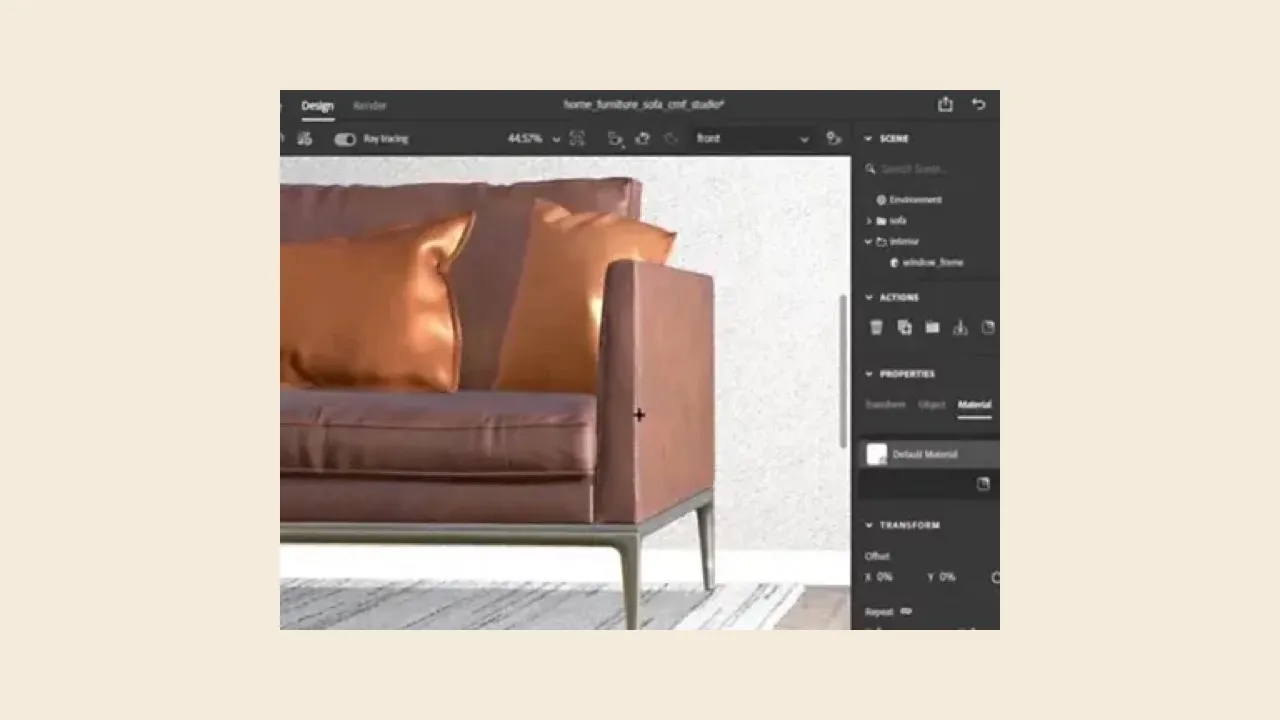
Stager assembles models, materials, lighting, and cameras into a product scene, which helps the bundle cover presentation as well as asset creation. Source: Adobe. Interface shown as documented by Adobe and may change.
The Real Cost of a Substance Workflow
3D work is hardware-intensive. Texture resolution, baking, viewport complexity, ray tracing, VR sculpting, and final rendering may require more GPU memory, RAM, storage, or render time than the subscription price suggests. Test on the production machines, not only Adobe's minimum requirements.
Training is another cost. Procedural materials, physically based rendering, UVs, baking, displacement, normal maps, and color management reward expertise. Templates and smart materials accelerate skilled choices; they do not remove the need to diagnose seams, scale, artifacts, or mismatched channels.
Storage grows quickly. Adobe lists cloud capacity, but large studios still need local working space, versioned project storage, backups, asset naming, and license records. Finished renders do not replace source meshes, materials, dependencies, and scene files.
When Substance 3D Collection Is Worth It
The Collection is easy to defend when an artist repeatedly textures assets, builds reusable materials, prepares product scenes, creates environment libraries, or needs several apps in one consistent material ecosystem. It can shorten work that would otherwise move through unrelated tools and conversions.
Studios can also gain from shared conventions. A documented Painter export preset, Designer material library, Stager template, and approved asset source can reduce errors across many jobs. The savings arrive through reuse and fewer revisions, not from owning more software.
Estimate return with finished work. Divide the annual software and hardware cost by the number of paid assets or projects, then add labor. If one recurring client workflow saves several hours per month, the plan may pay for itself quickly.
When I Would Skip the Collection
Skip a continuing subscription when the need is one short project, a simple material edit, or a single app used too rarely to recover US$59.99 every month. A carefully scheduled trial or short production period may be enough, subject to the exact billing terms.
Also pause when the required delivery path is untested. Some pipelines rely on engine-specific shaders, proprietary renderers, unusual channel conventions, or collaboration systems that can erase the benefit of a beautiful material tool.
Do not buy the bundle because a tutorial's final image looks impressive. Confirm the source model quality, lighting, renderer, post-production, external plug-ins, and assets that contributed to the result. Substance may be central without being the entire recipe.
My Recommendation
Use the 30-day trial as a production acceptance test. Complete one model through the entire path, keep notes, and measure the time saved. If Painter alone does all the recurring work, compare the Collection cost with any current narrower options shown in your region—but do not rely on an old plan page.
Choose teams only when its administration and company asset ownership solve a documented business risk. Choose individual when one artist controls the work and the added team services would sit unused. Never share a personal seat to imitate a team license.
Recheck the current storefront and account before renewal or plan changes. Existing subscribers may have different terms, and changing a grandfathered plan can be difficult to reverse.
Keep the economics tied to assets delivered. A product-visualization team might recover the plan through faster material variations and fewer reshoots; a game artist might recover it through reusable smart materials across dozens of models. If the workflow produces only one experimental image, the same monthly price has a very different return. Review usage quarterly and cancel or resize seats when the library and pipeline no longer create measurable value.
Official Sources
- Adobe Substance 3D plans
- Adobe Substance 3D Painter
- Adobe Substance 3D Modeler
- Adobe Substance 3D Stager
- Adobe historical Substance pricing change
Frequently Asked Questions
How much is Adobe Substance 3D Collection?
Adobe's current U.S. plan page listed Substance 3D Collection for individuals at US$59.99 per month when checked August 2, 2026. Confirm the billing commitment, taxes, region, and current offer on the checkout screen.
How much is Substance 3D for teams?
Adobe listed Substance 3D Collection for teams at US$119.99 per month per license when checked August 2, 2026. Multiply by the required seats and include onboarding, storage, asset governance, rendering, and workstation costs in the budget.
Which apps are included in Substance 3D Collection?
Adobe currently lists Painter, Sampler, Designer, Stager, Modeler, and access to Substance 3D Assets. The value depends on whether your work actually crosses texturing, materials, sculpting, staging, and asset sourcing.
Is there a Substance 3D free trial?
Yes. Adobe's current plan page advertises a 30-day free trial. Treat the trial as a production test: import a representative model, build materials, move the project through the intended DCC or engine, and render the real delivery format.
Can I buy Substance 3D Painter by itself from Adobe?
The current U.S. Adobe plan page presents the Collection plans rather than a Painter-only purchase. Storefronts and licensing options can change, so use the current official plan page as the authority before buying.
Is the old Substance 3D Texturing plan still available?
Do not assume it is. Adobe's older pricing-change documentation discusses historical Texturing pricing, while the current U.S. storefront checked for this guide presents Collection plans. Existing subscribers should inspect their account before changing anything.
How much cloud storage is included?
Adobe's current plan comparison lists 100GB for individuals, 1TB per license for teams, and 5GB for the education offer. Storage is useful for account services, but production studios still need a deliberate local and backup strategy for large source projects.
Who should pay for Substance 3D Collection?
It is easiest to justify for artists and studios that repeatedly texture models, author reusable materials, create product scenes, sculpt concepts, or draw from the asset library. A one-off 3D task may be cheaper in a narrower tool or a short, carefully scheduled subscription period.

About the Author
Joseph Nilo has been working professionally in all aspects of audio and video production for over twenty years. His day-to-day work finds him working as a video editor, 2D and 3D motion graphics designer, voiceover artist and audio engineer, and colorist for corporate projects and feature films.