
Adobe Animate costs less as a single app than Creative Cloud Pro, but its 2026 maintenance-mode status is now as important as the monthly price.
Adobe says the app remains available and supported, with security and bug fixes, but no planned new features. This guide evaluates the product you can buy today. U.S. prices and official documentation were checked August 2, 2026.
Quick answer
| Animate single app | US$22.99/month, annual plan billed monthly. |
|---|---|
| Creative Cloud Pro | Regular US$69.99/month, annual plan billed monthly. |
| Product status | Supported in maintenance mode; fixes continue, no planned new features. |
| Best buyer | An existing Animate workflow or a stable 2D/HTML5 deliverable that the current app already handles. |
This page may include affiliate links.
I only recommend software I would seriously evaluate for real creator or production workflows.
⭐⭐⭐⭐⭐
I pay for Adobe Creative Cloud and have used it every day in my 20-year career as a video editor, producer, and colorist.
Use the Adobe link below to check the current Creative Cloud offer. It can support this site and helps me keep these guides updated. Check current Adobe Creative Cloud offer.
Get Adobe Creative Cloud Now!What Maintenance Mode Actually Means
Adobe's current HelpX pages state that Animate is in maintenance mode. The company says it continues to support the application and provide security and bug fixes, while no new features are planned. Adobe also says Animate remains available to new and existing users and that there are no plans to discontinue it.
Those statements are different from active development. A buyer should not pay on the assumption that a missing workflow, format, collaboration feature, or performance improvement will arrive later. The present feature set must justify the subscription today.
Maintenance mode can still be acceptable for a mature production tool. Stable pipelines often value predictable output more than novelty. The risk rises when the deliverable depends on fast-changing browsers, ad platforms, learning systems, operating systems, or team integrations outside Adobe's control.
Single-App Animate vs Creative Cloud Pro
The current U.S. product page lists Animate at US$22.99 per month on an annual plan billed monthly. Creative Cloud Pro is listed at the regular US$69.99 per month on the same broad billing structure, though Adobe may show temporary introductory offers.
Single app is the rational default when Animate is the only Adobe application doing recurring work. The bundle costs more, but Photoshop and Illustrator are common sources for character and vector artwork, After Effects handles compositing, Premiere handles editorial delivery, and Audition can repair or mix dialogue.
Compare a year at regular prices and include cancellation rules. A promotional first period is not the operating cost. My Creative Cloud pricing guide explains the larger plan decision.
What Animate Still Does Well
Animate remains a capable 2D authoring system built around the Stage, timeline, layers, symbols, drawing tools, tweening, frame control, and reusable assets. It can create character animation, interactive content, educational pieces, banners, GIFs, videos, and HTML5 Canvas projects.
Character rigging combines layered artwork with parenting, bones, Asset Warp, poses, and timeline animation. The approach can save time when a project needs reusable characters without the webcam-driven performance model of Character Animator.
Experienced users also benefit from muscle memory and accumulated source files. A migration has a cost: templates, symbols, scripts, export settings, and client revisions may be safer in the tool that created them. Read the Adobe Animate overview for the broader feature map.
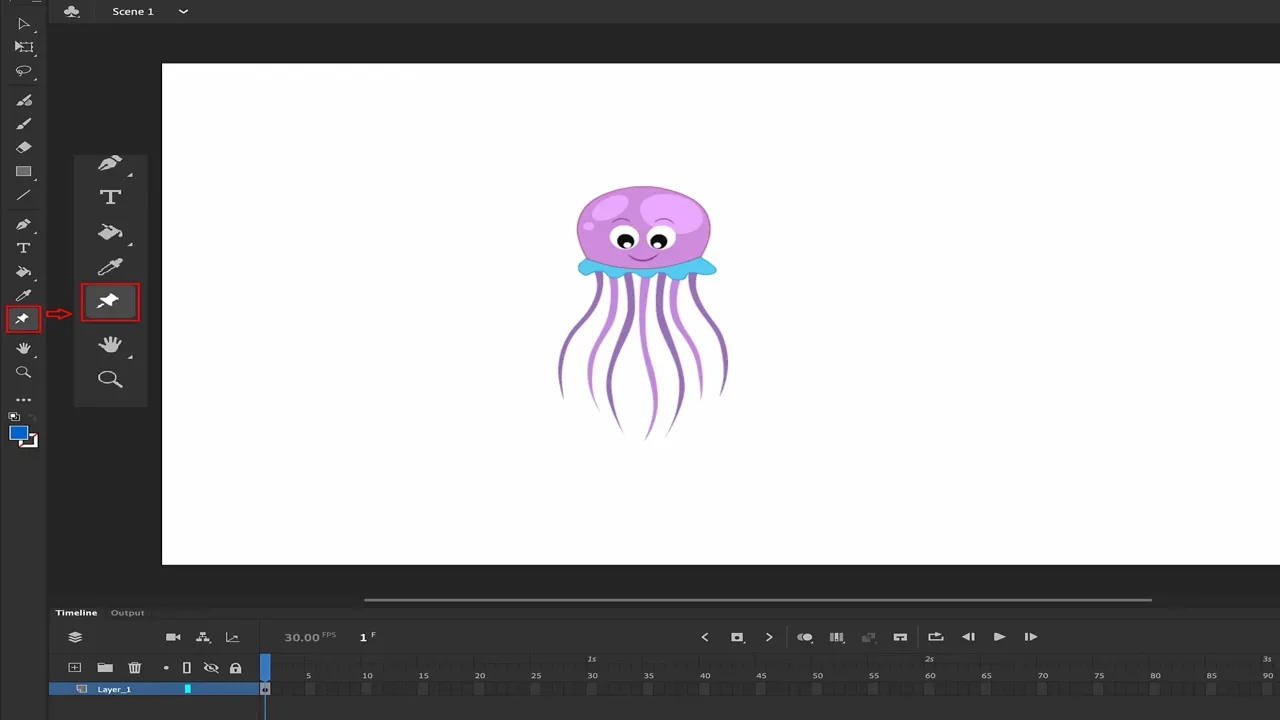
Animate remains a full Stage-and-timeline authoring environment, with drawing and selection tools organized around the current document. Source: Adobe. Interface shown as documented by Adobe and may change.
The Real Workflow Cost
The subscription is only one line item. Illustration, cleanup, rigging, lip sync, sound, QA, accessibility, versioning, and delivery usually consume more time than installing the app. Reusable symbols and rigs lower later episode costs only when the project is organized well.
Export targets deserve a separate budget. Test the exact browser, learning-management system, ad network, social platform, game engine, or video specification. A format that exports successfully is not automatically accepted by the destination, and maintenance mode increases the value of early testing.
Preserve source files, linked assets, fonts, audio, exported masters, and a short description of the required app version. If the workflow is business-critical, keep a tested migration path and do not let one editable file become the only copy of a finished deliverable.
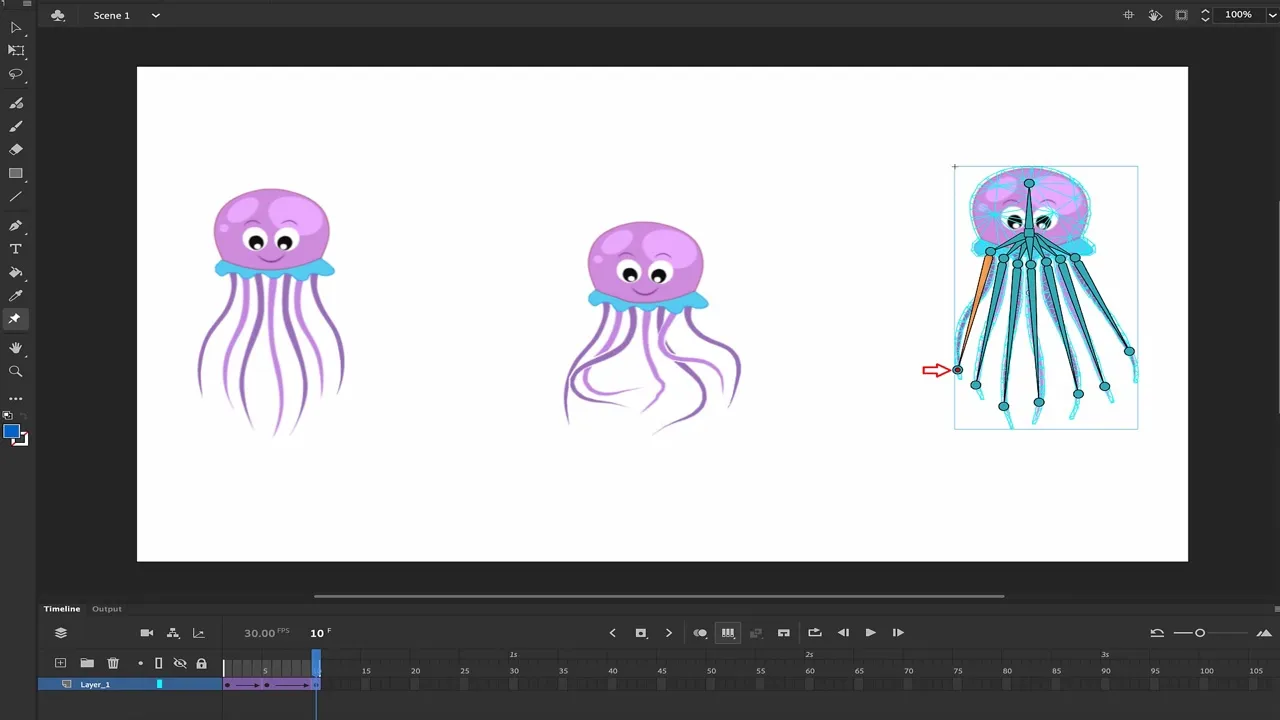
Bones, parenting, layers, poses, and frame timing make Animate useful for established 2D character workflows even without a new-feature roadmap. Source: Adobe. Interface shown as documented by Adobe and may change.
When Animate Is Still Worth It
Animate is easiest to justify when an existing library of projects produces billable work, when clients request editable Animate files, or when a stable HTML5 Canvas or 2D character pipeline already passes delivery tests.
It can also be a reasonable learning tool when the course, employer, or production specifically uses Animate. The Stage-and-timeline model teaches transferable ideas: symbols, keyframes, poses, easing, layers, and asset reuse.
For a new commercial project, run a representative prototype during the refund window. Include the hardest animation, a real export, one revision cycle, and the destination device. That test is more valuable than comparing marketing feature lists.
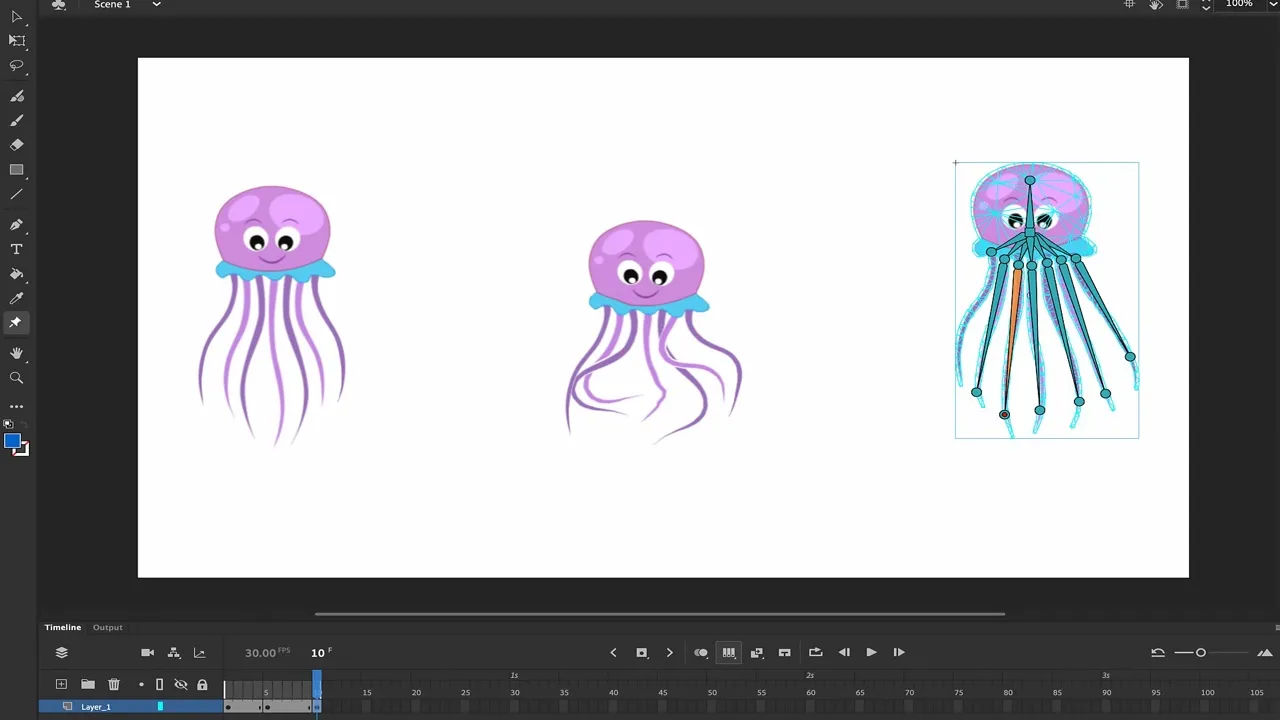
Rig deformation can reduce repeated drawing, but production value still depends on clean assets, poses, timing, and export testing. Source: Adobe. Interface shown as documented by Adobe and may change.
When I Would Skip Animate
I would not start a new long-lived pipeline in Animate when success depends on future features Adobe has not promised. Teams expecting rapid collaboration advances, new platform integrations, expanding 3D tools, or a modernized engine should evaluate actively developed alternatives first.
Skip it when the real work is motion graphics and compositing rather than authored 2D scenes; After Effects may fit better. Use Character Animator when live face and body performance is the core interaction. Use a dedicated game engine when runtime behavior and deployment dominate.
A beginner with no legacy files has the most freedom. The best tool is the one whose current roadmap, community, export path, and collaboration model match the next several years—not the one with the most familiar name.
Alternatives and Adjacent Adobe Tools
Character Animator turns webcam and microphone performance into a puppet, while Animate gives a traditional Stage, timeline, symbols, and rigging. After Effects provides deeper compositing and motion-design control. Premiere is the final editorial and delivery environment for many animated pieces.
Outside Adobe, alternatives vary by job: frame-by-frame drawing, vector character rigs, browser animation, interactive learning, game animation, or broadcast compositing. Compare the specific task, not the generic label “animation software.”
Migration should be tested with one real scene. Check artwork import, nested symbols, masks, blend modes, fonts, scripts, audio sync, easing, camera moves, and final export. A tool can look compatible until the first complex revision.
My Recommendation
Existing Animate users with stable, profitable deliverables do not need to panic. Keep the application current, preserve masters, document the workflow, and test every external platform update. Maintenance mode is a planning signal, not proof that working files suddenly stopped being useful.
New buyers should choose the single-app plan only after a production test proves the current feature set. Choose Creative Cloud Pro when several included applications are genuinely part of the same paid workflow. Do not choose either plan for an imagined roadmap.
Review the official status at every renewal and keep a migration budget. If the expected return cannot pay for both the subscription and that resilience, a newer tool is the safer starting point.
For client work, add a delivery note stating the editable source format, the tested export target, the Animate version, and any external fonts or scripts. Render an archival master plus the platform-specific file. That small amount of documentation makes a maintenance-mode application less risky because the next editor can reproduce the result, evaluate a migration, or make a limited revision without reconstructing the entire production history.
Official Sources
- Adobe Animate product and pricing page
- Adobe Animate Stage, tools, and maintenance-mode notice
- Adobe Animate character-rigging documentation
Frequently Asked Questions
How much does Adobe Animate cost?
Adobe listed Animate at US$22.99 per month on an annual plan billed monthly in the U.S. when this guide was checked August 2, 2026. Taxes, regions, promotions, billing terms, and renewal prices can change the actual checkout total.
Is Adobe Animate being discontinued?
Adobe says no. Its June 2026 HelpX pages describe Animate as being in maintenance mode: the app remains available and supported, with security and bug fixes, but Adobe does not plan new features.
What does maintenance mode mean for buyers?
It means the existing feature set can remain useful, while the roadmap should not be part of the purchase case. Buy for the capabilities that work today, verify the required export targets, and keep source files plus rendered masters.
Is Adobe Animate included in Creative Cloud Pro?
Yes. Animate is included in Adobe's current Creative Cloud Pro collection. The regular U.S. price shown when checked was US$69.99 per month on an annual plan billed monthly, though temporary offers may appear.
Should I buy Animate alone or Creative Cloud Pro?
Choose the single-app plan if Animate is the only Adobe tool you will use consistently. Creative Cloud Pro is easier to justify when the workflow also needs Photoshop or Illustrator artwork, After Effects compositing, Premiere editing, Audition audio, or other included apps.
Can Animate still publish HTML5 Canvas projects?
Yes. HTML5 Canvas remains one of Animate's established document and publishing paths. Because browsers, ad platforms, learning systems, and JavaScript libraries change independently, test the exact destination rather than treating app support as platform approval.
Is Animate good for character rigging?
It can be. Animate supports layers, symbols, parenting, Asset Warp, bones, poses, and frame-based timing. Character Animator may be faster for webcam-driven live performance, while After Effects is stronger for compositing-heavy motion design.
Who should skip Adobe Animate in 2026?
Skip it if you need an actively expanding feature roadmap, a primarily 3D workflow, advanced compositing, or a team pipeline built around another engine. Existing Animate users with stable deliverables may still get excellent value from a familiar tool.

About the Author
Joseph Nilo has been working professionally in all aspects of audio and video production for over twenty years. His day-to-day work finds him working as a video editor, 2D and 3D motion graphics designer, voiceover artist and audio engineer, and colorist for corporate projects and feature films.