
Updated August 3, 2026
Adobe Scan is Adobe's free iOS and Android scanner app for turning paper documents, receipts, forms, business cards, whiteboards, and existing photos into cleaned-up PDFs with automatic edge detection and optical character recognition.
The useful distinction is simple: Adobe Scan captures and cleans the paper; Acrobat becomes the deeper workspace when the resulting PDF needs advanced editing, conversion, protection, collaboration, or repeatable business handling. Adobe has also added AI-assisted document understanding, but those features should be treated as optional account- and platform-dependent layers rather than the reason to trust a scan.
Quick answer
Use Adobe Scan for occasional phone-based scanning. It is a strong free starting point when you need a readable multipage PDF, automatic boundary detection, cleanup, searchable text, simple markup, JPEG export, folders, and a direct Acrobat handoff.
Skip it for high-volume or evidence-critical capture. A document feeder, controlled lighting, calibrated hardware, and a formal retention process are safer for archives, legal records, medical paperwork, or batches where one missed page matters.
This page may include affiliate links.
I only recommend software I would seriously evaluate for real creator or production workflows.
Use the Adobe link below to check the current Adobe offer. It can support this site and helps me keep these guides updated. Check current Adobe offer.
Check Current Adobe OfferWhat Adobe Scan does
Adobe Scan uses the camera on a phone or tablet as a document scanner. The app can detect the page boundary, correct perspective, crop away the desk, reduce glare or shadows, sharpen printed or handwritten text, and save the result as a PDF.
Adobe highlights capture modes for documents, forms, business cards, and whiteboards. That matters because a glossy receipt, a large whiteboard, and a letter-size contract need different framing. Automatic capture can be fast, but manual capture is often safer when the page has faint edges or sits on a similarly colored background.
The app can also work with an existing image, add drawings or shapes, save scans as JPEGs, share by link or email, and upload to supported cloud apps. Recommended filenames, dates, and custom folders help prevent a camera roll from becoming the filing system.
The output is only as good as the capture. Adobe's cleanup can improve a readable photo, but it cannot recover a clipped signature, a folded corner, motion blur, or text hidden by glare. Review every page at full size before discarding the paper.
How the Adobe Scan workflow works
A reliable scan starts before the shutter. Place the paper on a flat, contrasting surface, use even light, keep the camera parallel to the page, and leave a small margin around every edge. If automatic capture fires too early, switch to manual capture and hold steady.
After capture, inspect the crop and page order. Rotate pages, adjust boundaries, apply cleanup only where it improves legibility, and remove accidental duplicates. For receipts and forms, zoom into totals, dates, account references, handwriting, and signatures rather than trusting the thumbnail.
For a multipage document, use one file and a consistent orientation. Name the result for retrieval—client, document type, date—rather than accepting a generic scan number. Save a second copy outside the app when the document is important.
Adobe's current overview shows the app saving the captured document as a PDF. Once saved, the file can continue into Acrobat on desktop, web, or mobile for filling, signing, commenting, review, and paid tools where the account allows them.
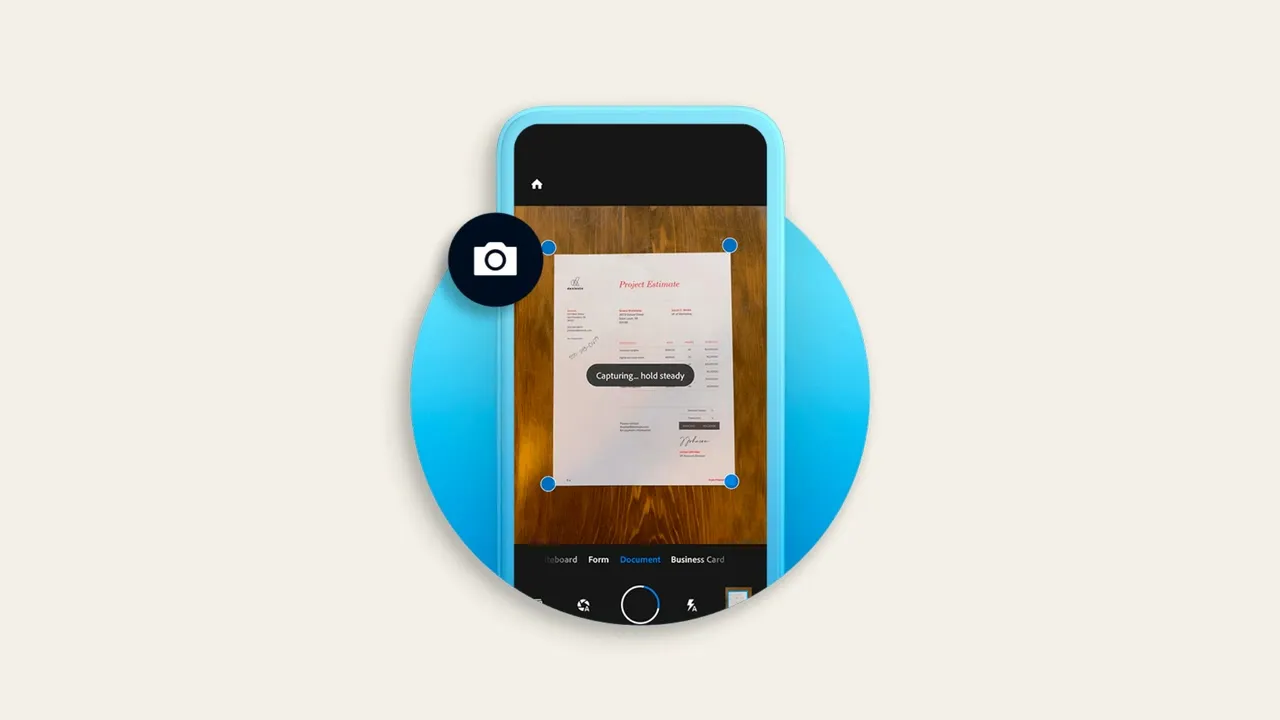
Adobe's current product overview shows automatic edge detection while Adobe Scan captures a paper document. Interface details can vary by device and app version. Source: Adobe. Interface shown as documented by Adobe and may change.
OCR and searchable PDFs
OCR, or optical character recognition, is the feature that separates a useful document scan from a plain camera photo. It analyzes the image of the page and creates a text layer so words can be searched, selected, or extracted.
Searchable does not mean perfectly transcribed. Small type, decorative fonts, handwriting, tables, skewed lines, low contrast, and mixed languages can reduce accuracy. Test an unusual name, a dollar amount, and a line near the page edge before assuming the entire document is reliable.
Adobe's current product page describes OCR as part of the scan workflow and says it can create searchable PDFs. Adobe's mobile Acrobat documentation is more specific about editing: recognizing and editing text in a scanned file is a paid Acrobat capability. That boundary prevents a common buying mistake—free capture and search do not automatically include every advanced editing tool.
For records that drive payment, compliance, or client delivery, compare the OCR text with the visible page. The image is evidence of what was captured; OCR is a convenience layer that can make mistakes.
Is Adobe Scan free? Free vs paid features
Adobe currently describes Adobe Scan as completely free to download and says users can create scans and share PDFs without buying Acrobat Pro. The free workflow covers the core job: capture paper, clean it up, run OCR, organize the result, and share or open the PDF.
Paid features enter when the document needs more. Adobe promotes Acrobat subscriptions for combining files, exporting PDFs to other formats, password protection, compression, advanced editing, and broader cross-device tools. Exact entitlements can vary by plan, store, account, region, and app version.
Do not buy a subscription simply because the app shows a premium button. First finish one representative scan, open it on the device where the work will continue, and identify the blocked task. Then compare the current Acrobat plans and Acrobat Pro vs Standard.
If the only need is a searchable PDF from a phone, free may be enough. If the job regularly includes redaction, converting to Word or Excel, editing scanned text, protecting files, or assembling document packages, the paid Acrobat layer is the more relevant purchase.
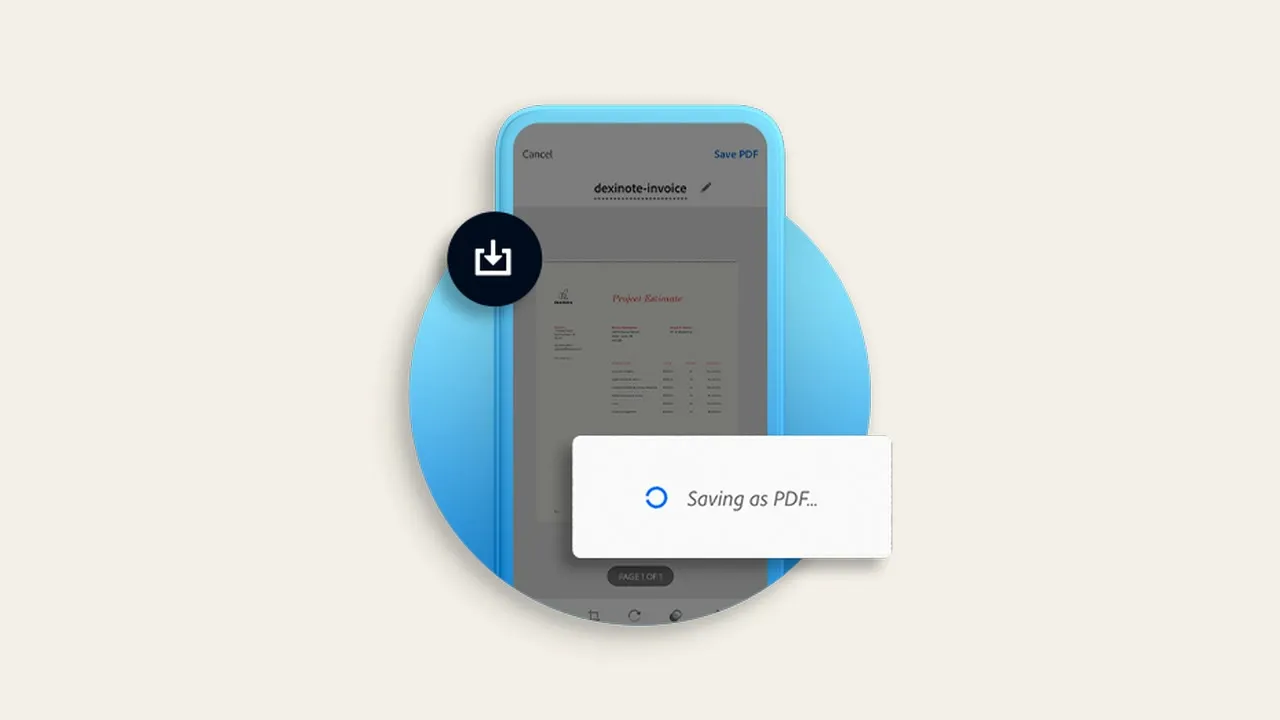
Adobe's product page illustrates the save-to-PDF step after capture and cleanup. Interface details can vary by device and app version. Source: Adobe. Interface shown as documented by Adobe and may change.
How Adobe Scan works with Acrobat
Adobe Scan and Acrobat overlap, but they solve different moments. Scan is the capture surface. Acrobat Reader is the free viewing and light interaction layer. Acrobat Pro becomes useful when the PDF needs heavier production work.
| Tool | Best use | Watch for |
|---|---|---|
| Adobe Scan | Capture, crop, clean, OCR, organize, and share paper documents from a phone. | Review crops, page order, glare, and OCR accuracy. |
| Acrobat Reader | Open, search, comment, fill, sign, and share supported PDFs. | Advanced editing and conversion are not all free. |
| Acrobat Pro | Edit, convert, combine, protect, redact, and manage repeatable PDF workflows. | Confirm the exact plan and platform entitlement before buying. |
A practical handoff is scan, verify, rename, open in Acrobat, complete the task, and export a final copy. Keep the original scan when later edits could change meaning. For client work, document which file is the untouched capture and which is the edited deliverable.
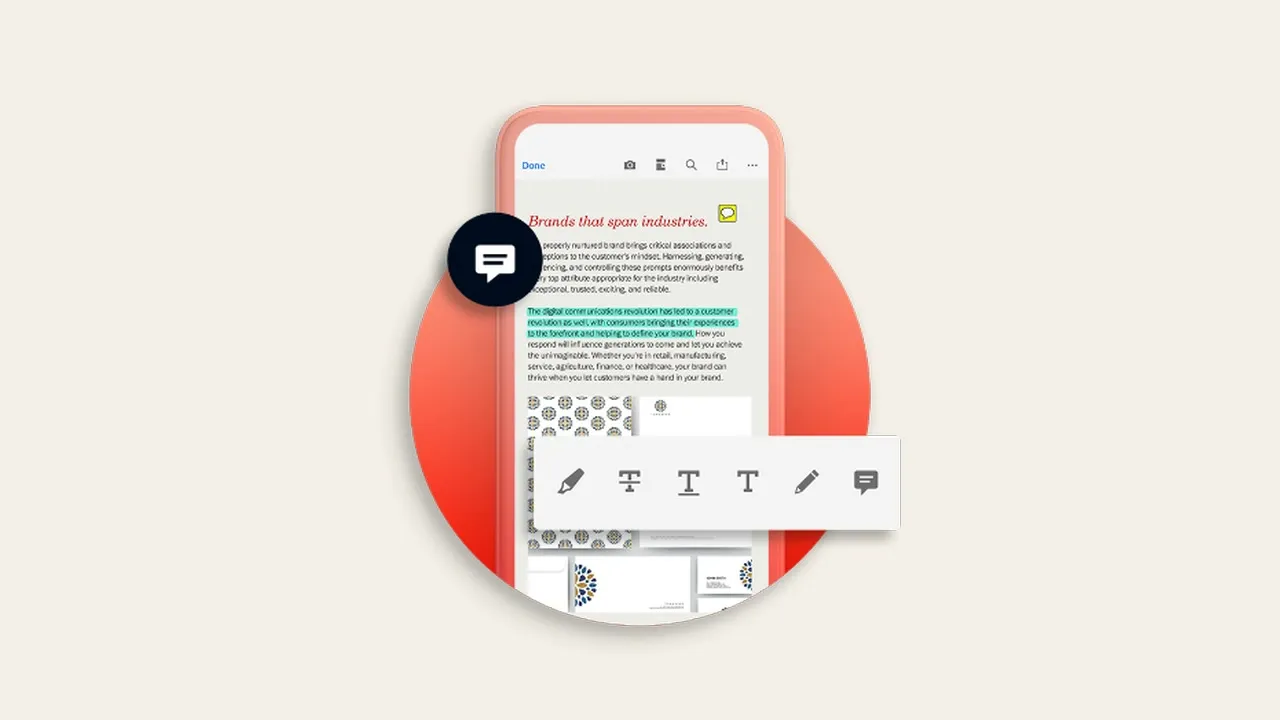
Adobe shows a saved scan continuing into Acrobat for review and annotation. Some editing, export, protection, and AI features require an eligible paid plan. Source: Adobe. Interface shown as documented by Adobe and may change.
Generative summary and AI features
Adobe documents a Generative summary feature inside Adobe Scan for Android. It can create a structured overview of a scanned document, expose numbered source references, read the summary aloud, copy or share it, and hand a follow-up question to AI Assistant.
This is useful for triage, not verification. A summary can help decide whether a long report deserves closer reading, but it should not replace the source page for contracts, invoices, medical directions, legal language, or any document where one qualifier changes the outcome.
Platform and entitlement boundaries matter. Adobe's Scan-specific help page currently names Android, while newer Acrobat mobile AI documentation covers Android and iOS inside Acrobat. Availability can depend on app version, account, region, plan, and usage limits, so the signed-in app is the final authority.
If document AI is the goal, test it with a non-sensitive sample first. Check whether references jump to the correct text, compare names and numbers with the scan, and understand the account's content-handling rules before uploading confidential material.
Scan quality, organization, and privacy checks
Use a five-point review before treating a mobile scan as finished: all pages present, edges complete, text readable, pages in order, and the file saved in the intended location. A beautiful first page does not compensate for a missing attachment.
For receipts, capture the merchant, date, total, tax, payment reference, and any return details. For forms, confirm checkboxes, handwriting, and signatures. For whiteboards, watch for glare and low-contrast marker colors. For business cards, verify the OCR against the printed phone number and email address.
Scanning can involve sensitive data. Check the document before sharing, use the narrowest audience, remove accidental background information, and avoid uploading confidential files to an account or device you do not control. Password protection can reduce casual exposure, but it does not correct an overly broad share link or a compromised account.
Keep a retention rule. Delete test captures and duplicates, preserve records where required, and maintain an independent backup for important work. Cloud convenience is not the same as a complete records policy.
Adobe Scan alternatives
Apple Notes is the low-friction choice for iPhone and iPad users who need a quick document scan inside an existing notes workflow. Google Drive can be convenient for Android and Google Workspace filing. Microsoft Lens fits Microsoft 365 and OneDrive workflows. A dedicated scanner remains better for high-volume batches.
Choose by destination rather than capture demo. Adobe Scan is strongest when the PDF will continue into Acrobat. Apple Notes makes sense when the scan belongs in Notes or Files. Google and Microsoft alternatives can reduce handoff friction when the organization already lives in those ecosystems.
Also compare account requirements, storage location, OCR behavior, multipage handling, export formats, sharing controls, and whether the app remains supported on the required devices. A free scanner is expensive if every document needs manual refiling.
Who should use Adobe Scan?
Adobe Scan is a strong fit for students, freelancers, creators, small teams, production offices, and households that need occasional searchable PDFs without maintaining a desktop scanner. It is especially practical when Acrobat is already the next step.
It is less suitable for archival digitization, high-volume accounts payable, strict chain-of-custody work, fragile originals, color-critical art, or workflows that require automatic document feeders and consistent batch quality. Use purpose-built hardware and a documented process for those jobs.
My recommendation: test the full workflow with a five-page mixed document. Include printed text, handwriting, a receipt, and one page with difficult lighting. Search the OCR, reorder a page, rename the file, open it in the final destination, and share a non-sensitive copy. If every step is clear, Adobe Scan has earned its place.
Official sources
Frequently Asked Questions
Is Adobe Scan free?
Adobe currently describes Adobe Scan as free to download and use for core capture, OCR, PDF creation, organization, and sharing. Advanced Acrobat editing, conversion, protection, compression, and AI capabilities can require an eligible paid plan.
Does Adobe Scan work on iPhone and Android?
Yes. Adobe Scan is available as a mobile scanner workflow for iOS and Android. Individual features, interface details, AI access, and subscription options can vary by platform, region, account, and app version.
Does Adobe Scan use OCR?
Yes. Adobe Scan uses optical character recognition to make captured text searchable and easier to extract. OCR can misread handwriting, small type, tables, glare, or unusual fonts, so verify important names and numbers against the page image.
Can Adobe Scan edit text in a scanned PDF?
The scan can create a searchable text layer, but Adobe's current mobile documentation says recognizing and editing text in a scanned file is an Acrobat subscription feature. Search and full text editing are different capabilities.
Where are Adobe Scan files saved?
Adobe Scan can organize saved scans with filenames, dates, and folders and make them available through connected Acrobat experiences. Confirm the signed-in account and save an independent copy when the document is important.
Is Adobe Scan safe for confidential documents?
Treat it like any cloud-connected document workflow: use an account and device you control, review share permissions, avoid unnecessary uploads, and understand your organization's retention and data-handling rules. For highly sensitive records, use the approved capture process.
Does Adobe Scan summarize documents with AI?
Adobe documents Generative summary in Adobe Scan for Android, with source references and an AI Assistant handoff. Availability and limits can vary. Use summaries for triage and verify important claims against the original scanned pages.
Is Adobe Scan better than a dedicated scanner?
Adobe Scan is more convenient for occasional documents and travel. A dedicated scanner is usually better for large batches, automatic feeding, predictable lighting, fragile originals, color-critical work, or controlled archival capture.