
Acrobat Pro is the complete PDF and e-signature plan. Acrobat Studio is that same Pro foundation plus Acrobat AI Assistant, PDF Spaces, and Adobe Express Premium. At Adobe's current US individual list prices, the decision is whether those added research and content-creation workflows save more than $5 per month.
Choose Pro when the work ends with a correctly edited, protected, compared, redacted, signed, or accessible PDF. Choose Studio when the job repeatedly starts with several source documents and ends with cited answers, a shared research space, a presentation, a podcast-style overview, or branded content.
This is a fact-checked plan comparison based on Adobe's public pricing and product documentation checked July 29, 2026. Prices, request allowances, credits, features, and regional availability can change.
Quick answer
| Choose Acrobat Pro | You need advanced PDF editing, OCR, comparison, redaction, accessibility, forms, protection, and e-signatures. |
|---|---|
| Choose Acrobat Studio | You regularly analyze several files, use PDF Spaces and AI Assistant, or turn verified source material into presentations and branded content. |
| Individual price difference | $5/month or $60/year at current US list prices. |
| Studio AI allowance | 1,000 successful Acrobat AI responses per user per month, subject to throttling and policy changes. |
| Studio creation allowance | 250 monthly Firefly generative credits, tracked separately from Acrobat AI requests. |
| Best buying test | Run one representative multi-document project and measure total time saved, verification effort, and app handoffs avoided. |
This page may include affiliate links.
I only recommend software I would seriously evaluate for real creator or production workflows.
⭐⭐⭐⭐⭐
I pay for Adobe Creative Cloud and have used it every day in my 20-year career as a video editor, producer, and colorist.
Use the Adobe link below to check the current Creative Cloud offer. It can support this site and helps me keep these guides updated. Check current Adobe Creative Cloud offer.
Get Adobe Creative Cloud Now!Acrobat Pro vs Studio Pricing
Adobe's current US list pricing keeps the individual gap at exactly $5 per month under every billing option. Teams pay a $6-per-license monthly difference on an annual commitment. Prices below were checked on July 29, 2026 and do not include tax, promotions, education pricing, or regional variation.
| Billing option | Acrobat Pro | Acrobat Studio | Difference |
|---|---|---|---|
| Individual, annual billed monthly | $19.99/month | $24.99/month | $5/month |
| Individual, annual prepaid | $239.88/year | $299.88/year | $60/year |
| Individual, month-to-month | $29.99/month | $34.99/month | $5/month |
| Teams, annual billed monthly | $23.99/month/license | $29.99/month/license | $6/month/license |
| Teams, annual prepaid | $287.88/year/license | $359.88/year/license | $72/year/license |
Annual billed-monthly plans are commitments, not flexible monthly subscriptions. Adobe says canceling after 14 days can trigger a fee equal to half the remaining commitment. Annual prepaid plans generally have no refund after 14 days. Individual month-to-month plans can be canceled without the annual-commitment fee.
See Adobe's live Acrobat pricing page before checkout. My separate Adobe Acrobat price guide covers Standard, Pro, Studio, and Creative Cloud paths in more detail.
What Acrobat Pro and Studio Both Include
Studio does not replace the established Acrobat application with a different PDF editor. It includes the same Pro toolset. That means both plans cover the jobs most buyers associate with paid Acrobat:
- Create, edit, export, combine, split, reorder, and organize PDFs.
- Turn scans into searchable, editable documents with optical character recognition.
- Compare document versions and inspect changes.
- Redact sensitive information and apply password or permission controls.
- Create forms, prepare documents for signatures, collect e-signatures, and track responses.
- Use accessibility and print-production tools that go beyond a basic viewer.
- Work across desktop, web, and mobile surfaces where the relevant feature is supported.
If that list describes the full job, Pro is the rational default. It already solves the expensive part of a professional PDF workflow: making changes without returning to the source application, controlling sensitive content, and moving a document through review or signature.
Readers deciding among the traditional Acrobat tiers should use my Acrobat Pro vs Standard comparison. The question here is whether Studio's AI, multi-file workspace, and content tools justify the extra cost.
What Acrobat Studio Adds
Adobe currently describes Studio as Acrobat Pro plus three major components:
- Acrobat AI Assistant for questions, summaries, cited insights, and supported document actions through natural language.
- PDF Spaces for organizing up to 100 supported files and public links into an AI-assisted workspace that can be shared.
- Adobe Express Premium for presentations, flyers, social content, templates, brand kits, Firefly creation tools, and a large included library of Adobe Stock assets.
Studio also connects those pieces. Source material can become a PDF Space, AI Assistant can help identify themes and evidence, and the verified result can become a presentation or other deliverable. That connected path is more important than any single feature badge.
Adobe's current Acrobat Studio overview is the authoritative plan description. The core buying question is frequency: a feature used once is a demo; a workflow used every week can justify the subscription difference.
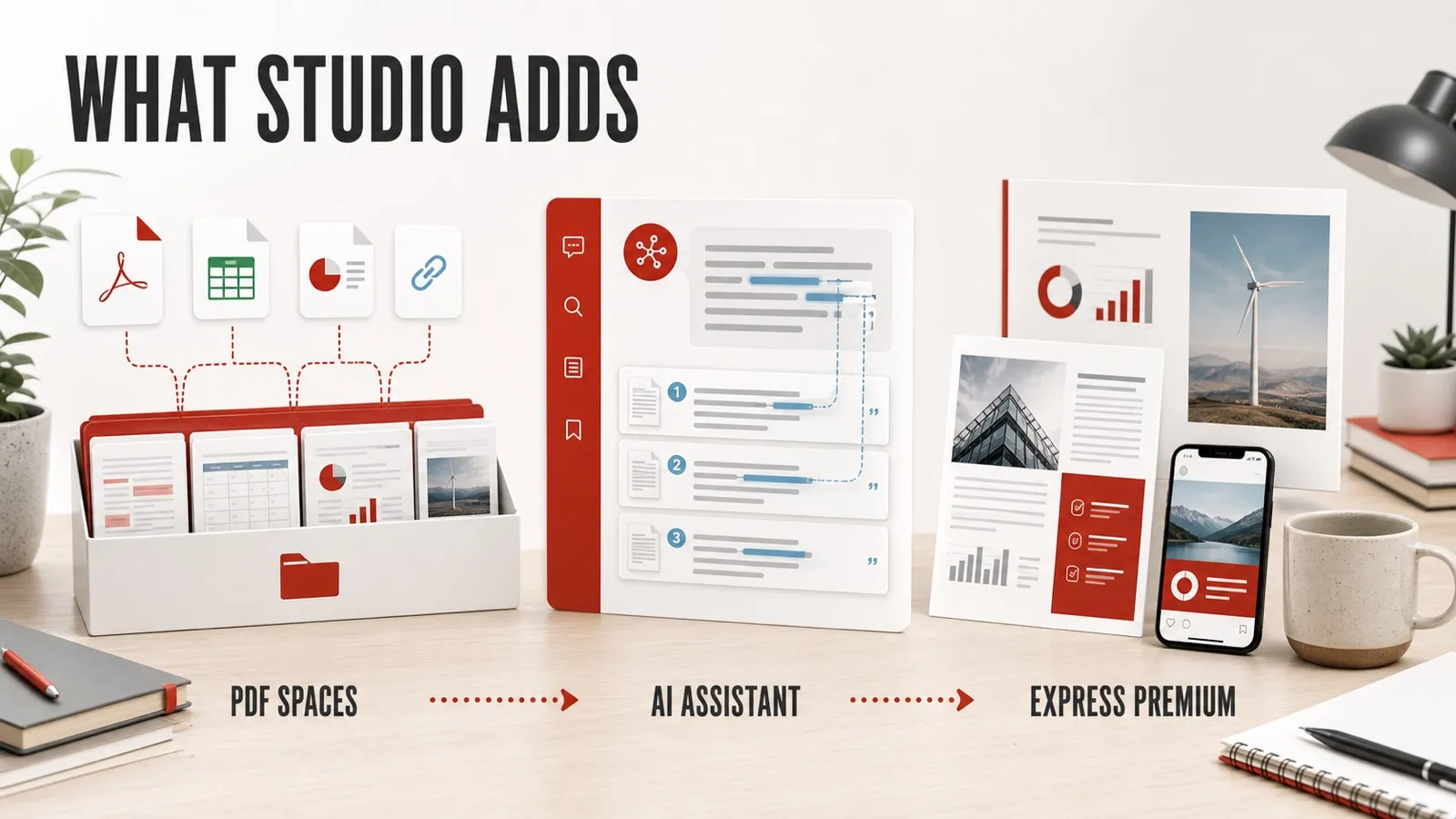
Original editorial overview: Studio keeps Acrobat Pro's PDF foundation and adds multi-file research, cited AI assistance, and Express Premium content creation. It is not an Adobe product screenshot.
What PDF Spaces Changes
A PDF Space is an AI-assisted workspace around a source set. It can bring together PDFs, Word documents, PowerPoint files, spreadsheets, text files, pasted text, and supported public links. Adobe currently allows up to 100 files in a space, with individual-file limits of 100MB and 600 pages.
That makes PDF Spaces useful for jobs such as:
- Comparing vendor proposals, estimates, and technical requirements.
- Combining a project brief, contract, transcript, notes, and research.
- Building a training or policy collection that colleagues can question.
- Sharing a proposal with a customized assistant that guides a client to relevant details.
- Creating notes, an audio overview, or generated content while keeping the sources nearby.
Adobe says answers can include citations, which shortens the path back to evidence. A citation is a verification aid, not a guarantee. Names, totals, dates, exclusions, legal obligations, and claims still need to be checked against the original document.
Sharing deserves the same care as the source files. PDF Spaces can use organization-only, invited-user, or public-link access. Adobe warns against using public links for sensitive information because anyone with the link may be able to access the shared material.
Review Adobe's PDF Spaces FAQ and supported formats and limits for the current interface, input types, and sharing rules.
What Acrobat AI Assistant Adds
AI Assistant can summarize a document, answer questions, compare information, surface themes, draft material, and initiate supported PDF actions. Studio includes full plan access under Adobe's current description; base Acrobat Pro should not be assumed to include that same ongoing entitlement.
The strongest workflow is narrow and auditable:
- Assemble the correct source set.
- Ask one specific question at a time.
- Open the cited passage.
- Confirm important names, dates, totals, obligations, and exceptions manually.
- Use the answer as a working draft or research aid, not an unchecked final decision.
Adobe's technical requirements currently limit general Acrobat AI inputs to supported files under 100MB and 600 pages, and prompts to 500 characters. Password-protected or restricted PDFs and PDF Portfolios are not supported. Language and account availability can also vary.
That means Studio is not a universal “chat with anything” subscription. It is a structured document assistant inside Adobe's current limits. For a consultant or producer, the value is faster orientation and comparison with a citation trail. For regulated or high-stakes work, human review remains the controlling step.
Adobe maintains the live Acrobat AI technical requirements separately from the marketing plan page.
Acrobat AI Requests vs Firefly Generative Credits
This is the easiest part of Studio to misunderstand. Adobe tracks document AI usage and Firefly creation usage as separate meters.
| Meter | Current Studio allowance | Typical uses |
|---|---|---|
| Acrobat AI requests | 1,000 successful responses per user per month | AI Assistant answers, summaries, insights, and PDF Spaces interactions |
| Firefly generative credits | 250 credits per month | Eligible image, design, presentation, and other generative creation features |
A request is generally counted when Acrobat returns a successful AI response. Adobe can throttle usage at or before the published fair-use limit, and enterprise rules can differ. Firefly credits reset monthly, do not roll over, and can be consumed at different rates depending on the feature or model.
Do not assume that unused AI requests can become image credits, that buying Firefly credits expands the Acrobat AI allowance, or that 250 credits equals 250 finished assets. The feature's current rate and the live product interface control actual usage.
Check Adobe's Acrobat AI usage policy and generative credits FAQ. These allowances can change, so check Adobe’s current policies before choosing a plan.
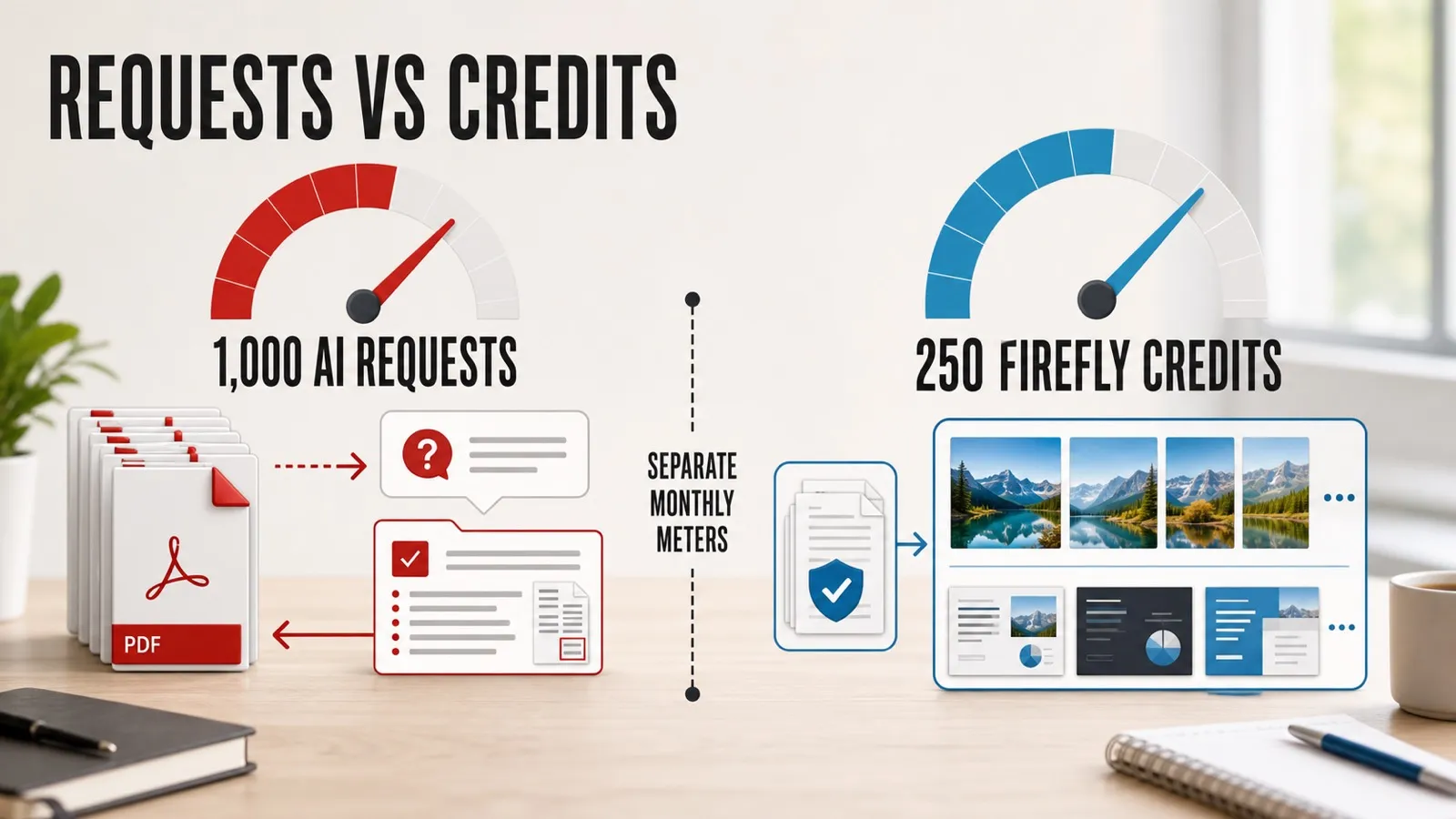
Original editorial illustration: Acrobat AI requests and Firefly generative credits are separate monthly meters. Allowances were checked July 29, 2026.
Adobe Express Premium and Stock Access
Studio currently includes Adobe Express Premium. That matters when the document is the source, not the final format. A verified report can become a presentation, flyer, social asset, one-page summary, or branded template without starting the design stage in a separate subscription.
Express Premium adds premium templates, brand kits, Firefly-powered creation tools, and access to millions of royalty-free Adobe Stock assets. It is not a separate full Adobe Stock subscription, not every Stock item is included, and premium-badged Express content has Limited License terms. Check the selected asset and intended use rather than calling the entire catalog unlimited.
Acrobat can also generate presentations and podcast-style audio from source material under current limits. Adobe currently documents up to ten uploaded documents totaling 150 pages for presentation generation, while podcast inputs can range from 500 characters through 600 pages. These are cloud workflows and their limits can change.
Read Adobe's Express Premium inclusion guide, presentation documentation, and podcast overview before making one of those outputs part of a client promise. My Adobe Express price guide covers the standalone plan and Creative Cloud overlap.
Where Studio Can Earn the Extra $5
The upgrade has a business case when it removes repeated labor or a separate subscription. These are stronger fits than occasional one-page summaries:
Consulting and client proposals
Collect discovery notes, source reports, a contract, and previous deliverables; ask focused questions; verify the citations; turn the findings into a presentation; then prepare the final PDF for signature. Studio connects research, content creation, and the existing Acrobat finish.
Vendor and bid comparison
Place several proposals, requirements, and public links in one space. Ask for differences in scope, exclusions, dates, and pricing, then validate every material result. The time savings come from finding the comparison points, not from outsourcing the decision.
Training and policy collections
Build a shared source set with a customized assistant, notes, and an overview. This can make a dense collection easier to navigate, provided access is controlled and the assistant directs readers back to the source.
Producer and creator deliverables
Organize a brief, estimate, release forms, transcript, and research; derive a presentation or one-page summary; then keep redaction and signature tasks in Acrobat. A producer who repeats that path can recover $5 quickly.
Small-business content repurposing
Turn a verified report into a flyer, deck, or channel-specific asset through Express Premium. This is compelling only when the business would otherwise pay for or hand off that design work.
Studio's value is workflow compression. If PDF Spaces, AI Assistant, and Express remain three interesting buttons that are rarely used together, the cheaper plan wins.
When Acrobat Pro Is the Better Buy
Stay with Pro when the document itself is the job. That includes people who mainly edit PDFs, run OCR, compare versions, redact information, create forms, prepare print-ready files, improve accessibility, or collect signatures.
Pro is also the better choice when:
- You rarely work across several source documents.
- Your organization prohibits the required cloud AI processing.
- You already have preferred research, AI, presentation, and design tools.
- The AI output requires enough correction that no meaningful time is saved.
- You need precise PDF controls but do not need generated derivative content.
- You cannot define an owner, access policy, and review process for shared PDF Spaces.
The $5 difference is small, but duplicate software still creates cost and complexity. A lower monthly price is not the only reason to choose Pro; a narrower tool can be easier to govern and easier to train across a team.
For a detailed look at the foundation both plans share, read what Acrobat Pro does. If free viewing and commenting may be enough, start with what Acrobat Reader includes before buying either plan.
Existing Creative Cloud Pro Subscribers: Check for Overlap
Creative Cloud Pro currently includes Acrobat Pro and Adobe Express Premium. That creates a potential overlap for photographers, designers, editors, and agencies already paying for Adobe's broader suite.
The practical check is:
- Open the Adobe account and confirm the current Acrobat and Express entitlements.
- Determine whether AI Assistant and PDF Spaces are already included, trial-limited, or offered as an add-on.
- Compare the live add-on cost with the cost of Acrobat Studio.
- Confirm that changing plans will not remove other apps, storage, business controls, or negotiated terms.
The conclusion that Studio may duplicate Pro and Express is an inference from Adobe's current plan descriptions, not a promise about every account. Business, education, regional, and older plans can expose different entitlements.
Use my Creative Cloud pricing and plans guide for the larger plan context, then verify the signed-in account rather than purchasing from a generic comparison alone.
Mac, Windows, Web, Mobile, and Storage
The core Acrobat desktop application supports current 64-bit Windows and macOS systems, including supported Intel and Apple silicon Macs. Web and mobile experiences extend document access, AI, and sharing, although every feature is not identical on every surface.
Adobe Express Photos—the quick screenshot and image-editing utility associated with the broader Studio experience—is currently Windows-only. That does not make Studio a Windows-only plan. Mac users still have Acrobat, PDF Spaces, AI Assistant, and Adobe Express across their supported surfaces.
Adobe currently lists up to 100GB of cloud storage with the relevant Acrobat and Express entitlements. Do not add those numbers together automatically. When one account receives overlapping product entitlements, the storage shown in the account is the practical source of truth.
Core desktop PDF work can function offline after activation, but AI Assistant, PDF Spaces, presentation generation, sharing, and many Express features require internet access and cloud services. A team evaluating Studio should test the actual network, identity, and device environment it will use.
Check Adobe's current Acrobat system requirements before changing a production workstation.
Cloud Processing, Privacy, and Current Limits
Acrobat's generative AI features use cloud processing. Adobe says it does not use customer documents or cloud content to train generative AI models unless the content is intentionally submitted to Adobe Stock. That statement should not be rewritten as “everything stays local” or “nothing is retained.” Adobe documents temporary processing behavior and different chat-history handling across web, desktop, and mobile.
Before using Studio with confidential client material, employee records, health information, unreleased financials, legal documents, or restricted media, check:
- The client or employer's AI and cloud-processing policy.
- Contractual restrictions on third-party processing and sharing.
- Who owns the PDF Space and who can change its access.
- Whether a public link is appropriate.
- Who verifies AI-generated summaries, answers, actions, and derivative content.
- What happens to shared spaces and files when a team member leaves.
AI answers can be wrong even when they look confident. Citations shorten verification; they do not replace it. Product availability can also vary by country, language, account type, and phased rollout. Adobe's newer prompt-bar experience has had limited-language rollout notes, so avoid assuming every signed-in user sees every advertised control.
Read Adobe's content analysis and generative AI privacy FAQ together with the AI usage policy before putting sensitive documents into the workflow.
A Practical Seven-Day Upgrade Test
Adobe currently advertises a seven-day Acrobat Studio trial. Use it for one representative project rather than a generic brochure. The test should include several source types and a deliverable the business actually creates.
- Choose the project. Use five vendor proposals, a research packet that must become a deck, or a client brief, contract, transcript, and estimate.
- Record the baseline. Estimate how long the same job takes with Pro and the current research or design tools.
- Create the PDF Space. Add only material the policy allows, confirm access, and note any unsupported inputs.
- Ask focused questions. Compare scope, dates, totals, evidence, or gaps rather than requesting a vague summary.
- Verify every material answer. Open citations and log errors or missing context.
- Create the output. Build a presentation, one-page summary, or other real deliverable if that is part of the normal process.
- Measure the complete job. Count setup, generation, verification, cleanup, app handoffs, and final Acrobat work.
- Check the account before day seven. Review the billing date, commitment, and cancellation terms shown at checkout.
Studio wins when the complete workflow is faster without weakening accuracy, privacy, access control, or final quality. If it only produces an impressive summary while the rest of the process stays unchanged, Pro remains the better purchase.
Start from Adobe's current Acrobat Studio trial page and save the exact terms presented to the account.
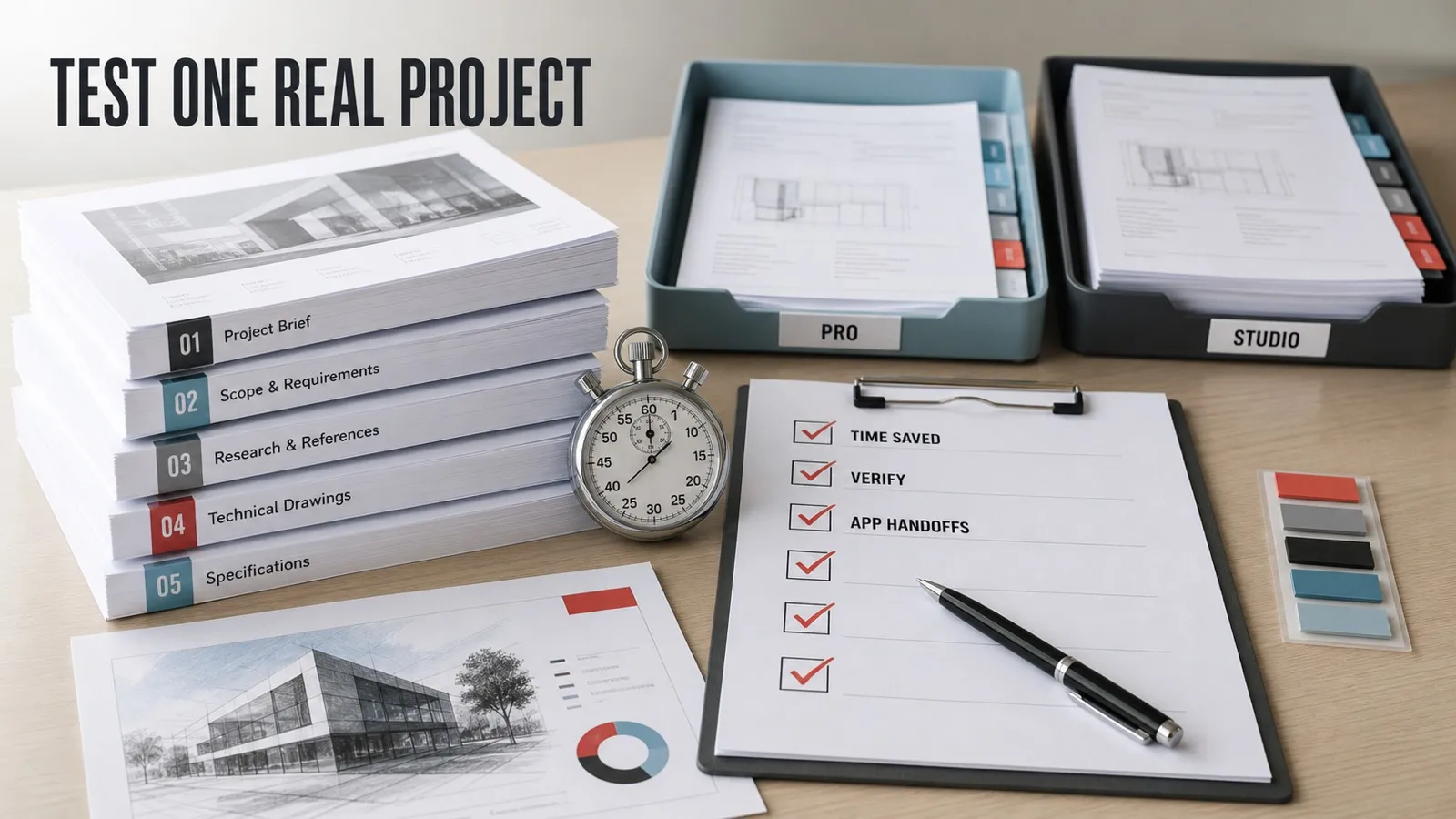
Original editorial illustration: test one representative project and measure total time, verification work, and app handoffs before paying for the upgrade.
Final Recommendation
Choose Acrobat Pro for professional PDF production and e-signatures. It remains the straightforward option when the work is editing, comparing, protecting, redacting, making accessible, preparing for print, completing forms, or collecting signatures.
Choose Acrobat Studio when multi-document analysis and content creation are recurring parts of the same job. The upgrade is easiest to justify for consultants, producers, educators, small businesses, and teams that repeatedly move from a source set to cited insights, a shared workspace, and a presentation or branded deliverable.
At a $5 individual monthly difference, the price is not the difficult part. The real questions are whether cloud AI is allowed, whether citations are actually checked, whether Express duplicates an existing subscription, and whether the connected workflow saves time after review and cleanup.
The safest decision is dated and evidence-based: verify Adobe's live plan, test one representative project, record the full workflow, and buy Studio only if its additions earn a repeatable role.
Official Adobe Sources and Current Interface Views
- Acrobat Studio product and plan overview
- Acrobat plans and US pricing
- PDF Spaces FAQ and interface examples
- Acrobat AI usage policy and request limits
- Adobe generative credits FAQ
- Adobe Express Premium inclusions
Facts and US list prices were checked July 29, 2026. The links above show Adobe's current released-product interface and terms. This monetized comparison uses original editorial visuals instead of republishing Adobe product screenshots without written permission.
Frequently Asked Questions
Does Acrobat Studio include Acrobat Pro?
Yes. Adobe currently positions Acrobat Studio as Acrobat Pro plus Acrobat AI Assistant, PDF Spaces, and Adobe Express Premium.
Is Acrobat Studio only $5 more than Acrobat Pro?
For US individuals, Adobe's July 29, 2026 list prices put Studio $5 per month above Pro under annual billed-monthly and month-to-month billing, and $60 per year higher when prepaid. Teams currently cost $6 more per license per month on an annual billed-monthly plan.
Does Acrobat Pro include full AI Assistant access?
Do not assume full AI Assistant access from the base Pro plan. Adobe may provide limited complimentary use or an add-on, while Studio currently includes full AI Assistant plan access subject to its usage policy.
How many Acrobat AI requests does Studio include?
Adobe currently allows 1,000 successful AI Assistant and PDF Spaces responses per user per month for eligible Individual and Teams plans. Adobe can throttle usage and change the limit.
Are Acrobat AI requests the same as Firefly credits?
No. Acrobat AI requests and Creative Cloud generative credits are separate meters. Using one does not add to or subtract from the other.
How many Firefly generative credits does Acrobat Studio include?
Adobe currently lists 250 monthly Firefly generative credits with Acrobat Studio. They reset monthly, do not roll over, and Adobe can change rates and eligible features.
Does Acrobat Studio include the full Adobe Stock catalog?
No. Express Premium includes access to millions of royalty-free Adobe Stock assets, but not every Stock item is included. Premium-badged Express content also has Limited License terms that should be checked for the intended use.
How many files can a PDF Space contain?
Adobe currently allows up to 100 files per PDF Space. Individual files can be up to 100MB and 600 pages, subject to supported format and feature limits.
Do Acrobat Pro and Studio both include cloud storage?
Adobe currently lists up to 100GB of cloud storage with the relevant Acrobat and Express entitlements. Do not assume overlapping entitlements stack into a larger quota; check the storage shown in the account.
Does Acrobat Studio work on Mac?
Yes. The Acrobat desktop app supports current Windows and macOS versions, including supported Intel and Apple silicon Macs. AI, PDF Spaces, and many Express workflows also use the web and mobile apps.
Which Acrobat Studio feature is Windows-only?
Adobe Express Photos, a quick screenshot and image-editing utility, is currently Windows-only. The core Acrobat, PDF Spaces, AI Assistant, and Express experiences are not defined by that utility.
Is Studio worth it if I already have Creative Cloud Pro?
Check your entitlements first. Creative Cloud Pro already includes Acrobat Pro and Adobe Express Premium, so those parts may duplicate what you own. Studio can still add Acrobat AI Assistant and PDF Spaces, but compare that need with Adobe's current AI add-on options before buying.
Does Adobe train generative AI on my PDFs?
Adobe says it does not use customer documents or cloud content to train generative AI models unless content is intentionally submitted to Adobe Stock. The AI workflows still use cloud processing and should follow client, employer, and confidentiality rules.
How long is the Acrobat Studio free trial?
Adobe currently advertises a seven-day Studio trial. Billing begins after the trial unless it is canceled, and the checkout terms should be reviewed before starting.
Can Adobe change the AI and generation limits?
Yes. Request allowances, throttling, generative-credit rates, feature availability, supported models, languages, and rollout access can change. Treat this comparison as a dated buying guide and verify the live plan page.

About the Author
Joseph Nilo has been working professionally in all aspects of audio and video production for over twenty years. His day-to-day work finds him working as a video editor, 2D and 3D motion graphics designer, voiceover artist and audio engineer, and colorist for corporate projects and feature films.