
Adobe Character Animator has a genuinely useful free tier, but the full Pro workflow is sold through Creative Cloud Pro rather than a separate Character Animator plan.
This guide separates the price on Adobe's current U.S. pages from the cost of a working animation setup. Prices and plan terms were checked August 2, 2026; verify the live checkout before purchasing because promotions, taxes, regions, and renewal prices change.
Quick answer
| Starter | Free; no paid Creative Cloud subscription required. |
|---|---|
| Pro | Included with Creative Cloud Pro; no separate Character Animator-only offer was shown on the current product page. |
| Regular U.S. bundle price | US$69.99/month on an annual plan billed monthly when checked. |
| Best first step | Build and export one complete Starter project before paying for Pro. |
This page may include affiliate links.
I only recommend software I would seriously evaluate for real creator or production workflows.
⭐⭐⭐⭐⭐
I pay for Adobe Creative Cloud and have used it every day in my 20-year career as a video editor, producer, and colorist.
Use the Adobe link below to check the current Creative Cloud offer. It can support this site and helps me keep these guides updated. Check current Adobe Creative Cloud offer.
Get Adobe Creative Cloud Now!Starter Free vs Pro: The Decision in One Minute
Starter is not a seven-day demo. Adobe describes it as a free, simplified mode that works without a Creative Cloud subscription. You choose from available puppets, calibrate the webcam and microphone, perform with triggers and expressions, record a scene, and export it.
Pro is the full authoring environment. It makes sense when the character itself must be original, a scene needs several performers, controls must be customized, or the result must fit a repeatable production pipeline. Adobe currently puts that version inside Creative Cloud Pro.
The practical split is simple: Starter proves whether performance animation solves your problem. Pro becomes a business tool when the free mode's project, rigging, and scene limits are the bottleneck—not merely because more controls exist.
What Character Animator Starter Includes
Starter provides the core magic of Character Animator: live face and voice-driven performance. A normal webcam reads head position and facial movement, while the microphone drives lip sync. Keyboard triggers and controls add expressions or actions that would be tedious to animate frame by frame.
The workspace is intentionally reduced. That is a benefit for a presenter, educator, streamer, or marketer who wants a quick animated character without learning the complete rigging system. It also makes Starter a better evaluation than a feature checklist because you can test your room, lighting, voice, timing, and comfort on camera.
Finish the test. Record at least a minute, correct a mistake, add triggers, export the result, and use it in the real destination. A free tool that cannot deliver the required resolution, pacing, or look is not cheaper than the right paid workflow.
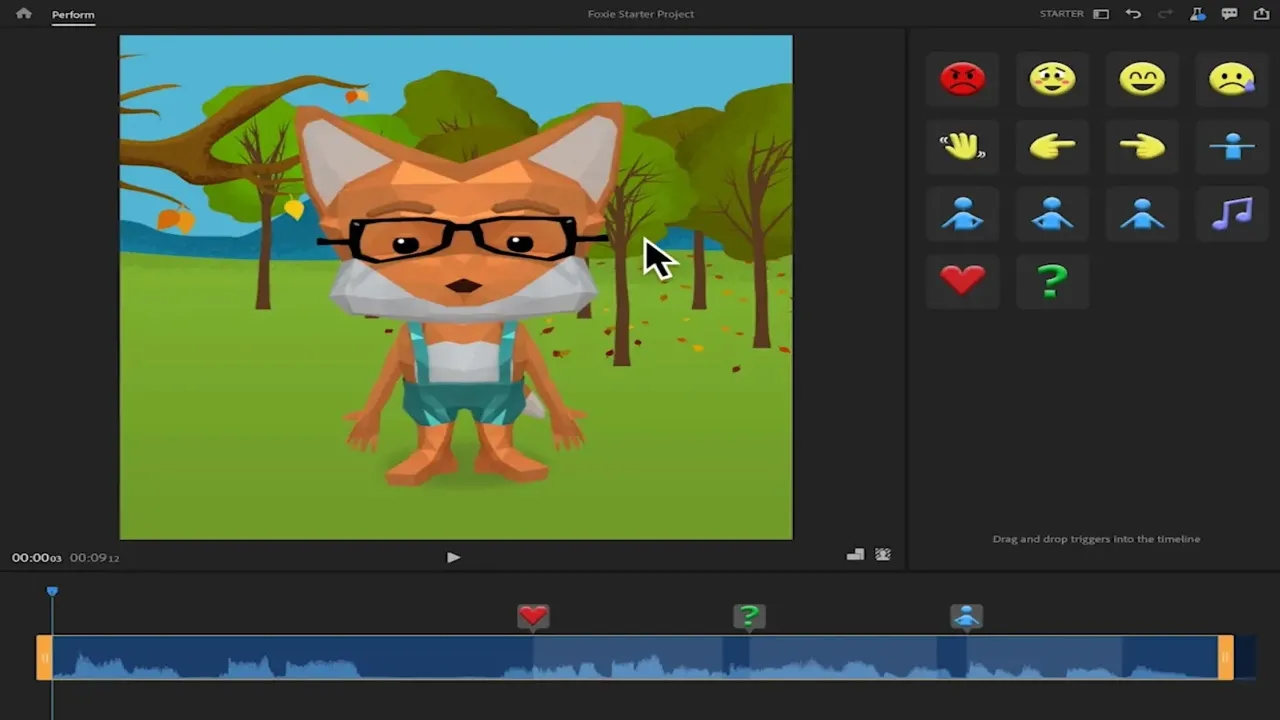
Starter mode keeps the free workflow focused on choosing a puppet, performing, recording, and exporting without exposing the full Pro workspace. Source: Adobe. Interface shown as documented by Adobe and may change.
The Starter Limitations That Matter
Adobe says Starter cannot open a project created in Pro. Converting a Starter project to Pro is also a one-way move. Duplicate the project before conversion and preserve rendered versions of anything important.
The larger limitation is creative ownership. Starter emphasizes supplied puppets and streamlined performance. If a brand needs an original character built from layered Photoshop or Illustrator art, custom rigging, detailed behaviors, multiple characters, or repeatable scene control, the free mode stops being the whole production solution.
That boundary is healthy. Use Starter for proof of concept, internal explainers, social experiments, classroom pieces, or a simple recurring host. Do not promise a client a complex custom series until the Pro puppet, triggers, editing path, and delivery schedule have been tested.
What Pro Adds
Pro exposes the complete Character Animator workspace and the authoring decisions behind the performance. You can work with original puppets, refine rigs and behaviors, build triggers, use Puppet Maker, manage more complex scenes, and prepare characters for live or recorded production.
The surrounding apps are part of the value. Photoshop and Illustrator prepare layered puppet artwork. Premiere can edit a performance into a larger video. After Effects handles compositing and motion design. Audition helps when dialogue cleanup matters. My Character Animator overview explains the broader workflow.
That bundle can be efficient for a video studio, but only if the connected apps replace other paid tools or billable labor. Count the apps you will actually use during the next twelve months, not the icons that might be useful someday.
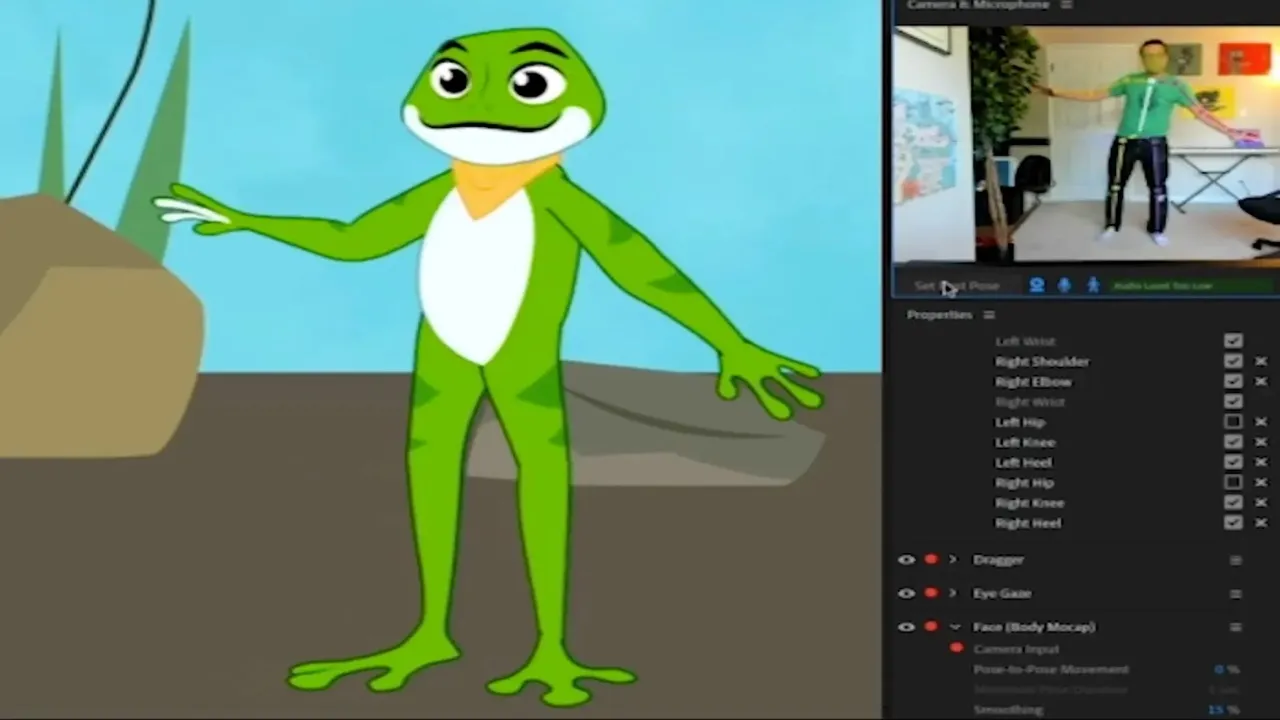
Character Animator maps face and body performance onto a puppet in real time, making camera and microphone quality part of the true workflow cost. Source: Adobe. Interface shown as documented by Adobe and may change.
The Real Cost Beyond the Subscription
A clean performance depends on capture. Budget for a stable webcam, even lighting, a microphone that does not fill the recording with room echo, headphones, and a computer that can track and render the scene reliably. Live streaming adds switching or broadcast software and a network connection that can survive the event.
The expensive part is often puppet preparation. Layer names, facial parts, body handles, triggers, physics, and artwork revisions consume real time. Puppet Maker can accelerate a first character, while an original brand character still needs design, rigging, testing, and performance direction.
Storage and deliverables matter too. Keep source artwork, the Character Animator project, collected media, recorded takes, and exported masters. A final video is not a substitute for the editable project, and cloud sync is not a complete backup strategy.
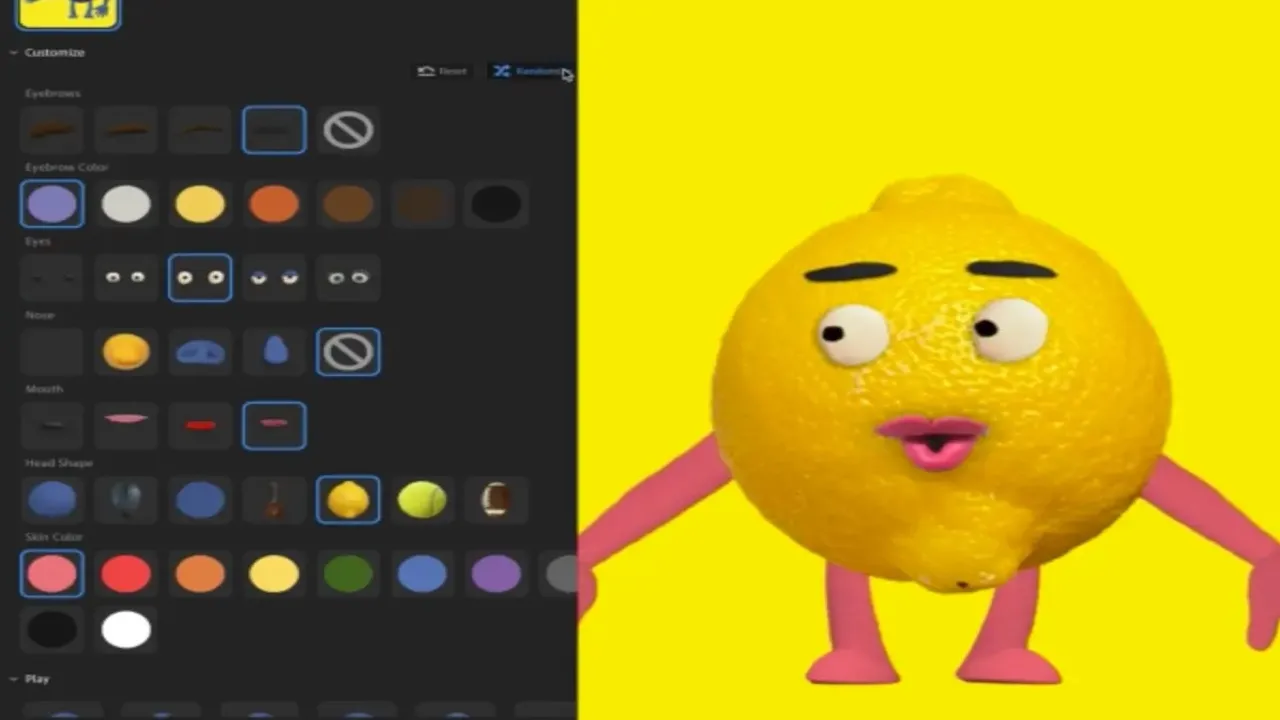
Puppet Maker reduces the time needed to customize a usable character, while Pro still matters for deeper rigging and original puppet construction. Source: Adobe. Interface shown as documented by Adobe and may change.
When the Free Version Is Enough
Stay with Starter when one supplied or lightly customized character can carry the message, the scene is simple, and exported video is the main deliverable. It is a strong fit for a test episode, an internal training clip, a classroom presentation, a quick livestream experiment, or short social content.
Free is also appropriate while the format is unproven. Publish or privately review several pieces and learn whether the audience responds to the character before funding a custom puppet and a full annual software commitment.
Measure the constraint. If scriptwriting, vocal performance, editing, or distribution is slowing the project, Pro will not automatically fix it. Upgrade only when a documented Starter limitation blocks the next useful result.
When Pro Is Worth Paying For
Upgrade when the character must be owned by the brand, several characters share a scene, the trigger system needs detailed control, or the project must connect tightly to Photoshop, Illustrator, Premiere, or After Effects. Professional livestreams and repeatable series also benefit from the deeper control.
Before subscribing, open the current Creative Cloud pricing guide and list which apps remove another cost. Compare the regular price, not a short introductory offer, and read the commitment shown at checkout.
If several people need access, do not share one personal login. Compare business administration, asset ownership, and offboarding in the Teams vs Individual guide.
My Recommendation
Start free and finish a real piece. Starter is generous enough to reveal whether performance animation fits your voice, production speed, and audience. Keep the test small but complete: script, calibrate, record, correct, export, and review it on the destination screen.
Choose Pro when custom ownership and repeatable production justify Creative Cloud as a system. If Character Animator is the only desired app, the bundle price is hard to defend without recurring paid work. If the same subscription also replaces illustration, editing, compositing, and audio tools, the economics improve quickly.
Recheck the official pages at renewal. Adobe can change product packaging and promotions, while a production that worked last year may now need different storage, hardware, or collaboration.
For a paid series, run one pilot through the complete pipeline before estimating the season. Track writing, artwork preparation, calibration, recording, cleanup, editing, captions, review, and delivery separately. That reveals whether Character Animator is saving animation labor or merely moving the effort into puppet setup and performance. It also gives you a defensible per-episode cost instead of treating the subscription as the entire budget.
Official Sources
Frequently Asked Questions
Is Adobe Character Animator free?
Yes. Adobe's Starter mode is free and does not require a Creative Cloud subscription. It is a simplified workspace for choosing a puppet, performing with a webcam and microphone, recording a scene, and exporting the result.
How much does Character Animator Pro cost?
Adobe does not show a separate Character Animator-only plan on its current U.S. product page. Pro is included with Creative Cloud Pro, which Adobe listed at the regular price of US$69.99 per month on an annual plan billed monthly when this guide was checked August 2, 2026.
Do I need Creative Cloud for Character Animator Starter mode?
No paid subscription is required for Starter mode. You still use Adobe's installer and account workflow, but Adobe explicitly describes Starter as free and available without a Creative Cloud subscription.
Can Starter mode open a Character Animator Pro project?
No. Adobe says Starter mode cannot open a Pro-mode project. Moving a Starter project to Pro is also one-way, so duplicate important work before converting it.
What does Character Animator Pro add?
Pro adds the full rigging and authoring workflow: custom puppets, multiple characters in a scene, more control over triggers and behaviors, Puppet Maker, custom movements, and the broader professional workflow used for live and recorded animation.
Is Character Animator worth Creative Cloud Pro by itself?
Usually not for a casual user. The bundle makes more sense when Character Animator works alongside Photoshop, Illustrator, Premiere, After Effects, Audition, or other included apps. Starter is the better first test if character performance is your only need.
Can Character Animator livestream a puppet?
Yes. Adobe presents live performance and streaming as Pro use cases. Test the full chain—including camera, microphone, triggers, scene complexity, streaming software, and platform latency—before using it for a paid event.
What computer costs should I consider?
Budget for a suitable Mac or PC, a stable webcam, a clean microphone, lighting, storage, and time to build or customize a puppet. The free software tier does not make poor capture hardware or a complicated character rig free to operate.

About the Author
Joseph Nilo has been working professionally in all aspects of audio and video production for over twenty years. His day-to-day work finds him working as a video editor, 2D and 3D motion graphics designer, voiceover artist and audio engineer, and colorist for corporate projects and feature films.