
Updated August 3, 2026
Adobe Fresco is Adobe's free drawing, painting, and lightweight animation app for artists who want pixel brushes, vector brushes, live watercolor and oil behavior, layers, and stylus-first creation in one workspace.
The important 2026 story is not simply that Fresco is free. Adobe has continued turning it into a more useful upstream production tool: the current release documentation highlights a refreshed interface, a unified brush panel, expanded Elements assets, better posing and shapes, transparent motion export, and direct motion-project export to Premiere.
Quick answer
Use Fresco when drawing or painting is the starting point. It is a strong fit for iPad, iPhone, stylus-enabled Windows work, natural-media brushes, mixed pixel/vector art, short frame or path animation, and Adobe-first handoff.
Skip it as the final tool when the deliverable depends on advanced photo compositing, precise production vectors, long-form animation, print preflight, or a deep comic-publishing system. Move those jobs to Photoshop, Illustrator, After Effects, Premiere Pro, or a specialist alternative.
This page may include affiliate links.
I only recommend software I would seriously evaluate for real creator or production workflows.
Use the Adobe link below to check the current Adobe offer. It can support this site and helps me keep these guides updated. Check current Adobe offer.
Check Current Adobe OfferWhat Adobe Fresco is
Fresco is a purpose-built digital art surface, not a reduced version of Photoshop. Its interface puts drawing tools, brushes, layers, selections, transforms, color, and simple motion close to the canvas so an artist can stay focused on marks rather than panels.
The app can combine raster and vector work in the same document. Pixel brushes behave like conventional painted pixels. Vector brushes create resolution-independent strokes. Live brushes simulate watercolor or oil behavior, including color mixing and movement that feels more organic than a static texture stamp.
That combination is Fresco's clearest advantage inside Adobe's catalog. A sketch can begin with loose live brushes, use pixel texture for character, add vector lines for scalable edges, and then move into a larger Creative Cloud workflow without forcing every decision into one medium.
Fresco also supports layers, masks, selections, transformation, imported brushes, Creative Cloud documents, and learning content. It is approachable enough for a first drawing app but has enough structure to serve concept art, illustration, storyboards, social artwork, and motion elements for video.
What is new in Adobe Fresco
Adobe's current What's New page documents a meaningful interface refresh. The toolbar and taskbar were moved to make common tools easier to reach and give the canvas more visual priority. That is a practical improvement on a tablet, where every persistent control competes with the artwork.
The Elements panel received larger previews and an expanded layout. Adobe also lists new Plastic, Shadows, and Water categories plus more than 400 additional assets across the supported iPad and iPhone experience. Elements are useful for fast concept support, but I would treat them as ingredients rather than a substitute for an original composition.
Recent updates also include improved Pose behavior, editable basic shape layers, loading vector content as a selection, and repositioning individual strokes or complete illustrations while preserving proportions. Together, those changes make Fresco better at revision—the part of illustration work that often exposes the limits of a simple sketching app.
Because Fresco changes faster than older summaries imply, check Adobe's release notes before a deadline-critical workflow. Controls, device support, cloud behavior, and export options can vary by platform and version.
Pixel, vector, and live brushes
Brush choice should follow the final deliverable. Use pixel brushes for texture, shading, painterly detail, and art that will finish at known dimensions. Use vector brushes when strokes may need to scale cleanly, change color precisely, or continue into Illustrator.
Live brushes are Fresco's signature creative feature. Watercolor can spread and mix across the canvas, while oil brushes can build and blend color with a more physical feel. The result is still digital, but the feedback encourages a different rhythm from placing a conventional Photoshop brush stamp.
Adobe's newer unified brush panel reduces the friction of jumping among brush categories. Favorites and recent choices matter more than a huge brush count: build a short working set for line, fill, texture, erasing, and accents, then save experimentation for the start of a project rather than the final hour.
For client work, test the brush at delivery size. A beautiful textured edge on an iPad may become noise in a small social graphic, while a clean vector stroke may feel too sterile in a large editorial illustration. The right brush is the one that survives the output.
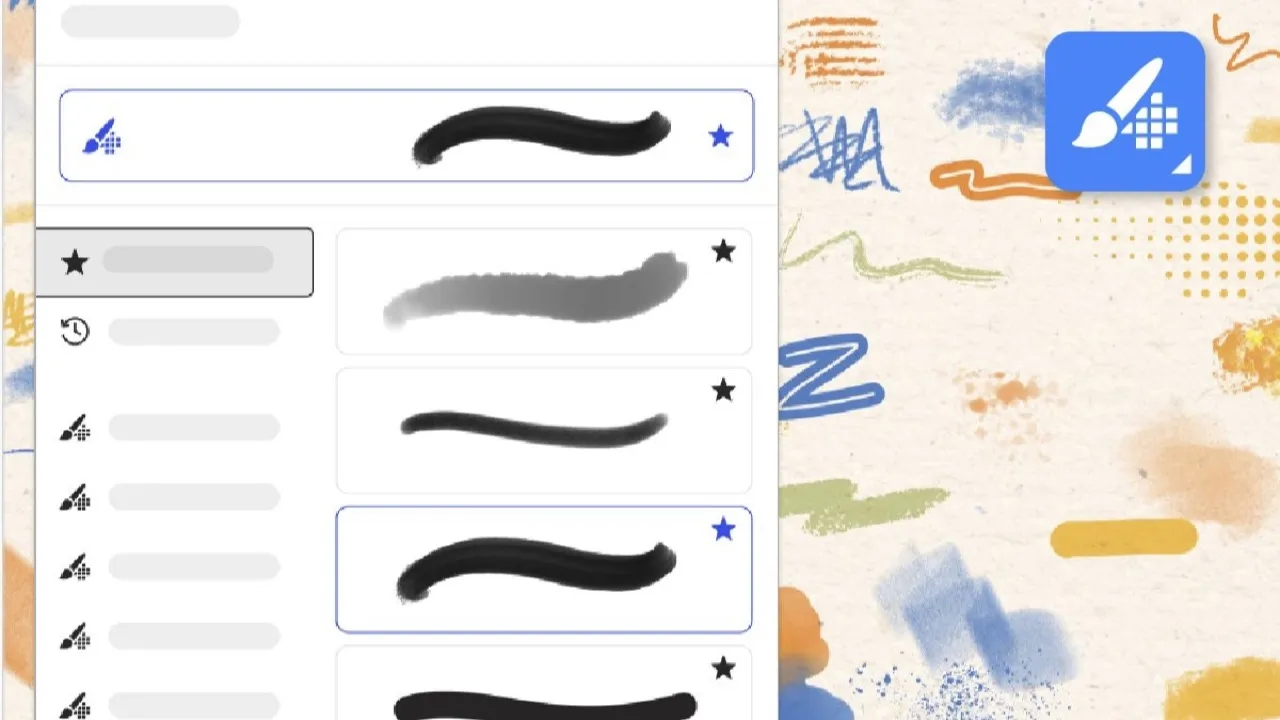
Adobe's current Fresco update documentation shows the unified brush panel for browsing multiple brush types in one place. Source: Adobe. Interface shown as documented by Adobe and may change.
Is Adobe Fresco free?
Yes. Adobe currently describes Fresco as a professional painting and drawing app that is free for everyone. The product page highlights thousands of brushes and pro features without a separate Fresco subscription price.
Free does not mean every connected Adobe service has identical access. An Adobe account, internet access for activation and online services, cloud storage, fonts, and other Creative Cloud features can carry their own requirements. Treat the signed-in account and the current app interface as the final authority for available entitlements.
If you already pay for Creative Cloud, Fresco's value is mostly workflow. If you do not, it is still a credible free drawing app, but compare the export path and device support before letting Adobe integration become an accidental reason to buy a larger plan.
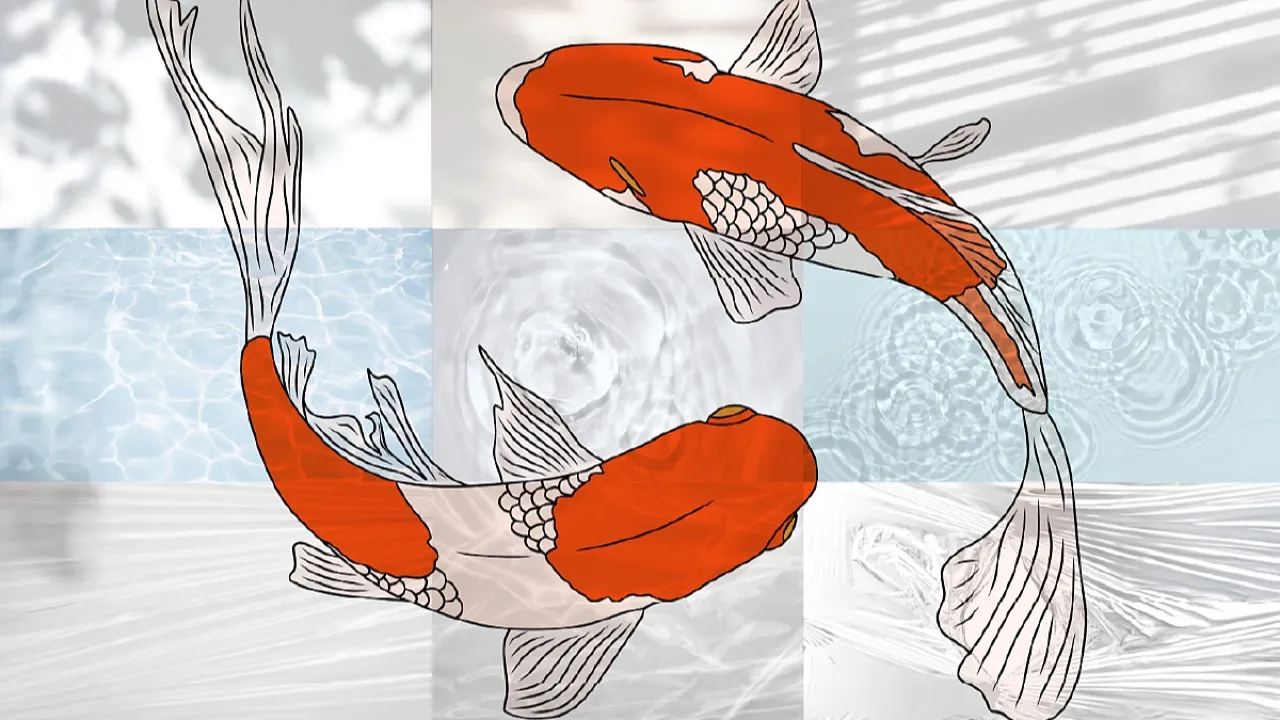
Adobe's updated Fresco Elements panel adds larger previews, new categories, and hundreds of creative assets on supported devices. Source: Adobe. Interface shown as documented by Adobe and may change.
Supported devices and workflow fit
Adobe documents Fresco for supported iPad and iPhone models and for compatible Windows hardware. Stylus input is central to the experience; Apple Pencil, Surface Pen, and supported pressure-sensitive Wacom devices make more sense than evaluating the app with a mouse.
Do not assume every feature is identical on every device. Adobe maintains a supported-features comparison for iPad, iPhone, and Windows, plus a detailed system-requirements page. Check both before buying hardware or promising a live workshop around a particular control.
Storage also matters. Adobe's current requirements call for available local space and an internet connection for activation, validation, and online services. Keep exports outside a single cloud document, especially for client work. A portable app is useful; a phone or tablet should not become the only copy of the project.
My practical test is one complete handoff: draw with the intended stylus, duplicate the document, export the expected file type, open it in the finishing app, and confirm layers, transparency, color, dimensions, and naming. That reveals more than an hour of brush demos.
Animation and direct Premiere export
Fresco can create motion with frame-by-frame and path-based tools, which makes it useful for short loops, animated brushwork, moving illustrations, title accents, and storyboard ideas. It is not a replacement for a full timeline editor or a compositing application.
The current release documentation adds a particularly relevant bridge for video creators: Fresco motion projects can be sent directly to Premiere as MP4 files from the Share sheet. Adobe also documents exporting motion video with a transparent background for layering in other supported iOS workflows.
That turns Fresco into an upstream asset tool. Create a hand-drawn reveal or moving texture, export a clean version, and finish timing, sound, color, titles, and delivery in Premiere Pro or After Effects. Keep a still reference and the original Fresco document with the edit.
Before production, test the actual export. Confirm duration, frame rate, dimensions, transparency behavior, edge quality, and whether the receiving application interprets the file as expected. A convenient Share command is a bridge, not a delivery specification.
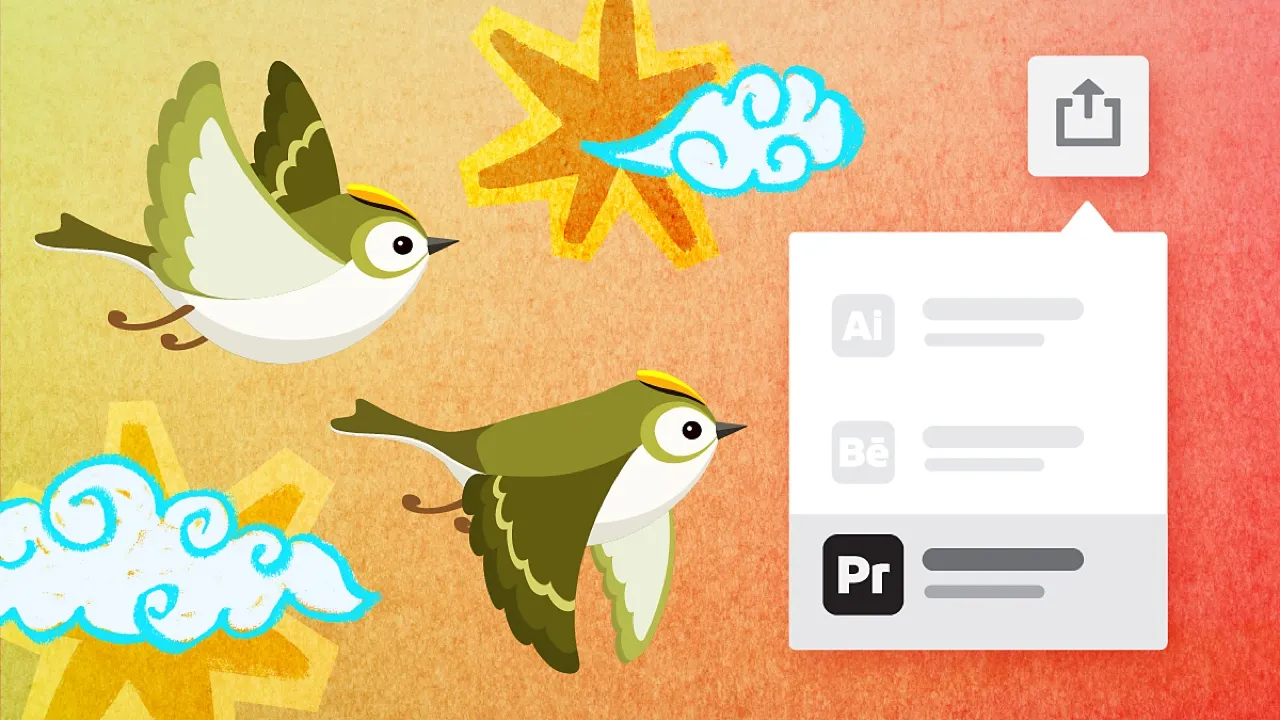
Adobe documents direct MP4 motion-project export from Fresco to Premiere through the Share workflow. Source: Adobe. Interface shown as documented by Adobe and may change.
How Fresco works with Photoshop and Illustrator
Fresco, Photoshop, and Illustrator overlap, but they should not be treated as interchangeable. Fresco is the best starting surface when the work begins with a stylus and a mark. Photoshop is the stronger finishing environment for pixel editing, compositing, masks, retouching, and complex effects.
Illustrator is the better final tool when the deliverable needs controlled vector geometry, production-ready paths, logo systems, precise typography, or broad scaling. Fresco vector brushes are useful because the drawing can begin naturally, but a freehand vector stroke is not automatically a finished identity asset.
Creative Cloud documents and Libraries can support handoff among Adobe apps. Use deliberate file names and versions instead of relying on a single automatically synced document. If a client needs source files, define whether that means the Fresco document, a layered Photoshop file, editable Illustrator vectors, or only the exported artwork.
This is where Fresco can justify its place even against a strong standalone drawing app: it reduces friction when the next step is already Adobe. If the work never leaves the drawing app, integration deserves less weight.
Adobe Fresco alternatives
Procreate is the obvious iPad comparison for a focused, standalone illustration experience. Clip Studio Paint is stronger for comics, manga, page management, and specialized line workflows. Krita is a capable open-source desktop painting option. Affinity Designer can combine vector and raster design without an Adobe subscription.
Photoshop remains the alternative for advanced pixel production, while Illustrator is the alternative for precise vector output. Those are not always substitutes for the act of drawing; they are often the applications that finish what Fresco starts.
Choose by the painful step, not the longest feature list. If drawing feel is the problem, compare brushes and stylus latency. If delivery is the problem, compare layers, vectors, animation export, color, file formats, and collaboration. If cost is the problem, include hardware and connected services—not only the app price.
Who should use Adobe Fresco?
Fresco is a strong choice for illustrators, designers, students, storyboard artists, animators, and video creators who want a free stylus-first app that can feed Photoshop, Illustrator, After Effects, or Premiere.
It is also a sensible first Adobe art app. The interface teaches layers, selections, brushes, masks, and transforms without dropping a beginner into Photoshop's entire production surface. The free entry point makes a real project test easy.
Skip Fresco when Android support is essential, when a comic-publishing system is the core requirement, or when the finished asset must be a precise production vector or advanced composite. Use it when drawing is the work; do not force it to become every later stage.
My recommendation: complete one small deliverable before changing your software stack. Draw an asset with two brush types, animate one element, export a still and motion version, and open both in the final application. If that handoff is clean, Fresco has earned a place in the workflow.
Official sources
Frequently Asked Questions
What is Adobe Fresco used for?
Adobe Fresco is used for digital drawing, painting, illustration, sketching, storyboards, short animation, and creating raster or vector artwork that can continue into other Adobe applications.
Is Adobe Fresco completely free?
Adobe currently describes the Fresco painting and drawing app as free for everyone. Connected Adobe services, fonts, storage, account features, and other Creative Cloud apps can have separate requirements or plans.
Can Adobe Fresco export animation to Premiere Pro?
Yes. Adobe's current documentation says Fresco motion projects can be exported directly to Premiere as MP4 files from the Share sheet. Test resolution, timing, frame rate, and transparency before relying on the handoff for delivery.
Does Adobe Fresco work on Android?
Adobe's current Fresco product and requirements pages document supported iPad, iPhone, and Windows devices, not Android. Check the current requirements page because platform availability can change.
Is Fresco better than Photoshop for drawing?
Fresco is usually the more focused stylus-first drawing and natural-painting surface. Photoshop is stronger for advanced pixel editing, compositing, retouching, masks, effects, and production finishing.
Can Fresco create vector artwork?
Yes. Fresco includes vector brushes, so an artist can create scalable strokes. Illustrator remains the stronger finishing tool for exact paths, logos, typography, brand systems, and production-ready vector files.
Is Adobe Fresco good for beginners?
Yes. Fresco has a more focused interface than Photoshop and lets a beginner practice brushes, layers, selections, masks, stylus control, and simple motion without buying a separate Fresco subscription.
Should I use Fresco or Procreate?
Choose Fresco when Adobe handoff, mixed pixel and vector brushes, live brushes, or Premiere export matters. Compare Procreate when you want a focused standalone iPad illustration workflow and do not need Adobe integration.