
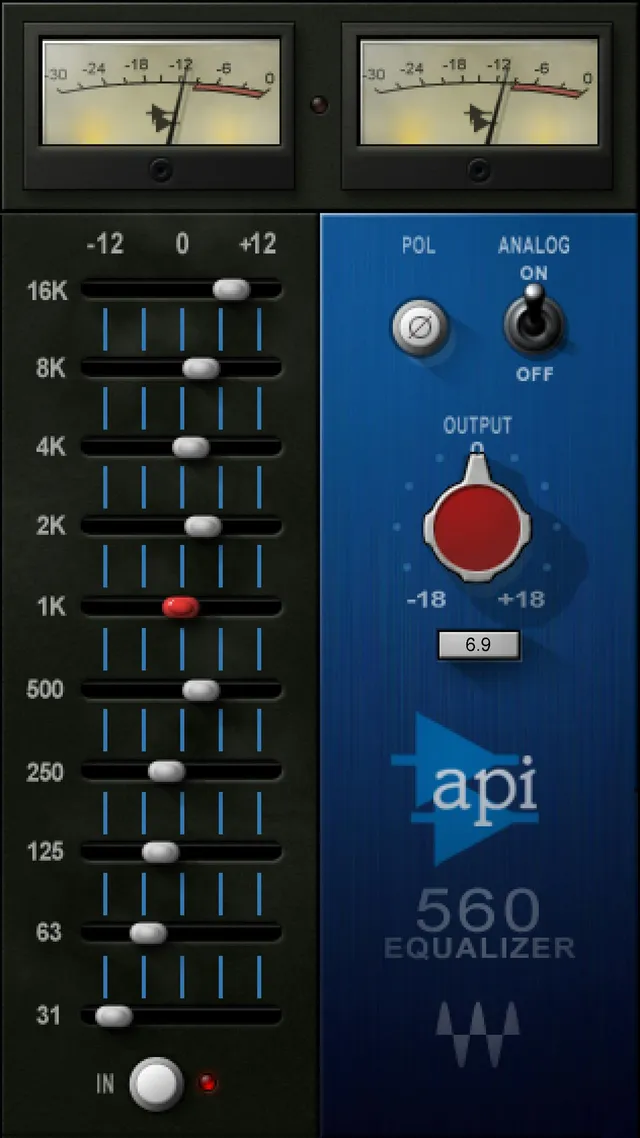
Waves API 560 is a ten-band graphic equalizer with fixed, one-octave frequency positions and a separate output control. Each band ranges from −12 to +12 dB and defaults to 0 dB, so you can make broad boosts or cuts at familiar frequency centers without choosing a center frequency or Q for each band.
The plugin also documents a polarity switch, an analog-modeling toggle, output-level adjustment, and output metering. The linked manual is an older document, however, and does not identify which current build its interface depicts. This is a source-based explanation of the published controls—not a report from an installed plugin or an audio test.
My Short Version
Use the ten sliders to make broad tonal changes at 31, 63, 125, 250, and 500 Hz; 1, 2, 4, 8, and 16 kHz. The manual gives every band a −12 to +12 dB range and a 0 dB default. Make a small move, then listen in the full mix: a graphic EQ can help shape a source, but the manual does not prescribe a curve for any instrument or mix.
The In/Out switch turns the equalization on or off while leaving Analog modeling active. Analog separately enables or disables the manual's analog modeling. Output is a separate level control from −18 to +18 dB, in 0.1 dB steps, with a 0 dB default. Keep those jobs distinct when comparing settings.
The manual describes the meters as displaying output in dBFS and says the center Clip LED lights above 0 dBFS. Its interface illustration and the current library artwork show analog-style meter graphics marked −30 through 0. Those illustrations do not establish the meter's current runtime calibration or behavior. The manual does not document a meter reset control.
What the API 560 is designed to do
The Waves API 560 product page identifies the plugin as a ten-band graphic equalizer. Its bands are spaced at one-octave frequency intervals from 31 Hz to 16 kHz. A fixed-frequency graphic layout makes the band positions explicit; the linked manual does not provide adjustable center-frequency, bandwidth, or Q controls.
That can be useful when you want direct, repeatable broad adjustments across low, midrange, and high frequencies. It is not a substitute for a parametric EQ when you need to choose an exact center frequency or bandwidth. This is a description of the control layout, not a claim that the API 560 improves a particular sound.
Components and shared toolbar
The current product page lists Mono and Stereo components. The manual does not document different ranges or processing controls between them, so choose the component that matches the track's channel format rather than expecting an alternate set of EQ bands.
The manual's WaveSystem toolbar summary describes saving and loading presets, comparing settings, undoing and redoing changes, resizing the plugin window, and opening the WaveSystem Guide. These are shared window utilities, not additional API 560 processing parameters. The API 560 manual does not enumerate detailed menu contents or individual button behavior; this guide does not add undocumented toolbar options or a reset action.
The ten frequency bands
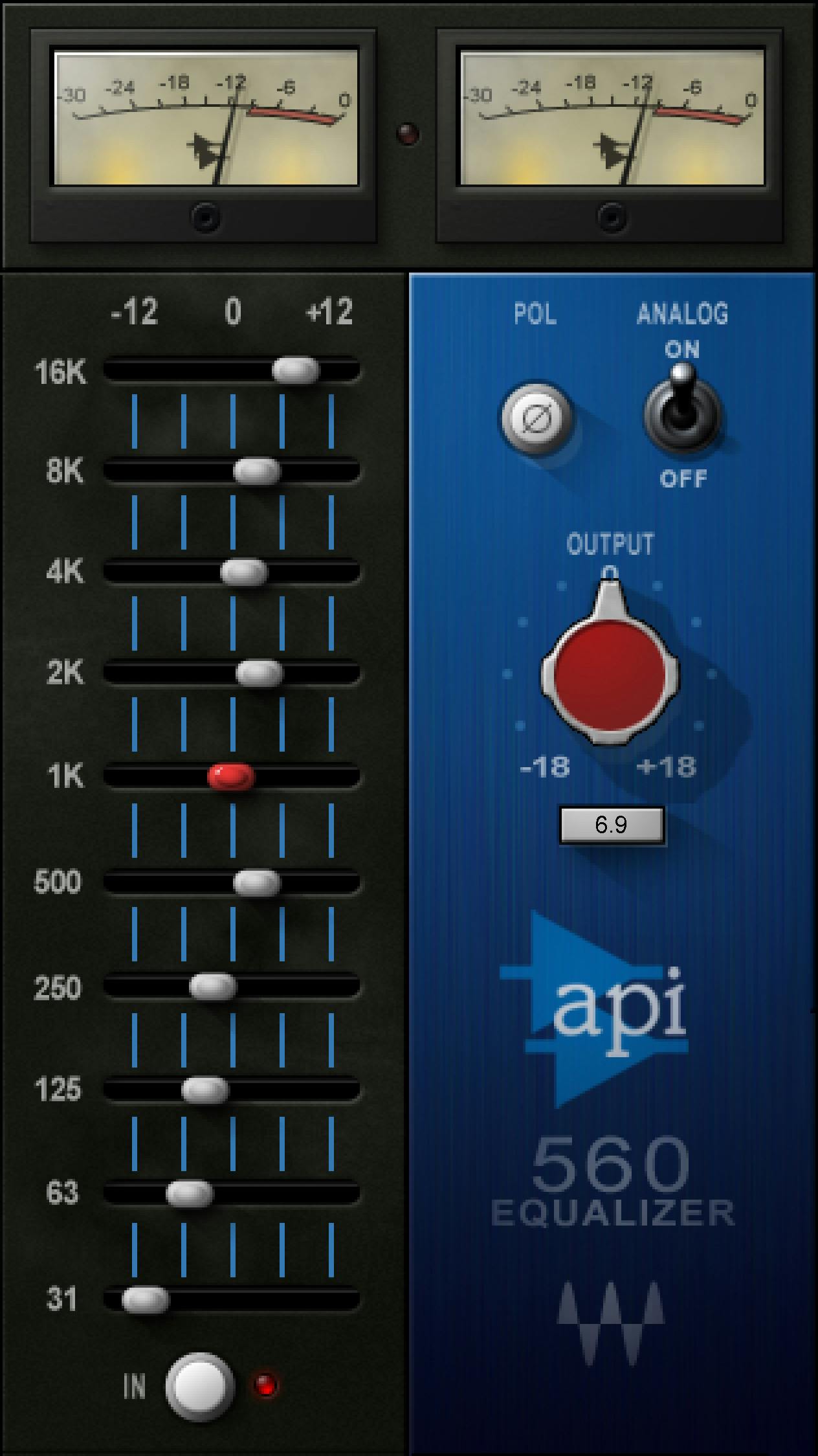
Each slider controls its labeled frequency band. The manual gives all ten the same range, −12 to +12 dB, and the same default, 0 dB:
| Band label | Documented range | Default |
|---|---|---|
| 31 Hz | −12 to +12 dB | 0 dB |
| 63 Hz | −12 to +12 dB | 0 dB |
| 125 Hz | −12 to +12 dB | 0 dB |
| 250 Hz | −12 to +12 dB | 0 dB |
| 500 Hz | −12 to +12 dB | 0 dB |
| 1 kHz | −12 to +12 dB | 0 dB |
| 2 kHz | −12 to +12 dB | 0 dB |
| 4 kHz | −12 to +12 dB | 0 dB |
| 8 kHz | −12 to +12 dB | 0 dB |
| 16 kHz | −12 to +12 dB | 0 dB |
The bands are spaced one octave apart. The manual calls the equalizer proportional-Q: its description says the response becomes wider at lower boost or cut settings and narrower at higher settings, with the same characteristics for boost and cut. It does not publish numerical Q values or a response-curve table, so a slider position should not be translated into an undocumented bandwidth.
For a practical pass, identify the tonal area you intend to change, move the relevant band modestly, and reassess the whole source in context. A fixed band can affect material beyond one exact frequency. If the adjustment needs a narrow notch or a precisely placed filter, use an equalizer that documents those controls.
In/Out: switch the equalization
In/Out switches the EQ processing on or off. The manual explicitly says this switch does not turn off Analog modeling. Treat the two controls separately: bypassing the equalizer is not the same as disabling the analog-modeling option.
The manual does not establish a current-build switch default or a special comparison method for this control. Use the host's documented bypass or the plugin's documented compare utility when you need to check a change; do not infer an unlisted function from a screenshot.
Pol (Polarity) / Phase
The main control description calls this Pol (Polarity); the appendix labels the same control Phase. The manual describes it as shifting phase by 180 degrees, with a 0–180 degree scale and a 0 degree default. Preserve the two labels as a documentation naming variation. This is a polarity reversal, not a continuously adjustable phase-alignment control.
The sources do not specify a separate variable time-delay or alignment function. Do not use the appendix label to imply one. The manual also does not provide an application-specific recommendation for when to switch polarity; decide from the routing and phase relationship of the actual material.
Analog: modeling toggle
Analog enables or disables the API 560's analog modeling. Its documented options are On and Off, and the default is Off. The manual does not break the modeling into user-adjustable circuit parameters or describe a separate amount control.
The manual's stated purpose is the feature description, not a measured comparison. No listening test was performed for this guide, so it does not claim that enabling Analog adds a particular amount of saturation, noise, harmonic content, or tonal change.
Output: set the output level
Output adjusts the plugin's output level from −18 to +18 dB, in 0.1 dB steps, with a 0 dB default. It is separate from the ten EQ bands and from the Trim readout described below.
After changing the EQ, check the resulting output in your session and compare at a useful level. That is practical advice, not an automatic loudness-matching feature: the manual does not describe automatic gain compensation or an output limiter. Keep adequate headroom in the rest of the signal path.
Trim, output meters and Clip
Trim is a read-only output-peak readout. The manual describes it as showing the maximum output peak and the distance from nominal gain (−0.1 dBFS). Its displayed range is −inf to 0 dB, with a −inf default. The control is not documented as an adjustable gain slider; do not treat it as an output-reset or trim knob.
The manual says the meters display output in dBFS and describes the center Clip LED as lighting when output exceeds 0 dBFS. These are manual statements. The nearby manual figure and Graphic Library illustration show analog-style meter artwork marked from −30 to 0; appearance alone does not establish the current runtime scale, calibration, or behavior. The manual does not specify a meter reset, peak-hold setting, or reset interaction, so none is claimed here.
A cautious EQ workflow
- Choose the Mono or Stereo component that matches the track and routing.
- Listen to the source in the musical or post-production context where it will be used, and identify a broad tonal area that needs attention.
- Move the corresponding fixed-frequency band in a modest increment. The documented range is ±12 dB and the default is 0 dB; those limits are not recommended targets.
- Reassess the source and the surrounding mix. If the problem calls for an exact center frequency or narrow bandwidth, the API 560's documented controls do not provide that level of selection.
- Use In/Out to compare the EQ change while remembering that Analog remains independently controlled. Use Output for level adjustment, not to infer a change in the EQ curve.
- If you use the polarity switch, remember that the manual describes a 180-degree polarity change, not continuous phase alignment.
- Check the session's own meters and downstream headroom. The manual's Clip and meter descriptions are not a substitute for verifying the current signal path.
These steps are conservative operating suggestions based on the published controls; they are not a preset, test result, or guarantee of a particular tonal outcome.
Best for, and when to choose something else
The API 560 is a reasonable option to consider when a ten-band, fixed-frequency graphic EQ suits the task and you want direct boost or cut across its documented octave-spaced bands. The product page lists both mono and stereo components.
Choose a different EQ if the work requires user-selected center frequencies, numerical Q or bandwidth, or documented narrow-band behavior. Choose a separate alignment tool if you need continuously variable time or phase adjustment. These controls are not described in the API 560 manual. The age of the linked manual also means that current installed UI and version-specific behavior remain unverified here.
For a different EQ approach, the Waves F6 guide covers frequency-selective dynamics and adjustable bands rather than ten fixed graphic-EQ positions. For dynamics after tonal shaping, see the Waves Renaissance Compressor guide. The Waves Audio Post Resources hub connects related audio-workflow guides.
Sources and documentation limits
Primary sources checked October 18, 2026.
- Waves API 560 product page, for current product identity, Mono/Stereo components, listed Waves versions V17–V9, and the linked manual.
- Waves API 560 User Manual, all 11 pages. PDF metadata names Waves Audio Ltd., with a 2007 creation date and 2022 modification date. Pages 8–10 show the EQ bands, polarity/analog/output controls, and Trim/meter section; the WaveSystem toolbar summary is on page 10.
- Waves Graphic Library and its original API 560 interface image, used with credit and a backlink to the official product page under the Library's image-use conditions.

The manual documents output meters in dBFS and a Clip LED above 0 dBFS; the adjacent illustration and Library artwork visibly show analog-style meter scales. That visual/text difference is preserved without inferring a contradictory runtime behavior. The manual's Pol and appendix Phase labels refer to a 180-degree polarity switch, not a continuous phase control. Current-build identity, meter calibration and runtime behavior, meter-reset behavior, version-specific changes, and detailed toolbar menus remain unspecified by these sources.
FAQ
What does the Waves API 560 do?
It is a ten-band graphic equalizer with fixed one-octave frequency positions from 31 Hz through 16 kHz. The manual gives each band a −12 to +12 dB range and a 0 dB default.
What are the API 560's ten frequency bands?
The bands are 31, 63, 125, 250 and 500 Hz, followed by 1, 2, 4, 8 and 16 kHz. The manual describes them as one-octave-spaced bands.
What is the default setting for each EQ band?
The manual gives every band a 0 dB default and a range from −12 to +12 dB. Those are documented control values, not recommended settings for a particular source.
What does the API 560 In/Out switch do?
It switches the equalization on or off. The manual says Analog modeling remains active independently of this switch.
Is the API 560 Pol control a continuous phase adjustment?
No. The main description calls it Pol (Polarity), while the appendix calls it Phase; the manual describes a 180-degree polarity shift, with a 0–180 degree scale and a 0-degree default. It does not document continuous phase alignment.
What does the Analog control do, and what is its default?
Analog turns the manual's analog modeling On or Off and defaults to Off. The sources do not quantify its sonic effect, and no listening test was performed for this guide.
What are the Output and Trim controls for?
Output is an adjustable level control from −18 to +18 dB in 0.1 dB steps, defaulting to 0 dB. Trim is a read-only maximum-output-peak readout from −inf to 0 dB, defaulting to −inf; it is not documented as a gain control.
How should I interpret the API 560 meters and Clip light?
The manual says the meters show output in dBFS and the center Clip LED lights above 0 dBFS. Its illustration uses analog-style meter graphics marked −30 through 0, but that artwork does not establish current runtime calibration or behavior. The manual does not document a meter reset.

About the Author
Joseph Nilo has been working professionally in all aspects of audio and video production for over twenty years. His day-to-day work finds him working as a video editor, 2D and 3D motion graphics designer, voiceover artist and audio engineer, and colorist for corporate projects and feature films.