
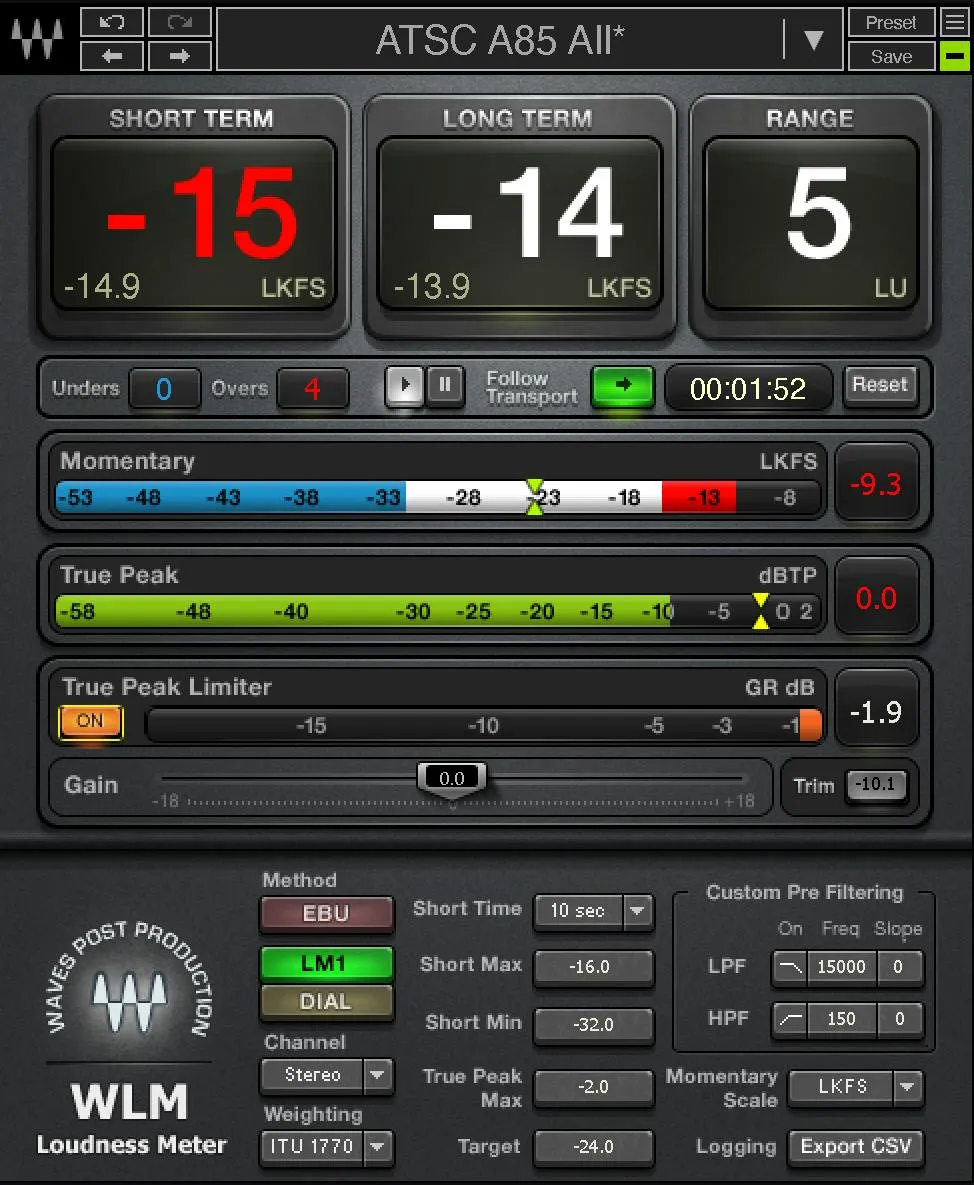
Waves WLM Plus combines loudness metering with gain adjustment and true-peak limiting. It shows short-term, long-term and momentary loudness, loudness range, and true peak; it can also log warnings and help calculate a level adjustment. [1][2]
The important distinction is that measurement settings describe what you are checking, while Gain and the limiter can change the audio.
Choose the delivery requirement before choosing a preset. A plugin's default is not a universal requirement for every film, podcast or online video.
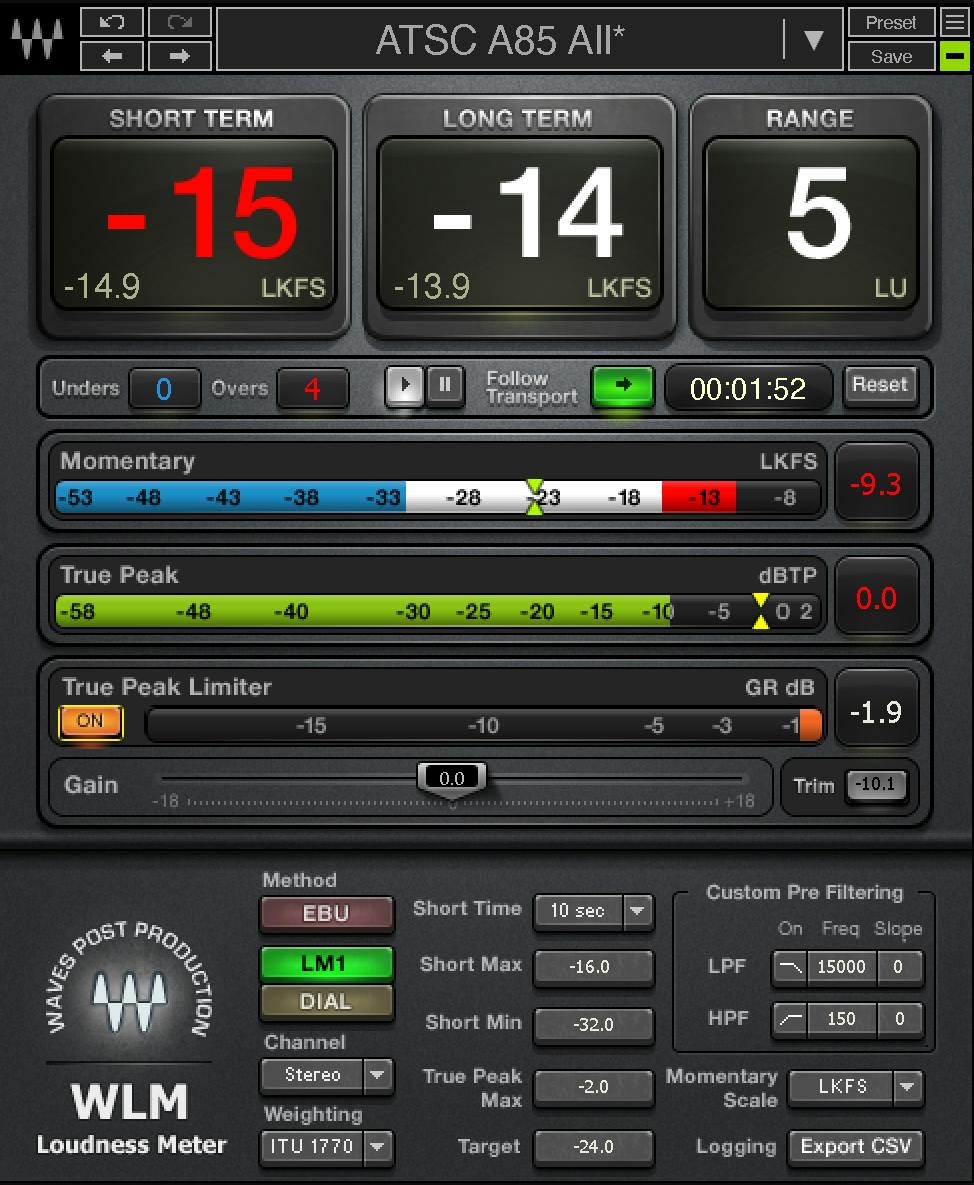
About the imagery: the cover is an editorial illustration. The plugin interface is official Waves product artwork, not a capture of a listening or compliance test.
My Short Version
Set the method, channels and target deliberately. Reset the old measurement, run the intended programme, and make sure the measurement timer actually covered it.
Use Trim only after a meaningful complete measurement. If Gain or the limiter changes the signal, measure again.
Finally, check the exported file. A correct reading at one place in a session does not prove that a later gain change or encoder preserved it.
This is a control guide based on Waves documentation. It is not a newly completed loudness-compliance test.
WLM versus WLM Plus
The manual lists WLM and WLM Plus components for Mono, Stereo, 5.0 and 5.1. WLM provides measurement; Plus adds the processing panel. Channel selection changes the measurement scope, but the Plus Gain and limiter affect all channels. [1, pp.5,15]
Choose a component matching the actual channel format. Do not interpret a channels dropdown as a replacement for correct routing.
The official manual cites older editions of ITU, EBU and ATSC documents. That is useful historical context for its controls, not proof that its old example preset meets every current delivery specification. Use the LUFS and true-peak guide and the actual recipient's current specification for that separate decision.
What the main readings mean
Short Term
Short Term shows loudness over a short moving window. In EBU mode the manual fixes that window at three seconds; other methods expose the Short Time choice. [1, pp.13,16]
It helps locate a loud or quiet passage. It is not the same result as the integrated reading for the whole programme.
Long Term
Long Term is the accumulated loudness measurement over the material included by the selected method and measurement run. [1, p.13]
Before comparing it with a target, ask whether the full required scope was measured. A looped chorus or an accidentally paused measurement is not an entire programme.
Range
Range displays the programme's loudness variation in LU. It is a loudness descriptor, not the gap between the largest and smallest raw sample values. [1, p.13]
Do not confuse this Range with a compressor's maximum-reduction control. WLM's main Range field is a result, not a processing knob.
Momentary and its maximum
Momentary is the fast loudness display. Its held maximum can be reset by clicking that number. The display's scale is selected separately. [1, p.13]
Use it for quick level context, not as a substitute for a longer required measurement. A brief maximum and the full programme answer different questions.
True Peak and its maximum
True Peak reports interpolated peaks in dBTP, including the between-sample behavior the meter estimates. Click the held maximum to reset it. [1, p.14]
This is not LUFS. Meeting a loudness target does not automatically mean the peak limit has been met, and the reverse is also true.
Overs and Unders
These counters record short-term measurements crossing the configured upper or lower warning thresholds. [1, pp.9,14]
An Over is not automatically digital clipping. It is a violation of the particular warning limit you selected. Check that limit and its intended use before treating every counter increment as a delivery defect.
Starting, stopping and clearing a measurement
Measurements Play / Pause
These buttons determine whether readings contribute to the accumulated measurement. They do not replace the host's audio transport. [1, p.14]
It is possible to hear audio while not collecting the intended long-term result. Check the state rather than assuming playback means measurement.
Follow Transport
Follow Transport links measurement start/stop to the host's transport. [1, p.14]
This is convenient, but repeated sections still need deliberate handling. Decide whether your measurement should include a full start-to-end pass rather than a series of edits and loops.
Timer
The timer shows accumulated measurement time. [1, p.14]
Compare it with the intended programme duration. An unexplained difference is a reason to inspect the measurement scope before changing the mix.
Reset
Reset clears the accumulated Long Term and Range results, warning counters and timer. Peak displays have their separately documented click resets. [1, p.14]
Reset before a new full pass after an adjustment. Do not mix yesterday's measurement history into today's result.
Plus processing controls
Gain
Gain applies a linear adjustment before the measurements. Its documented range is -18 to +18 dB, default 0. It affects all channels, independently of the measurement-channel selection. [1, p.15]
This changes the programme, not merely the scale of the meter. Any following limiter response may also change as you increase it.
Trim
Trim displays the difference between Target and the more precise Long Term reading. Clicking it transfers a calculated adjustment to Gain; the manual limits an upward adjustment to 12 dB and makes the button unavailable again until a new long-term measurement exists. [1, p.15]
Use it after the relevant complete pass, not as a moving target while listening to a few seconds. It cannot decide whether compression, balance changes or editing would be a better way to address the problem.
True Peak Limiter
The Plus limiter is On/Off, default Off. Its threshold follows True Peak Max in the settings panel, and it does not add automatic makeup gain. [1, p.15]
Turning it on is a processing decision. Measure and listen again rather than treating a limiter switch as an administrative check mark.
GR meter and maximum
GR shows limiter attenuation. Its held maximum can be clicked to reset. [1, p.15]
A large reading is useful evidence that peaks are being changed substantially. It does not tell you whether those changes are acceptable in the programme.
Every settings-panel control
The settings panel can be collapsed. Hidden does not mean inactive. Inspect it before relying on a preset inherited from another project.
Method: EBU, LM1 or DIAL
The manual describes EBU with its foreground/gated measurement approach, LM1 as a whole-programme average, and DIAL using detected dialogue as the anchor. [1, pp.16,22]
Select the method required for the job. These are not three interchangeable skins for the same result. This guide deliberately does not repeat the old appendix's precise gating constants as current standards requirements.
Channel
Channel selects which channel or combination contributes to measurement. Available choices depend on the component. [1, pp.5,16]
Check whether the task is the full mix, a dialogue channel, or another specified subset. Do not assume the channel selector limits the Plus processing to that subset—it does not.
Weighting
The documented choices are ITU-R BS.1770, Leq(a), Leq(b), Leq(c), Leq(m) and None. ITU-R BS.1770 is the listed default. [1, p.16]
Weighting changes the frequency treatment used for measurement. Choose it from the requirement rather than whichever curve produces a preferred number.
Short Time
For LM1 and DIAL, the choices are 400 ms; 1, 2, 3, 10 or 30 seconds; and 1 or 2 minutes. EBU remains at three seconds. [1, p.16]
A longer average smooths different events together. Comparing readings made with different windows can conceal that difference in scope.
Short Term Max
This is the upper warning threshold. The manual lists Off or values from -36 to -12 on its ordinary scale; Leq(m) uses a different positive scale. [1, p.16]
It is an alert setting, not a limiter threshold. Changing it does not fix an overly loud passage.
Short Term Min
This sets the lower warning threshold: Off or the documented -90 to -12 ordinary-scale range, with a separate Leq(m) scale. [1, p.17]
A quiet dramatic moment can be intentional. Interpret a warning against the specification and the content rather than flattening everything until the counter stays still.
True Peak Max
True Peak Max runs from -25 to 0 dBTP. It sets the peak warning threshold and, in Plus, the limiter threshold. [1, p.17]
That shared role deserves attention. Changing a warning value can also change active processing when the Plus limiter is on.
Target
Target is the reference used for the intended loudness and Trim calculation. Its documented choices are Off or -33 to -9 on the stated level scale. [1, p.17]
Set the required target before calculating Trim. A familiar default from a different distribution format is not enough.
Custom pre-filtering: LPF controls
The Low-Pass section has an On switch, Frequency and Slope. The manual lists Off by default, 2–18 kHz with a 10 kHz default, and 6 or 12 dB/octave with 12 as the default. These are pre-measurement filters. [1, pp.17–18]
Use them only for a defined band-limited measurement task. Do not turn them on to make an otherwise noncompliant number look better.
Custom pre-filtering: HPF controls
The High-Pass section likewise has On, Frequency and Slope: default Off; 20–2,000 Hz, default 120 Hz; and 6 or 12 dB/octave, default 12. [1, p.18]
The measurement must describe its filtering. A filtered device-specific check should not be presented as an unfiltered programme reading.
Momentary Scale
The choices are LKFS, LU 18 dB, LUFS 18 dB, LU 9 dB and LUFS 9 dB. They change the display scale and relative/absolute presentation. [1, p.18]
Choose a view that makes the required comparison clear. A scale change is not a gain change and does not alter the programme to reach a target.
Logging and automation warnings
Export CSV
The logging menu offers Real-Time CSV and Off-Line CSV. The manual describes ongoing real-time logging and a bounded offline history written when the instance closes. [1, pp.8,19]
Its wording differs about whether an offline file can be selected after measurement. The conservative workflow is to choose the log destination before the pass and verify that the file was actually written. Do not promise that an unsaved session always contains a recoverable log.
Automation Warnings
The manual documents a warning parameter in the host's automation list even though it is absent from the plugin's main interface. It can mark upper and lower warning events in an automation lane. [1, pp.9–10]
This identifies moments needing inspection. It does not repair them, and host automation availability still needs checking in the actual host.
Presets and toolbar
WaveSystem supplies About, Undo/Redo, preset load/save, Previous/Next, Setup A/B, Copy A/B, window sizing and help. A saved default can carry a particular measurement configuration. [3]
The newer preset browser adds search, Factory/User/Favorite views, favorites, Copy/Paste, Reset to Default and Detach. These are shared settings-management functions, not new measurement standards. [4]
A preset labeled for a standard is a starting configuration to verify. Its name is not proof of current specification compliance, correct channel routing or a complete measurement pass.
A reliable order of work
Read the destination's requirements. Configure Method, Channel, Weighting, target and limits, then decide whether pre-filtering belongs in this particular check.
Reset, select the logging mode if needed, and measure the required complete programme. Record the method and scope with the readings.
Make any gain or mix changes deliberately. If using Trim or the limiter, reset and measure the processed result again.
Finally export and check the actual file. Where an existing compliant built-in meter satisfies the requirement, WLM Plus is an option rather than a mandatory purchase.
Related plugins and guides
L2 explains a related final-limiting workflow, but its reduction meter is not a replacement for a programme-loudness reading.
L1 provides another limiter and IDR control set; confirm the component and Domain rather than assuming every limiter has the same features.
The dialogue loudness guide covers target and scope distinctions in more depth. The Waves resource hub connects the wider workflow.
Bottom line
A useful loudness result needs a method, a scope and a complete measurement—not just a number. WLM Plus provides the controls to manage that check and processing options that can change the result.
Keep measurement and correction separate in your notes, then verify the file you actually deliver.
Sources
Official sources checked September 19, 2026. This article is not a fresh certification against current ITU, EBU or ATSC editions.
- WLM/WLM Plus User Guide, components p.5, warnings/logging pp.8–10, full controls pp.13–19. Older standards references remain historical.
- Waves WLM Plus product page.
- WaveSystem guide.
- Current Waves preset instructions.
- Waves Graphic Library.
Frequently Asked Questions
What is the difference between WLM and WLM Plus?
WLM provides the documented loudness measurements. WLM Plus adds a processing panel with Gain, Trim, and a true-peak limiter, so it can change the audio as well as measure it. Both are documented in Mono, Stereo, 5.0, and 5.1 components.
Which WLM Plus reading represents the whole program?
Long Term is the accumulated loudness result for audio included during the measurement run. Momentary and Short Term describe shorter windows, so they do not replace a complete start-to-finish measurement of the required program scope.
Does Follow Transport guarantee that WLM Plus measured the full program?
No. Follow Transport starts and stops measurement with the host transport, but loops, edits, pauses, or an incomplete pass can still produce the wrong scope. Check the measurement state and compare the Timer with the intended program duration before trusting Long Term.
What does the Trim button do in WLM Plus?
Trim calculates the difference between Target and the higher-resolution Long Term result, then applies that adjustment to Gain. The manual caps upward Trim at 12 dB and recommends using it only after a completed measurement; reset and remeasure after applying it because it changes the signal.
Does True Peak Max only set a warning in WLM Plus?
Not when the Plus limiter is on. True Peak Max also defines the limiter threshold, and that limiter affects all channels without adding automatic makeup gain. Changing the value can therefore change active processing, not just the warning display.
Do the Channel and pre-filter settings limit which audio WLM Plus processes?
No. Channel chooses what contributes to the loudness measurement, and the LPF/HPF controls filter the signal for that measurement. Gain and the true-peak limiter remain independent of the Channel selection and affect all channels, so measurement scope and processing scope must be documented separately.

About the Author
Joseph Nilo has been working professionally in all aspects of audio and video production for over twenty years. His day-to-day work finds him working as a video editor, 2D and 3D motion graphics designer, voiceover artist and audio engineer, and colorist for corporate projects and feature films.