
Waves CLA Bass is a bass-processing plugin built around six macro sections: Bass, Treble, Compress, Sub, Distortion and Pitch. Each main fader changes the amount of that processing, while its colored selector chooses one of the documented internal modes. Input Sensitivity, stereo Balance where available, Output and meters handle gain staging around those effects. [1][2]
The first thing to understand is that the interface is intentionally abstract. The colors are named modes, not a substitute for a hidden parameter table you are expected to reverse-engineer. The official manual documents what each mode is called and how the macro controls behave, but it does not publish every internal EQ frequency, compressor timing value or modulation parameter behind those colors. [1]
My Short Version
Set Input Sensitivity until the sensitivity indicator is in a sensible range before chasing the sound. Then work through the six macro sections one at a time. [1]
For Bass, Treble and Compress, the clear color bypasses that section's color processing while the fader remains the section amount control. For Sub, Distortion and Pitch, the clear color is documented as Off or Mute for that effect. [1]
One important manual note: clearing the visible color selections does not necessarily turn the whole plugin into a completely unprocessed signal path. Waves says fixed CLA-designed processing remains active even when all colors are clear. Use host/plugin bypass when you need a true processed-versus-unprocessed comparison. [1]
Components
CLA Bass has Mono-to-Stereo and Stereo components. [1]
The Stereo component exposes the Balance control described below. The Mono-to-Stereo component accepts mono input and provides stereo output. Do not assume a missing Balance control in another component means an installation problem.
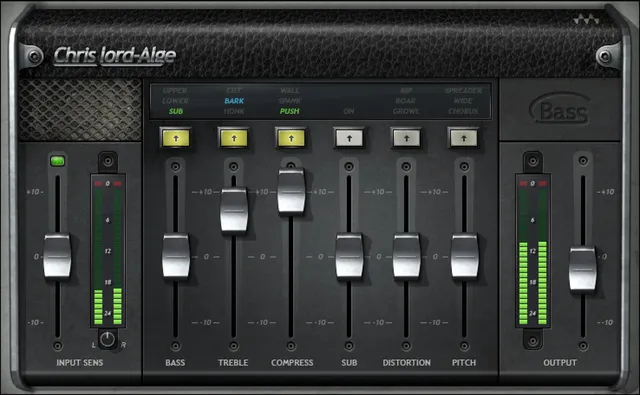
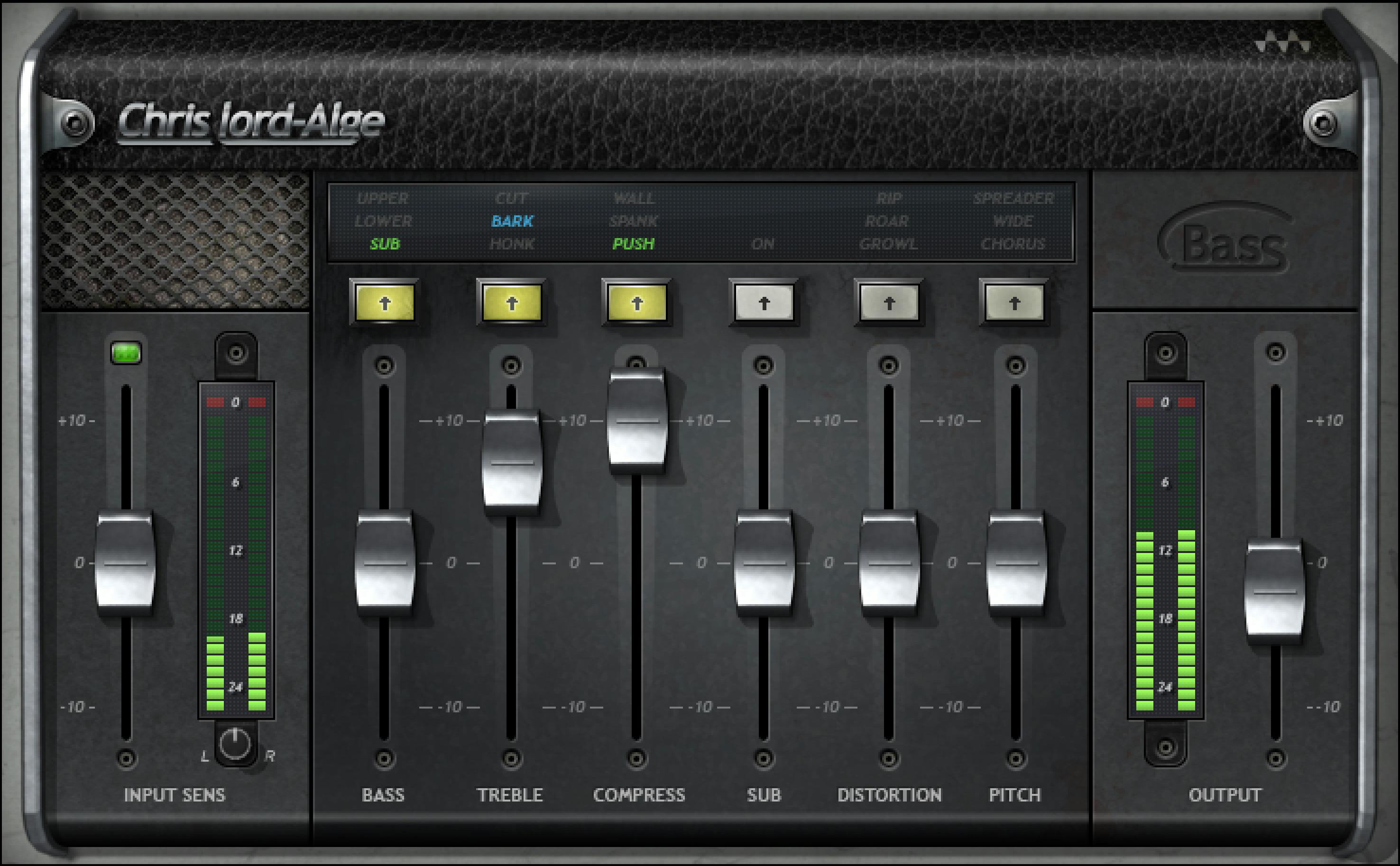
Input Sensitivity
Input Sensitivity adjusts the level feeding CLA Bass over -10 to +10, in 0.1-step increments, with documented default 0. [1]
This is not a final output control. It changes the signal level entering the modeled/macro processing and therefore can change how the plugin reacts.
Set it before making strong decisions with Compress, Distortion or the other sections. A louder input can sound more impressive even when the actual processing choice is not better.
Input meter and sensitivity indicator
The input meter is documented from -26 to 0 dBFS. Its clip LED illuminates above 0 dBFS, and clicking the meter area resets the clip indication. [1]
Beside it, the Sensitivity LED gives a coarse input-level status:
- Off: input too low for the intended operating range.
- Green: good.
- Yellow: optimal according to the manual.
- Red: very hot. [1]
Treat this as a gain-staging aid rather than a loudness target for a finished bass mix. It is not LUFS or true-peak metering.
Balance
In the Stereo component, Balance adjusts relative left/right level from -6 to +6 dB, in 0.1 dB steps, default 0. [1]
This is a stereo balance control, not the Pitch section's width/chorus effect. Use it only when the source's channel balance needs adjustment.
Bass
Bass fader
The Bass fader runs -10 to +10, in 0.1 steps, default 0. [1]
It changes the amount/direction of the selected Bass treatment. The manual does not publish a separate fixed frequency/Q table for each color, so this guide does not invent one.
Bass colors
The documented Bass modes are:
- Clear — Bypass
- Green — Sub
- Blue — Lower
- Red — Upper
The documented default is Green / Sub. [1]
Use the colors as different bass-region treatments, not as exact crossover-frequency labels. “Lower” and “Upper” are the manual's mode names, not published frequency endpoints.
Treble
Treble fader
The Treble fader runs -10 to +10, in 0.1 steps, default 0. [1]
Treble colors
The documented modes are:
- Clear — Bypass
- Green — Honk
- Blue — Bark
- Red — Cut
The default is Green / Honk. [1]
These are manufacturer-defined tonal choices. The manual does not provide a complete public filter-frequency/gain/Q map for Honk, Bark or Cut, so the article keeps the explanation at the documented macro level.
A practical method is to choose the color before making a large Treble move. That makes it easier to tell whether you dislike the mode itself or simply the amount.
Compress
Compress fader
The Compress fader runs -10 to +10, in 0.1 steps, default 0. [1]
The plugin intentionally hides traditional compressor attack, release, threshold and ratio controls. The fader changes the amount of the selected CLA-designed compression behavior; do not invent conventional parameter values behind it.
Compress colors
The documented modes are:
- Clear — Bypass
- Green — Push
- Blue — Spank
- Red — Wall
Default is Green / Push. [1]
These are distinct compression-character selections in the product's macro design. Waves does not publish a table equating Push, Spank and Wall to specific ratios/timing constants, so none are supplied here.
Use the section for a defined dynamics purpose and compare at a sensible level. A stronger macro setting can change both envelope and perceived loudness.
Sub
Sub fader
The Sub fader runs -10 to +10, in 0.1 steps, default 0. [1]
Sub colors
Sub has two documented color states:
- Clear — Off
- Green — On
Default is Green / On. [1]
Unlike the Bass EQ modes, this section is a dedicated sub effect. The manual does not publish a user-adjustable sub-frequency selector, octave switch or crossover range, so the article does not invent one.
If the mix already has sufficient low-frequency energy, leaving sub enhancement active simply because it is available can work against headroom. That is a workflow recommendation, not a new listening result.
Distortion
Distortion fader
The Distortion fader runs -10 to +10, in 0.1 steps, default 0. [1]
Distortion colors
The documented modes are:
- Clear — Mute
- Green — Growl
- Blue — Roar
- Red — Rip
Default is Green / Growl. [1]
These names describe different distortion characters in the CLA macro interface, but the manual does not publish a transfer curve, harmonic spectrum or clipping topology for each one. Do not turn the color names into unsupported engineering specifications.
Pitch
Pitch fader
The Pitch fader runs -10 to +10, in 0.1 steps, default 0. [1]
The manual describes Pitch as the pitch-modulation wet mix; its documented modes are Chorus, Wide and Spreader. It does not document a semitone-transpose setting.
Pitch colors
The documented modes are:
- Clear — Mute
- Green — Chorus
- Blue — Wide
- Red — Spreader
Default is Green / Chorus. [1]
These modes add different stereo/pitch-modulation treatments. The manual does not expose separate delay times, modulation rates or spread-angle values for them, so the article explains the available modes without fabricating hidden controls.
Because this section can change stereo presentation, check mono compatibility and the actual role of the bass in the arrangement before using a wide setting as a default.
Output
Output runs -10 to +10, in 0.1 steps, default 0. [1]
Use it to set final plugin level after the six processing sections. It is the correct place to reduce or raise the plugin's output for a more useful comparison; it does not undo internal compression, distortion or other processing.
Output meter
The output meter is documented from -26 to 0 dBFS. Its clip LED can be reset by clicking the meter area. [1]
Like the input meter, this is not a delivery-loudness meter. A bass track that stays below 0 dBFS inside this plugin still has to fit the gain structure of the rest of the mix.
What “clear” really means
The manual makes an important distinction between color-section bypass/mute states and full plugin bypass. [1]
Bass, Treble and Compress label their clear state as Bypass. Sub labels clear as Off. Distortion and Pitch label clear as Mute. But Waves also states that even when all six colors are clear, fixed processing designed into CLA Bass remains active.
That means “all colors clear” should not be used as a substitute for the host's plugin bypass when you want to compare the complete plugin against the untouched source.
The manual also notes that an EQ color change at a fader value of zero has no audible effect from that EQ fader. Other macro sections at zero still sit at their documented “Chris default setup” operating point rather than proving a globally neutral state. Preserve that distinction when evaluating presets.
WaveSystem toolbar
The shared WaveSystem toolbar provides preset save/load, settings comparison, undo/redo, resizing and help. [1]
Those are state/interface controls rather than bass-processing parameters. Presets can change multiple macro colors and values at once, so inspect the visible state after loading one instead of attributing every change to a single fader.
A practical setup order
Start with Input Sensitivity and watch both the meter and Sensitivity LED. Establish a reasonable input before increasing compression or distortion.
Next choose Bass and Treble colors at modest fader settings. Set Compress independently so you can hear envelope change separately from EQ.
Bring in Sub only when the arrangement benefits from it. Treat Distortion as an intentional character layer rather than a default “more presence” control. Use Pitch last if you want stereo chorus/widening/spreading, and check the result in mono if compatibility matters.
Finish with Output. Compare against true plugin bypass, not merely a clear-color state.
These are editorial workflow steps derived from the documented control structure. No preferred setting or firsthand bass result is claimed.
Best for / skip if
CLA Bass is useful when you want a fast macro-style bass channel with CLA-selected EQ, compression, sub, distortion and stereo effects in one interface. [1][2]
Skip it when you need direct access to conventional compressor attack/release/ratio, exact EQ frequency/Q values, separate distortion topology controls or detailed modulation timing. CLA Bass intentionally abstracts those decisions into its color/macro design.
Related plugins
CLA-76 provides a dedicated compressor workflow rather than CLA Bass's macro compression. Bass Rider addresses bass-level riding instead of the six-section sound-design/channel workflow here.
For already-live general dynamics references, the Renaissance Compressor guide and MV2 guide explain different control philosophies. The Waves Audio Post Resources hub remains the site's broader Waves navigation entry.
Bottom line
CLA Bass is built for fast choices rather than exposed engineering parameters. Input Sensitivity establishes the operating level; six macro faders set the amount of tonal, dynamics, sub, distortion and stereo processing; colors select the documented CLA modes; Output finishes the chain.
Use the colors as the product's intended mode choices, not as invitations to invent hidden frequencies or compressor constants. And use full plugin bypass—not an all-clear color state—when you need to hear what the complete processor is adding.
Sources
Checked October 16, 2026. No listening, recording, CPU, latency, automation, host or compatibility test was performed.
- Waves CLA Bass User Guide, component overview, current interface and full control reference; interface and control pages were visually inspected.
- Waves CLA Bass, current public product page and feature description.
- Waves Graphic Library, current
CLA Bassentry and product-image backlink condition.
FAQ
What does Waves CLA Bass do?
CLA Bass combines bass/treble shaping, compression, sub, distortion and pitch/stereo effects in six macro sections, with input sensitivity and output gain around them. Each section uses a main amount fader plus documented color modes. [1][2]
What do the green, blue and red colors mean in CLA Bass?
They select manufacturer-defined modes for each section. For example, Compress uses Push, Spank and Wall, while Distortion uses Growl, Roar and Rip. The official manual does not publish conventional hidden parameter values for those modes, so the color names should not be translated into invented ratios, EQ frequencies or distortion curves. [1]
Is “all colors clear” the same as bypassing CLA Bass?
No. Waves states that fixed processing remains active even when all colors are clear. Use the host/plugin bypass when you want to compare the entire processor with the untouched source. [1]
What is the best input level for CLA Bass?
The manual provides a Sensitivity LED rather than one universal numeric target: off is too low, green is good, yellow is described as optimal, and red is very hot. Input Sensitivity ranges -10 to +10 for adjusting the feed into the processing. [1]
Does the Pitch section transpose bass notes?
The manual documents Pitch as a pitch-modulation wet mix with Chorus, Wide and Spreader modes. It does not document a semitone-transpose setting. [1]
Can I reset the CLA Bass clip meters?
Yes. The manual documents clicking the input or output meter area to reset its clip indication. Both meters use a -26 to 0 dBFS scale. [1]

About the Author
Joseph Nilo has been working professionally in all aspects of audio and video production for over twenty years. His day-to-day work finds him working as a video editor, 2D and 3D motion graphics designer, voiceover artist and audio engineer, and colorist for corporate projects and feature films.