
DTS Neural Surround UpMix expands stereo into quad, 5.1 or 7.1, and 5.1 into 7.1. Its controls distribute the soundfield, manage conditional low-frequency paths and balance output channels.
The four components do not all expose the same controls. Width is explicitly unavailable for Stereo-to-Quad and 5.1-to-7.1, and the bass filters have their own component conditions.
Upmixing does not recover missing original stems or prove the original creator's intended multichannel placement. I read the complete 13-page v2 guide and current official sources; I have not measured latency, listened to the processing or tested DAW routing.
My Short Version
Depth controls distribution, not delay time. Its meaning differs between stereo input and 5.1 input.
Width balances discrete and phantom center. It is not present in every component.
The bass filters are independent. Hi Pass to Mains is not documented for 5.1-to-7.1.
Output gain, Solo and Limiter are separate decisions. The limiter's default ceiling is not DownMix's adjustable ceiling slider.
Best for and when to choose another approach
Best for: expanding available stereo or 5.1 programme material when the original elements are unavailable in the required multichannel format.
Choose another approach when: original stems permit a deliberate new mix, channel reduction is needed, or exact restoration of an original surround master is required. The official DownMix page describes the opposite direction.
Separate output evaluation remains necessary. The WLM Plus guide addresses metering rather than a guaranteed artistic or technical upmix result.
Four components and a marketing direction error
The linked v2 guide explicitly lists:
- Stereo to Quad: two inputs, four outputs.
- Stereo to 5.1: two inputs, six outputs.
- Stereo to 7.1: two inputs, eight outputs.
- 5.1 to 7.1: six inputs, eight outputs.
Current component metadata and the product's heading/conversion bullet agree with these upward conversions.
One current marketing paragraph nevertheless says “conversion to stereo.” That inconsistent direction wording is retained as a source error, not interpreted as an undocumented stereo-output component.
The guide specifies 44.1 and 48 kHz, ITU channel ordering and ITU 159 seven-point-one, not SDDS. Its version list does not establish universal current host/sample-rate compatibility.
Host-routing examples and channel order
The guide's Pro Tools example starts with a track matching plugin inputs and describes the host reconfiguring its outputs.
Its Nuendo example starts with a container matching plugin outputs, with interleaved stereo or 5.1 material on the appropriate initial channels.
Those are documented examples, not current software walkthroughs performed here. Plugin meter order can differ from a DAW's meter display.
For 7.1, distinguish side-surround and rear-surround labels rather than assuming every host's naming/order is interchangeable.
Input meters and the two Latency modes
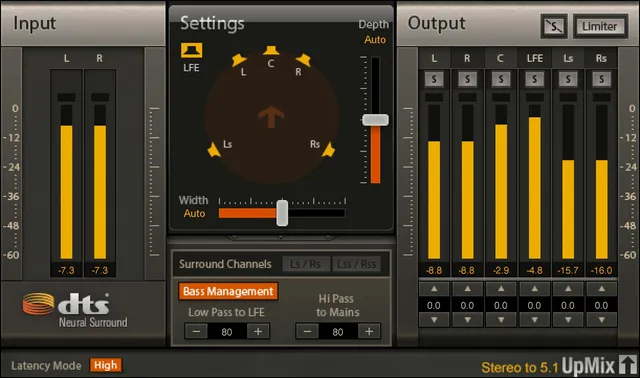
Input meters number two or six by component. The guide specifies a one-second peak hold, numeric held values in dBFS, and clicking the red peak indication to clear it.
Latency Mode offers Low: 1272 samples and High: 2296 samples; default High. The current product repeats those sample counts.
They are published figures, not measurements here. They are not converted into one universal millisecond value or a promise that every complete host path has only that delay.
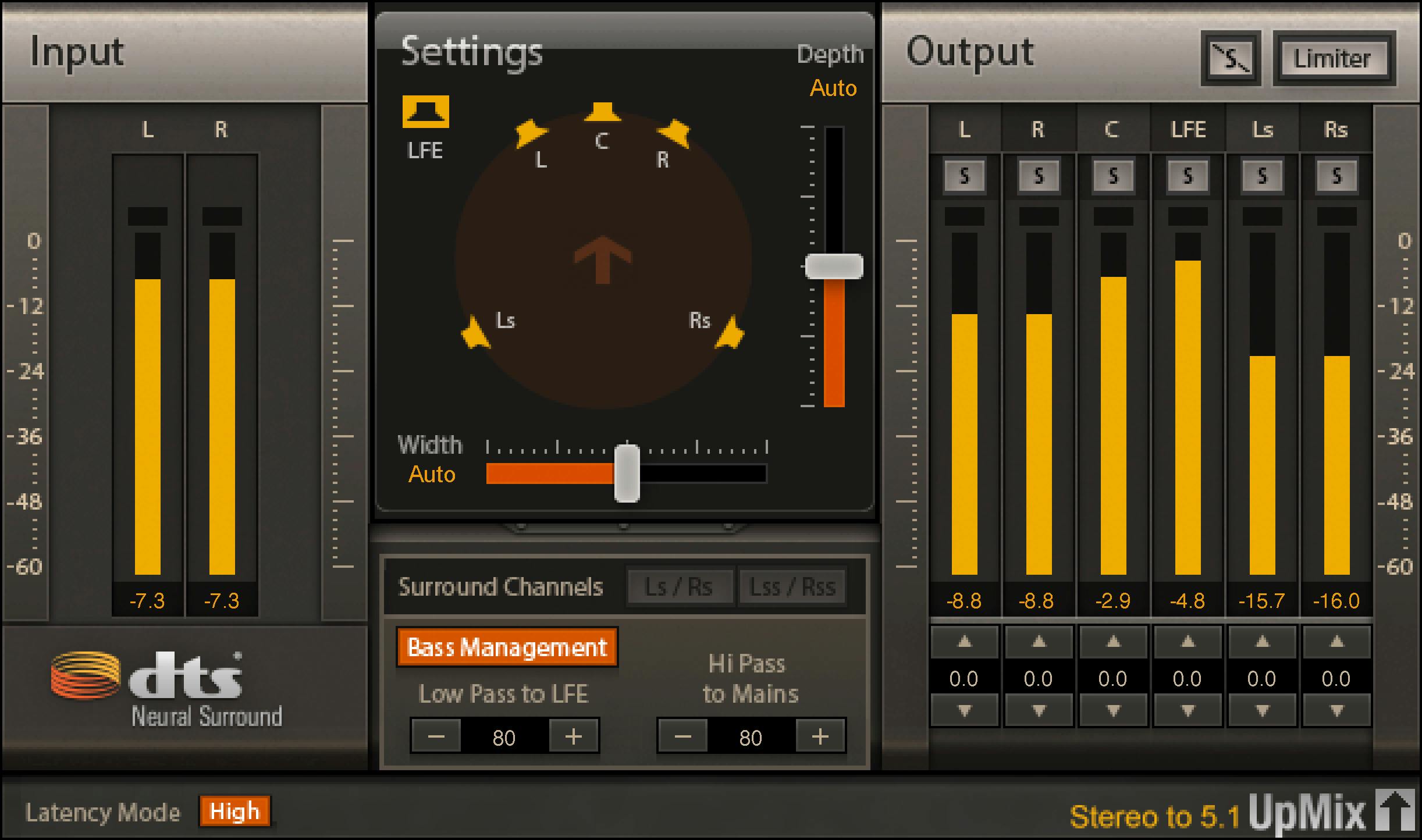
The actual current original includes the bottom Latency Mode control and corresponds to the linked v2 guide.
Depth and Auto
Depth spans −100% to +100%, default Auto at 0%. Moving upward favors the front; downward favors the surrounds, with direction arrows indicating the bias.
For stereo input, it distributes the image between front L/R/C and surround channels.
For 5.1 input, it distributes the surround image between the side-surround pair and rear-surround pair. It is not a blanket instruction to move every front channel backward.
Auto is described as an unbiased upmix based on the input's phase and intensity. It is neither a measured ideal balance nor a time-based predelay setting.
Width and its explicit exclusions
Width spans −100% to +100%, default Auto at 0%. At −100, center material is reproduced through the discrete center speaker; at +100 it becomes a phantom center through L/R. Intermediate values blend those approaches.
The guide explicitly excludes this control from Stereo-to-Quad and 5.1-to-7.1. Their page 6/7 figures also show the Width area unavailable.
That is a documented component distinction, not missing functionality to infer from the stereo-to-5.1 original.
Width is not S360's 0–4 ratio or an independently specified overall stereo-spread law.
Surround Channel layout and figure-supported scope
The selector offers Ls/Rs at approximately ±110°, or Lss/Rss at ±90°. The default is Lss/Rss. The speaker diagram changes with the selected layout.
Page 10 describes this choice when upmixing stereo to 7.1. It does not say “only.”
Page 6 additionally depicts an enabled selector in the 5.1-to-7.1 interface. That is additional figure evidence, kept distinct from the prose rather than silently inventing a stereo-only restriction.
The Stereo-to-Quad and Stereo-to-5.1 figures show the selector unavailable. The guide does not supply an all-component rule beyond those observations.
Bass Management and conditional filters
The Bass Management switch controls this section. The guide says when Off, no LFE is generated.
Its factory On/Off default is not stated. The orange button in an example is not proof of that default. The wording also does not fully explain treatment of an existing incoming 5.1 LFE channel in every state.
When the section is active:
| Control | Range and default | Documented components |
|---|---|---|
| Low Pass to LFE | 20–200 Hz; default 80 Hz | Stereo→5.1, Stereo→7.1, 5.1→7.1 |
| Hi Pass to Mains | 20–200 Hz; default 80 Hz | Stereo→5.1, Stereo→7.1 |
Low Pass to LFE routes input content below its cutoff toward LFE. Hi Pass to Mains independently filters the main channels.
Neither applies to Stereo-to-Quad; the main high-pass is not documented for 5.1-to-7.1. Visible plus/minus widgets do not establish a numerical filter increment or an unlisted gesture.
Output Gain and channel Solos
Each Output Gain spans −20 to +9 dB, default 0 dB.
Arrow buttons change it by 0.5 dB per click. Double-click the number for text entry, or click-drag the numeric field to adjust it. These explicit gain gestures do not establish the bass filter increment.
Solo is On/Off, default Off. Enabled buttons turn yellow and mute other channels. Click again to turn off; Shift-click additional buttons for multiple solos.
Clear Solo illuminates with active selections and clears all selected solos. The bank is an auditioning aid, not a process that reconstructs original stems.
Limiter and output metering
Limiter is On/Off, default Off. When enabled, its button becomes orange and it limits output across all channels.
The guide says the output ceiling is set to 0.0 dBFS by default. It supplies no adjustable ceiling range or separate ceiling slider for UpMix.
That is not a claim that the value is technically immutable, and it is not permission to import DownMix's 0 to −24 dBFS slider.
Output meters number four, six or eight. They have a one-second peak hold, numeric dBFS held values and a red-indicator click-to-clear action. Figures show a 0 to −60 scale; unlisted ballistics, true-peak or codec guarantees are not inferred.
Toolbar and a practical sequence
The WaveSystem toolbar provides save/load presets, comparison, undo/redo, resizing and access to its guide.
My suggested sequence: choose the component and confirm routing/channel order, then evaluate Depth's distribution. Use Width only in the components that expose it, and consider the documented 7.1 surround-layout evidence where relevant.
Make an independent bass-management decision before balancing output gains. Review Solo states and limiter use separately; a default parameter or vendor diagram does not prove the completed delivery.
This is conceptual guidance rather than a preset recommendation based on listening.
Sources and documentation limits
Checked October 19, 2026, America/New_York. The official UpMix page links the full 13-page v2 guide, read in full.
Pages 3–5 cover purpose/components/channel order/host examples; 6–7 component figures; 8 input/latency; 9 Depth; 9–10 Width; 10 surround layout; 11 bass filters; 12 gains/Solo/Limiter; 13 metering/toolbar.
The actual figures and genuine Graphic Library original were inspected. Marketing's direction error, the prose/figure layout scope and unknown bass-switch/existing-LFE details remain explicitly qualified.
The Waves resources hub and licensing guide cover separate reference topics, not control defaults or current compatibility tests.
FAQ
Which conversions does DTS UpMix actually document?
Stereo to Quad, stereo to 5.1, stereo to 7.1 and 5.1 to 7.1. The current page's conversion-to-stereo sentence conflicts with its heading, bullet and four component entries; it is not evidence of a stereo-output component or recovery of missing original stems.
What are the Latency modes?
The v2 guide gives Low at 1272 samples and High at 2296 samples, default High, repeated by current product copy. These are published sample counts, not measurements here or one universal millisecond delay for every host path.
How does Depth differ for stereo and 5.1 input?
Depth spans minus 100 to plus 100 percent, default Auto at 0. Up favors front and down surrounds. For stereo it distributes front versus surround content; for 5.1 it distributes the side-surround versus rear-surround image. It is not a delay-time control.
Where is Width available and what do its endpoints mean?
Width is explicitly unavailable in Stereo-to-Quad and 5.1-to-7.1. In the documented center-bearing stereo upmixes it spans minus 100 percent discrete center to plus 100 percent phantom center, default Auto at 0. It is not S360's Width Ratio.
Is Surround Channel restricted to stereo-to-7.1?
Page 10 describes stereo-to-7.1 but does not say only. Page 6 also shows the selector enabled for 5.1-to-7.1. Options are Ls/Rs near plus or minus 110 degrees and Lss/Rss near plus or minus 90, default Lss/Rss. Other figures show the selector unavailable; no wider rule is invented.
Which bass filters apply to each component?
Low Pass to LFE applies to stereo-to-5.1, stereo-to-7.1 and 5.1-to-7.1; Hi Pass to Mains only to the two stereo surround components. Both span 20 to 200 Hz, default 80. Bass Management Off is described as generating no LFE, but its switch default and full existing-LFE treatment are not specified.
How do output gains and Solo work?
Each gain spans minus 20 to plus 9 dB, default 0. Arrows change 0.5 dB per click; double-click supports typing and click-drag adjusts the number. Solo defaults Off, turns yellow and mutes other channels; Shift-click adds selections. Clear Solo clears all selected solos.
Does UpMix expose DownMix's adjustable Ceiling slider?
No such slider or adjustable range is documented for UpMix. Its limiter defaults Off and the guide gives a default ceiling of 0.0 dBFS, without proving an immutable value or borrowing DownMix's range. Output meters have one-second holds, numeric dBFS peaks and red-indicator click-to-clear behavior.

About the Author
Joseph Nilo has been working professionally in all aspects of audio and video production for over twenty years. His day-to-day work finds him working as a video editor, 2D and 3D motion graphics designer, voiceover artist and audio engineer, and colorist for corporate projects and feature films.