

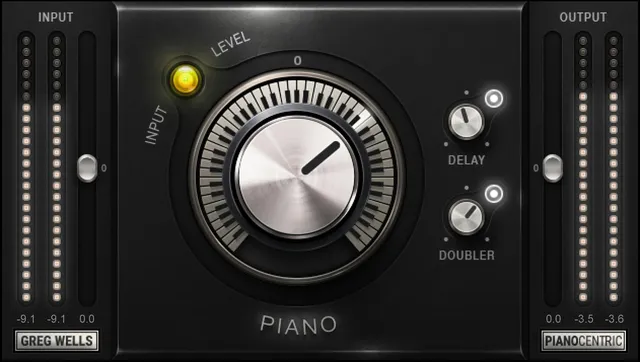
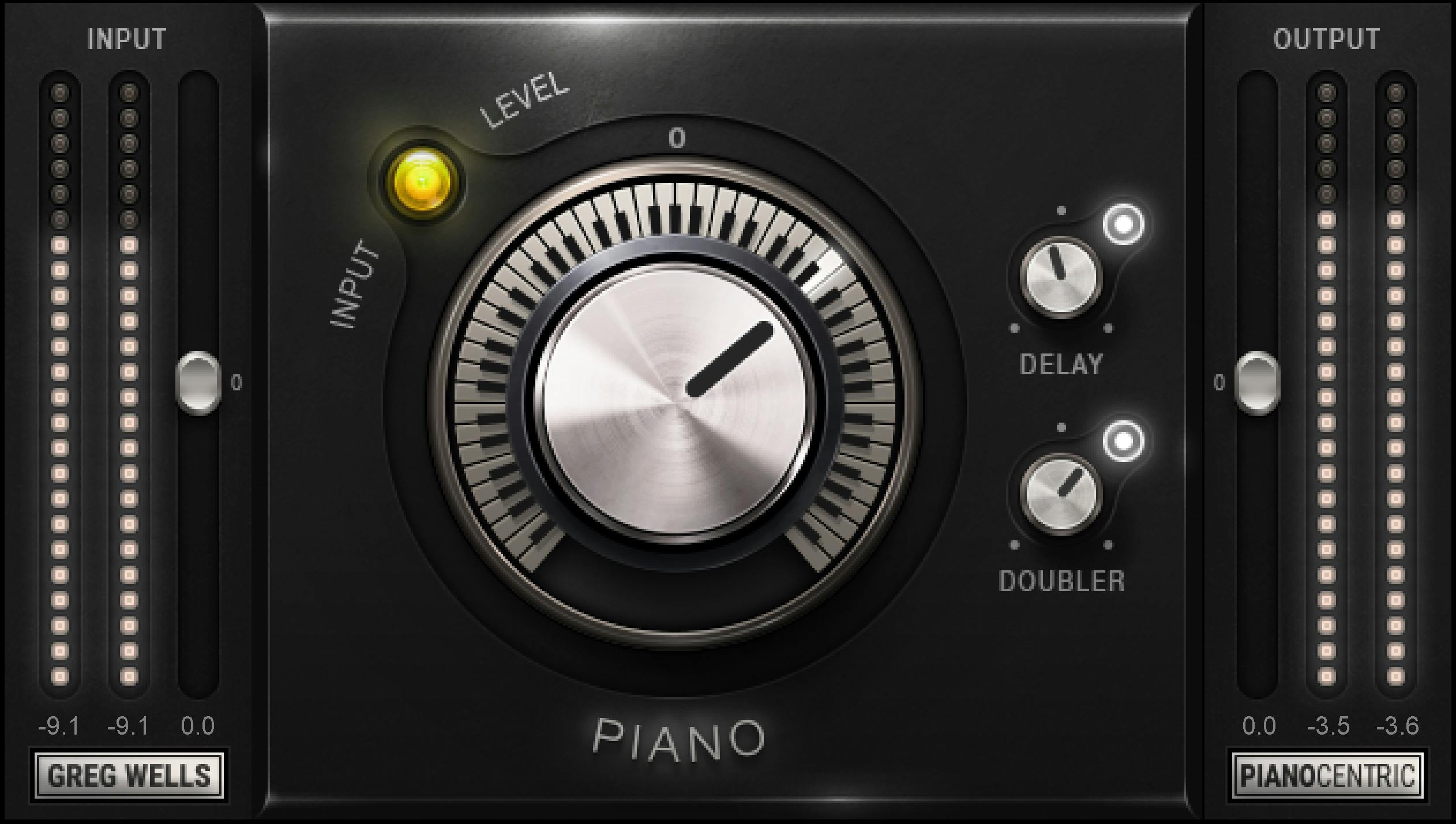
Waves Greg Wells PianoCentric puts a piano-processing control beside parallel Delay and Doubler returns, with separate input and output levels. The guide documents ranges and distinct default/reset values for these controls; it does not provide a numeric scale for the input or output meters.
This is a guide to Waves’ published documentation, not an auditioned review. I have not run the plug-in or processed audio. The product page lists Mono, Mono-to-Stereo and Stereo components; that listing does not verify installation or behavior in a particular system.
My Short Version
The large Piano control sets the amount of processing. Delay and Doubler each have a separate On/Off switch and level for a parallel return. Their default states are On, while reset turns each off; their level defaults and reset values also differ.
Input and Output each span −18 to +18 dB, and Waves says preset loading does not change either level. The Sensitivity LED uses off, green, yellow and red states, but the guide gives no numeric thresholds. Analog Noise is a toolbar-menu option whose documented default is Off.
The main distinction to keep in view is that the manual lists separate default and reset values for Delay and Doubler. It also repeats a Delay note beneath the Doubler level description, so that duplicated note is not treated here as a specific Doubler behavior claim.
Components and intended scope
The User Guide lists Mono (mono in/mono out), Mono-to-Stereo (mono in/stereo out), and Stereo (stereo in/stereo out). Waves presents PianoCentric for piano and keyboard tracks. That is the manufacturer’s positioning, not a tested recommendation for a particular source.
Input, sensitivity and Piano
Input sets plug-in input gain from −18 to +18 dB in 0.1 dB increments. The manual lists a default and reset value of 0 dB and says the input level does not change when loading a preset.
The Sensitivity LED indicates level with four states: off (too low), green (good), yellow (optimal), and red (very hot). Waves’ quick-start suggests using the loudest/highest-peak section when setting input. The guide supplies no numeric thresholds or LED calibration, so those color descriptions are not a meter scale.
Piano determines how much processing is applied. Its scale runs from −50 (minimum/lo-fi) to +50 (maximum/hi-fi) in 0.1 increments; default and reset are 0 (neutral). Keep “lo-fi” and “hi-fi” as the manual’s endpoint labels, not a guarantee about a particular sound.
Parallel Delay and Doubler returns
Delay On/Off turns the parallel delay return on or off. Its default is On; reset is Off. Delay Level sets how much Delay is added, from −24 to 0 dB in 0.1 dB increments; default is −13.6 dB and reset is −24 dB.
The guide says Delay behavior differs between the Mono and Stereo components, without quantifying that difference. It does not provide a numeric meter scale or a guarantee about the audible result in either component.
Doubler On/Off turns the parallel Doubler return on or off. Its default is On; reset is Off. Doubler Level sets how much Doubler is added, from −24 to 0 dB in 0.1 dB increments; default is −8.7 dB and reset is −24 dB.
Immediately below the Doubler Level description, the guide repeats a note about Delay characteristics across Mono and Stereo components. Because that note names Delay rather than Doubler, this article does not use it to claim a component-specific Doubler behavior.
Output, meters and Analog Noise
Output sets plug-in output gain from −18 to +18 dB in 0.1 dB increments. Default and reset are 0 dB. The guide also says the Output level does not change when a preset is loaded, just as with Input.
The interface labels Input Meters, Output Meters and the Sensitivity LED. The manual does not state a numeric scale or calibration for the meters.
Analog Noise is switched On or Off from the WaveSystem toolbar menu; its documented default is Off. Waves describes the noise as part of its analog modeling and says turning it off produces a very clean but slightly different sound. Those are vendor descriptions, not an independent noise measurement or listening test. The manual does not state a reset value for this menu option.
WaveSystem toolbar
The guide says the toolbar can save and load presets, compare settings, undo and redo changes, and resize the plug-in. Its upper-right menu includes User Manual and Waves System Guide entries. No separate global reset control is documented.
A careful way to read the controls
The manual’s most useful operational distinction is between each control’s initial/default and reset value. In particular, resetting Delay and Doubler turns their returns off and moves each level to its minimum, while their documented defaults are on with different level values. Input and Output are listed as unchanged by preset loads. These are manual descriptions, not a tested preset or reset procedure.
Related Waves guides
The live Waves F6 guide covers a separate dynamic equalizer, while the Renaissance Compressor guide explains a dedicated compressor. The Waves Audio Post Resources hub collects current live Waves guides. These are adjacent references, not comparative listening tests.
Sources and documentation limits
Checked October 19, 2026 (America/New_York). The official Greg Wells PianoCentric product page lists the Mono, Mono-to-Stereo and Stereo components. It links the eight-page Greg Wells PianoCentric User Guide, read in full. The guide documents the controls described above but gives no numerical meter scale or LED thresholds. The Waves Graphic Library states its attribution and relevant-product-page link condition for any image use. Artwork and manual illustrations are not proof of a running plug-in or current settings. No plug-in, host or audio test was performed.
FAQ
What components does PianoCentric include?
The guide lists Mono (mono in/mono out), Mono-to-Stereo (mono in/stereo out), and Stereo (stereo in/stereo out). These are the documented host components, not a statement about installation on a particular system.
What does the Piano control change?
It determines the amount of processing, from −50 (minimum/lo-fi) to +50 (maximum/hi-fi) in 0.1 increments. The manual gives 0 as both the neutral default and reset value.
What do the Sensitivity LED colors mean?
The guide labels off as too low, green as good, yellow as optimal and red as very hot. It gives no numeric thresholds or calibration, so the LED is not a numeric meter scale.
What are the Delay switch and level settings?
Delay On/Off defaults On and resets Off. Delay Level ranges −24 to 0 dB, with a −13.6 dB default and −24 dB reset. The manual says component behavior differs between Mono and Stereo but does not quantify it.
What are the Doubler switch and level settings?
Doubler On/Off defaults On and resets Off. Doubler Level ranges −24 to 0 dB, with a −8.7 dB default and −24 dB reset. A repeated note under its description discusses Delay, so it does not establish a separate Doubler component behavior.
Do preset loads change Input or Output?
The guide says neither Input nor Output changes when loading a preset. Both controls range −18 to +18 dB in 0.1 dB increments, with default and reset at 0 dB.
Where is Analog Noise controlled?
It is an On/Off option in the toolbar menu, with documented default Off. Waves describes a small amount of modeled noise and a slightly different sound when disabled; the guide does not give a reset value or a measured noise result.
What can the toolbar do?
The toolbar saves and loads presets, compares settings, undoes and redoes changes, and resizes the plug-in. Its menu also lists User Manual and Waves System Guide. The manual does not describe a separate global reset control.

About the Author
Joseph Nilo has been working professionally in all aspects of audio and video production for over twenty years. His day-to-day work finds him working as a video editor, 2D and 3D motion graphics designer, voiceover artist and audio engineer, and colorist for corporate projects and feature films.