
Waves JJP Bass combines a Main Section for dynamics and EQ with four processed auxiliary returns, Type-dependent faders, and a master output. Its manual explains the signal path and broad control roles, but does not publish numeric ranges or defaults for the pictured processing controls.
This is a guide to Waves’ published documentation, not an auditioned review. I have not run the plug-in or processed audio. The guide’s m>s component means mono input to stereo output; it is not a Mid/Side mode.
My Short Version
JJP Bass has three host components: Mono, m>s (mono in, stereo out), and Stereo. Inside the plug-in, choose one of three source Types—DI, Amp, or Synth—then read the visible controls in context. Waves says the settings are optimized by Type, but may need adjustment, and does not publish the actual Type-specific values.
The Main Section supplies basic dynamics and EQ, including Input and a Phase reversal switch. A Main Fader controls its direct path. Four Center Section Faders control auxiliary processed returns tapped before the Main Fader; each has its own mute, and some faders change with Type. The returns and direct path are shown summing before Master Fader.
The Meter switch selects IN or OUT monitoring. The Clip LED lights when levels reach 0 dBFS and is click-resettable. No numerical ranges for Sensitivity, Input, EQ, or faders are supplied, so the illustrated knob and fader positions are not a default table.
Components and Types
The guide lists JJP Bass Mono (mono in/mono out), JJP Bass m>s (mono in/stereo out), and JJP Bass Stereo (stereo in/stereo out). The m>s label refers to the host component’s channel format; it does not document Mid/Side processing.
The Type selector offers DI, Amp, and Synth. The quick-start says to choose a Type for the source, then set Sensitivity and adjust the sections. Waves says each Type has optimized settings, but they may still require adjustment once Sensitivity is set. The manual does not list numerical factory values for each Type.
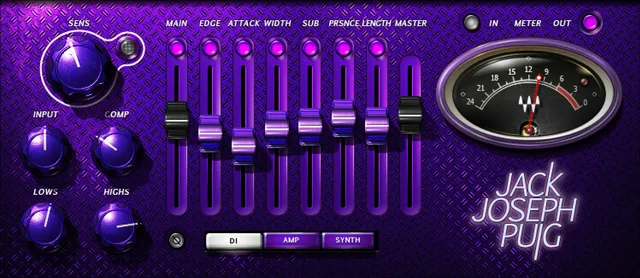
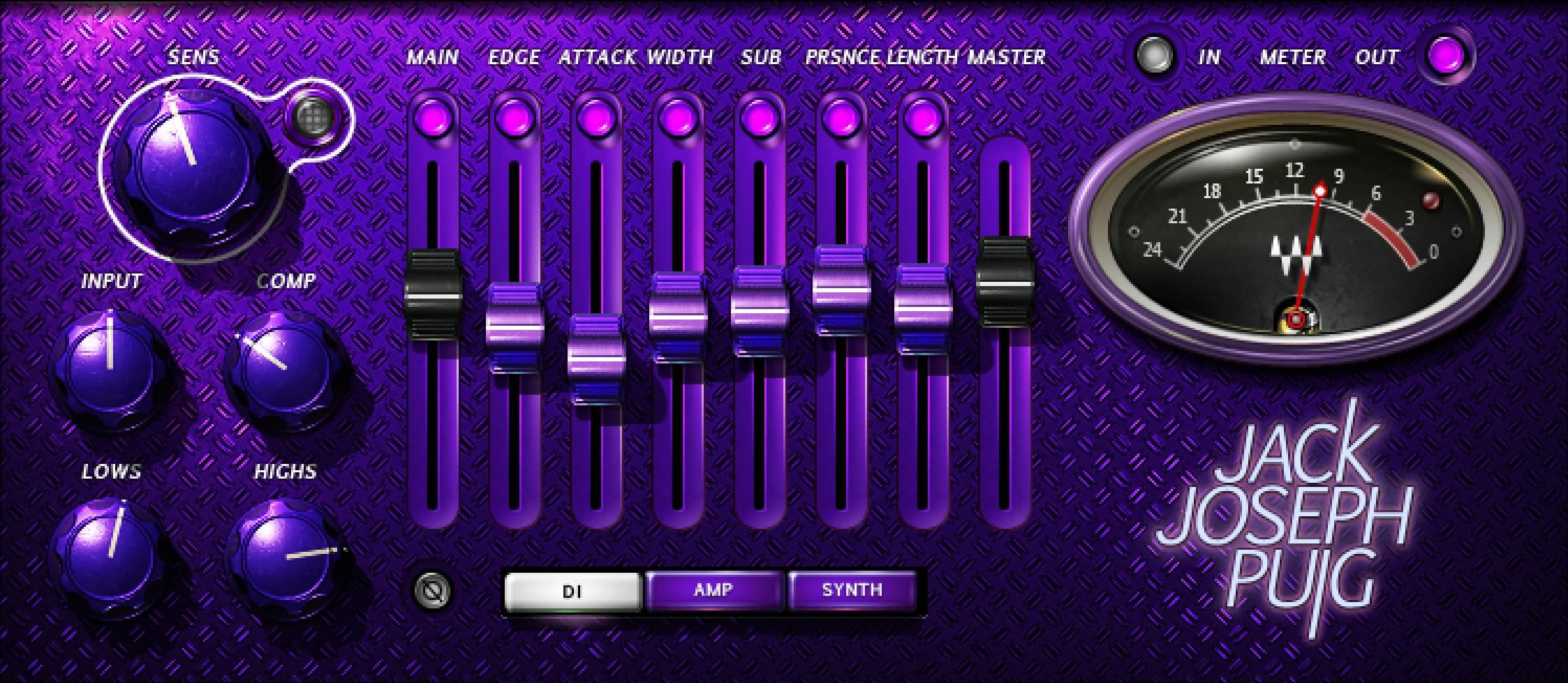
Sensitivity and Main Section
The Sensitivity control is set using its LED: off (too low), green (good), yellow (optimal), and red (very hot). The guide suggests using the track’s highest peaks when setting it, but supplies no numeric range, thresholds, or calibration. Its color labels are manufacturer guidance, not a measured result from this article.
The Main Section controls basic dynamics and EQ and influences the rest of the processing. It includes Input level and a Phase reversal switch. The interface illustration labels Comp, Lows, and Highs; their numerical ranges, units, and default values are not specified. Do not infer a complete compressor/EQ parameter map from the panel artwork.
Main, Center and Master faders
The Main Fader controls the direct Main Section level. Center Section Faders are auxiliary returns with additional processing, tapped pre-fader; the manual shows a dedicated mute above each. Some center faders change depending on the selected Type. The interface picture labels one fader set Main, Edge, Attack, Width, Sub, PRSNCE (Presence), Length, and Master, but the guide does not promise that identical set for every Type or state numerical ranges/defaults.
The signal-flow diagram shows the direct Main Section path going through Main Fader, alongside four parallel Process → Fader returns. Those paths sum before Master Fader, which controls master output level. The manual does not identify every auxiliary process for every Type, so the diagram should not be expanded into a fixed list of effects.
Meter, clip indicator and toolbar
The meter switch toggles between IN and OUT monitoring. The Clip LED lights when levels reach 0 dBFS and can be clicked to reset. The guide does not give meter ballistics, a detailed calibration, or a range for the faders.
The WaveSystem toolbar can save and load presets, compare settings, undo and redo changes, resize the plug-in, and open the WaveSystem Guide. The guide describes no separate global reset control.
A careful way to read the panel
The source Type matters because the guide says some Center Section faders change with it. Keep the direct Main Fader separate from the pre-fader processed returns, and do not assume that a pictured fader layout or position applies to every Type. These are manual distinctions, not a tested setup recipe.
Related Waves guides
The live Waves F6 guide explains a separate dynamic equalizer; the Renaissance Compressor guide covers a dedicated compressor rather than this source-dependent layout. The Waves Audio Post Resources hub links to current live Waves references. These pages describe adjacent tools, not comparative listening results.
Sources and documentation limits
Checked October 19, 2026 (America/New_York). The official JJP Bass product page lists the current Mono, m>s and Stereo components. It links the eight-page JJP Bass User Guide, read in full. The manual describes the controls, meters and general signal flow summarized here, while leaving most control ranges and Type-specific defaults unstated. The Waves Graphic Library requires attribution and a relevant product-page link for any used image. Its UI artwork is not runtime or default-state evidence. No plug-in, host or audio test was performed.
FAQ
What components does JJP Bass include?
The guide lists Mono (mono in/mono out), m>s (mono in/stereo out), and Stereo (stereo in/stereo out). The m>s component is a channel-format choice, not a documented Mid/Side processor.
What are the DI, Amp and Synth Types?
They are the three source Types in the manual. Waves says settings are optimized for each Type but may still need adjustment; the guide does not publish the numerical Type-specific defaults.
What do the Sensitivity LED colors mean?
Off means too low, green good, yellow optimal and red very hot. The guide recommends looking at the source’s highest peaks but gives no numeric thresholds or calibration.
What does the Main Section control?
It provides basic dynamics and EQ, plus Input and Phase reversal. The panel labels Comp, Lows and Highs, but the manual gives no ranges or defaults for those illustrated controls.
What is the difference between the Main and Center Section Faders?
Main Fader controls the direct Main Section level. Center Section Faders control additional processed returns tapped pre-fader, each with a dedicated mute; some change with Type. The guide does not publish their numeric ranges.
How does JJP Bass signal flow work?
The diagram shows the Main Section feeding a direct Main Fader path and four parallel Process/Fader returns. Those paths sum before Master Fader, which controls master output. The manual does not name every Process for every Type.
What do the meter switch and Clip LED do?
The switch selects IN or OUT monitoring. The Clip LED indicates levels reaching 0 dBFS and can be clicked to reset. The guide does not specify meter calibration or ballistics.
What does the WaveSystem toolbar provide?
The guide says it saves/loads presets, compares settings, undoes/redoes changes, resizes the plug-in, and opens the WaveSystem Guide. It does not describe a separate global reset control.

About the Author
Joseph Nilo has been working professionally in all aspects of audio and video production for over twenty years. His day-to-day work finds him working as a video editor, 2D and 3D motion graphics designer, voiceover artist and audio engineer, and colorist for corporate projects and feature films.