
Waves Kramer HLS Channel combines a three-band EQ with modeled preamp coloration, switchable noise and hum, and a calibrated VU display. Its bass selector does two different jobs: one half chooses a boost frequency, while the other cuts a fixed 50 Hz shelf.
This guide follows the complete current product-linked manual and authentic Waves imagery. I have not run or auditioned the plug-in. Sound, modeling and latency descriptions are attributed to Waves, not to listening or measurement here.
My Short Version
Treat Source and Preamp as coloration choices, not substitutes for the separate Input and Output level faders. Waves says Preamp changes modeled distortion, noise and hum without significantly changing overall level.
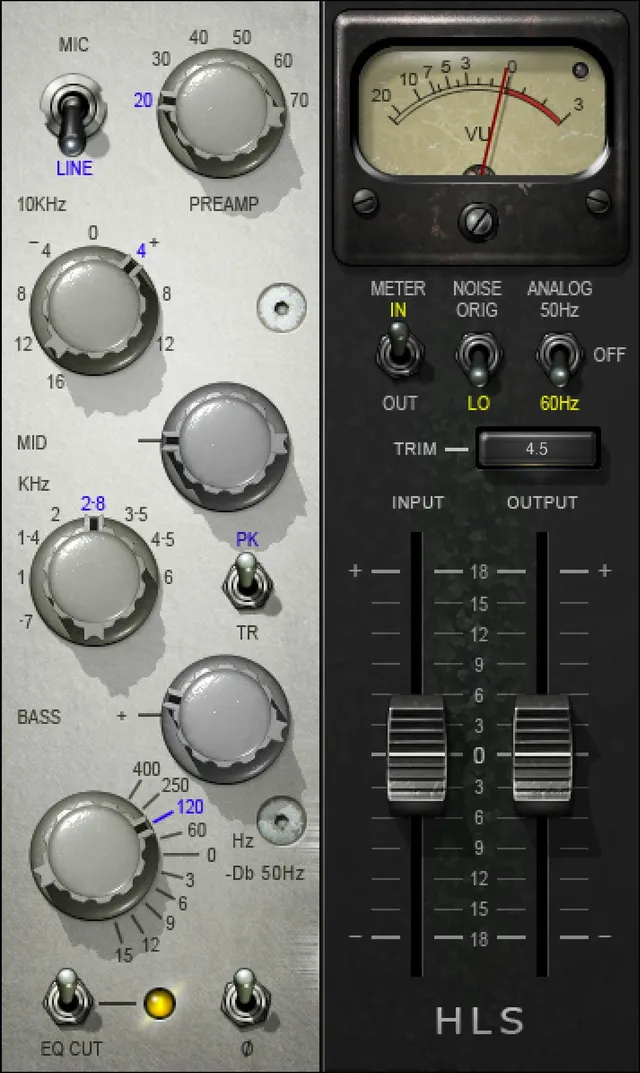
For EQ, the high shelf is fixed at 10 kHz. The mid band combines a frequency selector, an amount knob and PK/TR boost-or-cut switch. The low band combines a boost amount with the two-region frequency/cut selector.
EQ Cut is not whole-plugin bypass. It removes the EQ while retaining analog/preamp characteristics. Analog Off removes modeled noise and hum but retains harmonic distortion; Noise Low is a separate reduction of that modeled noise and hum.
Finally, read VU calibration, Clip LED and Trim as separate functions. The calibration range is printed literally as 24 – 8 dB, with a separately stated 18 dB headroom default. The guide does not explain a fuller scale or adjustment direction.
What it suits—and which component to choose
Best for: a channel-EQ workflow built around a small number of frequency choices, boost/cut decisions and optional modeled preamp behavior. That is a practical description of its controls, not a promise of a particular tonal result.
Skip it if: you need a fully parametric EQ with user-adjustable Q for each band, frequency-dependent dynamics, or a documented brickwall output ceiling. Those are not controls established by this guide.
The manual describes Kramer HLS Mono and Kramer HLS Stereo, each a three-band channel. The current product page also lists Mono and Stereo. There is no separate Mid/Side component established by these sources.
The Stereo component has an important meter distinction: its VU shows the channel sum, rather than two independent VU needles. The calibration section below explains the documented consequence.
Waves traces the model to Helios channels selected with Eddie Kramer, including channels from an early Rolling Stones mobile-truck desk. That history explains the product's design reference; it does not demonstrate how closely a particular session will reproduce an old recording.
Source, Preamp and separate level controls
Source Select switches between Mic and Line, default Line. The guide describes this alongside the Preamp coloration control.
Preamp runs from 20 to 70 in 10 dB steps, default 20. Waves says increasing it introduces more harmonic distortion, noise and hum, while overall level does not change significantly because the plug-in recreates coloration rather than amplification itself.
That makes the printed scale different from a promise of 20–70 dB of clean mic gain. It also does not establish perfect loudness compensation. Input and Output are the documented controls for setting the respective levels.
Both level faders span −18 to +18 dB in 0.1 dB steps, default 0 dB. The manual names their roles but does not publish a complete internal ordering diagram. A precise processing topology should not be inferred from where a control sits on the panel.
High shelf and the midrange's three-part control
High Frequency Gain is a shelf at a fixed 10 kHz. Its exact gain choices are −16, −12, −8, −4, 0, +4, +8 and +12 dB, default 0.
It is a stepped amount control, not a continuous frequency sweep. The manual does not give a high-band frequency selector, slope control or Q adjustment.
The midrange uses three controls together. Mid Frequency selects 700 Hz, 1 kHz, 1.4 kHz, 2 kHz, 2.8 kHz, 3.5 kHz, 4.5 kHz or 6 kHz; default 2.8 kHz.
Mid Gain supplies 0–15 dB in 0.1 steps, default 0 dB. Mid Mode decides the direction: PK boosts, TR cuts, default PK.
In other words, the amount knob does not need a negative half to produce a cut: the mode switch gives that amount its boost-or-cut role. No continuously adjustable bandwidth control or exact bell-response equation is supplied.
The bass selector is not one ordinary frequency knob
The lower Low Band Freq/Cut knob has an upper and a lower region. Its stated default is 0/Off.
In the upper half, it selects 0/Off, 60, 120, 250 or 400 Hz. The separate Low Band Boost knob sets how much boost is applied at the selected frequency.
Low Band Boost ranges 0–15 dB in 0.1 steps, default 0. Selecting a frequency and selecting a boost amount are separate operations.
In the lower half, the selector changes roles. It attenuates a fixed 50 Hz low shelf, with 0/Off, −3, −6, −9, −12 and −15 dB positions.
The upper boost knob is inactive in this lower attenuation region, as the quick-start explicitly explains. This is the interaction most likely to be lost if the panel is described as a conventional bass-frequency knob plus a gain knob.
The guide does not supply independent low-shelf Q or slope controls, nor a continuously variable bass-cut frequency. The fixed 50 Hz cut should not be confused with the selectable boost frequencies.
EQ Cut and Phase Invert
EQ Cut selects In or Cut, default In. It turns the EQ on or off while maintaining the analog and preamp characteristics.
That is useful as a conceptual comparison between EQ-active and EQ-removed states, but not as a claim that all processing has been bypassed. The noise and coloration controls have their own documented roles.
Phase Invert is Off or On, default Off. It reverses the signal's phase/polarity; it is not a frequency selector or a separate time-alignment control. No further numerical phase or delay setting is documented.
Analog and Noise are different switches
Analog turns modeled noise and hum on or off and selects the hum pitch associated with 50 Hz or 60 Hz power. Its stated default is 60 Hz.
The range line says “50 Hz, 60 Hz, On/Off”; the actual illustrated switch is labeled 50 Hz, Off and 60 Hz. That wording does not establish an additional fourth On position.
Analog Off retains modeled harmonic distortion while bypassing modeled noise and hum. It is not documented as removing every modeled characteristic.
Noise selects Original or Low, default Original. Waves says Low pads the modeled noise and hum by 20 dB. It does not describe reducing the whole program signal by 20 dB.
The modeling discussion also attributes high-frequency rolloff to the modeled transformers and describes signal-dependent and no-signal noise behavior. These are the manufacturer's design descriptions, not a guarantee that the plug-in will sound cleaner, warmer or better on a given source.
Meter, Clip LED and the calibration screw
Meter selects IN or OUT monitoring. The guide does not specify a default position.
The Clip LED lights when levels exceed 0 dBFS and can be clicked to reset. Its threshold description is separate from the VU needle's reference.
The VU Meter displays input or output in dBVU. In Stereo, Waves says it displays the sum of the channels: identical signals fed to both will show 6 dB higher.
That is a statement about the display. It is not a claim that every stereo signal causes a 6 dB increase in the actual output.
VU Calibrate is the small unlabeled screw-head below the VU display. It changes the meter's headroom reference.
The guide prints the associated range as 24 – 8 dB and separately gives the default as 18 dB of headroom, meaning 0 dBVU = −18 dBFS. It also mentions 14 dB outboard calibration as an example.
The descending range notation is retained literally. The guide does not provide a fuller scale, step size or knob-direction explanation, so it is not restated here as a sorted interval, assigned extra minus signs or presented as a measured runtime range.
Meter ballistics, a full reference map and additional peak-hold behavior are not documented. The Clip LED's explicit click reset should not be extended into an invented VU reset gesture.
Trim and output headroom
Trim displays the maximum output peak and its distance from 0 dBFS. Clicking its value resets the readout to zero and applies the differential to output trim, up to 12 dB at a time.
Its printed range is −12 to +12 dB, default 0. This readout-and-click operation is distinct from the separate Output fader.
There is no documented continuous gain-riding mode or limiter here. A Trim click does not establish protection against later peaks, and the guide does not publish a complete clipping-prevention transfer law.
A deliberate setup, presets and toolbar
A sensible conceptual order is to identify Mono or Stereo, choose Mic/Line and Preamp, then set the three EQ areas while keeping the bass knob's two roles in mind.
Treat EQ Cut as the EQ comparison and Analog/Noise as separate noise-modeling decisions. Read the appropriate IN/OUT meter, then consider Input, Output and the user-triggered Trim function as distinct level tools.
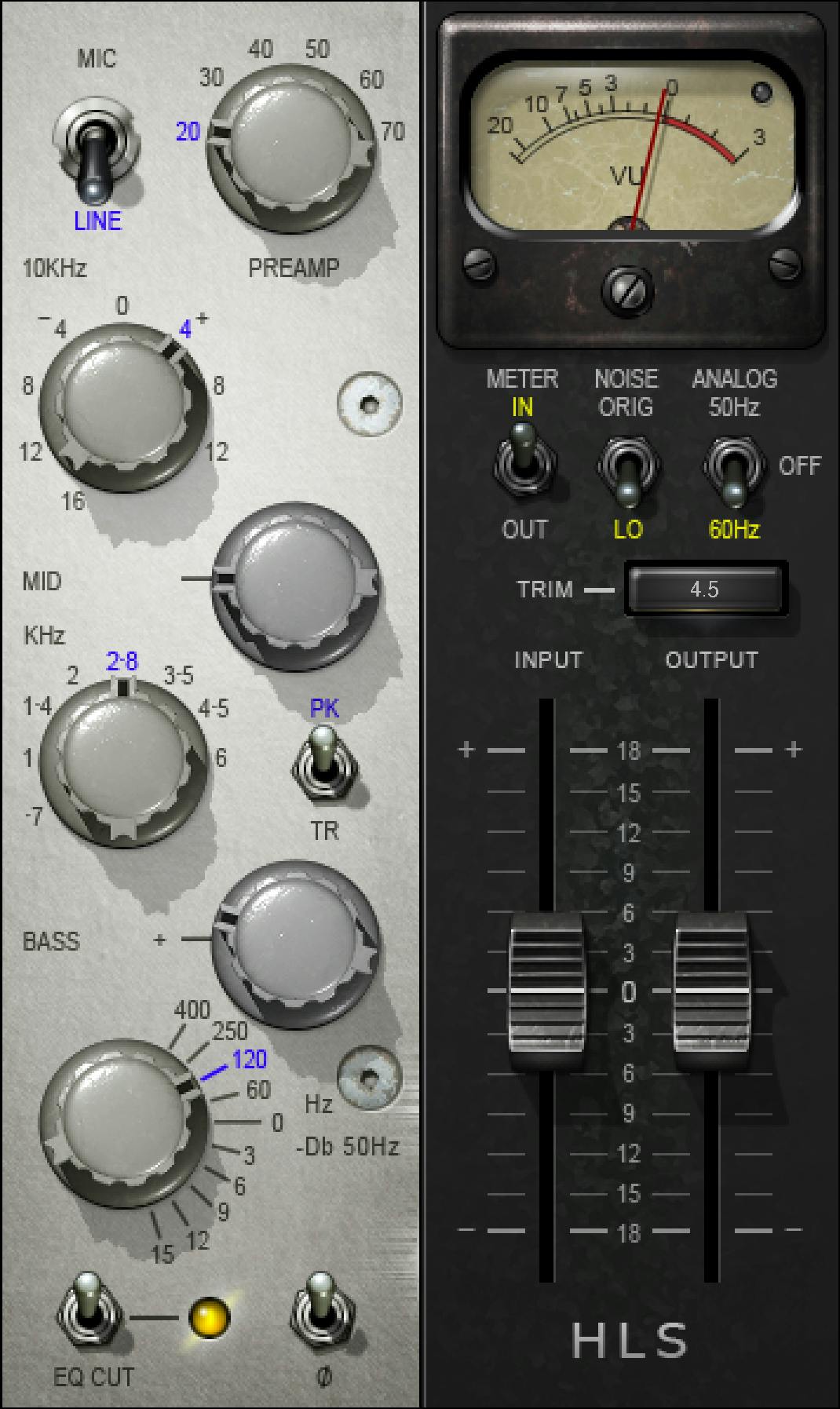
Those are workflow recommendations, not prescribed factory settings or results from an audio test. In particular, the original artwork's knob positions do not supply missing defaults.
The WaveSystem toolbar saves and loads presets, compares settings, undoes/redoes steps and resizes the plug-in. Its upper-right icon opens the WaveSystem Guide.
The HLS manual does not document a separate global-reset gesture or enumerate toolbar preset contents. A preset load should not be described as a verified restoration of every stated default.
Source-reported latency and related tools
The guide states Native latency of 161 samples at all supported sample rates. Its separate TDM figures are 292 samples at 44.1/48 kHz and 548 samples at 88.2/96 kHz.
These are source-reported figures with their stated Native/TDM context, not measurements of a current host or a claim that any particular system supports the legacy TDM version.
For frequency-dependent dynamics rather than this channel's three-band EQ, the live F6 guide explains a different tool category.
For conventional compressor controls, the Renaissance Compressor guide provides a separate dynamics workflow. Kramer HLS does not acquire those controls simply because it models preamp behavior.
The Waves audio and post resources hub is the broader navigation point. Licensing and update coverage are separate from operation; consult Waves' Update Plan information rather than infer entitlement from this guide.
Sources and documentation limits
Checked October 19, 2026 (America/New_York). The Kramer HLS Channel product page links the complete 13-page Kramer HLS Channel User Guide, read in full, including the control and meter illustrations.
The calibration-associated range is printed as 24 – 8 dB; its default is separately 18 dB of headroom. Missing scale/step/direction details remain unspecified. Current version listings, legacy manual history and supplied artwork do not prove a running build or verified settings.
The Waves Graphic Library supplies the genuine interface original and requires attribution plus a relevant product-page link whenever its images are used.
FAQ
Does EQ Cut bypass the whole Kramer HLS Channel?
No. EQ Cut switches the EQ between In and Cut, with In as the stated default, while maintaining the analog and preamp characteristics. It is not documented as whole-plugin bypass, so it should not be used as proof that all modeled coloration has been removed.
Does the Preamp control provide 20 to 70 dB of clean gain?
The guide presents 20–70 in 10 dB steps, default 20, as preamp coloration. Waves says higher values introduce more harmonic distortion, noise and hum without significantly changing overall level. Input and Output are separate level controls; this is not a documented clean-amplification range or exact loudness-match guarantee.
How do the two halves of Low Band Freq/Cut work?
The upper half selects Off or a boost frequency of 60, 120, 250 or 400 Hz, with boost amount set by the separate Low Band Boost knob. The lower half selects attenuation of the 50 Hz low shelf in -3, -6, -9, -12 or -15 dB steps. In that attenuation mode, the upper boost knob is inactive. The stated default is Off.
What changes when Mid Mode moves from PK to TR?
PK applies a boost and TR applies a cut to the selected midrange bell frequency. Mid Gain supplies the amount from 0 to 15 dB in 0.1 steps, default 0 dB. The frequency choices run from 700 Hz through 6 kHz, with 2.8 kHz the stated default; PK is the default mode.
What do Analog Off and Noise Low remove?
Analog Off bypasses the modeled noise and hum while retaining modeled harmonic distortion. Noise Low instead pads modeled noise and hum by 20 dB, according to Waves; it is not a 20 dB reduction of the program signal. Analog defaults to 60 Hz and Noise to Original.
What is known about the VU calibration range?
The manual prints the range as 24 – 8 dB and separately gives an 18 dB headroom default, where 0 dBVU equals -18 dBFS. It does not supply a fuller scale, step or knob-direction description. The descending notation is retained literally here, not reordered, given extra minus signs or presented as a measured runtime interval.
Why can the Stereo VU meter read 6 dB higher?
Waves says the Stereo component's VU displays the sum of both channels, so feeding the same signal to both shows a 6 dB increase. The guide offers VU calibration as a way to compensate the display. That is a meter-description claim, not a statement that the plug-in necessarily adds 6 dB to its audio output.
Is Trim an automatic limiter or a continuous gain rider?
No such function is documented. Trim shows the maximum output peak and its distance from 0 dBFS; clicking resets its readout to zero and applies the differential to output trim, up to 12 dB at a time. Its printed range is -12 to +12 dB, default zero. It does not establish ongoing peak protection.

About the Author
Joseph Nilo has been working professionally in all aspects of audio and video production for over twenty years. His day-to-day work finds him working as a video editor, 2D and 3D motion graphics designer, voiceover artist and audio engineer, and colorist for corporate projects and feature films.