
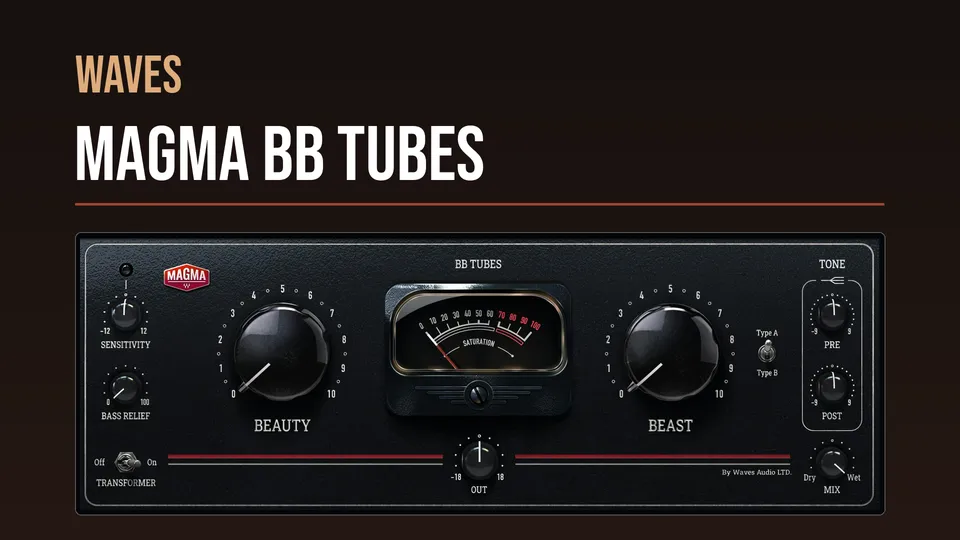
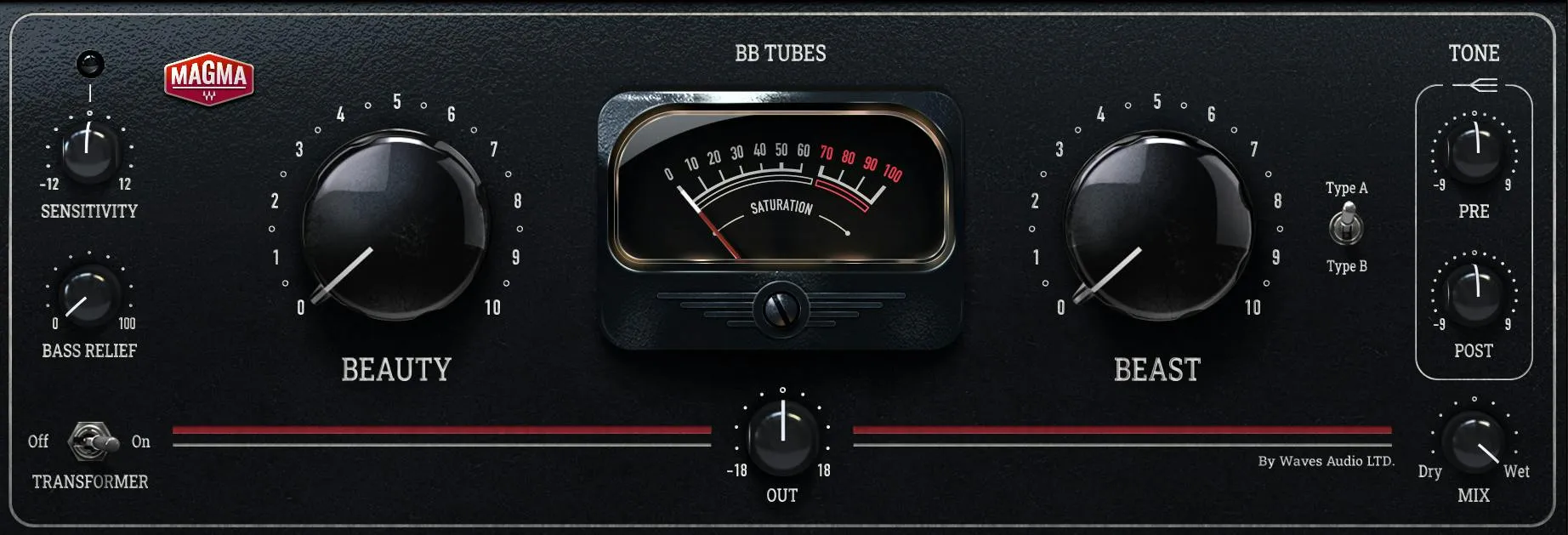
Waves Magma BB Tubes is a dual-stage tube saturator with two different distortion characters: Beauty first, then Beast. Beauty is documented as emphasizing mostly even-harmonic saturation; Beast adds a more aggressive character based mostly on odd harmonics. Around those stages are input sensitivity, low-frequency relief, a transformer stage, a Beast tube-type switch, pre/post high-frequency shelves, wet/dry mix, output gain and a distortion meter. [1][2]
The signal order matters. Waves explicitly states that Beauty feeds Beast, so increasing Beauty changes what the second saturation stage receives. [1]
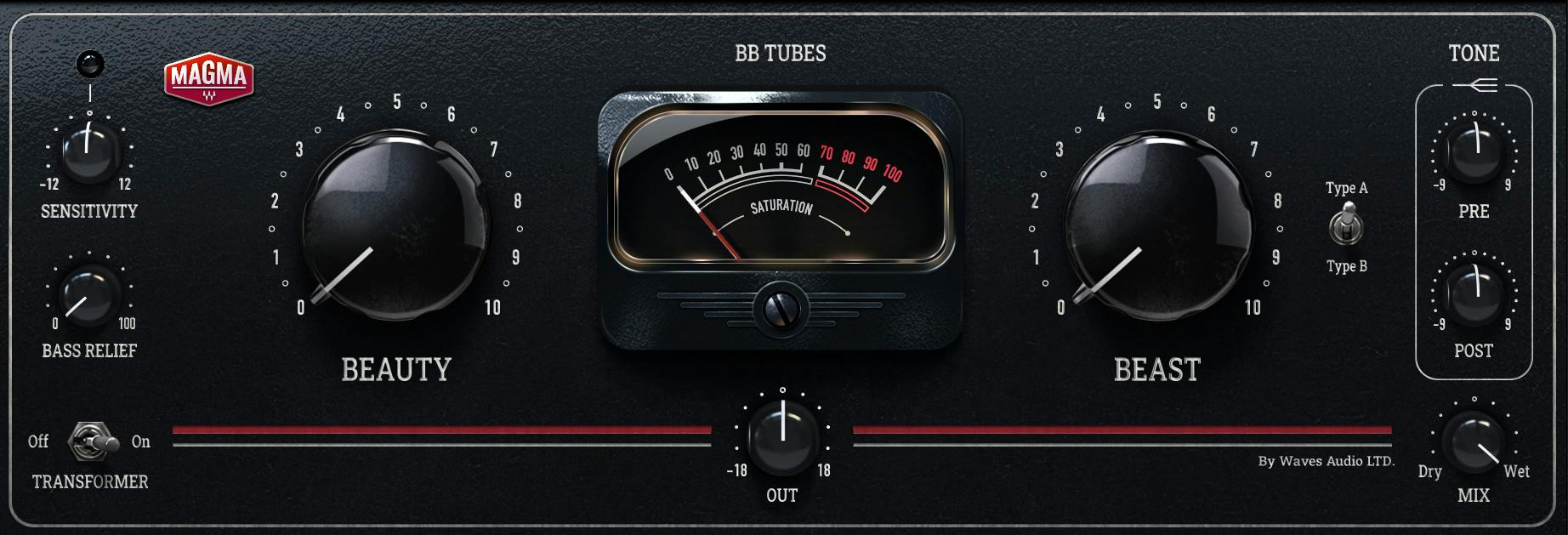
About the imagery: the cover is an editorial illustration. The plugin interface is official Waves product artwork, not a capture of a listening or compliance test.
My Short Version
Set Sensitivity with the loudest part of the source first. Waves provides an LED that moves from off through green and yellow to red, with yellow described as ideal; red is deliberately not labeled automatically wrong. [1]
Use Beauty for the gentler/even-harmonic side and Beast for the more aggressive/mostly odd-harmonic side. If the low end gets too involved in the saturation, raise Bass Relief to keep more bass out of the tube engine. [1]
Use Tone Pre when you want the 10 kHz shelf to change what hits the tubes, and Tone Post when you want the same shelf frequency after saturation. Then use Mix and Output for parallel balance and final level. [1]
Beauty
Beauty is the first saturation stage. Waves says it adds subtle tube saturation made up mostly of even harmonics, with slight harmonic distortion intended to make the sound warmer and bigger. Its range is 0 to 10. [1]
Because Beauty comes before Beast in the signal path, its setting can influence the signal that reaches the second stage. The documentation does not publish an exact transfer curve, harmonic percentages or clipping threshold, so this article does not invent them.
Beast
Beast is the second saturation stage and ranges from 0 to 10. Waves describes its color as mostly odd harmonics and positions it for more aggressive saturation, although the manual says it can also produce gentler harmonic distortion at lower settings. [1]
The Tube Type switch belongs specifically to the Beast section, so its A/B choice changes the harmonic structure of this second stage rather than Beauty. [1]
What happens at Beauty 0 and Beast 0
The manual makes a useful non-obvious point: BB Tubes still creates a small amount of tube compression and harmonic distortion when Beauty and Beast are both at their minimum settings. [1]
In that minimum-control condition, Waves says switching Transformer off completely removes the remaining effect. That statement should not be generalized into a claim that Transformer bypasses nonzero Beauty/Beast processing; the manual's wording is specifically attached to the minimum-settings note. [1]
Sensitivity
Sensitivity controls input gain into the saturators and therefore changes how the tube stages react. Its documented range is -12 dB to +12 dB. Waves says the gain change is compensated at the end of the chain so output level remains the same as Sensitivity is adjusted. [1]
Waves recommends using the loudest section or highest peak of the source to set Sensitivity. [1]
Sensitivity LED
The LED above Sensitivity provides four documented states:
- Off — very low signal or none
- Green — safe, conservative input level
- Yellow — ideal input level
- Red — very hot input signal [1]
The manual explicitly cautions that a hot/red level is not necessarily a problem and may be intentional. This is drive guidance, not a clipping warning with a documented digital overload threshold. [1]
Bass Relief
Bass Relief controls how much low-frequency information is excluded from the tube engine. The manual specifies a 350 Hz shelf filter, with the change compensated at the end of the chain. The control range is 0 to 100. [1]
Increasing Bass Relief means less low-frequency information drives the saturation stages. Waves says this can make bass appear more articulate and sometimes stronger. The current product page summarizes the feature as keeping low end cleaner from tube saturation. [1][2]
This is not a conventional output bass EQ. It changes what reaches the nonlinear tube processing, then compensates the low-frequency balance later in the chain.
Transformer
The Transformer switch is On or Off. Waves says the modeled transformer adds a small amount of harmonic distortion and saturation and is an important part of BB Tubes' color. Switching it off produces a cleaner, less-colored result. [1]
The product page additionally describes a colored low-end contribution from the transformer. That is vendor description, not a new measurement from this article. [2]
Tube Type A / B
Tube Type selects Type A or Type B for the Beast section. Waves states that the two types represent different harmonic structures. [1]
The manual does not publish component identities, harmonic percentages, transfer curves or a simple “warmer/brighter” mapping for A versus B. Treat them as two documented Beast-stage structures and choose by context rather than assigning invented circuitry.
Tone Pre
Tone Pre is a 10 kHz shelving EQ placed before the tube engine. Its range is -9 dB to +9 dB. [1]
Because it is before saturation, boosting or cutting here changes the amount of high-frequency content presented to the nonlinear stages as well as the tonal balance.
Tone Post
Tone Post is another 10 kHz shelving EQ, also -9 dB to +9 dB, but it sits after the tube engine. [1]
That distinction is more important than the identical frequency/range: Pre changes what the tube stages receive; Post changes the already-processed result.
Wet / Dry Mix
The Wet/Dry Mix blends the dry input with the processed signal from 0% to 100%. [1]
That makes parallel saturation possible inside the plugin without a separate aux path. This is a documented mix function; no preferred percentage is claimed here.
Out
Out controls final plugin output gain from -18 dB to +18 dB. [1]
Use it to level-match after saturation and Mix decisions. Level matching is editorial workflow guidance; no listening comparison was performed for this manuscript.
THD meter
The center THD Meter displays the total amount of distortion added by Beauty and Beast together relative to the clean source. [1]
The retrieved manual does not define the meter's displayed scale as a calibrated percentage, dB value or laboratory THD+N measurement. The interface artwork shows a saturation-style scale, but this article does not turn that graphic into an undocumented measurement specification.
Upsampling
The WaveSystem toolbar includes an Upsampling menu. Waves says the internal processing sample rate can be multiplied by a factor of up to 8, depending on the source sample rate. The inspected manual interface shows Off, x2, x4 and x8 menu choices. [1]
Waves says upsampling can provide greater definition but increases latency and CPU load. Those are documentation statements; this article did not benchmark CPU or latency at any setting. [1]
WaveSystem toolbar
The shared WaveSystem toolbar provides preset save/load, settings comparison, undo/redo and plugin resizing in addition to the BB Tubes upsampling menu. [1]
A practical setup order
Start with Sensitivity using the loudest part of the source. Build the saturation with Beauty first and Beast second, remembering that the stages are cascaded rather than parallel.
If low frequencies are driving too much saturation, use Bass Relief. Decide whether the Transformer color belongs in the sound, then compare Beast Type A and B without assigning them undocumented circuit labels.
Use Tone Pre when you want high-frequency content changed before it hits the nonlinear stages; use Tone Post to shape the result afterward. Finish with Mix and Out. Consider upsampling only when the additional processing cost and latency fit the session. This sequence is editorial guidance based on documented signal flow, not a tested preset.
Best for / skip if
BB Tubes is a logical choice when you want cascaded saturation with separate gentle/aggressive stages, low-frequency protection, pre/post tone shaping and built-in parallel mix. [1][2]
Skip it when you need precise published harmonic percentages, bias/plate/drive circuit controls, individual stage bypasses, or a transparent processor. BB Tubes intentionally presents its tube modeling through macro controls rather than exposing component-level parameters.
Related guides
The live MV2 guide covers a different way to increase density by controlling low- and high-level dynamics rather than adding tube saturation. The live Renaissance Compressor guide explains broadband compression when level behavior, rather than harmonic color, is the primary task.
The live F6 guide covers dynamic frequency control when the problem is specific spectral buildup rather than saturation. The Waves Audio Post Resources hub collects the site's existing Waves workflow and licensing references.
Bottom line
Magma BB Tubes is straightforward on the surface but its order matters: Sensitivity feeds Beauty, Beauty feeds Beast, Tone Pre is before the tube engine, Tone Post is after it, and Bass Relief changes how much low end participates in the nonlinear stages.
Every visible processing control is described by the current manual. The remaining unknowns—such as the exact Type A/B harmonic structures and calibrated meaning of the THD meter scale—are internal details Waves does not publish, not values this guide should guess.
Sources
Checked September 20, 2026. No listening, host, latency, CPU or automation test was performed.
- Waves BB Tubes User Guide, especially pp. 2–5. The official interface/control pages on pp. 3–5 were visually inspected.
- Waves Magma BB Tubes product page.
- Waves Graphic Library, current Magma BB Tubes entry and attribution/backlink requirement.
Frequently Asked Questions
What is the signal order of Beauty and Beast in BB Tubes?
Beauty feeds Beast: Beauty is the first saturation stage and Beast is the second. Because the stages are cascaded, changing Beauty changes the signal reaching Beast.
Does BB Tubes still add distortion when Beauty and Beast are at zero?
Yes. The manual says a small amount of tube compression and harmonic distortion remains when both controls are at their minimum. In that specific minimum-settings condition, switching Transformer off removes the remaining effect; this statement does not establish that Transformer bypasses nonzero Beauty or Beast processing.
What does Bass Relief do in Magma BB Tubes?
Bass Relief controls how much low-frequency information is excluded from the tube engine. The manual specifies a 350 Hz shelf and says the change is compensated later in the chain, so this is not simply an output bass EQ.
What is the difference between Tone Pre and Tone Post?
Both are 10 kHz shelving EQ controls with a -9 dB to +9 dB range. Tone Pre is before the tube engine and changes what reaches the saturation stages; Tone Post shapes the result after saturation.
What does Tube Type A/B change?
Tube Type selects one of two documented harmonic structures for the Beast stage. Waves does not publish component identities, harmonic percentages, or a simple tonal mapping for A versus B, so those specifics should not be assumed.
What does the BB Tubes THD meter measure?
The meter displays the total distortion added by Beauty and Beast together relative to the clean source. The manual does not define its scale as a calibrated percentage, dB value, or laboratory THD+N measurement.

About the Author
Joseph Nilo has been working professionally in all aspects of audio and video production for over twenty years. His day-to-day work finds him working as a video editor, 2D and 3D motion graphics designer, voiceover artist and audio engineer, and colorist for corporate projects and feature films.