
Waves Manny Marroquin Reverb combines six reverb types, three sizes and additional EQ, compression, phaser and distortion controls. The manual’s flow diagram matters: the reverb path passes through grouped EQ and compression, then Phaser. Phaser’s output splits to the output sum directly and through a parallel Distortion branch; the original input also routes directly to that sum. This is not simply one serial chain with distortion after every other processor.
This article follows the linked manual and current product page. Waves’ marketing calls these Manny’s favorite reverbs, but I did not audition the plug-in or verify that characterization. The product page lists Mono, Stereo and Mono-to-Stereo components; the manual’s Components section documents two, Mono and Stereo, and does not explain the additional metadata-listed routing.
My Short Version
The Type selector offers Hall, Room, Chamber, Plate, Space and Ambience. Each has Small, Medium and Large sizes, for 18 documented reverb combinations. Changing Type or Size takes about one second and is non-automatable. Time scales the selected reverb’s RT60 from 50% to 200%; 100% is its original time. Changing Type or Size resets Time to 100%. Time changes also take about one second and are non-automatable. Predelay ranges from 0 to 500 ms, also takes about one second to change and is non-automatable.
One important routing detail: Reverb Amount at 0 is not a global bypass. It removes the reverb, while EQ, compression, Phaser and Distortion remain in the signal path. The manual’s diagram shows the original dry signal going directly to a summing point. After Reverb → EQ+Comp → Phaser, the Phaser output splits: one route goes directly to that sum and another goes through Distortion before joining it. This layout is useful to understand before adjusting Dry/Wet or an effect level.
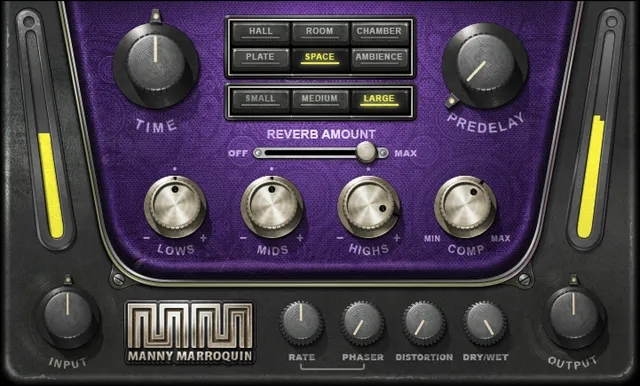
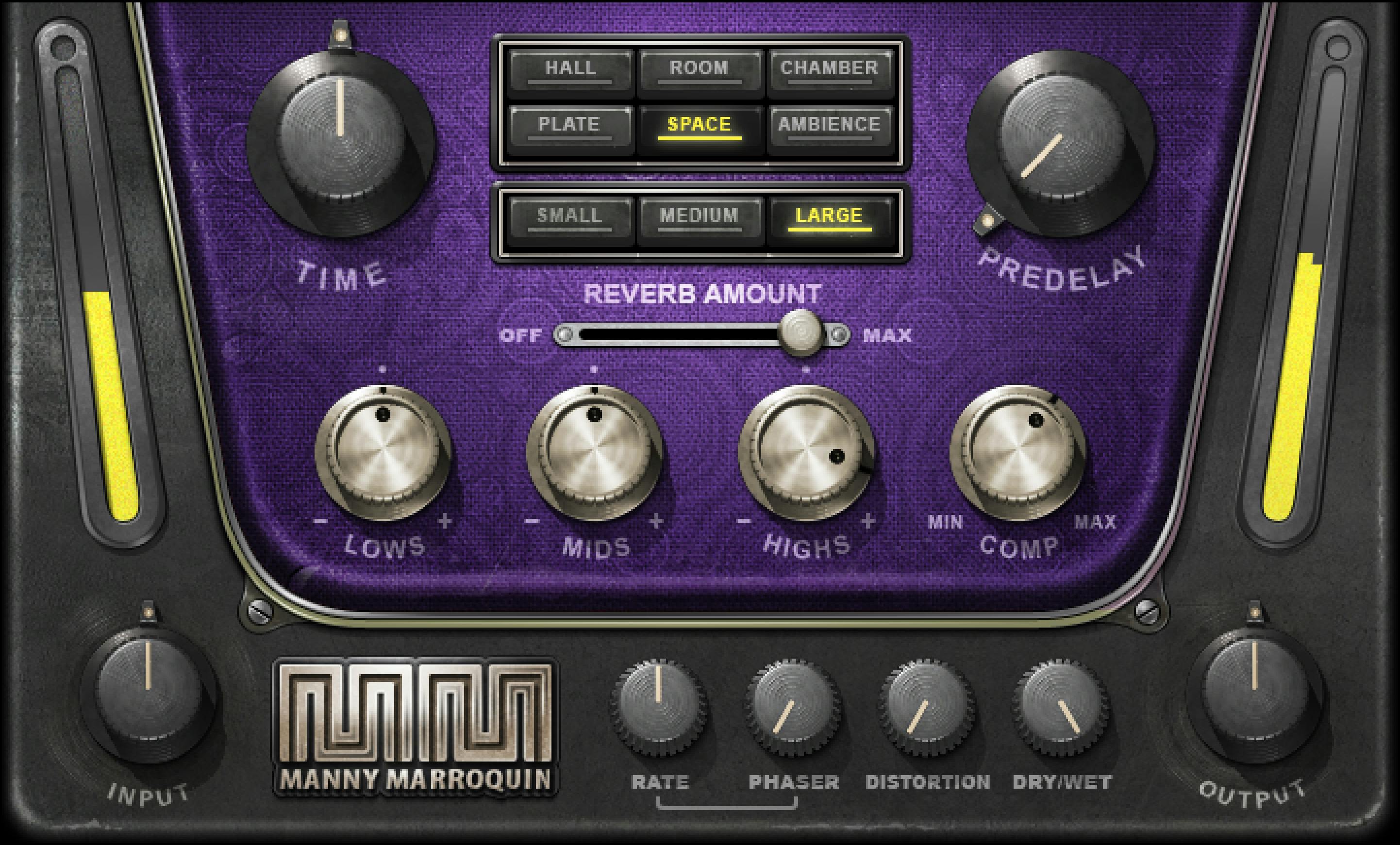
The three EQ controls—Lows, Mids and Highs—each range from −50 to +50, but the manual assigns no unit to those numbers. Do not relabel them as dB or dBFS. The guide also does not provide factory defaults for the controls, so artwork positions are not settings evidence.
Types, sizes and time
| Control | Documented options / range | What the guide says |
|---|---|---|
| Type | Hall, Room, Chamber, Plate, Space, Ambience | Six types; Type changes are non-automatable and take about one second. |
| Size | Small, Medium, Large | Three sizes per Type; 18 combinations. Size changes are non-automatable and take about one second. |
| Time | 50–200% | Scales selected reverb RT60; 100% is original time. Resets to 100% when Type or Size changes. Non-automatable; about one second to change. |
| Predelay | 0–500 ms | Delay before reverb begins. Non-automatable; about one second to change. |
The Size choices load different reverbs. The manual distinguishes a Small Room from a Medium Room as different reverbs, not the same space resized. Use Time to scale the selected reverb’s duration.
Treat the Time reset as a documented behavior of this control, not as a global preset or plug-in reset. If you select another Type or Size, check Time again because the manual says it returns to 100%.
Signal flow: direct, reverb and effect paths
The manual’s signal-flow diagram shows the input with a direct route to the final sum. A processed branch passes through Reverb, then the grouped EQ + Comp section, then Phaser. The Phaser output then splits: one branch joins the output sum directly, while another passes through Distortion and joins that same sum. The original input also has its direct route to the sum. Distortion is therefore not shown merely as a final serial stage after the whole reverb chain.
This matters when interpreting controls. Lowering Reverb Amount to 0 removes reverb, but it does not switch off EQ, compression, Phaser or Distortion. It is a reverb-level control, not a master bypass. The separate Dry/Wet control spans direct-only to processed-only according to the manual, so do not treat Reverb Amount as its substitute.
EQ and compression
The Lows control is a shelf-like band around 60 Hz; Mids is a wide bell around 2 kHz; Highs is a wide shelf around 8 kHz. Each is adjustable from −50 to +50. The guide does not name a unit for these values. Preserve that unitless range rather than interpreting it as dB or dBFS.
Comp ranges from 0 to 100, with 0 described as no compression and 100 as maximum. It is on the reverb path. Waves describes it as helping set the reverb’s dynamic placement with slow attack and fast release. No default is stated; that description should not be expanded into an undocumented threshold, ratio or timing control.
Phaser, Distortion and blend
Rate is the Phaser rate, documented at 0.00–20 Hz. Phaser and Distortion level controls each range from 0 to 100. The flow diagram shows the Phaser on the reverb-processing route and Distortion on a branch that joins the output sum. The manual does not state defaults for these controls.
Dry/Wet ranges from 0 to 100: 0 is direct only and 100 is processed only. The manual says to use this control when the plug-in is used as an insert rather than as a send/return. That note applies to the Dry/Wet control; it is not a general routing mandate or a tested host recommendation. Output ranges from −18 to +18 dB; Input ranges from −18 to +18 dB. Neither has a stated default.
The interface illustration includes input and output meters, but the checked guide does not establish their calibration, a numeric range, a reset procedure or a tested runtime reading. The pictured meter state is not a default or measurement.
Components and WaveSystem toolbar
The current product page lists Mono, Stereo and Mono-to-Stereo components. The manual explicitly describes two components, Mono and Stereo, but does not explain the routing of a third Mono-to-Stereo component. Keep those statements scoped to their sources instead of filling the gap with guessed channel behavior.
The WaveSystem toolbar provides preset save/load, setting comparison, undo/redo, interface resizing and access to the WaveSystem Guide. These are common window utilities, not reverb processing controls. The manual does not document a global reset button or meter-reset behavior for this plug-in.
A conservative way to approach the controls
- Choose Type and Size, then set Time; changing Type or Size returns Time to 100% according to the manual.
- Set Predelay separately from Time: one delays the start of reverb, while the other scales the selected RT60.
- Adjust Reverb Amount with the routing in mind. At 0, the reverb is removed but the other documented processing remains; it is not the plug-in’s global bypass.
- Shape the reverb path with Lows, Mids, Highs and Comp, then use Phaser or the parallel Distortion path as the task requires. Keep the EQ values unitless because the manual supplies no unit.
- Set Dry/Wet for the direct/processed balance and use Input/Output for level around the effect. Check the result in your own session; this is an interpretation of documented functions, not a tested preset or mix recipe.
Who it may suit—and when to look elsewhere
The documented layout may suit someone who wants selectable reverb types and sizes alongside additional processing paths in one plug-in. If you need published factory defaults for each control, explicit units for the three EQ ranges, or manual instructions for the Mono-to-Stereo component, the checked sources do not resolve those details. Verify current information with Waves rather than inferring it from the interface image.
Related Waves tools
Magma Springs is a different Waves reverb with seven named spring-tank settings; its manual provides a contrast in control layout, not an audio comparison. H-Reverb Hybrid Reverb is described by Waves as an algorithmic FIR reverb and has a separate product guide. The live Waves Audio Post Resources hub is a broader site starting point. These official links help readers compare documented approaches only; no plug-in was auditioned side by side.
Sources
Primary sources checked October 18, 2026. Waves Manny Marroquin Reverb product page, which links the manual; Manny Marroquin Reverb User Guide, nine pages; and the Waves Graphic Library. No plug-in installation, compatibility check, audio processing, listening test or measurement was performed.
FAQ
How many reverbs are included in Manny Marroquin Reverb?
The manual lists six Types—Hall, Room, Chamber, Plate, Space and Ambience—and three Sizes—Small, Medium and Large—for 18 combinations. It does not establish a default selection from the interface illustration.
What does the Time control do, and when does it reset?
Time scales the selected reverb’s RT60 from 50% to 200%; 100% is the original time. The manual says Time resets to 100% when Type or Size changes. Time adjustments take about one second and are non-automatable.
What does Predelay do?
Predelay delays the onset of reverb and ranges from 0 to 500 ms. The manual says changes take about one second and are non-automatable. It is separate from Time, which scales RT60.
Does Reverb Amount at 0 bypass the whole plug-in?
No. At 0, the reverb is removed, but EQ, compression, Phaser and Distortion remain. Reverb Amount is not a global bypass; Dry/Wet is a separate control for direct versus processed signal.
What are the EQ ranges and units?
Lows, Mids and Highs each run from −50 to +50. The manual does not assign units to those values, so they should not be labeled dB or dBFS. Lows is shelf-like around 60 Hz, Mids a wide bell around 2 kHz and Highs a wide shelf around 8 kHz.
How are EQ, compression, Phaser and Distortion routed?
The manual diagram shows Reverb followed by grouped EQ+Comp and Phaser. After Phaser, one branch routes directly to the output sum and another passes through Distortion before reaching the same sum; the original input also has a direct route to the sum. The drawing therefore does not describe one wholly serial chain ending in Distortion.
What do Dry/Wet, Input and Output control?
Dry/Wet is 0–100, with 0 direct-only and 100 processed-only. Input and Output each range from −18 to +18 dB. The guide does not state defaults for these controls.
Does the manual document Mono-to-Stereo?
The current product page lists Mono, Stereo and Mono-to-Stereo components. The manual explicitly describes Mono and Stereo only and does not explain routing for the additional metadata-listed component, so that routing should not be inferred from the manual.

About the Author
Joseph Nilo has been working professionally in all aspects of audio and video production for over twenty years. His day-to-day work finds him working as a video editor, 2D and 3D motion graphics designer, voiceover artist and audio engineer, and colorist for corporate projects and feature films.