
Maserati B72 is a bass-processing plugin with DI and Synth starting treatments. DI is described for electric or acoustic bass; Synth adds a different harmonic and stereo-effects treatment, with its own Insert/Send and effects-path controls.
Its main Output and Synth FX Out are separate controls with different published ranges. They should not be combined into one output specification or filled in from another Maserati plugin.
This guide follows B72's complete 10-page manual and genuine official panel. I have not auditioned it, measured its response or tested an installation.
My Short Version
Choose DI or Synth for the intended treatment. These are Types, not the three channel components.
Use the documented component. The guide recommends mono-to-stereo for the full Synth stereo effect.
Keep the two outputs separate. Main Output is ±12; Synth FX Out is 0–100. Neither scale is assigned a physical unit by the guide.
Insert/Send belongs to Synth. The text does not establish a complete DI send workflow or enumerate every greyed control.
Best for and when to choose something else
Best for: a compact bass-track workflow that combines broad tone shaping with a choice between DI treatment and Synth-style effects.
The manufacturer describes DI in terms of bass roundness and Synth in terms of thickness, spread and harmonic character. Those are intended character descriptions, not listening results from this article.
Choose another tool when: you need exact EQ frequency/Q, a published compressor ratio/time panel, automatic alignment or a fully documented dry/wet routing matrix. B72's guide does not supply those controls or specifications.
The F6 guide covers frequency-specific EQ, while Renaissance Compressor offers a separately controlled dynamics interface. Neither is claimed to reproduce B72's treatment.
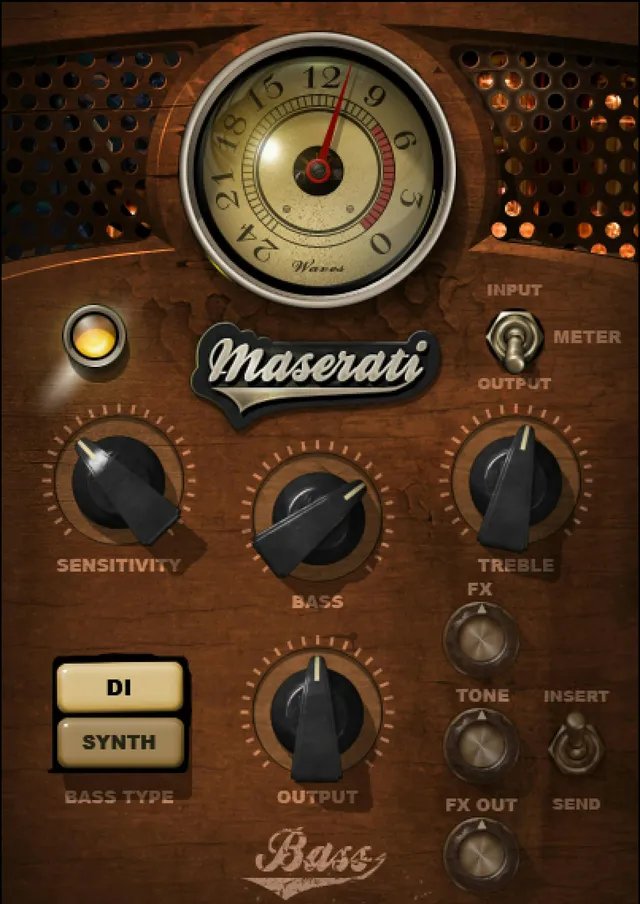
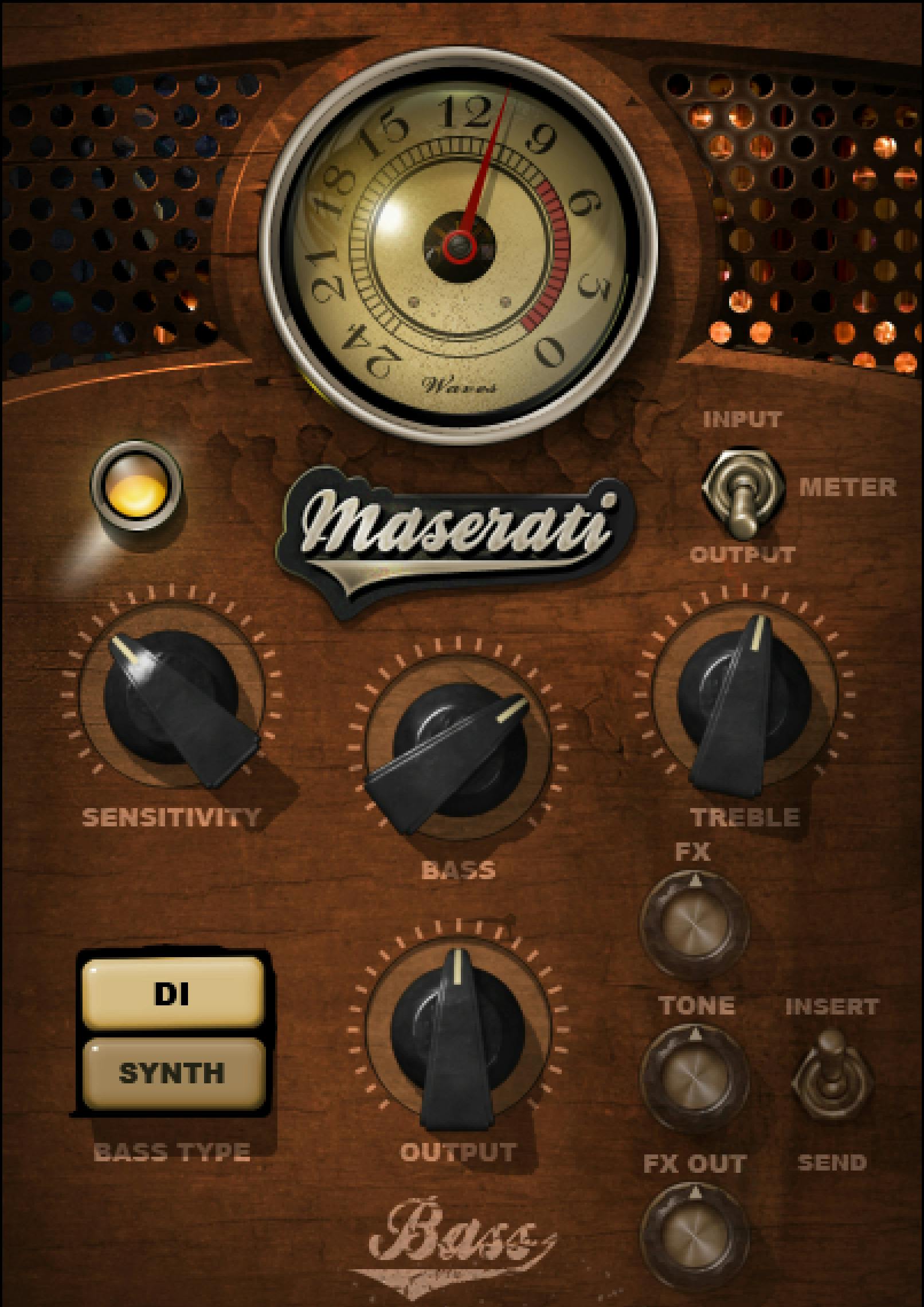
DI, Synth and components
Type selects DI or Synth. The guide does not state a universal initial Type or an all-control-reset rule when Type changes.
It lists three channel components:
- Maserati B72 m>m: mono input to mono output.
- Maserati B72 m>s: mono input to stereo output.
- Maserati B72 stereo: stereo input to stereo output.
The notation m>s means mono to stereo, not Mid/Side.
The quick start recommends m>s for the full stereo effect of Synth. It does not publish a detailed stereo-link law, dual-mono mode or independent left/right parameter set.
The product page advertises 12 DI and 16 Synth presets. That is a manufacturer preset-count claim, not an installed-preset census performed here.
Sensitivity and its LED
Sensitivity controls incoming level over ±50 in 0.1 steps. No physical unit or default value is stated.
The LED uses green: good; yellow: optimal; red: very hot. These are the published qualitative categories, not calibrated digital-overload thresholds.
B72's quick start calls for setting Sensitivity to an appropriate level before adjusting tone and Synth effects. The guide does not supply a numeric input target, an automatic analyzer or exact color-transition boundaries.
The meter's dBFS scale does not give the Sensitivity knob a dB unit.
Bass and Treble
Bass controls low frequencies and Treble controls high frequencies. Each spans ±12 in 0.1 steps.
Neither control has a stated physical unit or default. Their numerical scales are not automatically decibels of EQ gain, and the source does not publish frequencies, Q, slopes or a transfer curve.
These are broad tone decisions rather than a documented surgical EQ. A zero position is not independently established as whole-plugin bypass.
Main Output
Output controls the main outgoing level, over ±12 in 0.1 steps.
This is an explicit B72 specification. Its physical unit and default are not stated, and no limiter or automatic loudness compensation is documented.
The separate Synth FX Out control below is not a second name for this same adjustment.
Synth Insert and Send
Insert/Send is documented for Synth only.
Insert uses the full processing, including compression, EQ and effects. Send uses only the effects section for a send/return configuration.
The guide says some controls become unavailable and greyed in Send, but it does not enumerate the entire disabled set. The precise availability of every control cannot be reconstructed from that sentence alone.
It also says the plugin remains in Send when toggling Types when applicable. That qualification does not establish that DI exposes the same Send switch or the same effects-only path.
The genuine DI image shows the Synth effects controls greyed. It supports the Type distinction, not a new specification for all Send-mode greyed controls.
Synth FX, Tone and FX Out
FX controls the amount sent to the effect, over −infinity to 0 in 0.1 steps. The guide does not print a physical unit or default.
Tone controls the effect's buzziness, over 0–100 in 0.1 steps. It is not documented as an exact oscillator frequency, EQ cutoff or dry/wet percentage.
FX Out controls the output of the effects path, over 0–100 in 0.1 steps, labeled minimum to maximum.
All three are Synth-specific. Their defaults, effects algorithm and exact interaction laws are not supplied.
The useful distinction is effects feed, effects character and effects output, separate from main Output. A detailed internal compressor/EQ/effects signal-flow order is not established.
Meter and toolbar
The Meter switch selects Input or Output. The meter spans −24 to 0 dBFS.
B72's guide does not state a default meter selection, gain-reduction mode, peak-hold timing or click-reset behavior. Similar-looking meters in other signature plugins do not supply those missing facts.
The WaveSystem toolbar supports preset save/load, comparison, undo/redo, resizing and access to its guide from the upper-right icon.
This guide does not document an Analog Noise menu or a universal initial GUI size.
A useful adjustment order
My suggested order follows the quick start: choose the component and DI/Synth treatment, set Sensitivity, adjust Bass/Treble, then work on the Synth-only FX/Tone controls if that Type is selected.
For an effects return, follow the documented Synth Send distinction rather than assuming an equivalent DI mode. Keep the main and effects outputs separate while setting levels.
This is a conceptual workflow, not a tested preset, measured stereo result or an assertion that settings survive a Type change.
The WLM Plus guide covers a separate metering task. Other published guides are in the Waves resources hub; licensing choices are separate.
Sources and documentation limits
Checked October 19, 2026, America/New_York. The official B72 page links the complete 10-page B72 guide, read in full.
Pages 4–5 cover Types/components and quick start; page 6 shows the interface; page 7 defines Type and Sensitivity; page 8 Bass/Treble/main Output; page 9 Synth Insert/Send, FX and Tone; page 10 Synth FX Out, meter and toolbar.
The genuine Graphic Library DI panel and actual Synth-mode reference were inspected. Physical units, most defaults, all-control reset behavior, complete Send-mode greyed-control enumeration and DI Send scope remain unspecified. Other Maserati owners' missing-output disputes are not B72 specifications.
FAQ
What is the difference between DI and Synth?
The guide describes DI as a starting point for electric or acoustic bass and Synth as a different treatment with thickness, stereo spread and harmonic character. These are manufacturer descriptions, not listening findings here. The guide does not state a universal initial Type or an all-control-reset rule.
Which B72 channel components are documented?
B72 provides m>m for mono-in/mono-out, m>s for mono-in/stereo-out and stereo for stereo-in/stereo-out. The guide recommends m>s for the full Synth stereo effect. The m>s notation is not Mid/Side, and no detailed stereo-link law or independent left/right controls are supplied.
What does Sensitivity's scale mean?
It controls input level over plus or minus 50 in 0.1 steps, without a stated physical unit or default. The LED labels green good, yellow optimal and red very hot. Those descriptions do not provide numerical clipping thresholds or turn the Sensitivity scale into dBFS.
Are Bass, Treble and main Output measured in decibels?
Each is specified over plus or minus 12 in 0.1 steps, but the guide does not print a physical unit or default. Bass and Treble control low and high frequencies, while Output controls main outgoing level. Exact EQ frequencies, Q and gain law, or a limiter, are not established.
What does Synth Insert/Send change?
Insert includes compression, EQ and effects; Send includes only the effects section for a send/return setup. The guide identifies this switch as Synth-only and says certain controls grey out in Send without listing all of them. It does not establish the same switch or routing for DI.
Does Send always remain selected after changing Type?
The guide says the plugin remains in Send when toggling Types when applicable. That qualification is retained: it is not proof of universal DI Send availability or a complete mode-persistence rule. No general all-controls-reset or preserve-settings behavior is supplied.
How do FX, Tone and FX Out differ from main Output?
In Synth, FX controls the effects feed from minus infinity to 0 in 0.1 steps; Tone controls buzziness from 0 to 100 in 0.1 steps; FX Out controls effects-path output from 0 to 100 in 0.1 steps. Main Output instead has its own plus or minus 12 scale. Physical units, defaults and exact interaction laws are not stated.
What do the meter and toolbar provide?
The meter selects Input or Output and spans minus 24 to 0 dBFS, without a stated default selection, gain-reduction mode or reset/hold specification. The toolbar offers presets, comparison, undo/redo, resizing and its guide. B72's own manual does not document an Analog Noise menu.

About the Author
Joseph Nilo has been working professionally in all aspects of audio and video production for over twenty years. His day-to-day work finds him working as a video editor, 2D and 3D motion graphics designer, voiceover artist and audio engineer, and colorist for corporate projects and feature films.