
Maserati VX1 has three vocal Contours, with some controls available only in particular Contours and an Insert/Send switch that changes the active processing. Its guide gives ranges for Sensitivity, tone, dynamics, effects and meter display, but no numeric startup defaults or LED thresholds.
This is a guide to Waves’ documentation, not an auditioned review. I have not run the plug-in or processed audio. The manual’s room descriptions are vendor/artist descriptions, not listening results from this article.
My Short Version
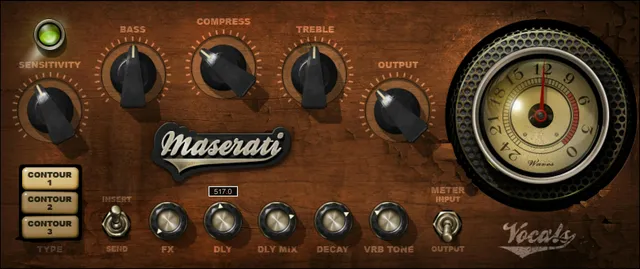
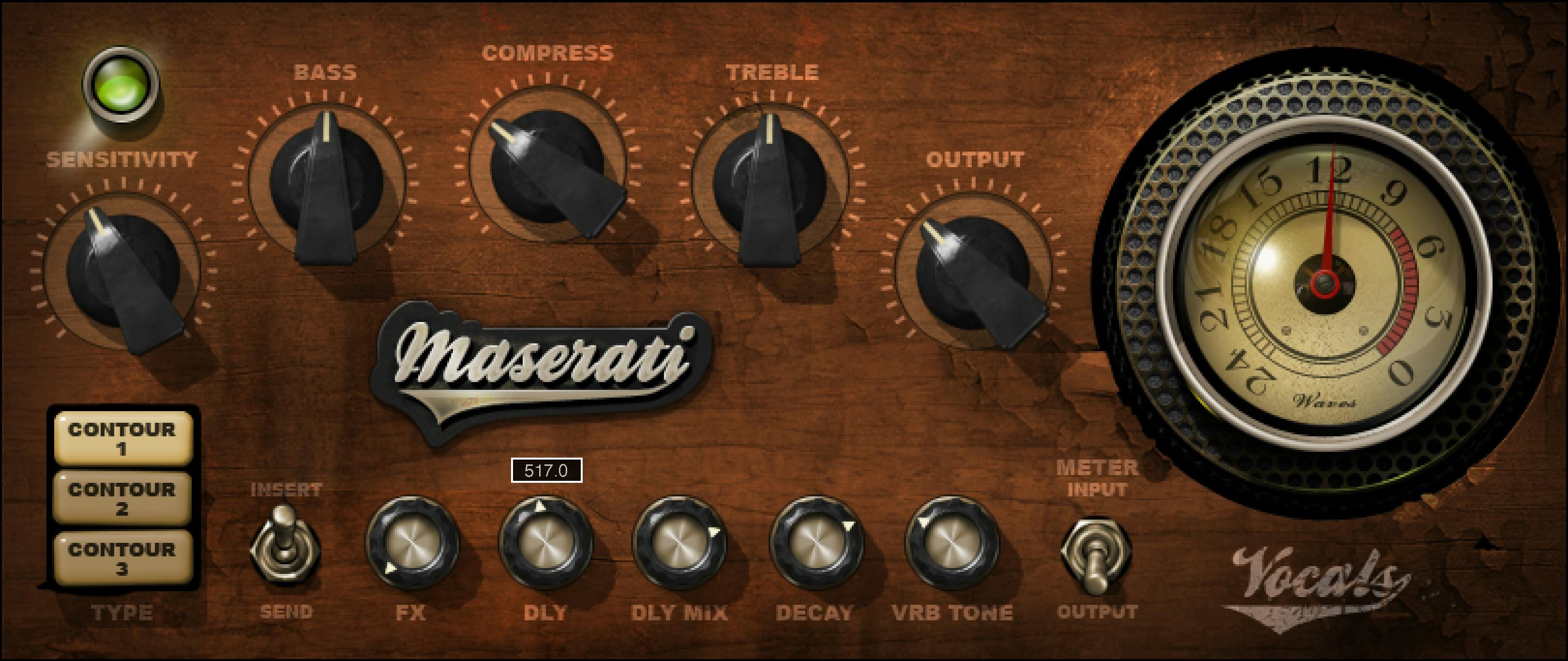
The guide lists m>s (mono-in, stereo-out) and Stereo (stereo-in, stereo-out) components. Choose one of Contour 1, Contour 2 or Contour 3. The Compress control applies only to Contours 1 and 2; Air applies only to Contour 3.
The Insert/Send switch selects the full processing path or the effects-only Send mode. In Send mode, some controls appear unavailable; the manual says the plug-in remains in Send when switching Contours where applicable. Sensitivity’s LED is described with color meanings, but the guide gives no numeric thresholds or calibration.
Components, Contours and Insert/Send
The manual lists Maserati VX1 m>s for mono input to stereo output and Maserati VX1 Stereo for stereo input to stereo output. Its quick-start suggests inserting the plug-in on a vocal track and toggling the three Contours to find a starting point; it does not give a numeric initial Contour or control state.
Type selects Contour 1, Contour 2 or Contour 3. Tony Maserati’s guide text describes Contour 1 as a studio/small-venue room, Contour 2 as a larger chamber with reflective pre-delays, and Contour 3 as a small room with a matching pre-delay for quicker-tempo songs. These descriptions are attributed to the manual and are not tested acoustic behavior.
Insert/Send selects Insert or Send. The manual says Insert uses all processing, including compression, EQ and effects; Send includes only the effects section for a send/return configuration. In Send mode, some controls are grayed out and unavailable. If you change Contour while in Send mode, the plug-in remains in Send when that mode is applicable. The guide does not enumerate the disabled controls for every Contour, so do not turn the conditional behavior into a fixed control list.
Sensitivity, tone and dynamics
Sensitivity controls input level and ranges from ±50 in 0.1 steps; the guide does not print a unit. Its LED indicates “good” (green), “optimal” (yellow) or “very hot” (red), with no threshold or calibration stated. The quick-start says to adjust Sensitivity until the LED indicates proper levels, but the color labels are not a measured or standardized target.
Bass controls low frequencies and Treble controls high frequencies. Each is listed as ±50 in 0.1 steps, without a unit in the manual. Output controls output level and is listed as ±12 in 0.1 steps; the guide does not state a unit or default.
Compress controls the amount of compression and ranges 0–100 in 0.1 steps, marked Min–Max. It is available only for Contours 1 and 2. The guide does not state a numeric default.
Air and effects controls
Air adds “air” to the sound and is available only for Contour 3; its range is 1–6. FX controls the amount of signal sent to the effect and ranges from −inf to 0 in 0.1 steps. The manual does not print units for either range.
DLY controls audible delay time; the guide says higher values mean longer delay and lower values shorter, denser delay. Its range is 100–1000 in increments of 1; no unit is stated. DLY MIX controls audible delay amount and ranges 0–100 in 0.1 steps, marked Min–Max.
Decay controls reverb decay speed and ranges 0–100 in 0.1 steps, marked Min–Max. VRB Tone controls reverb tone and ranges ±12 in 0.1 steps. The guide does not give numeric defaults or units for these values.
Meter and toolbar
Meter displays input or output level, with a printed range from −24 dBFS to 0 dBFS. Meter Switch toggles monitoring between input and output. The guide does not specify meter ballistics, LED thresholds, a calibration procedure or an initial meter choice.
The WaveSystem toolbar saves and loads presets, compares settings, undoes/redoes changes, resizes the plug-in and opens the WaveSystem Guide. The manual does not describe a separate global reset control.
Reading the control conditions
Keep the three Contours distinct when describing their controls: Compress is for 1 and 2, while Air is for 3. Send mode limits processing to the effects section and may gray out controls depending on the chosen Contour. The manual leaves the exact disabled-control map and numeric defaults unstated; do not infer them from the static panel image.
Related Waves guides
The live Waves F6 guide covers a separate dynamic equalizer, while the Renaissance Compressor guide explains dedicated compression. The Waves Audio Post Resources hub gathers current live Waves references. These links are related tools, not comparative listening results.
Sources and documentation limits
Checked October 19, 2026 (America/New_York). The official Maserati VX1 product page links the ten-page Maserati VX1 User Guide, read in full. The manual documents the control ranges and conditional sections summarized above but gives no numeric defaults or sensitivity/meter calibration thresholds. No plug-in, host or audio test was performed.
FAQ
Which Maserati VX1 components are available?
The guide lists m>s (mono input to stereo output) and Stereo (stereo input to stereo output).
What do the three Contours represent?
The guide describes Contour 1 as a studio/small-venue room, Contour 2 as a larger reflective chamber, and Contour 3 as a small room with matching pre-delay for quicker-tempo songs. These are vendor/artist descriptions, not tested results.
How does Insert/Send change processing?
Insert uses all processing; Send uses only the effects section for a send/return configuration. Some controls are unavailable in Send, and the plug-in remains in Send when changing Contours where applicable.
What does the Sensitivity LED mean?
The manual labels green “good,” yellow “optimal” and red “very hot.” It provides no numeric thresholds or calibration, and the labels are not a standardized meter target.
Which Contours use Compress and Air?
Compress is available for Contours 1 and 2; Air is available for Contour 3. Their manual ranges are 0–100 and 1–6 respectively, with no numeric defaults stated.
What are the DLY and DLY MIX ranges?
DLY is listed as 100–1000 in increments of 1; the guide does not specify a unit. DLY MIX is 0–100 in 0.1 steps, marked Min–Max.
What does the meter show?
It displays input or output from −24 dBFS to 0 dBFS, and Meter Switch toggles between those modes. The guide gives no calibration or meter-ballistics details.
Does the manual state default values?
It provides ranges and conditional control availability, but no numeric startup defaults for the controls. The interface artwork is not evidence of runtime values.

About the Author
Joseph Nilo has been working professionally in all aspects of audio and video production for over twenty years. His day-to-day work finds him working as a video editor, 2D and 3D motion graphics designer, voiceover artist and audio engineer, and colorist for corporate projects and feature films.