
Waves OneKnob Louder combines peak limiting, low-level compression and automatic makeup gain behind one processing knob. It is a level-shaping tool, not simply a volume fader with a different appearance.
This guide follows the full current product-linked series manual and genuine official interface artwork. I have not run or auditioned the plug-in; the processing descriptions are documentary rather than measurements or listening judgments.
My Short Version
Use Louder when you want one combined dynamics adjustment rather than separate compressor settings. The trade-off is that the manual does not publish how each knob position changes threshold, ratio, timing or makeup gain.
Keep the processing amount separate from final level management. The family guide warns that output can exceed0 dBFS; a peak-limiting description does not establish a true-peak ceiling or make downstream clipping impossible.
Best for and when to choose something else
Best for: a simple track-insert workflow where the desired task is raising average level through combined dynamics processing.
Choose a different tool when: you need independent attack, release, ratio or threshold controls, a specified loudness target, or a verified delivery ceiling. Those are workflow distinctions, not an auditioned comparison.
The live Renaissance Compressor guide explains a more explicit compressor-control workflow. Louder deliberately does not expose that same control inventory.
The single processing knob
Page 7 describes Louder as using peak limiting and low-level compression with automatic makeup. Rather than only boosting peaks, the stated aim is to raise the track's average/RMS level.
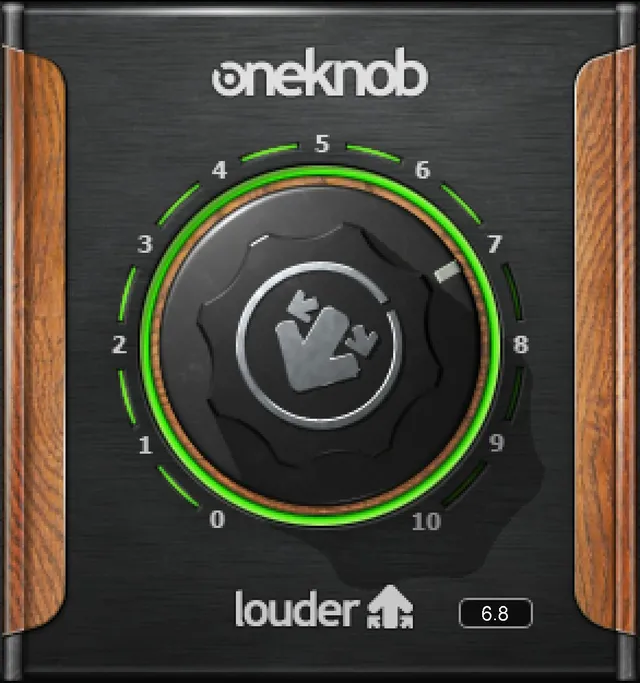
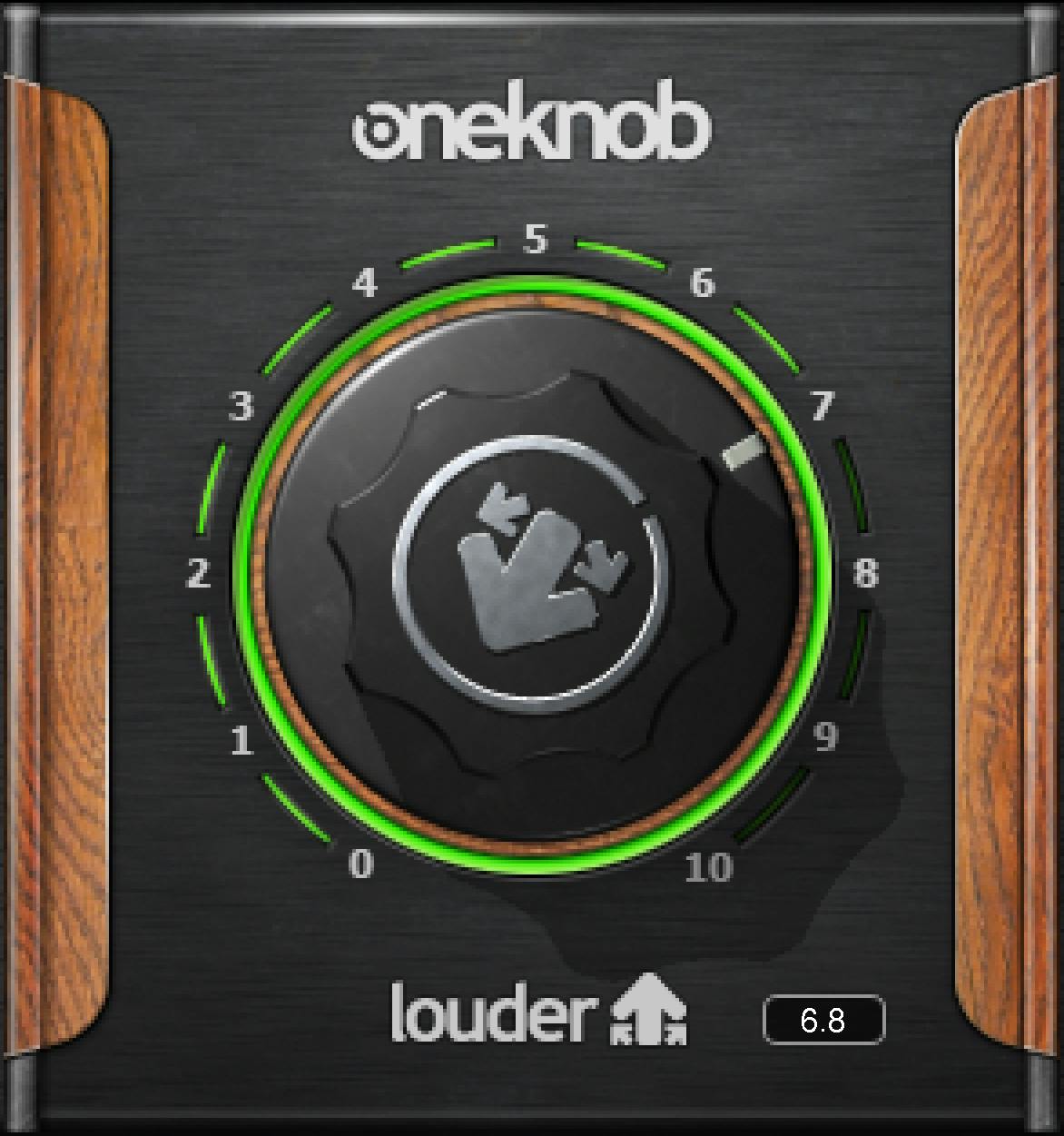
The genuine interface and manual figure show one central knob with 0–10 artwork markings. Those markings identify the pictured scale, but the guide does not publish a formal parameter range, step size, per-position gain law or individual startup/reset value.
The Library original also displays a numeric setting. A static readout is not proof of a default, a dB unit or a particular text-entry gesture. No separate input, output, mix, threshold, ratio, attack or release control is documented for Louder.
Automatic makeup belongs to the described combined process. It is not a separately adjustable knob, and the manual does not specify its compensation algorithm or promise level-matched comparisons.
What the “up to 24 dB” statement means
For a weak-level track, the guide says Louder can increase RMS by up to 24 dB. For a source that is already loud, it describes a more moderate loudness boost.
That is a conditional vendor statement, not a promise that every signal gains24 dB, a knob calibration, a peak-level target or a measured result from this guide. The manual supplies no source test conditions or curve relating the knob to RMS change.
It also does not establish a true-peak mode, oversampling, lookahead, output ceiling or broadcast/streaming loudness compliance. Those functions should not be assumed from the word “limiting.”
Inserts, components and output headroom
The series guide describes these plug-ins as DAW track inserts, not auxiliary send/return effects. It names Mono and Stereo Louder components; no Mono-to-Stereo or Mid/Side mode is documented.
The source does not describe separate left/right settings or a stereo-link algorithm. A Stereo component does not establish additional controls absent from the interface and guide.
Page 4 attributes no internal clipping to native floating-point processing, but also warns that OneKnob output can be above 0 dBFS and clip later at the digital-to-analog converter. It describes trimming with DAW tools such as a fader.
That distinction is important: an internal-processing claim is not an end-to-end safety guarantee. No Louder output meter, clip indicator, peak reset or dedicated trim is documented; downstream host meters and faders are not plug-in controls.
Presets, comparison and toolbar
The WaveSystem toolbar saves and loads presets, compares settings, undoes and redoes changes, resizes the plug-in and opens the WaveSystem Guide from the upper-right icon. The manual figure on page 7 shows its setup-comparison and preset area.
The guide does not give a Louder-specific global reset command or a complete gesture/keyboard-entry reference. Nor does a preset or pictured setting establish a universal startup value.
The family statement that “most” OneKnob plug-ins default to 0 names Filter as an exception without exhaustively identifying the others. It is not specific enough to turn into a documented Louder default or a bit-transparent bypass claim.
A practical conceptual workflow
Start with Louder's role clear: it changes dynamics as well as level. On a track insert, use the single control to explore the combined amount while keeping downstream headroom visible.
For an evaluation, compare processed and unprocessed material at a comparable listening level using appropriate host tools. The plug-in's automatic makeup is not evidence that the comparison is already level-matched.
If you need to change only the attack or release, Louder's documented interface offers no independent adjustment. Move to a processor that exposes the required control rather than inventing a hidden relationship. This is a suggested workflow, not a tested setting recipe.
Related Waves guides
The Renaissance Compressor guide is relevant when individual compression controls matter. The WLM Plus guide covers level metering as a separate task, not a meter built into Louder. The Waves Audio Post Resources hub collects other live control guides.
For the separate licensing topic, see Waves subscription versus perpetual licensing.
Sources and documentation limits
Checked October 19, 2026, America/New_York. The official OneKnob Louder product page links the complete 8-page OneKnob Series guide, read in full. Family operation, components and toolbar are on page 4; Louder's description and interface figure are on page 7.
The guide is shared, not a detailed Louder parameter specification. It does not establish a numeric processing range/default, timing law, ceiling or measured result. The separate Pumper guide does not supply missing Louder controls.
The Waves Graphic Library provides authentic static artwork; its pictured value is not runtime or initial-state evidence.
FAQ
What does Waves OneKnob Louder do?
The manual describes peak limiting and low-level compression with automatic makeup gain. The single processing knob controls that combined effect; it does not provide separate threshold, ratio, attack, release or makeup-gain controls.
Is the Louder knob a 24 dB gain control?
No such scale is documented. The manual says Louder can increase the RMS level of a weak track by up to 24 dB and describes a more moderate boost for an already loud source. That is a conditional vendor claim, not a fixed gain per knob position or a guaranteed result.
Does OneKnob Louder have a documented zero default?
Not specifically. The series guide says most OneKnob products default to zero and names Filter as an exception, but it does not establish Louder's individual startup or reset value. The pictured knob setting is illustrative, not proof of a default.
Can Louder replace a true-peak mastering limiter?
The linked guide does not specify a true-peak ceiling, oversampling, lookahead, loudness target or delivery-standard compliance. Its peak-limiting description is not enough to promise those functions or output safety.
Can Louder still produce an output above 0 dBFS?
The family guide warns that OneKnob plug-ins can output hot signals above 0 dBFS and that clipping can occur downstream at the converter. Its floating-point internal-processing claim is not a guarantee that the entire output chain cannot clip.
Should Louder go on an insert or an aux return?
The series guide describes OneKnob plug-ins as track-insert effects rather than auxiliary send/return processors. It does not document a separate fully wet parallel-return mode for Louder.
Which channel components does Louder offer?
The linked guide explicitly lists Mono and Stereo components. It does not document Mono-to-Stereo or Mid/Side operation for Louder, nor separate left/right dynamics controls.
Can I save and compare Louder settings?
Yes. The guide documents preset saving and loading, comparison, undo and redo, resizing and access to the WaveSystem Guide through the toolbar. It does not provide a Louder-specific global reset procedure or a numeric step-size specification.

About the Author
Joseph Nilo has been working professionally in all aspects of audio and video production for over twenty years. His day-to-day work finds him working as a video editor, 2D and 3D motion graphics designer, voiceover artist and audio engineer, and colorist for corporate projects and feature films.