
Waves OneKnob Phatter is a single-control bass booster built around a manufacturer-described analog-style low-shelf filter. Its documented job is adding bottom, weight and body to a source that feels thin.
That is a broad tonal adjustment, not a promise of new sub-bass content or a precisely specified shelf curve. The linked guide does not give a shelf frequency, gain range or measured response. I have not auditioned, rendered or measured the plug-in for this article.
My Short Version
Phatter makes one decision easy: “Does this part need more low-end weight?” Its central knob replaces a more detailed set of EQ choices, rather than exposing separate frequency, gain and bandwidth controls.
That simplicity is also its limit. If you need to target a narrow resonance or choose an exact shelf frequency, a more detailed EQ is the appropriate interface to investigate. The guide does not describe hidden precision controls inside Phatter.
My practical recommendation is to check the whole arrangement before adding weight to a soloed track. A part that seems thin alone may already leave useful space for the bass or kick. This is editorial mixing advice, not an observation from a Phatter listening test.
What the Phatter knob controls
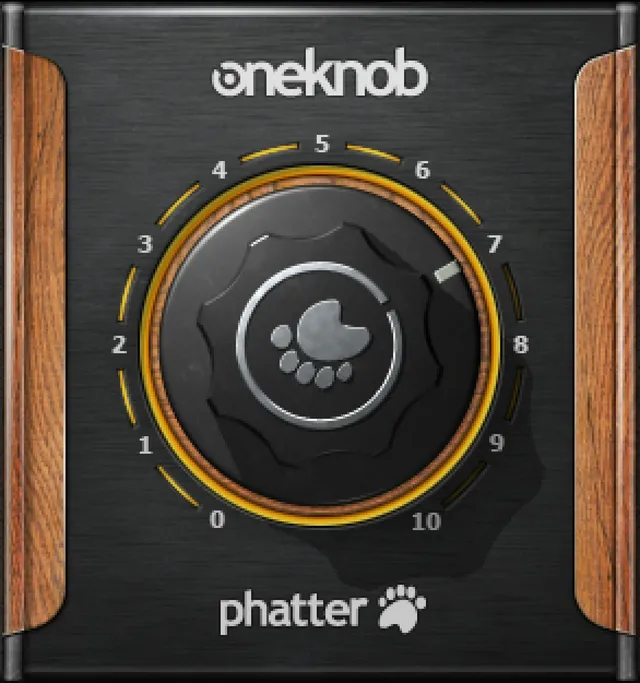
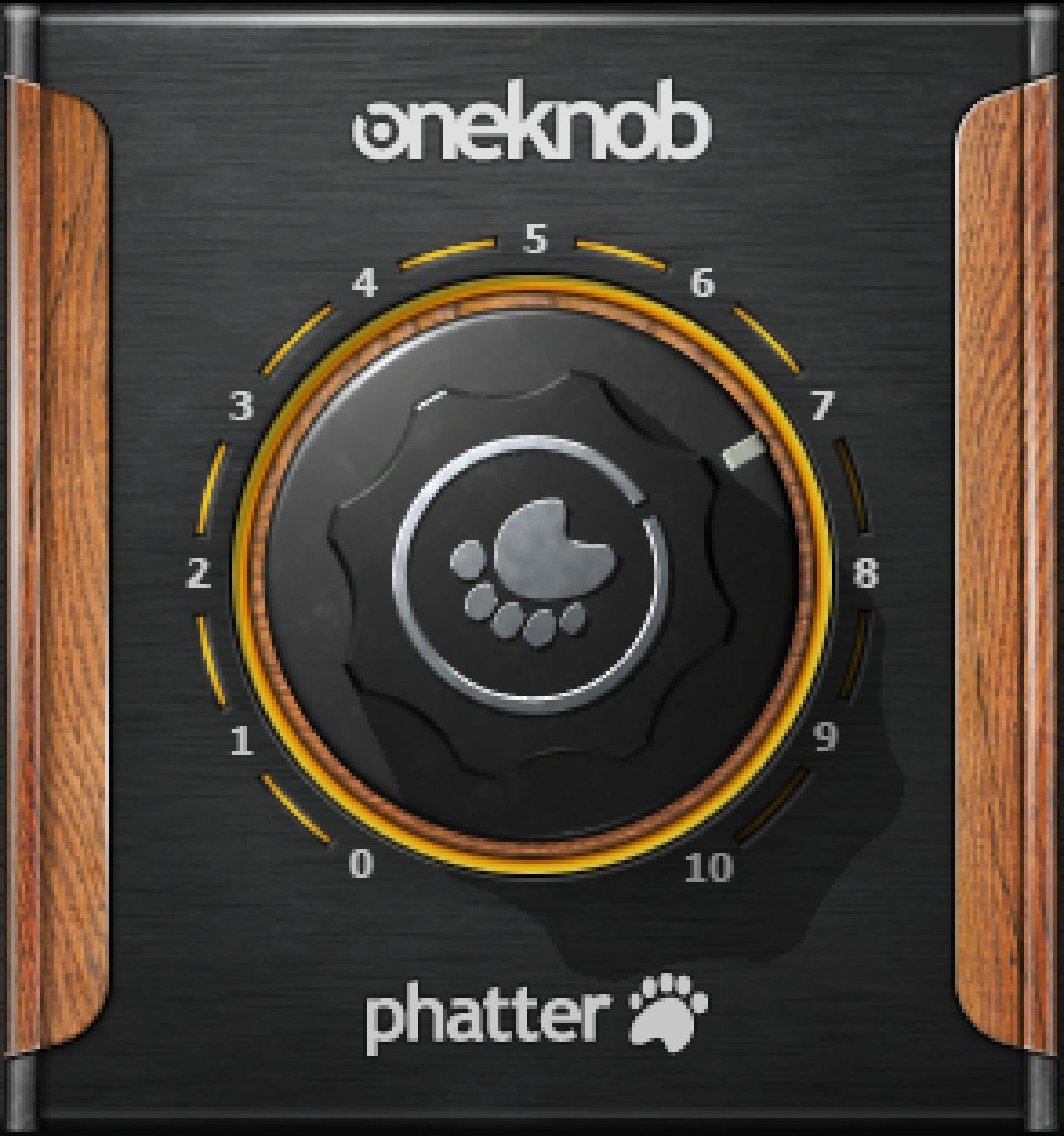
The large processing knob is the central tonal control. Waves calls the process an analog-style low-shelf bass boost and describes its intended effect as added bottom, weight and body.
The guide names instruments, drums and vocals as possible source material. Those are manufacturer examples, not evidence that all of those sources benefit from the same treatment or a particular setting.
Unlike a parametric EQ panel, this guide supplies no separate Frequency, Gain or Q adjustment for Phatter. It also does not document a separate wet/dry control, saturation drive or harmonic-generator section.
Do not turn “analog-style” into a claim that a specific hardware circuit was modeled. The linked description does not identify one, give a saturation topology, or document a measured distortion signature.
The authentic artwork shows a knob and scale markings. It does not supply a calibrated frequency/gain map or establish numerical operating endpoints. The full-size Phatter original used here does not display the numeric readout visible in some other OneKnob artwork; no readout gesture is inferred for this product.
Bass boost is not every kind of bass enhancement
Phatter's documented role is low-shelf tonal shaping. The source does not describe adjustable harmonic synthesis, subharmonic generation or a multi-band dynamics system.
Those distinctions help avoid choosing by product name alone. More body, a narrow-frequency correction and a change in bass perception are different goals, even when all of them are described casually as “more bass.”
For a separate bass-related control map, see RBass explained. For a more detailed EQ interface, see F6 explained. Neither link is a claim that these processors are interchangeable or were compared by listening here.
If the problem is a single unwanted resonance, broad bass emphasis may not be the useful direction. If the balance already works, leaving the track unchanged is a valid choice.
Insert placement and component choices
The OneKnob Series guide specifies DAW track inserts, not auxiliary send/return setups. That is the documented placement guidance rather than a parallel-processing recipe.
Phatter is listed with Mono and Stereo components. The current product-page capture also identifies those configurations. These sources do not establish a separate Mid/Side component, independent channel controls or an additional stereo-link mode.
Keep this product separate from its family neighbors. Filter has a documented Resonance control and Pressure has an input button, but those controls are not assigned to Phatter by the shared guide.
The component inventory is not a fresh compatibility test. Use current official support information for your actual host and computer rather than treating the historical manual as a verified installed-system report.
What is known about defaults and ranges?
The family guide says most OneKnob products have a neutral setting at zero and specifically names Filter as an exception. It does not explicitly establish every product's startup value.
For that reason, this guide does not promise a universal Phatter default. A static knob position is not evidence of an initialized instance, and a pictured scale is not a complete parameter specification.
The linked source also leaves the shelf frequency, gain limits, slope, detailed curve and reset behavior unspecified. Those gaps do not need to be filled with values borrowed from Brighter, another bass tool or a screenshot.
The useful documented fact is narrower: one control governs the manufacturer's described bass-boost treatment. There is no source-supported numeric recipe here for vocals, drums or a full mix.
Toolbar, presets and comparison
The family manual documents WaveSystem toolbar functions for saving and loading presets, comparing settings, undoing and redoing changes, resizing the interface, and opening the WaveSystem Guide from the upper-right icon.
Its Phatter illustration includes the upper setup area with Load, Save and help access. The Library original is a product-panel crop without that toolbar. The crop is not evidence that the documented utilities have been removed or that a particular current version was tested.
Use comparison to answer a focused question: does the added low-end weight help this part in this arrangement? Keep other processing steady while evaluating that change, and account for level differences.
That is a suggested workflow, not a preset evaluation performed here. The linked guide does not provide a Phatter factory-preset table or a source-specific list of settings that this article can verify.
Leave room for the output
The shared guide describes Native floating-point processing and says OneKnob products do not clip internally. Attribute that statement to Waves rather than treating it as an independently tested guarantee.
Its warning is just as important: an output can exceed full scale and clip downstream, including at a digital-to-analog converter. The guide discusses reducing level with a DAW fader or another suitable level control.
Adding low-end emphasis is not a substitute for checking your delivery level. No Phatter true-peak ceiling, calibrated loudness target or separate output limiter is documented in this source.
For the different job of reading loudness, the WLM Plus guide explains a meter's controls. That is a task distinction, not a measurement or product ranking supplied by this article.
A restrained starting approach
First decide whether the source really lacks broad low-end body. Check it alongside the other parts occupying that region rather than deciding from the product name or from a soloed impression alone.
Then evaluate a change without assuming that more weight is always better. If the part becomes less distinct or competes with another source, reconsider the tonal choice rather than searching for a universal correct knob number.
If you need an exact frequency or a narrow correction, choose a control set that documents those parameters. If your goal is simply a broad weight adjustment, Phatter's one-control approach may be worth evaluating on your own material.
The Waves audio-post resources hub organizes further guides by task. The separate subscription versus perpetual guide covers acquisition models; no current pricing or entitlement claim is made here.
Sources and explicit limits
Checked October 19, 2026. The official OneKnob Phatter page links the complete eight-page OneKnob Series User Manual. Page 4 covers family operation, components and toolbar utilities; page 5 supplies Phatter's description and illustrated interface.
This is the shared family guide, not the separate OneKnob Pumper manual. Its historical metadata does not establish current installed-version behavior, a named startup state or host compatibility.
Authentic interface imagery comes from the Waves Graphic Library, with attribution and a relevant product backlink. Static artwork is not a running instance, a frequency-response measurement or proof of default settings. No audio, listening, host or render test was performed for this article.
FAQ
What does Waves OneKnob Phatter do?
The linked guide describes Phatter as a bass booster using an analog-style low-shelf filter to add bottom, weight and body. One large knob controls that treatment. These are manufacturer descriptions of the product's intended role, not a measured response or listening result from this article.
Can I choose Phatter's shelf frequency and gain independently?
Separate Frequency, Gain and Q controls are not documented for Phatter in the linked guide. It provides a single processing knob rather than a detailed EQ panel. The manual also leaves the shelf frequency, gain range, slope and per-position response unspecified, so those values are not invented here.
Is Phatter documented as a harmonic or subharmonic generator?
No such processing section is established by these sources. The manual identifies a low-shelf bass-boost role rather than adjustable harmonic synthesis, subharmonic generation or multi-band dynamics. Products addressing other bass-related tasks should not be treated as identical simply because their goals involve low-end sound.
What is OneKnob Phatter's default setting?
The shared guide says most OneKnob products default to zero and identifies Filter as an exception, but it does not explicitly establish Phatter's universal starting state. The pictured knob position is not initialization evidence. No product-specific numeric reset value or reset gesture is documented here.
Does Phatter have a Mid/Side component?
The guide explicitly lists Mono and Stereo components for Phatter, which the captured product page also identifies. These sources do not establish a separate Mid/Side component, independent left/right controls or an additional stereo-link mode. Component names should not be expanded into unlisted routing features.
Is Phatter meant for an insert or a send?
The OneKnob Series manual specifies DAW track inserts rather than auxiliary send/return setups. That is the documented placement guidance for this product. This guide does not replace it with a parallel-send recipe or suggest that a host-routing test was carried out.
Can Phatter's output clip downstream?
The family guide warns that a OneKnob output can exceed full scale and clip downstream, including at a digital-to-analog converter. Its floating-point discussion is an internal-processing description, not a guarantee for the entire delivery path. No Phatter true-peak ceiling or separate calibrated output limiter is established here.
Was Phatter tested on vocals, drums or bass for this article?
No. The article uses the complete official linked guide, a current product-page capture and authentic Waves artwork. The source names possible material, while the practical mixing suggestions remain editorial guidance. No listening comparison, host test, measured curve or source-specific setting was verified here.

About the Author
Joseph Nilo has been working professionally in all aspects of audio and video production for over twenty years. His day-to-day work finds him working as a video editor, 2D and 3D motion graphics designer, voiceover artist and audio engineer, and colorist for corporate projects and feature films.