
Waves OneKnob Pressure is a simplified dynamics processor with a main compression-character knob and an Input button. The knob moves from light, parallel-style compression toward pumping and squashing; Input helps match the compressor's incoming level.
It is a way to make a broad dynamics choice without setting a full panel of attack, release, ratio and threshold controls. Those detailed values are not published as a user-editable contract.
This guide follows the complete shared OneKnob manual, Pressure's own section and the current official product page. I have not auditioned the plugin or tested an installation.
My Short Version
Treat the large knob as the dynamics decision. Waves describes ten optimized compressor settings, not ten plugin components.
Input is a separate matching control. The product explicitly names pad, unity and boost, but does not publish their exact gain amounts.
Use it as an insert. “Parallel-style” compression does not mean the guide requires an auxiliary return.
Watch the next stage. The shared guide warns that floating-point processing can pass a signal above 0 dBFS even when it does not clip internally.
Best for and when to choose another tool
Best for: a fast broad choice between restrained compression and a more obvious dynamics effect. The guide particularly suggests percussive, dynamic material such as drum buses, while the product also discusses vocals and instruments.
These are source applications and character descriptions, not listening comparisons from this article.
Choose another compressor when: you need an explicit attack time, release time, ratio, threshold, knee or independently specified makeup-gain behavior. Pressure's sources do not expose those as separate controls.
A simple interface is useful only when its level of control fits the task.
Main knob and the ten-settings description
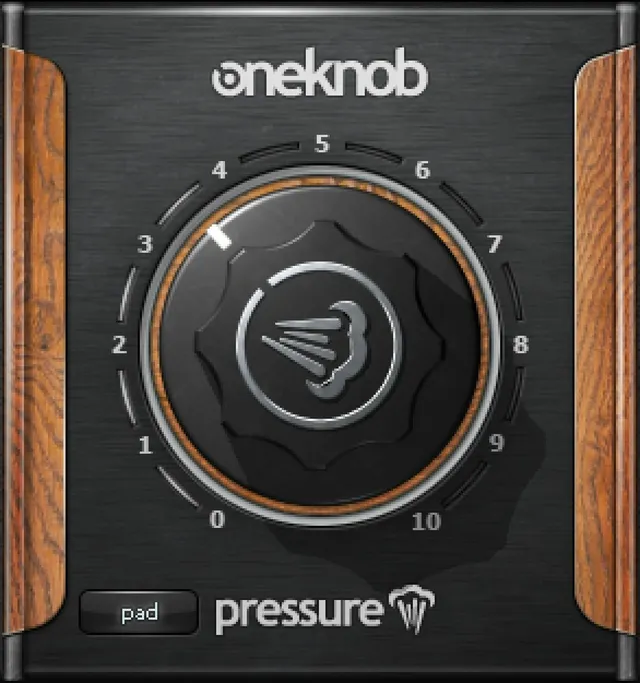
The large knob changes the dynamics treatment. The guide describes a progression from light parallel-style compression to pumping and squashing, with an extreme setting characterized as dirty and explosive.
The current product calls these ten optimized compressor settings, selected with the knob. That statement does not establish ten separately loaded processors or ten channel components.
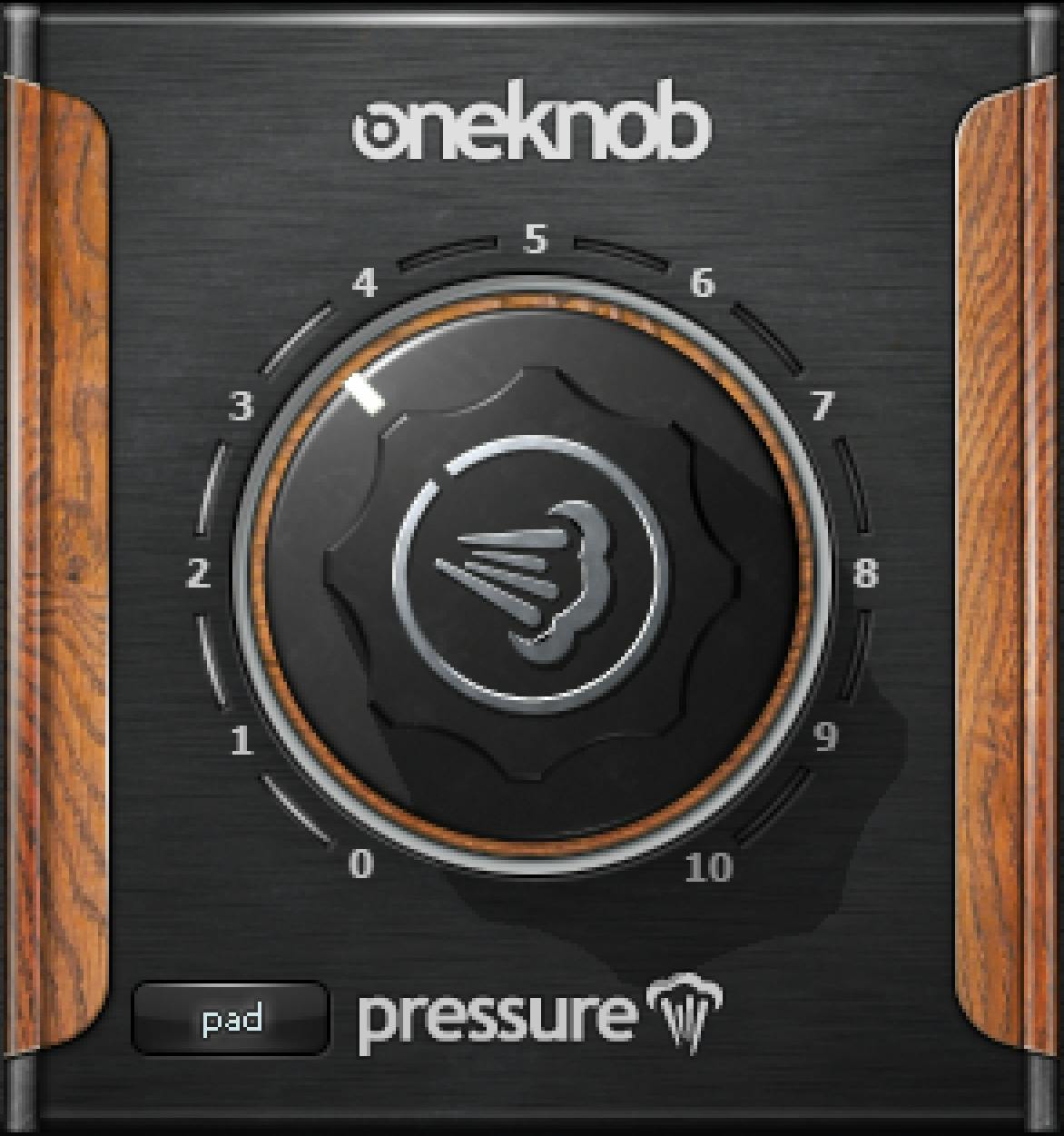
The actual panel has a printed 0–10 scale. Artwork ticks are not a documented detent specification, numeric step size or interpolation law.
There is no supported conversion from a position such as 5 into a particular ratio, threshold or number of decibels of gain reduction. Nor is there a separate attack or release adjustment hidden in the documented panel.
Input: pad, unity and boost
Input matches the signal feeding the compressor. The guide says its button can pad or boost the input; the current product explicitly identifies pad, unity and boost.
The genuine Library image shows the button in a pad state. That is one pictured selection, not proof that pad is the default or the only available state.
The sources do not establish each state's gain amount, the cycling order, an initial state or a keyboard shortcut. Those details should not be supplied from another OneKnob plugin or a conventional hardware pad.
Input matching and the main dynamics choice are related but distinct decisions. The button is not documented as output trim, an independently adjustable threshold or an automatic level analyzer.
Insert use and channel components
The shared guide lists Mono and Stereo components for Pressure.
It does not list mono-to-stereo for this owner. Other OneKnob processors' component choices do not add a configuration to Pressure.
The series is intended for DAW track inserts, not auxiliary send/return setups. The phrase “parallel-style compression” describes the effect's design, not an instruction to create an external parallel return.
No Mid/Side mode, separate left/right compressor controls or stereo-link law is established.
Neutral settings and what is not a default table
The shared guide says most OneKnob plugins default to 0 for a broadly neutral sound, identifying Filter as an exception.
That is the guide's conditional series statement. It is not a Pressure-only table of reset values for the main knob and Input button.
The sources do not establish bit-identical bypass at zero, a default Input state, numeric editing gestures or a reset shortcut. A pictured pointer is an illustration rather than a verified startup state.
Pressure's own controls should also stay separate from Louder's automatic makeup/RMS description, Filter's resonance button or the independently documented Pumper workflow.
Headroom and downstream level
Internal floating-point headroom is not an output-safety guarantee. The shared manual says the Native processing does not clip internally, but can pass a hot signal above full scale.
It warns that the signal may clip downstream or at a digital-to-analog converter and suggests using DAW level controls to trim it.
That warning does not establish a limiter, true-peak ceiling or automatic loudness target inside Pressure. The Input button's unspecified gain amounts also should not be treated as a substitute for independent output-level monitoring.
The genuine panel has no separately documented gain-reduction meter or output trim. Neither is documented on this interface.
Toolbar and a practical decision order
The WaveSystem toolbar provides preset save/load, settings comparison, undo/redo, resizing and access to its guide through the upper-right icon.
The guide's Pressure figure includes a toolbar; the full Library panel does not show it. That difference is not proof that the utilities were removed.
A useful conceptual workflow is to match the input, choose the broad dynamics treatment, then check the downstream level independently. When comparing presets or knob positions, keep the distinction between stronger processing and a louder result in mind.
This is a suggested order of decisions, not a tested preset or a set of universal values.
Related Waves guides
The RComp guide covers a compressor with separately explained dynamics parameters. That is relevant when Pressure's single-knob approach is too broad for the task.
The WLM Plus guide covers separate level and loudness analysis; Pressure's knob position is not a loudness reading.
Browse the Waves resources hub for other live guides. Subscription versus perpetual licensing is a separate decision from these controls.
Sources and documentation limits
Checked October 19, 2026, America/New_York. The Pressure product page links the complete eight-page OneKnob-series guide, read in full.
Shared page 4 covers insert use, headroom, components and toolbar. Pressure's own section 2.4 and figure are on page 7. Actual pages 4 and 7 and the genuine Graphic Library original were inspected.
The current product supplies the ten-settings and pad/unity/boost descriptions. Exact Input gain amounts, detents, detailed compressor laws, Pressure-only defaults and undocumented editing gestures are not filled in from artwork or other series members.
FAQ
What does OneKnob Pressure do?
Pressure is a simplified dynamics processor whose main knob moves from light parallel-style compression toward pumping and squashing. Its Input button helps match the signal feeding the compressor. The guide's sound descriptions are vendor characterizations, not listening results from this article.
Does the knob select ten separate compressors?
The current product describes ten optimized compressor settings selected with the knob. That does not establish ten plugin components, exact detents or a particular interpolation method. The printed 0 to 10 scale also does not provide ratios, thresholds or gain-reduction values for individual positions.
What does the Input button change?
It matches the level entering the compressor. The guide describes padding or boosting, and the current product explicitly names pad, unity and boost. Exact gain amounts, cycling order and default state are not supplied. The pictured pad selection is an example, not proof of a startup default or output-trim function.
Should Pressure go on an insert or an auxiliary return?
The shared guide says OneKnob processors are intended for DAW track inserts, not auxiliary send/return setups. Its description of Pressure as parallel-style compression is an effect characterization, not a requirement to build an external parallel return or a documented global wet/dry control.
Which Pressure channel components are documented?
The shared guide and current product metadata support Mono and Stereo. Pressure is not listed with a mono-to-stereo component. Another OneKnob processor's component list does not establish that configuration here, and the sources do not describe a Mid/Side mode or separate stereo-link controls.
Is zero a verified bypass or Pressure-only default?
The shared manual says most OneKnob processors default to 0 for a broadly neutral sound, with Filter identified as an exception. That conditional series statement is not a Pressure-only reset table. It does not prove bit-identical bypass, a default Input selection or a reset/editing shortcut.
Can Pressure still overload the next stage?
The shared guide says Native floating-point processing can pass levels above 0 dBFS even when it does not clip internally. Downstream stages or the converter can still overload. This is not a limiter or true-peak guarantee, and the unspecified Input pad/boost amounts are not an independent output-metering contract.
Can I set attack, release, ratio and threshold separately?
Those are not documented as independent Pressure controls. The main knob chooses the broad dynamics treatment, while Input matches the incoming level. The sources do not provide a closed-form mapping from knob positions to those compressor parameters, so exact values should not be invented or borrowed from another plugin.

About the Author
Joseph Nilo has been working professionally in all aspects of audio and video production for over twenty years. His day-to-day work finds him working as a video editor, 2D and 3D motion graphics designer, voiceover artist and audio engineer, and colorist for corporate projects and feature films.