
Waves OneKnob Pumper creates rhythmic gain reduction with an internal low-frequency oscillator (LFO). Its repeating modulation can produce the “pumping” effect often made by sending a bass drum to a compressor’s sidechain. Pumper uses a synchronized internal trigger, so the manual says you do not need to route a bass drum into that sidechain to create the effect.
The controls are deliberately spare: one main knob, a Rate menu for the LFO interval and an Offset menu for its start phase. Rate chooses when the pattern repeats; Offset shifts where in that cycle it begins. The linked guide documents an Offset range of −180° to +180°, but it does not specify a numeric range or default for the main knob, enumerate Rate choices, or state defaults for these controls.
My Short Version
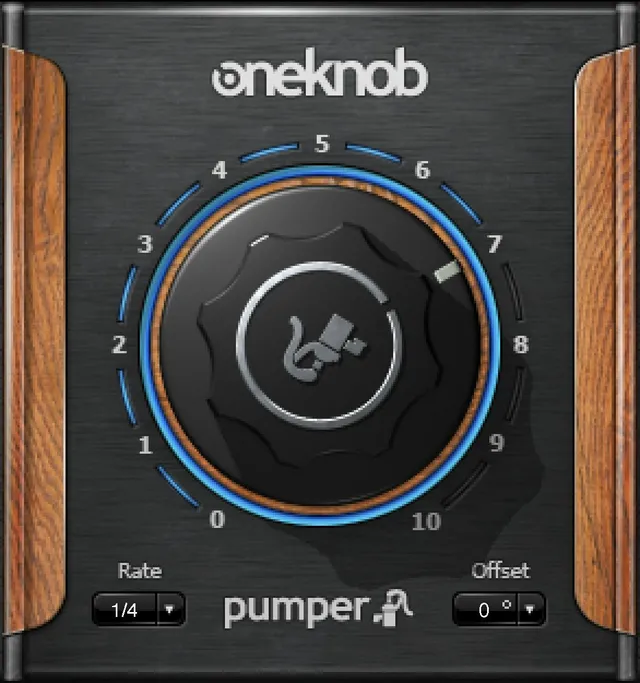
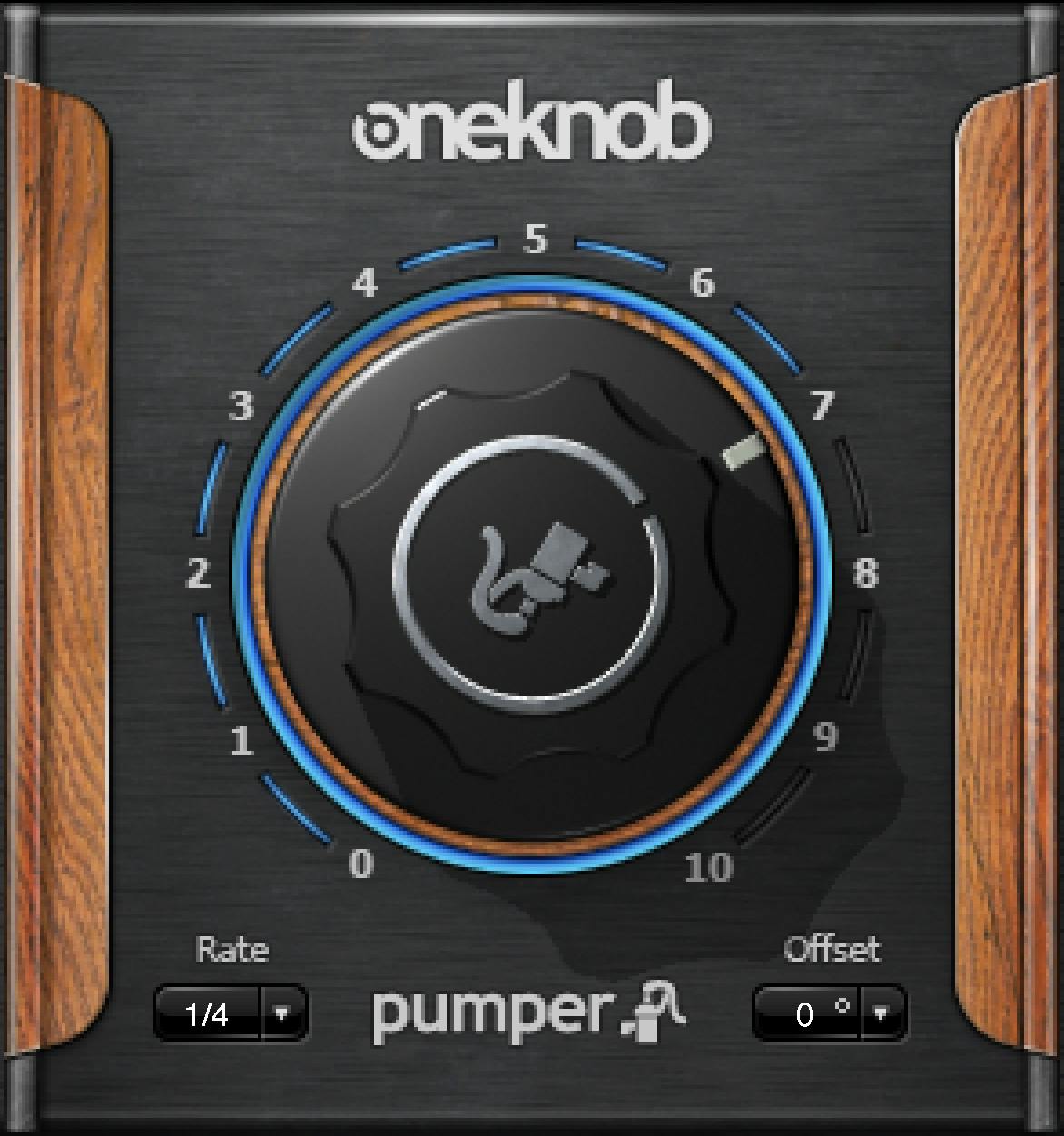
Use Pumper when you want a repeating, synchronized gain-reduction pattern without manually feeding a kick drum into a compressor sidechain. The Pumper guide describes the OneKnob series as using one knob to control more or less of the named effect. It does not give Pumper's main knob a numeric range or factory default. Its screenshot shows numbered marks from 0 to 10, but that illustration does not establish a documented control range or default.
Choose a Rate interval to synchronize the internal LFO. Waves says the menu offers various intervals, beyond the usual quarter-bar interval, and notes that faster intervals can create rapid-gating effects. The document does not list every Rate choice or identify a default. Then use Offset to set the LFO’s start phase from −180° to +180°. The screenshot shows Rate 1/4 and Offset 0° as example interface values, not verified defaults.
Pumper’s Mono and Stereo components are listed on the current product page and in the Pumper guide. The documentation describes an internal LFO rather than an external sidechain input. It does not establish current host compatibility, an exact installed version, or audio results for any knob, rate or offset setting.
What Pumper does
The Waves OneKnob Pumper product page identifies the product and lists Mono and Stereo components and versions V17 through V9. The product-linked guide describes Pumper as a gain-reduction processor modulated by an internal LFO. Its stated purpose is to create pumping that is commonly achieved by triggering a compressor from a bass drum on a mix bus or channel.
The difference is the trigger source. With a conventional external sidechain workflow, the compressor’s detector responds to another audio signal, such as a kick. Pumper’s guide instead describes a synchronized, automatic internal LFO. It says this avoids manually routing the bass drum into a compressor sidechain. The Pumper manual does not document an external sidechain input or a control for choosing one.
The Rate menu can synchronize that LFO at various intervals. Waves calls the usual quarter-bar interval one option among more possibilities and suggests faster intervals for creative rapid gating. This describes rhythmic modulation; it does not mean Pumper detects or follows the transients of an external kick.
The main knob
The Pumper guide identifies a single central knob in the interface and explains the product’s gain-reduction effect, but it does not provide a dedicated label for the knob or state its numeric range, units, or default. The broader OneKnob guide says the series’ single control adjusts more or less of the effect suggested by each product name. Applied as series context, the main knob is the direct way to increase or reduce Pumper’s effect; that convention does not supply a Pumper-specific value map.
The official interface image shows scale markings from 0 to 10 and a pointer position. Those pictured marks and the pointer are illustrative artwork. They do not establish the documented parameter range, factory default, or a mapping from a knob value to a gain-reduction amount. Do not turn the screenshot’s position into a setup recommendation.
Rate
Rate sets the internal LFO’s synchronized interval. The guide says there are various intervals, not only the usual quarter-bar interval, and points to rapid gating as one possible use for faster intervals. It does not enumerate the menu choices, provide a numeric rate range in hertz, or identify a default.
The manual illustration displays 1/4 in the Rate menu. That is one pictured state, not evidence that 1/4 is the factory default or the only available option. The source also does not specify a free-running rate control, tempo-detection behavior, swing, or a numerical modulation curve. Keep Rate described as a synchronized interval selector.
Offset
Offset sets the LFO’s start phase. The documented range is −180 to +180 degrees. The guide does not state an Offset default or further explain the direction of the phase shift in musical terms.
The product image shows 0°, but the guide does not identify that pictured value as a default. Use Offset as the documented phase control and judge its timing in the host; do not infer a preferred phase or exact transient alignment from the illustration.
Mono and Stereo components
Waves lists Mono and Stereo components for OneKnob Pumper. The guide identifies both but does not document different knob behavior, Rate choices, Offset range or defaults between them. Choose the component that fits the channel format and routing available in the host; the current product page’s version list is not proof of which version is installed.
A cautious workflow
- Insert Pumper on the track or mix-bus path you want to shape. The Pumper guide describes the series as designed for track inserts rather than auxiliary send/return setups.
- Choose the Mono or Stereo component that matches the signal path.
- Select a Rate interval for the rhythmic modulation. The Pumper guide says multiple synchronized intervals are available but does not publish the full menu list.
- Adjust the main knob for more or less of the effect, following the shared series convention. Do not rely on a numeric knob value as a documented amount of gain reduction.
- Adjust Offset within −180° to +180° if you want to change where the LFO cycle begins. Compare the result in the musical passage; the manual does not specify a universal phase setting.
- Check the host’s signal path and level meters. The Pumper guide does not document a Pumper-specific output meter, gain-reduction readout, peak reset, or clipping safeguard.
The manual describes the controls and intended effect; this sequence is practical guidance, not an audition or a tested preset recipe.
Presets and WaveSystem controls
The Pumper guide documents these toolbar functions: the Waves icon opens the plugin About box; Setup A/B switches between two settings for comparison; Load recalls presets; Save saves presets in Waves file formats; and ? opens the plugin’s PDF manual. The guide describes factory presets as permanent and not overwritable/deletable, user presets as overwritable/deletable, and setup files as files that can contain multiple presets. Presets may differ by component.
The guide also details loading and saving preset/setup files. Load can expose an open preset file, the loaded setup file’s presets, Factory Presets and User Presets when available. Save options include creating a new setup file and named preset, overwriting a loaded preset, saving a new preset into the open setup, or adding a named user preset to the preset menu. A Command-click (Mac) or Control-click (PC) hold on Load opens a delete action for user presets and presets inside setup files, followed by confirmation; Factory Presets and Setup Library files cannot be deleted or overwritten. Preset names cannot include characters such as ! @ # % ^ per the guide.
Setup A/B keeps the two compared settings separate; a changed preset receives an asterisk in its name. The manual notes that the OneKnob toolbar is scaled down and comments that 32 Undo/Redo levels may be excessive, but it does not clearly state whether Pumper’s toolbar has Undo/Redo. Do not promise that capability. The toolbar and preset controls are administrative functions, not additional pumping parameters.
Host preferences are not Pumper controls
The Pumper guide includes a Waves Preferences (Pro Tools Only) section. It describes holding Shift while launching Pro Tools to access preferences including Don't use AudioSuite plugins, Don't use RTAS plugins, Rescan all plugins, HUI control surface support (low resolution) and Enable single-click text entry. These are host/plugin-management preferences, not Pumper processing controls; they do not define its LFO or signal path.
When to use another approach
Pumper is suited to a repeating, internally synchronized gain-reduction effect. Consider a compressor with an external sidechain when you need the gain reduction to respond to the actual timing and level of another audio signal. Use another tool when you need a published numerical modulation range, a complete Rate-option list, or a specified knob-to-gain-reduction mapping; the Pumper guide does not provide those details.
For a different OneKnob dynamics processor, see the official OneKnob Pressure page; for a filter effect rather than rhythmic gain reduction, see OneKnob Filter. These are distinct product references, not tested alternatives or claims of feature equivalence.
The Waves Renaissance Compressor guide explains a different dynamics-control approach, while the Waves Audio Post Resources hub connects the wider workflow guides. A repeating LFO pattern and signal-dependent compression serve different decisions.
Sources and source limits
Primary sources checked October 18, 2026.
- Waves OneKnob Pumper product page, for product identity, versions V17–V9, Mono/Stereo components and the product-linked manual.
- Waves OneKnob Pumper User Guide, 11 pages. PDF metadata title “Waves OneKnob Pumper User Guide,” author Waves Audio Ltd.; created November 6, 2014 and modified October 16, 2020. Product overview, eight-product series context and general insert/default conventions (pp. 3–4); Pumper interface, LFO, Rate and Offset (p. 5); toolbar and preset handling (pp. 6–8); interface-control conventions (pp. 9–10); Pro Tools-only Waves Preferences (p. 11). The guide has no mapping to the version list on the current product page.
- Waves OneKnob Series User Manual, 8 pages; supplemental toolbar context only. It lists seven products and omits Pumper, while the Pumper-specific guide identifies an eight-product series including Pumper. Use the product-linked Pumper guide for Pumper-specific behavior.
- Waves Graphic Library OneKnob Pumper image, official interface-reference artwork. The original returned as a 137,479-byte, 1,172 × 1,251 progressive JPEG/JFIF (
image/jpeg) despite its.pngsuffix; SHA-256e013d5986c1ef77ca38eec2250fdc3090c35304bdf65ccbe290d42830db536ed.

The manual is a 2014/2020 document without a product-version mapping. Its Rate, Offset and knob screenshot values are illustrative, not verified defaults. Rate options are not enumerated; the knob’s numerical range/default and Offset default are not specified. No current installed interface, host compatibility, audio behavior, meters, peak resets, or Undo/Redo availability was verified.
FAQ
What does Waves OneKnob Pumper do?
The Pumper guide describes it as a gain-reduction processor modulated by an internal LFO. It creates a synchronized pumping effect similar to a compressor triggered by a bass drum, without requiring that manual sidechain routing.
Does OneKnob Pumper use an external sidechain?
The product-specific guide describes an internal LFO and says its automatic synchronized trigger avoids manually routing a bass drum to a compressor sidechain. It does not document an external sidechain input.
What does the main OneKnob Pumper control change?
The Pumper guide says the OneKnob series control gives more or less of the named effect. It does not document a numeric knob range, units, default, or a value-to-gain-reduction mapping.
What is the Rate control for?
Rate synchronizes the internal LFO to an interval. The manual says the menu offers various intervals beyond the usual quarter-bar option and notes that faster intervals can create rapid gating, but it does not list every choice or state a default.
What does Offset do on OneKnob Pumper?
Offset sets the start phase of the LFO from −180° to +180°. The guide does not state an Offset default; the screenshot’s 0° value is illustrative, not verified as the factory setting.
Does the Pumper screenshot show the default knob and Rate settings?
No. It shows a knob scale marked 0–10, Rate 1/4 and Offset 0°, but the manual does not identify those pictured values as defaults or document a numeric knob range.
Are there Mono and Stereo versions of Pumper?
Yes. Waves lists Mono and Stereo components. The guide does not document different control ranges, defaults or behavior between them.
What is the difference between the Pumper guide and the OneKnob Series manual?
The current product page links an 11-page Pumper-specific guide that identifies Pumper as one of eight series products. The separate 8-page shared-series manual lists seven products and omits Pumper, so it is supplemental series context rather than the complete Pumper guide.

About the Author
Joseph Nilo has been working professionally in all aspects of audio and video production for over twenty years. His day-to-day work finds him working as a video editor, 2D and 3D motion graphics designer, voiceover artist and audio engineer, and colorist for corporate projects and feature films.