
Waves OneKnob Wetter puts spatial ambience behind one processing knob. The manual describes a range of characters from short, bright ambiences to longer, darker spaces, without exposing individual reverb parameters.
This guide follows the full current product-linked series manual and genuine official interface artwork. I have not run or auditioned Wetter; the descriptions are source-based, not listening tests or verified current startup behavior.
My Short Version
Wetter is a simplified ambience choice, not a conventional multi-control reverb panel. The useful question is which overall setting suits the source, rather than which published decay time or room size a number represents.
Treat it as the track-insert effect described by the series guide. Do not assume the knob is a linear dry/wet control, that its endpoint is a fully wet aux-return setting, or that a pictured position establishes a default.
Best for and when to choose something else
Best for: an insert workflow where you want one overall ambience adjustment without selecting independent decay, predelay, damping and room parameters.
Choose a different tool when: you need specified timing, independent tone/mix controls, or a documented send/return setup. Those are editorial workflow distinctions, not an auditioned judgment about the sound.
The one-knob design reduces the controls you need to manage, but also limits the relationships the guide lets you specify numerically.
What the ambience knob changes
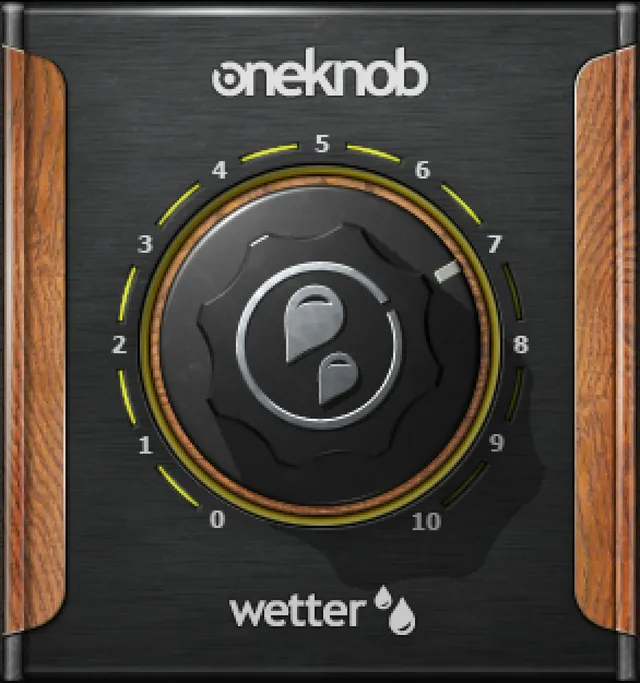
Page 8 describes spatial ambience and says that different points on the scale are optimized for different source material. It characterizes the span as short, bright ambiences through longer, darker spaces.
That description does not supply a complete function for every position. It does not establish that turning the knob changes only ambience amount, only decay time, or only brightness.
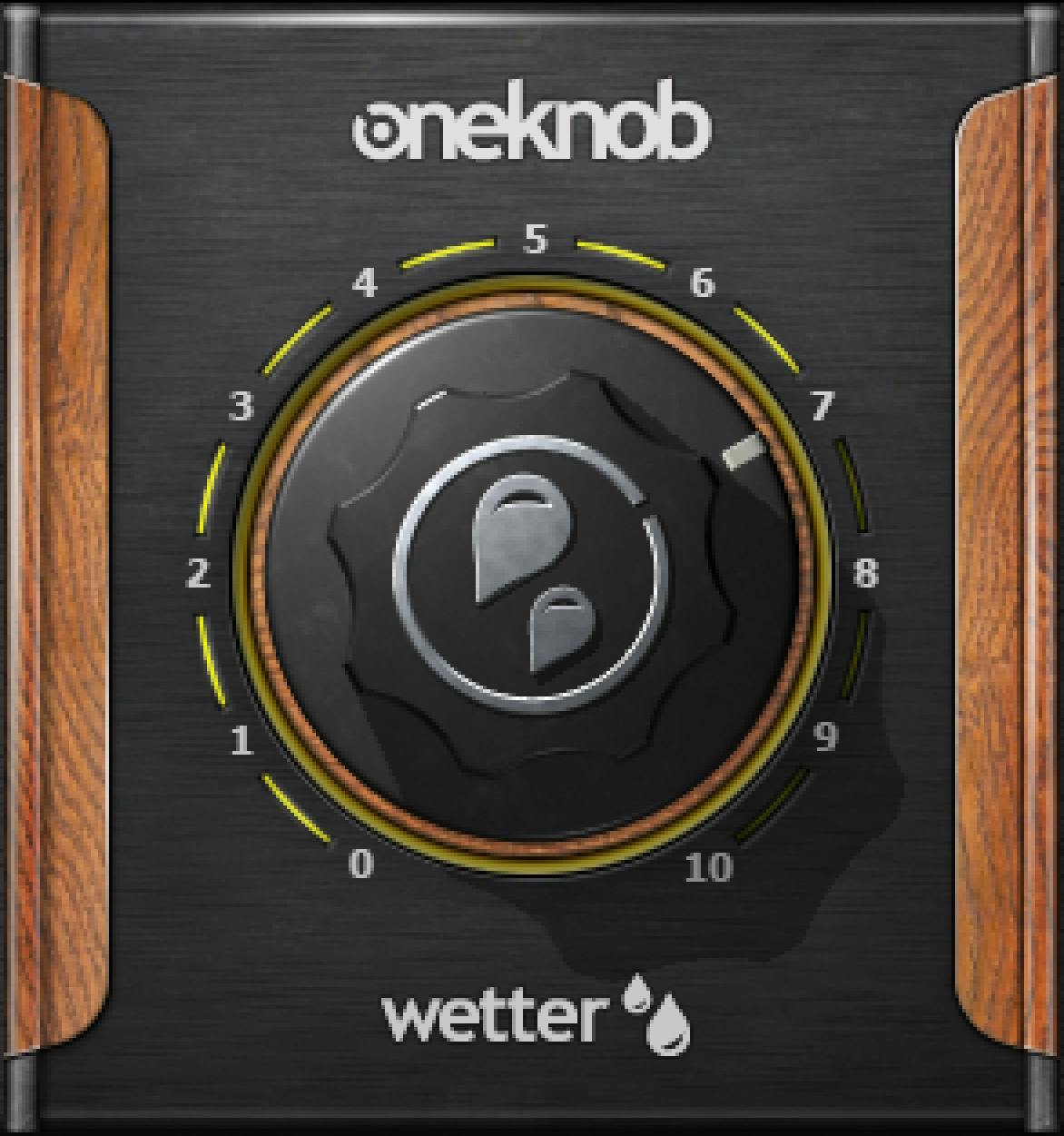
The manual figure and authentic Library original show one central processing knob and 0–10 artwork markings. The guide does not separately specify formal numeric bounds, step size, seconds per position, startup/reset value or a numeric-entry gesture.
No numeric readout is visible in the inspected full-size Wetter original. A displayed scale is not evidence of a separate readout or editable field.
The controls Wetter does not separately expose
The linked guide documents no separate Decay, Predelay, Room Size, Damping, EQ, Dry/Wet, Input or Output control for Wetter. Those familiar reverb concepts should not be presented as hidden knobs with known relationships.
In particular, the manual does not call the central knob a calibrated mix control. “Longer” and “darker” are source descriptions of spaces, not labels for independent timing and filter settings.
No algorithm names, convolution/algorithmic architecture, impulse-response loader, exact stereo decorrelation method or frequency-response curves are supplied. The article therefore does not assign Wetter a more specific internal design.
Inserts and channel components
Page 4 describes the OneKnob family as intended for DAW track inserts, not auxiliary send/return setups. That is the documented context; the guide gives no separate fully wet return configuration.
Wetter is explicitly listed with Mono, Stereo and Mono-to-Stereo components. Mono-to-Stereo means a mono input and stereo output, not Mid/Side processing.
The manual does not provide a separate control inventory or full internal routing diagram for each component. It does not establish whether particular settings preserve a specific mono relationship, so no mono-compatibility result is claimed here.
Defaults, levels and what the artwork cannot prove
The series guide says most OneKnob plug-ins default to 0, and specifically describes Filter as an exception. It does not individually establish Wetter's startup or reset value.
Its description of a neutral sound at 0 is a family-level discussion, not proof of a Wetter-specific bit-transparent bypass. Static artwork cannot resolve that missing specification.
The guide attributes no internal clipping to native floating-point processing, but also warns that OneKnob output may exceed 0 dBFS and clip downstream at the converter. It describes trimming level with DAW tools.
No dedicated Wetter meter, clip indicator, peak reset or output trim is documented. The floating-point statement is a vendor claim, not an end-to-end clipping guarantee or a substitute for managing output level.
Toolbar, presets and comparisons
The WaveSystem toolbar saves and loads presets, compares settings, undoes and redoes changes, resizes the plug-in and opens the WaveSystem Guide through the upper-right icon. Wetter's manual figure is on page 8; the written family toolbar description is on page 4.
The guide does not provide a Wetter-specific global reset procedure or detailed keyboard/mouse entry reference. Pumper's separate guide and another OneKnob product's extra controls do not fill those gaps.
A simple conceptual workflow
Begin by deciding whether a single overall ambience choice is enough for the task. In the documented insert context, compare settings while considering the source's role and the space already present in the recording.
Do not translate a knob number into an invented decay time. If you need a precise predelay, a separate fully wet return or independent damping, use a processor that documents those controls.
Keep downstream level management separate from choosing ambience. These are conservative workflow suggestions, not a tested patch or a claim that any setting fits every instrument.
Related Waves guides
The Abbey Road Chambers guide explains a reverb workflow with independently exposed controls. That is a control-layout distinction, not an auditioned comparison. The Waves Audio Post Resources hub collects live guides for other processing tasks.
For the separate licensing topic, see Waves subscription versus perpetual licensing.
Sources and documentation limits
Checked October 19, 2026, America/New_York. The official OneKnob Wetter product page links the complete 8-page OneKnob Series guide, read in full.
Family concepts, component names and toolbar are on page 4; Wetter's description and interface figure are on page 8. The guide supplies no independent numeric range/default or per-position timing/tone/mix map.
The Waves Graphic Library supplies the genuine full-size Wetter original as a named image link. Static artwork is not evidence of current runtime settings or a missing control specification.
FAQ
What does Waves OneKnob Wetter do?
The manual describes Wetter as a spatial-ambience processor. Its single knob spans settings described qualitatively as short, bright ambiences through longer, darker spaces. The guide does not publish a separate decay, room-size, tone or wet/dry control map.
Is Wetter intended for an aux send and return?
The series guide describes OneKnob plug-ins as track-insert effects rather than auxiliary send/return processors. It does not document a dedicated fully wet return mode for Wetter.
Does Wetter offer Mono-to-Stereo processing?
Yes. The manual explicitly lists Mono, Stereo and Mono-to-Stereo components. Mono-to-Stereo describes mono input and stereo output; it is not a Mid/Side mode. The guide does not give a separate detailed algorithm or control map for each component.
Is Wetter's knob a decay-time control?
Not as a published numeric specification. The guide describes different ambience characters at different points but supplies no seconds, milliseconds, room dimensions or per-position equation. The knob should not be labeled as an independent decay-time control.
Does a higher setting simply mean more wet signal?
The manual does not establish that mapping. It describes changes between short, bright ambiences and longer, darker spaces, not a documented linear dry/wet scale. No separate mix control is specified.
What is Wetter's default setting?
No individual numeric startup or reset value is established in the linked guide. It says most OneKnob products default to zero and names Filter as an exception, but does not explicitly resolve Wetter's initial value. Static artwork does not establish it either.
Can Wetter's output clip downstream?
The family guide warns that OneKnob output may exceed 0 dBFS and clip at a downstream converter. Its floating-point no-internal-clipping statement is not a guarantee of safe final output. The guide describes using DAW tools to trim level.
Which preset and comparison functions are documented?
The WaveSystem toolbar supports saving and loading presets, comparing settings, undo and redo, resizing and opening the WaveSystem Guide. The linked series manual does not document a Wetter-specific reset procedure, numeric entry gesture or additional hidden processing controls.

About the Author
Joseph Nilo has been working professionally in all aspects of audio and video production for over twenty years. His day-to-day work finds him working as a video editor, 2D and 3D motion graphics designer, voiceover artist and audio engineer, and colorist for corporate projects and feature films.