
TRACT SPL Meter displays sound pressure level inside the eMotion LV1 mixer or SuperRack host. Its main readout shows current dB SPL, while MAX retains the highest reading. A/C weighting, a user-entered alert threshold and CSV export complete its small control set.
The important distinction is between an acoustic measurement and a digital audio level. The readout depends on the measurement microphone and its preamp gain being calibrated; it is not simply a session meter relabeled in SPL.
This guide follows the complete current six-page manual and official interface. I have not run the plugin, calibrated hardware or measured its accuracy.
My Short Version
Calibrate the microphone/preamp combination first. The guide's procedure uses C-weighting and a 94 dB acoustic calibrator reference.
Read current level and MAX separately. The large number changes with the measurement; MAX holds the highest level since RESET.
Red Above is your entered alert, not a supplied safety standard. The red/blinking state means the reading exceeded that threshold.
CSV is a record, not certification. The guide documents export but does not specify the log's cadence or full data schema.
Best for and when it is not enough
Best for: keeping current SPL, a held maximum and an over-threshold warning visible within the documented Waves live-host environment.
It is also relevant when a show workflow needs an exported measurement record. The current product describes continuous logging, and the manual explains the CSV action.
Choose a different measurement workflow when: the job requires a documented integration period, response speed, tolerance, detailed analysis or independently established compliance specification. The short guide does not establish those capabilities.
This is TRACT SPL Meter, not an explanation of the separate TRACT System Calibration suite.
Calibration: microphone and preamp, not a magic offset
Absolute SPL needs a known acoustic reference. Page 2 says the meter must be matched to the particular measurement microphone and preamp gain.
The guide describes an SPL calibrator as a device producing a precise acoustic tone, typically 94 or 114 dB at 1,000 Hz. Its actual calibration procedure selects 94 dB, not either value interchangeably.
The documented sequence is:
- Select C weighting in TRACT SPL.
- Place the acoustic calibrator over the measurement microphone capsule.
- Set the calibrator to 94 dB.
- Adjust the external microphone preamp gain until the plugin's large readout shows 94.
- Note that preamp-gain setting for that specific microphone.
This is an external hardware-gain procedure. The guide does not identify a plugin calibration-offset knob, automatic microphone recognition or a calibration wizard.
A different microphone requires the procedure to be repeated. The stored note belongs to the specific microphone rather than every microphone on the console.
Following the documented setup is not the same as independently verifying the system's accuracy, certification or suitability for a regulated measurement.
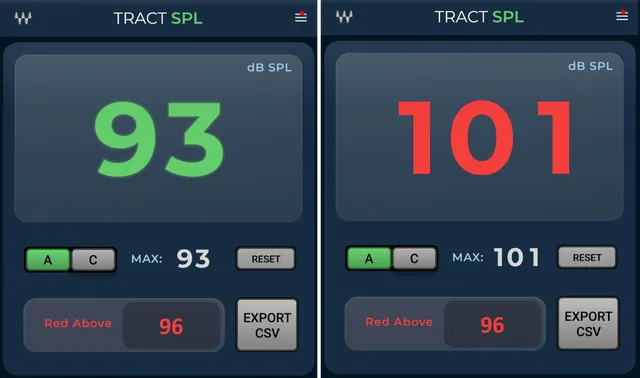
Current dB SPL readout
The large digits show current dB SPL. They are normally green and become red with a blinking warning when the reading exceeds Red Above.
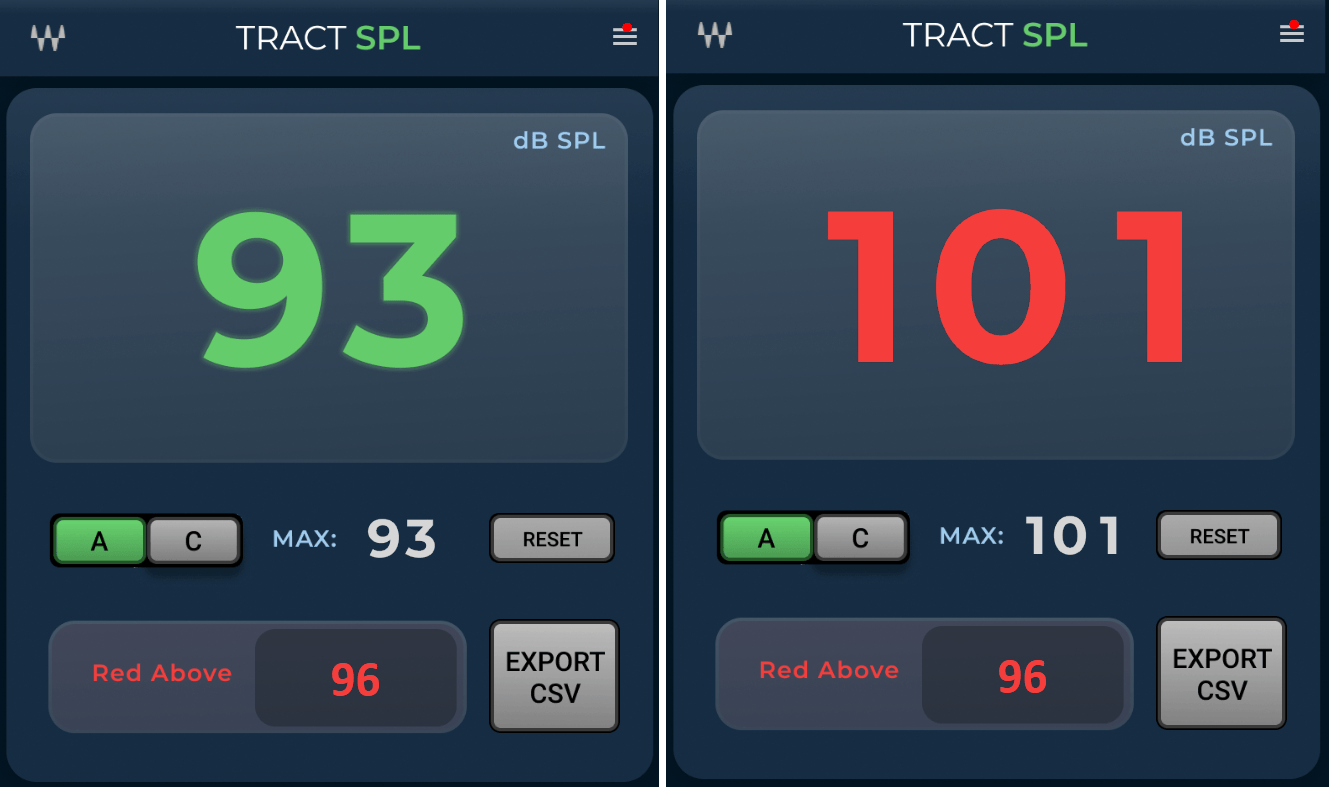
The official original contains two example states: a green 93 and a red 101. These are illustrative measurements, not two components, selectable modes or startup defaults.
The guide does not specify a FAST/SLOW response selector, averaging interval, integration period, measurement tolerance or a universal input-to-SPL conversion independent of calibration.
MAX and RESET
MAX holds the highest reading since the last reset. It answers a different question from the live number: how high the reading has reached during the current measurement.
RESET clears MAX and begins a new measurement. This is useful when the next section of a show should have a separate held maximum.
The documented reset action does not establish deletion of exported files or clearing the entire CSV history. Those are separate operations whose behavior is not detailed in the guide.
A and C weighting
Select A or C to choose the measurement weighting. The selected curve lights green.
The guide describes A-weighting as the common general-monitoring choice and C-weighting as including more low-frequency energy. Its calibration procedure specifically uses C.
Weighting is a measurement choice, not an EQ applied to improve the PA mix. Comparisons and records should identify which weighting was selected.
No initial weighting selection is expressly established. The A selection in the example image is not a documented universal default.
Red Above: editable warning threshold
Click Red Above and type the desired threshold in dB SPL. When current SPL rises above it, the large digits turn red and blink.
The manual illustrates 96 as a threshold and 101 as a reading that triggers the warning. It does not identify 96 as the factory default, an acceptable exposure value or a universal venue limit.
No minimum, maximum, increment or exact equality behavior is documented. The supported description is above the entered threshold, not a guessed greater-than-or-equal implementation.
The alert is informational. The sources do not document an automatic gain reduction, output mute, limiter or PA shutdown triggered by Red Above.
EXPORT CSV and the measurement log
EXPORT CSV saves the measurement log to a CSV file. The product page additionally describes continuous SPL logging for documentation and post-show review.
The sources do not specify a sample interval, start/stop switch, export columns, timestamp time zone, retention length or statistical calculations. MAX and the log therefore should not be described as interchangeable records.
A practical recommendation is to confirm what the actual exported file contains before building an event-reporting workflow around it. No file was exported for this article.
CSV availability alone does not establish a certified compliance report or a guarantee that a particular authority will accept the record.
Host, component and visible menu limits
The guide names eMotion LV1 and SuperRack. The retained current product channel listing identifies a Mono component, while the short guide does not supply a separate formal component-name matrix.
That evidence does not establish a Stereo or Mid/Side variant or a guarantee that it runs in any arbitrary DAW configuration.
A menu icon is visible at the upper right of the actual panel. The six-page guide does not explain its items. Preset comparison, resizing percentages or other WaveSystem functions are not assigned to this menu merely because other Waves products have them.
A practical order for using the controls
My suggested order follows the documented dependencies: establish the microphone / preamp calibration, select the weighting required for the measurement, begin the intended measurement interval with RESET, enter the chosen alert threshold, then monitor current SPL and MAX.
Export the log when a record is needed, and retain the measurement setup alongside it. This is a conceptual workflow based on the guide, not an account of a measured show or an exposure recommendation.
For a different metering task, the WLM Plus guide covers digital-program loudness rather than this microphone-calibrated SPL workflow. The Waves resources hub links other published guides.
Subscription versus perpetual licensing is a separate decision from meter setup.
Sources and documentation limits
Checked October 19, 2026, America/New_York. The official TRACT SPL Meter page links the complete six-page user guide, read in full.
PDF pages 1–2 cover identity and calibration; page 3 covers current reading, MAX/RESET and weighting; page 4 covers Red Above; page 5 covers export; page 6 is the control reference. The genuine Graphic Library original was inspected alongside the calibration/reference figures.
Alert limits/default, response/averaging, detailed CSV behavior and menu contents remain unspecified. The guide's hardware procedure is not an independent accuracy, compliance or exposure assessment.
FAQ
What does TRACT SPL Meter measure?
It displays current sound pressure level in dB SPL inside the documented eMotion LV1 or SuperRack environment. Its reading depends on matching the measurement microphone and preamp gain to a known acoustic reference. It is not a digital session-level meter that can establish absolute SPL without that calibration.
How does the guide calibrate the meter?
Select C-weighting, place an acoustic calibrator over the measurement microphone, set the calibrator to 94 dB and adjust the external microphone preamp gain until the large readout shows 94. Note that gain for that microphone and repeat the procedure for a different microphone. No plugin calibration-offset control is documented.
What is the difference between current SPL and MAX?
The large readout shows current SPL. MAX holds the highest reading since the last reset. RESET clears that held value and starts a new measurement. The guide does not say that RESET deletes the complete logging history or previously exported CSV files.
What do A and C change?
They select the measurement weighting curve, with the selected choice lit green. The guide describes A as a common general-monitoring choice and C as including more low-frequency energy. Its calibration steps use C. No universal initial selection, response speed or averaging interval is established.
Is the pictured Red Above value of 96 a default or safety limit?
No. The guide uses 96 as an example threshold and 101 as an example reading above it. Red Above accepts a typed threshold in dB SPL; exceeding it makes the readout red and blinking. Numeric bounds, step size, initial value and equality behavior are not specified, and the example is not an exposure recommendation.
Does the warning turn down or mute the PA?
The documented action is a red, blinking readout when SPL rises above the entered threshold. The sources do not describe an automatic limiter, level reduction, mute or shutdown. An alert is not a guarantee of safe exposure or compliance.
What does EXPORT CSV include?
The button saves the measurement log, and current product copy describes continuous logging. The guide does not define the sampling cadence, columns, timestamp time zone, retention or statistics. No export was tested for this article, and CSV availability is not proof of certified compliance reporting.
Which components and menu functions are established?
The guide names the Waves live hosts LV1 and SuperRack, and the retained product channel listing identifies Mono. It does not provide a separate detailed component matrix. The upper-right menu is visible, but its items are not explained; undocumented preset, resize or other toolbar functions are not inferred from other plugins.

About the Author
Joseph Nilo has been working professionally in all aspects of audio and video production for over twenty years. His day-to-day work finds him working as a video editor, 2D and 3D motion graphics designer, voiceover artist and audio engineer, and colorist for corporate projects and feature films.