
Waves W43 is a four-band noise-reduction processor with one global Threshold, four Range faders and an Engage switch. It is designed for continuous background noise on dialogue and other post-production material, rather than a panel of freely movable EQ bands.
The most important operating detail is easy to miss: zero faders are not necessarily neutral, and Engage Off is not true bypass. The manual explicitly distinguishes both from the host's bypass.
This guide follows the complete current eight-page manual and official interface. I have not auditioned W43 or measured its performance or latency.
My Short Version
Threshold decides where noise reduction begins. It is shared across all four bands.
The four Range faders decide how much treatment each fixed band receives. They do not move crossover frequencies.
Zero is a starting point, not a transparency promise. The guide says processing still occurs at zero with Engage on.
Use host bypass for an untreated comparison. Engage disables the reduction process but does not remove every effect of the plugin.
Best for and when to choose a different approach
Best for: restrained, band-selective work on continuous ambient noise such as fans, air conditioning, hiss, hum, wind or traffic in a dialogue recording.
Those are intended applications from Waves, not a guarantee that W43 will remove every noise or preserve every recording without audible side effects.
Choose another tool when: the job requires learning a specific noise profile, repairing an isolated click, freely setting band boundaries or directly editing attack and release. These are not controls documented in W43's guide.
The current product describes four dynamic EQ engines that increase attenuation as their bands become quieter. It does not supply their internal detector curves, timing or thresholds beyond the user controls below.
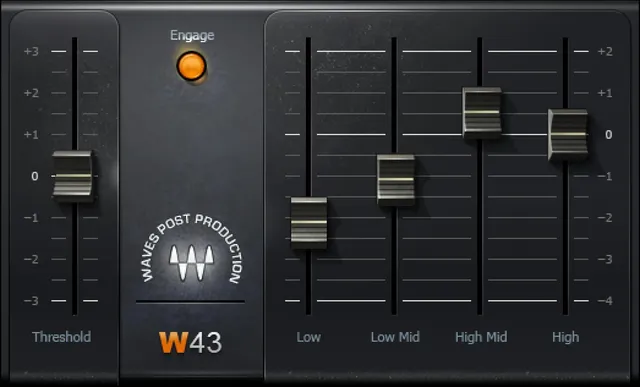
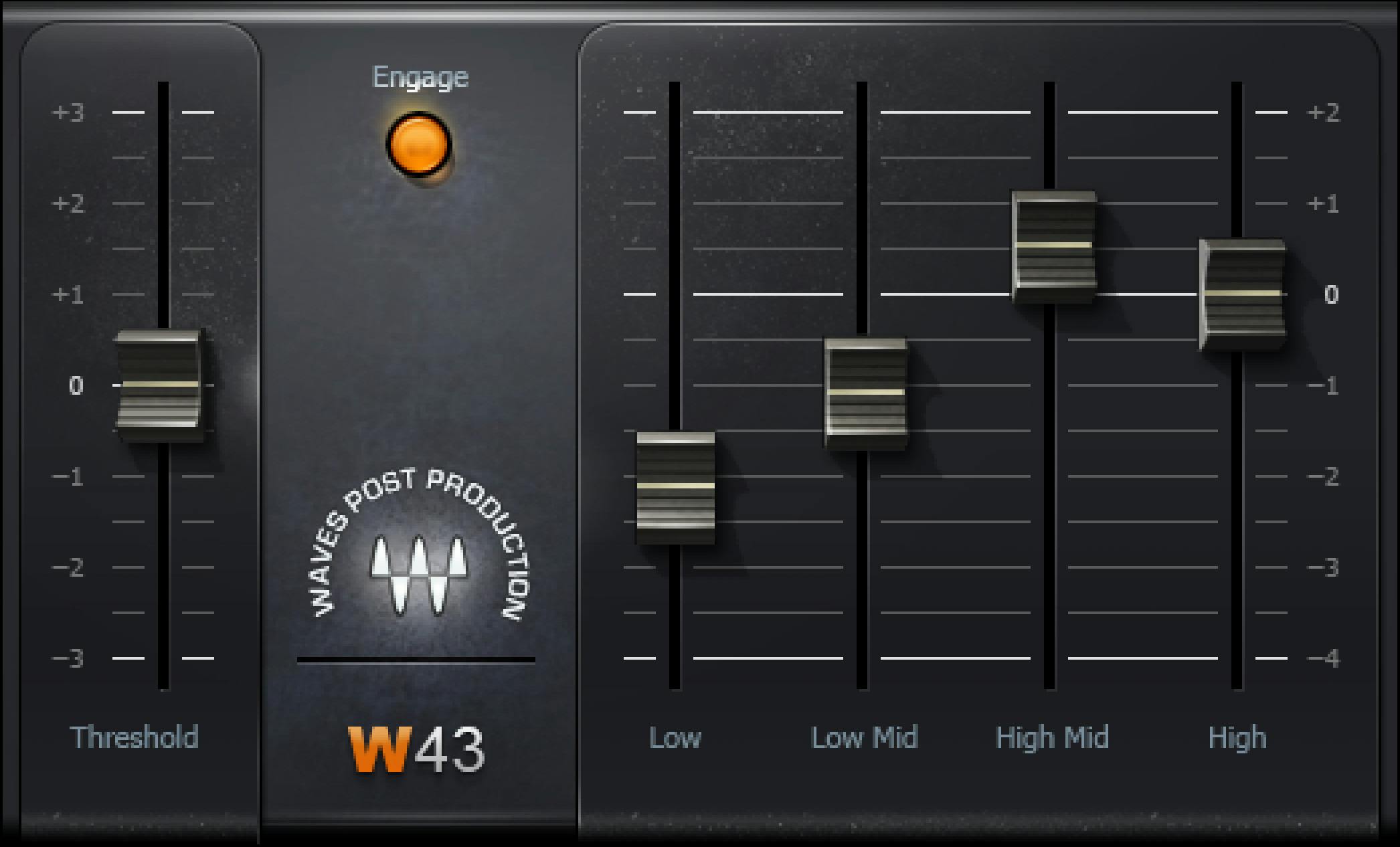
Threshold: a shared onset control
Threshold determines the level at which noise reduction begins across all four bands.
Page 7 gives the displayed range as +3 to −3, with 0 calibrated to −39 dBFS.
The reference calibration is not a license to label every slider position directly in dBFS. The guide does not define an exact endpoint-conversion law or say that the endpoints equal −36 and −42 dBFS.
There is only one documented Threshold fader. The four Range faders are not four independent threshold controls.
No Threshold step size, numeric-entry gesture, reset shortcut or universal initial value is established. The quick-start recommendation to begin at zero is a suggested setup, not a startup-default table.
Four Range faders and their fixed bands
Range determines the amount of noise reduction applied to its band. Each fader has the documented range +2 to −4 dB.
The published band divisions are:
| Fader | Frequency range |
|---|---|
| Low | 30–80 Hz |
| Low Mid | 80 Hz–1 kHz |
| High Mid | 1–3 kHz |
| High | 3–20 kHz |
These boundaries are fixed in the guide. There are no documented crossover handles or band-frequency knobs.
The manual's quick start says to gradually lower the fader for the most relevant noise range until the reduction is sufficient. That is different from immediately lowering all four faders.
For example, a low-frequency issue and a high-frequency hiss issue lead you toward different faders. The exact bands still overlap useful programme content, so the source's intended noise categories are not automatic separation guarantees.
The positive +2 dB end is retained as written. It is not silently converted into an attenuation-only range, nor treated as proof of a simple static boost law.
Exact fader increments, initial values and the dynamic relationship between Threshold and each Range amount are not published.
Engage versus host bypass
Engage enables or disables the noise-reduction process.
Page 8 also says that W43, like the hardware that inspired it, affects audio even when reduction is not engaged. The guide therefore directs the user to host bypass for true bypass.
This means an Engage-off comparison is not the same comparison as removing the plugin's processing from the path.
The source does not quantify the residual effect, describe its exact circuit model or publish a level difference for Engage Off. It also does not establish the switch's universal initial state.
Zero settings and the True Flat preset
The quick-start procedure begins with Threshold and all four bands at 0, then lowers the relevant band fader.
The same page explicitly warns that processing still takes place when all four bands are zero and Engage is on.
A factory preset named True Flat is described as making input and output most resemble one another. That is a relative description, not a bit-identical transparency claim.
Use these distinctions when setting up a comparison: zero positions, True Flat, Engage Off and host bypass are four different states in the documentation.
Neither the quick-start zero positions nor the illustrated faders establish a universal factory startup preset.
Components and placement
The manual lists W43 Mono and W43 Stereo. It does not list a mono-to-stereo generator, surround component, Mid/Side mode or independently editable left/right band controls.
The quick start recommends inserting W43 on a dialogue track, typically before dynamics processors that may increase noise.
That is an external placement recommendation. The guide does not supply a detailed internal EQ/detector signal-flow diagram, separate sidechain selector or a stereo-link law.
A practical implication is to consider later processing as part of the comparison: subsequent dynamics may make remaining noise more noticeable. This article does not prescribe an exact chain for every recording.
Toolbar and missing controls
The documented WaveSystem toolbar handles preset save/load, settings comparison, undo/redo and resizing. Its upper-right icon opens the WaveSystem Guide.
The actual Library panel shows the six processing controls but not a full modern toolbar. The manual's interface illustration includes an older toolbar appearance; that is not evidence of an additional W43 processing mode.
No separate meter, output trim, noise-learning button, attack, release or adjustable band frequency is documented. Generic Waves conventions are not enough to supply missing numeric gestures or reset shortcuts.
A conservative dialogue workflow
My suggested order follows the manual: use the appropriate Mono or Stereo component, place it before any relevant noise-raising dynamics, begin with the stated zero starting positions and lower only the most relevant Range fader.
Revisit Threshold as part of that adjustment rather than treating it as a per-band control. Compare with host bypass, not just Engage Off, before deciding whether the treatment suits the material.
This is a conceptual workflow, not a listening-test result. The product's zero-latency and artifact-free descriptions remain vendor claims rather than measurements from this guide.
For a different task, the F6 guide explains user-configurable dynamic-EQ controls. It is not presented here as an equivalent noise-removal algorithm.
More published material is in the Waves resources hub. Subscription versus perpetual licensing is separate from W43's processing decisions.
Sources and documentation limits
Checked October 19, 2026, America/New_York. The official W43 page links the complete eight-page manual, read in full.
Pages 3–4 cover purpose, Mono/Stereo and toolbar; page 5 covers placement, zero starting positions and True Flat; page 6 shows the interface; page 7 specifies Threshold and all four Range faders; page 8 explains Engage and host bypass.
The genuine Graphic Library original and actual control pages were inspected. Numeric defaults, fader steps, undocumented editing gestures, detailed detector behavior and independent latency/artifact results remain unknown rather than inferred.
FAQ
What does Waves W43 do?
W43 is intended for four-band reduction of continuous ambient noise on dialogue and other post-production recordings. Its controls are one global Threshold, four fixed-band Range faders and Engage. Waves describes dynamic EQ engines and low-artifact operation; this article does not report a listening test or guarantee complete noise removal.
How is Threshold calibrated?
The guide gives a displayed range of plus 3 to minus 3 and says 0 is calibrated to minus 39 dBFS. It does not define an exact conversion for every position or establish endpoint values in dBFS. Threshold sets the reduction onset across all four bands, not a separate threshold per band.
What frequencies do the four faders cover?
Low covers 30 to 80 Hz, Low Mid covers 80 Hz to 1 kHz, High Mid covers 1 to 3 kHz and High covers 3 to 20 kHz. Each Range fader is specified from plus 2 to minus 4 dB. The guide does not provide user-adjustable crossovers, fader steps or a complete detector-response law.
Does lowering a Range fader move its band?
No. It changes the amount of noise reduction for that fixed frequency range. The guide recommends starting at zero and gradually lowering the fader for the most relevant noise range. It does not document movable band boundaries or independent attack, release and threshold controls for each band.
Are zero settings or True Flat guaranteed transparent?
No. The manual says processing still occurs when all four bands are at zero with Engage on. True Flat is a factory preset in which input and output most resemble one another, not a bit-identical bypass guarantee. The zero quick-start condition is not stated as a universal startup preset.
Is Engage Off the same as host bypass?
No. Engage disables the noise-reduction process, but the manual says the plugin still affects audio when it is not engaged. It identifies host bypass as the route to true bypass. The residual effect and the switch's universal initial state are not numerically specified.
Which components and placement are documented?
The manual lists W43 Mono and W43 Stereo. It recommends a dialogue-track insert, typically before dynamics processors that may increase noise. It does not establish a mono-to-stereo generator, surround or Mid/Side mode, internal routing diagram or stereo-link law.
Does W43 include noise learning, output trim or detailed dynamics controls?
Those are not documented controls in the complete guide. The six processing controls are Threshold, four Range faders and Engage. The shared toolbar provides presets, comparison, undo/redo, resizing and access to its guide. No independent meter, learned profile, output gain, attack or release control is supplied by this source.

About the Author
Joseph Nilo has been working professionally in all aspects of audio and video production for over twenty years. His day-to-day work finds him working as a video editor, 2D and 3D motion graphics designer, voiceover artist and audio engineer, and colorist for corporate projects and feature films.