

What is Waves dbx 160?
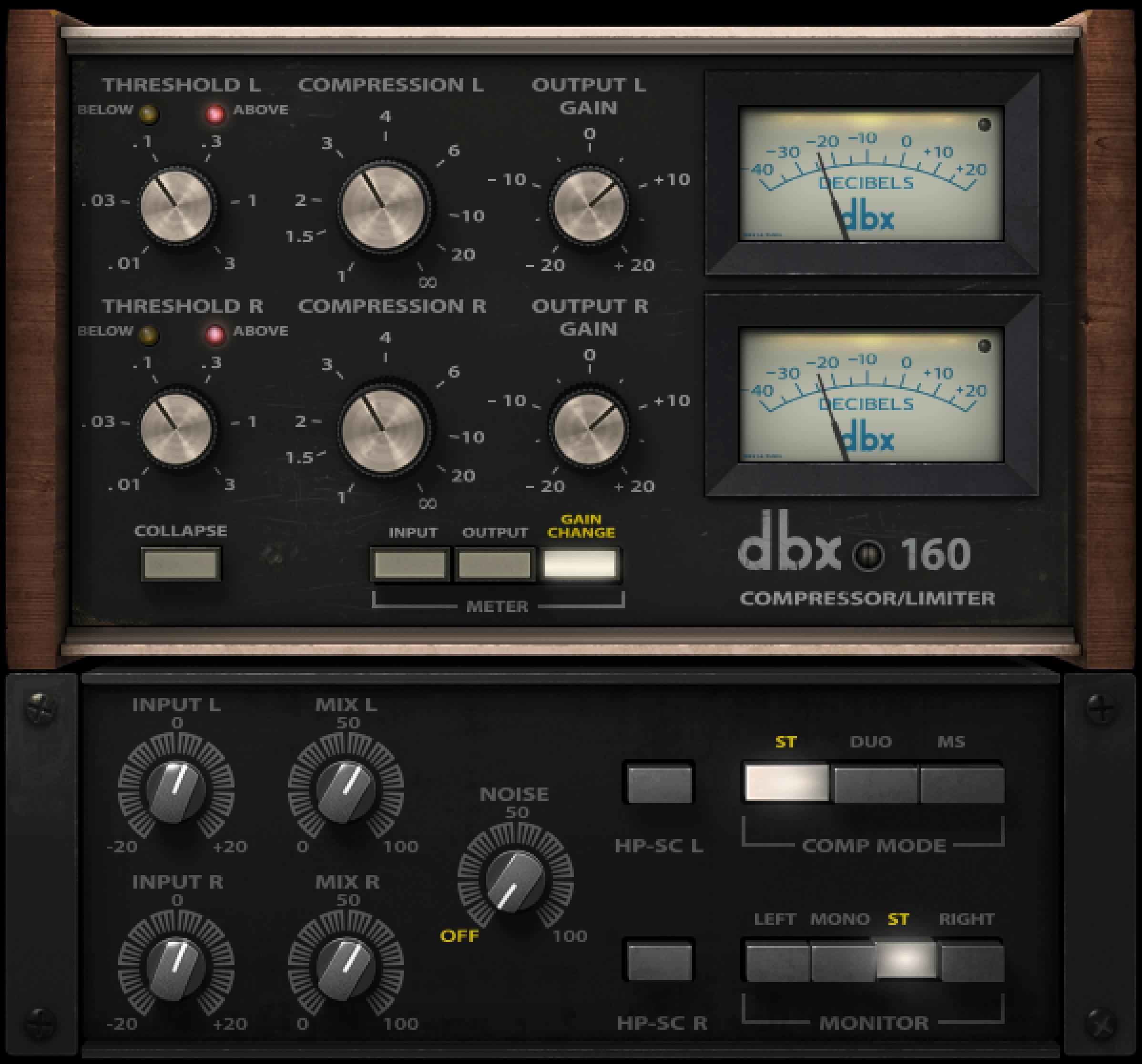

Waves dbx 160 is a compressor and limiter that models a feed-forward VCA design. The Threshold and Compression controls set when and how strongly it reduces gain. On a drum or bass track, the gain-change meter lets you see which hits or notes drive the action.
Set Threshold and Compression
Threshold sets the level reference above which compression takes place. Compression sets the ratio. Start by listening to the loudest notes and turn Threshold until those notes produce useful gain reduction. Increase the ratio only if the shape of the loud notes still needs more control.
Use the meters and match the output
The meter can show input level, output level or gain change. Use gain change to see what the compressor is doing, then check output level. Output Gain brings the processed signal to a comparable listening level. Compare with bypass before deciding that a louder sound is better.
Blend with Mix
Mix controls the balance between the compressed and uncompressed signals. Use it to keep more of the untreated attack when the fully compressed signal feels too restrained. Adjust the balance while listening to the whole track, then check the result through a section with softer playing.
Use the sidechain high-pass when bass dominates
The sidechain high-pass reduces the low-frequency energy reaching the detector. Try it when the lowest notes cause noticeably more gain reduction than the rest. Compare how the compressor reacts with the filter engaged, while listening to the full bass sound in the mix.
A starting workflow for drums
Play a passage with distinct soft and loud hits. Set Threshold so the compressor responds to the hits you want to control. Use the ratio and Mix to decide how much attack to keep. Match the output against bypass and listen again with the rest of the arrangement playing.
Related guides and sources
See Waves Renaissance Compressor for a broader dynamics workflow and Waves CLA-3A for an optical-style comparison.
Sources: Waves dbx 160 product page and dbx 160 User Guide. This guide is based on Waves’ documentation. I did not audition the plug-in. The cover is an AI-generated editorial illustration.
Frequently asked questions
What does Threshold set?
Threshold sets the level reference above which the compressor starts reducing gain.
What does the Compression knob do?
It sets the compression ratio. A larger ratio restrains signals above threshold more strongly.
What does Mix control?
It blends the compressed sound with the uncompressed signal.
Does the sidechain high-pass remove bass from the output?
It filters the signal used by the detector. Its purpose is to change how strongly low-frequency energy drives compression.
Which meter mode shows how much gain is being reduced?
Select Gain Change to see the gain reduction. Switch to Output when checking the resulting output level.

About the Author
Joseph Nilo has been working professionally in all aspects of audio and video production for over twenty years. His day-to-day work finds him working as a video editor, 2D and 3D motion graphics designer, voiceover artist and audio engineer, and colorist for corporate projects and feature films.