
My Short Version
Waves L360 is a peak limiter for five-channel and 5.1 surround. Choose which channels share limiting, set Out Ceiling and then lower Threshold while watching group attenuation. Check the loudest cues and listen across the full layout before making a final decision.
This guide is based on Waves’ documentation. I did not audition the plug-in. The cover is an AI-generated editorial illustration.
Choose which channels share detection
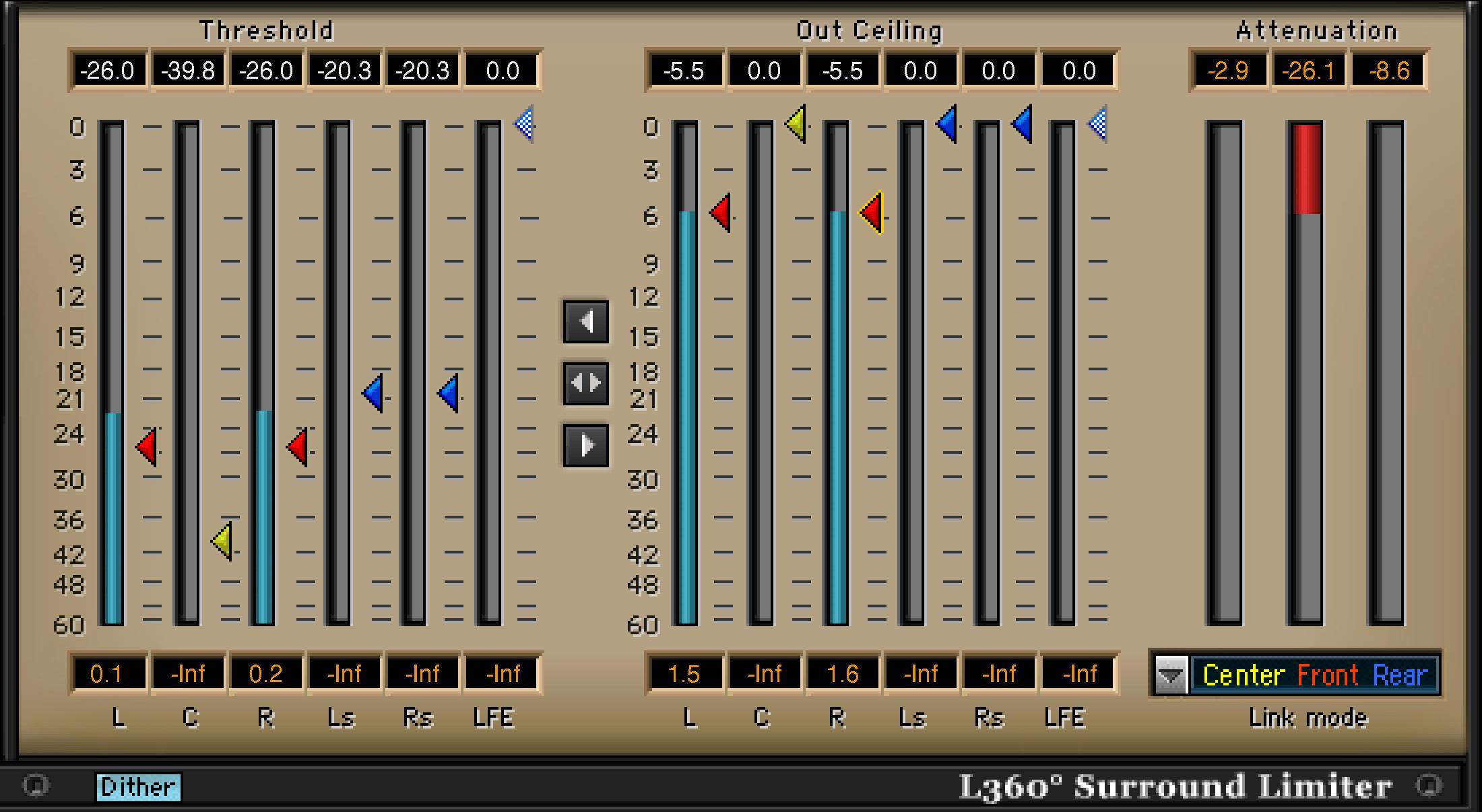

Link mode determines which channels share detection and gain reduction. Waves documents options that link the full applicable channel set, separate the sub from five main channels, or divide channels into front, rear and sub groups. Other options isolate the center. Check the exact group labels and the role of LFE for the mode you use.
Set Threshold and Out Ceiling
Threshold sets the point used by the limiter. Lowering it applies automatic makeup gain while engaging limiting where needed. Out Ceiling establishes the sample-peak limit for this output stage. Start by setting the output ceiling for your workflow, then try a small Threshold change on a representative cue.
Read the meters by group
The input and output sections show individual channel levels. Attenuation meters reflect active detector groups. Watch which group reduces gain when a transient plays, then compare the same moment with a different Link mode if the change affects more of the mix than intended.
Compare changes at a similar level
The guide describes moving Threshold and Ceiling together to compare the effect of limiting with less change in listening level. Use the same cue for each pass and listen to dialogue and effects in context. Check the output of any later gain stage separately.
Related Waves guides
Waves C360 Surround Compressor covers a soft-knee approach to surround dynamics. Waves Dorrough Surround covers a separate multichannel meter.
Sources
Frequently Asked Questions
What is Waves L360 Surround Limiter?
It is a sample-peak limiter for five-channel and 5.1 surround mixes.
What does Link mode change?
It determines which channels share the detector and gain reduction.
What happens when I lower Threshold?
The limiter uses the lower threshold and adds automatic makeup gain.
What does Out Ceiling set?
It sets the output peak limit for this limiting stage.
What do the attenuation meters show?
They show how much gain reduction is being applied to the active detector groups.

About the Author
Joseph Nilo has been working professionally in all aspects of audio and video production for over twenty years. His day-to-day work finds him working as a video editor, 2D and 3D motion graphics designer, voiceover artist and audio engineer, and colorist for corporate projects and feature films.