
What are the Waves GTR3 components?
Waves GTR3 groups guitar processing into Amps, Stomps, ToolRack and Tuner. Amps shapes the amplifier, cabinet and microphone sound. Stomps provides pedal-style effects. ToolRack brings multiple parts of the setup together, and Tuner provides a pitch reference for the guitar.
Amps: choose the amp and cabinet
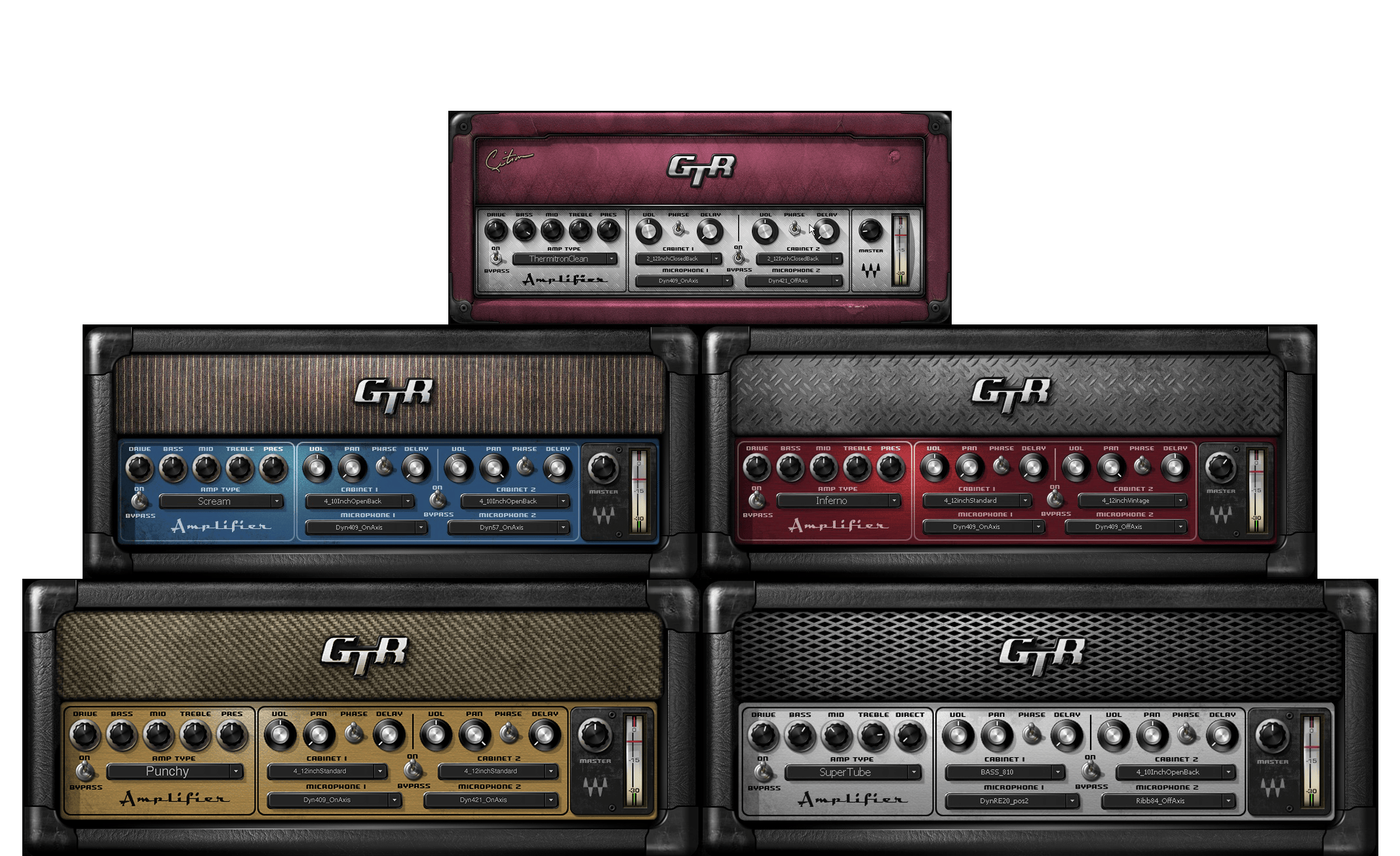

In standalone Amps, choose an Amp Type and set the amp tone. Compare cabinets and microphone choices while keeping the performance the same. These decisions affect the recorded sound in different ways, so make one change at a time and listen in the mix.
Stomps: assemble a pedal chain
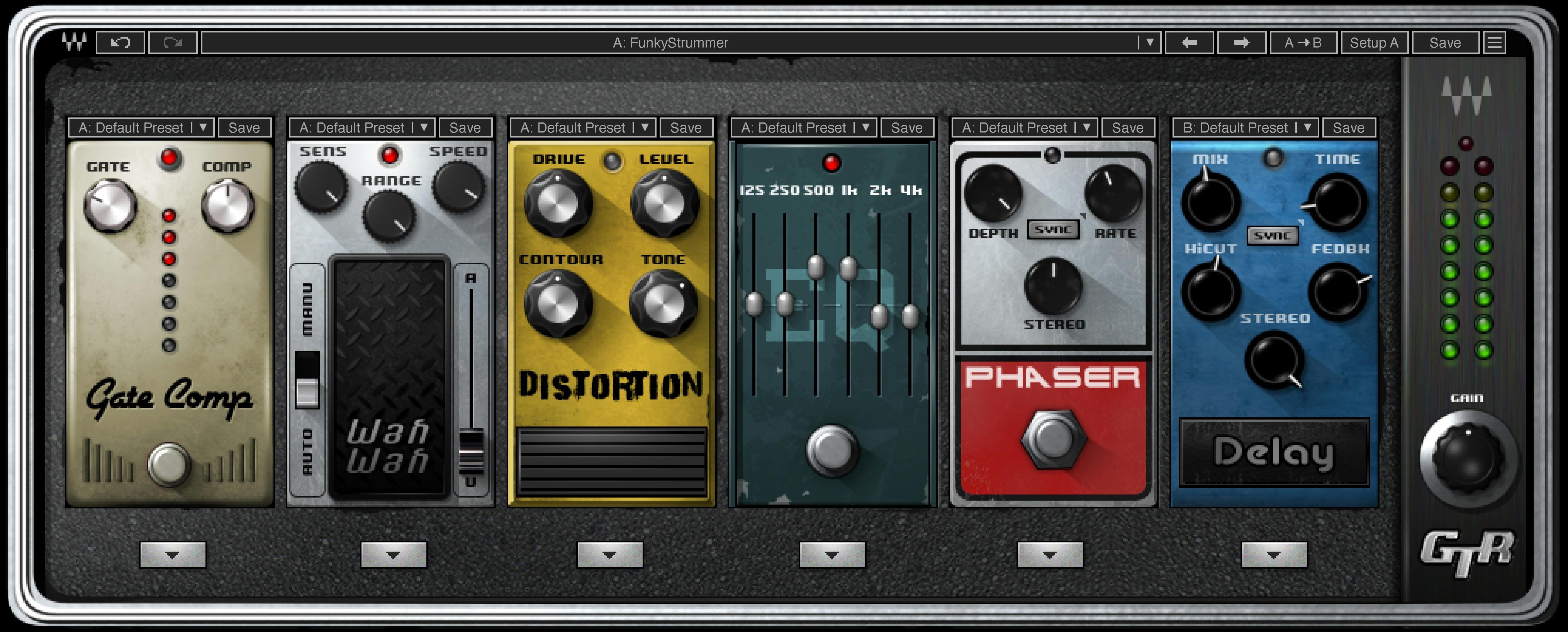

Standalone Stomps loads pedal-style processors into slots. Use a slot’s selection menu to choose an effect and compare the result with the effect bypassed. Start with one effect and add another when you know what it needs to contribute. The visible knobs belong to the selected pedal.
ToolRack: manage an integrated setup
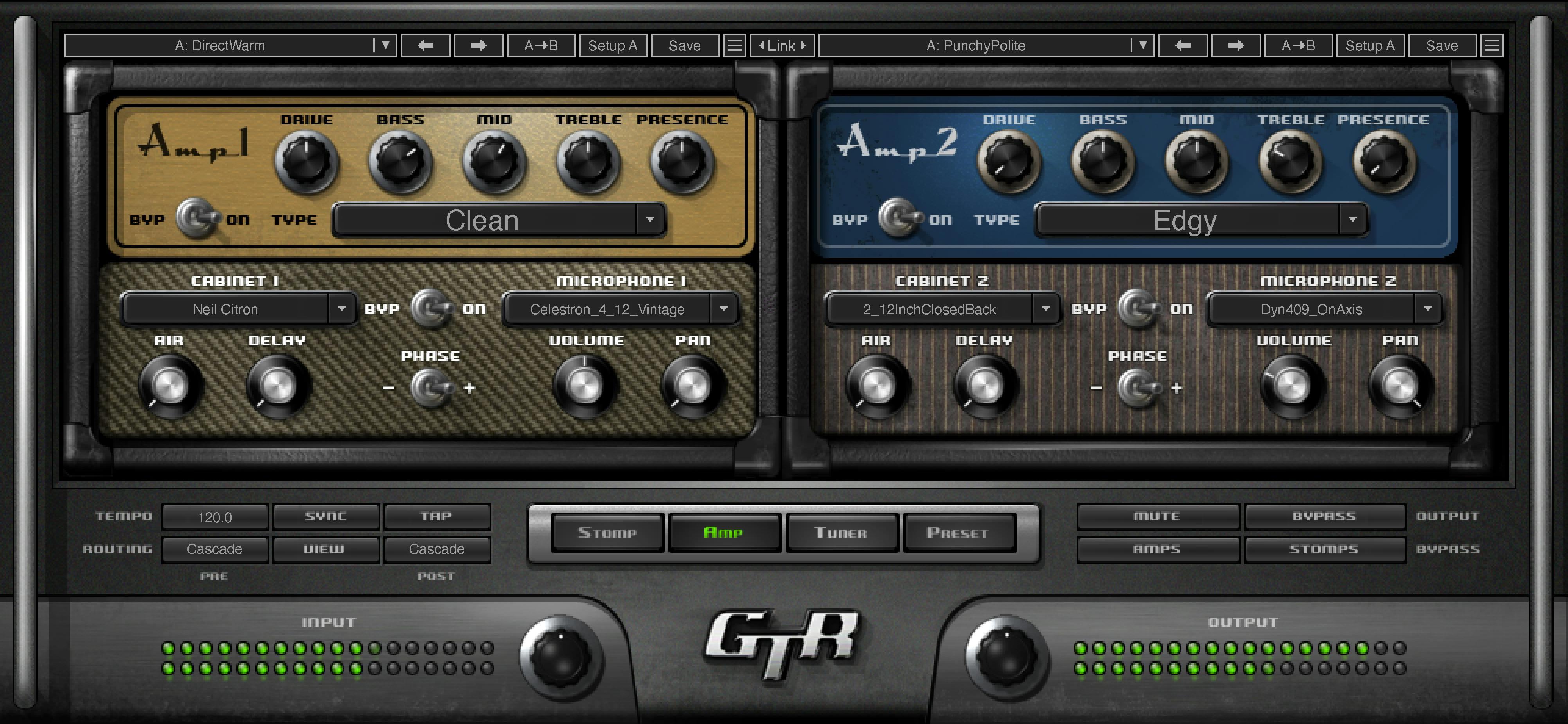

ToolRack combines amp, stomp, tuning and preset pages in a single plug-in. Use the page buttons to reach the part you want to work on. On its Amp page, compare the documented amp, cabinet and microphone choices, then switch to the Stomp page for effects. The pictured ToolRack is on its Amp page.
Tuner: check one string at a time
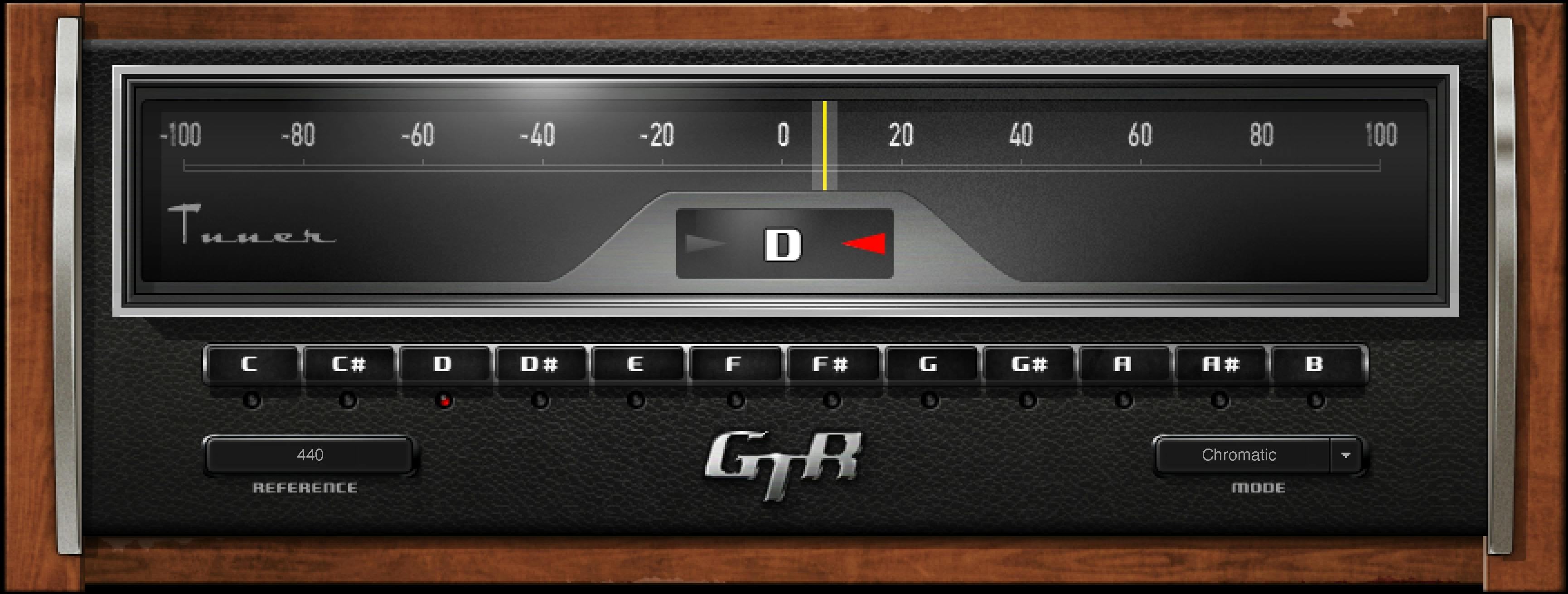

The standalone Tuner shows a detected note and whether its pitch is above or below the target. In Chromatic mode, pluck one string cleanly and let the indicator settle. Check the note name before adjusting the string. The Reference control is available when the session calls for a specific pitch reference.
A starting workflow for direct guitar
Tune first and record a clean direct signal. Listen to an amp and cabinet combination before adding pedals. If you want an integrated setup, use ToolRack and check its Amp and Stomp pages separately. Compare the final guitar sound at a similar level against the rest of the mix.
Related guides and sources
See Waves Maserati GTi for a separate guitar tone workflow and Waves MDMX for distortion-specific processing.
Sources: Waves’ user manuals for GTR3 Amps, Stomps, ToolRack and Tuner. This guide is based on Waves’ documentation. I did not audition the plug-ins. The cover is an AI-generated editorial illustration.
Frequently asked questions
Which component changes the cabinet and microphone?
Use Amps or the Amp page in ToolRack. Compare the cabinet and microphone separately to hear each change.
What is GTR3 Stomps for?
It lets you load pedal-style effects into slots and shape the sound with the controls of each selected effect.
What is ToolRack for?
It brings amp, stomp, tuning and preset pages together in a single plug-in.
Is there a separate GTR3 tuner?
Yes. GTR3 Tuner is the standalone tuning component. ToolRack also has a Tuner page.
Where should I start with a direct guitar track?
Tune the guitar, choose a basic amp and cabinet sound, then add effects only where the part needs them.

About the Author
Joseph Nilo has been working professionally in all aspects of audio and video production for over twenty years. His day-to-day work finds him working as a video editor, 2D and 3D motion graphics designer, voiceover artist and audio engineer, and colorist for corporate projects and feature films.