
| Quick answer | Choose Adobe Podcast for fast browser-based recording and automated speech cleanup. Choose Audition for surgical repair, detailed multitrack mixing, routing, automation, and repeatable delivery control. |
|---|---|
| Best combined workflow | Record or enhance in Adobe Podcast, then finish the selected material in Audition. |
| Choose Podcast first | You need a clean voice quickly and do not want to build an effects chain. |
| Choose Audition first | You need to diagnose a specific defect or control every stage of the mix. |
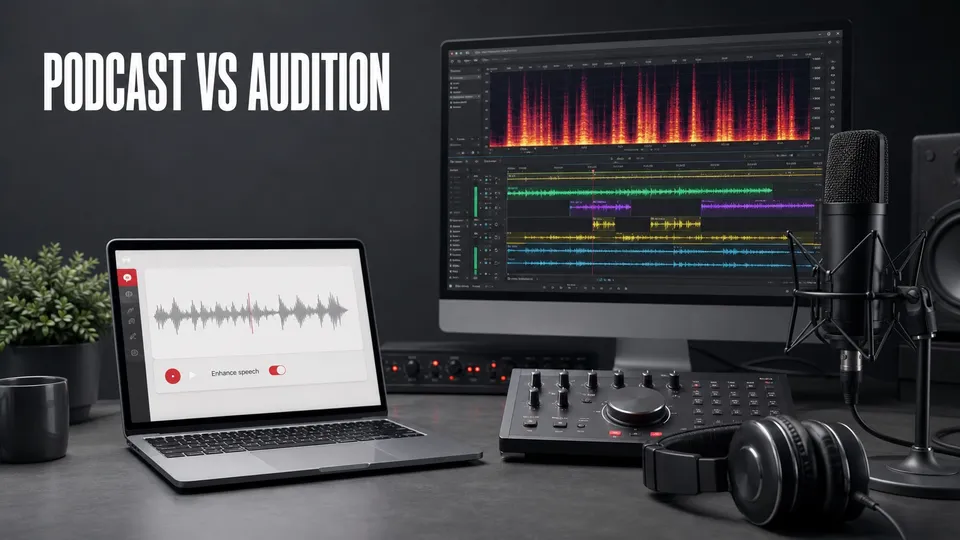
Adobe Podcast and Adobe Audition overlap at voice cleanup, but they solve different production problems. Podcast is a focused web service built around fast recording and AI-assisted speech enhancement. Audition is a desktop audio workstation built for repair, editing, multitrack mixing, routing, automation, and delivery.
The practical decision is not which product is “better.” It is where your project stops being an automated cleanup task and becomes an audio engineering task.
The Core Difference
Adobe Podcast minimizes setup. Upload a file to Enhance Speech or record a remote session in Studio, listen, adjust available controls, and download the result. That makes it useful when speed and accessibility matter more than a custom processing chain.
Audition exposes the recording. You can inspect a waveform and spectral display, repair a small defect, edit at sample-level precision, route tracks through buses, automate changes over time, and control the full mix. Adobe describes those capabilities on the official Adobe Audition product page.
Adobe Podcast vs Audition Feature Comparison
| Task | Adobe Podcast | Adobe Audition |
|---|---|---|
| Fast speech cleanup | Excellent first pass | Powerful, but requires choices |
| Remote guest recording | Built into Studio | Not its primary hosted workflow |
| Spectral repair | Automated result | Detailed visual repair tools |
| Multitrack editing | Project and participant tracks | Full DAW-style multitrack control |
| EQ, dynamics, routing | Limited and simplified | Detailed effects, buses, sends, and automation |
| Repeatable delivery | Fast exports | Templates, processing chains, metering, and format control |
| Learning curve | Low | Moderate to high |
Disclosure: This page contains affiliate links. If you subscribe through one, I may earn a commission at no additional cost to you.
If automated speech cleanup and browser-based Studio recording match the work you do most often, you can Check Adobe Podcast plans.
Choose Adobe Podcast When Speed Matters Most
- You have one narration or interview file that needs broad cleanup.
- You need remote recording without asking guests to install a DAW.
- You want transcription-based project work and separate participant media.
- You do not need to draw out a click or automate a mix parameter.
- You are producing short social, course, podcast, or client clips on a deadline.
Enhance Speech can turn a difficult room recording into a usable starting point faster than manually testing several restoration effects. It is especially valuable when the source problem is general rather than isolated.
Use the step-by-step Adobe Podcast Enhance Speech guide to avoid overprocessing, and use the remote recording guide when capture quality is still under your control.
Choose Audition When the Details Matter
- A single click, hum, buzz, dropout, or clipped syllable needs targeted repair.
- Several speakers need different EQ, dynamics, noise treatment, and automation.
- You need buses, sends, track effects, clip effects, submixes, or external plug-ins.
- Music, ambience, and voice must be mixed as a complete sound design.
- The deliverable has strict loudness, channel, sample-rate, or file-format requirements.
Audition is also the safer choice when automation has changed the speaker too much. You can isolate the actual defect instead of replacing the character of the entire recording.
The Best Hybrid Workflow
- Preserve the original recording.
- Make a content edit or choose the sections worth saving.
- Run only the speech that needs broad cleanup through Adobe Podcast.
- Import the enhanced result and original into Audition on aligned tracks.
- Use the original to patch artifacts, laughter, breaths, music bleed, or altered words.
- Perform detailed repair, EQ, dynamics, and multitrack mixing in Audition.
- Measure loudness and export the required master.
This keeps the AI tool in its strongest role and Audition in its strongest role. It also gives you an escape path when one enhanced sentence does not sound natural.
Which Tool Fits Common Projects?
| Project | Recommended path |
|---|---|
| Solo narration recorded in a hotel | Enhance Speech, then a light Audition finish if required |
| Five-person remote interview | Adobe Podcast Studio capture, then Audition multitrack mix |
| One click in an otherwise clean voiceover | Audition spectral repair |
| Daily short-form talking-head video | Adobe Podcast or Premiere Pro Enhance Speech, depending on timeline needs |
| Documentary with dialogue, music, ambience, and archival audio | Audition for detailed restoration and mix control |
How to Decide Before Paying
Test one representative file, not the easiest file. Include the room, speaker, music, overlap, and defects you normally face. Time the full path from import to acceptable export and note whether manual repair is still required.
Adobe Podcast offers free and Premium levels, while Audition is included in eligible paid Adobe plans. Compare the current Creative Cloud plans against the Podcast limits you actually need. The cheapest tool is the one that reliably produces the required result with the least avoidable labor.
Related Adobe Podcast Guides
Frequently Asked Questions
Is Adobe Podcast a replacement for Adobe Audition?
Not for every workflow. Adobe Podcast is faster for browser-based recording and automated voice cleanup; Audition remains stronger for spectral restoration, detailed multitrack editing, routing, automation, and controlled delivery.
Can I use Adobe Podcast and Audition together?
Yes. Record or enhance speech in Adobe Podcast, preserve the originals, then use Audition for detailed repair, editing, mixing, music, and loudness. This hybrid workflow is often more efficient than choosing only one.
Which is easier for beginners, Adobe Podcast or Audition?
Adobe Podcast is easier for a focused task because it presents fewer controls. Audition takes longer to learn but provides more precise tools when a recording needs manual decisions.
Which tool is better for bad audio?
Adobe Podcast is a strong first pass for broadly noisy or reverberant speech. Audition is better when the problem is local and specific, such as one click, clipped syllable, hum, intermittent noise, or a section that needs spectral repair.
Do I need Creative Cloud for Adobe Audition?
Audition is a paid Adobe desktop application available through eligible Adobe plans. Adobe Podcast has its own free and Premium feature levels; check Adobe's current plan pages before subscribing.

About the Author
Joseph Nilo has been working professionally in all aspects of audio and video production for over twenty years. His day-to-day work finds him working as a video editor, 2D and 3D motion graphics designer, voiceover artist and audio engineer, and colorist for corporate projects and feature films.